Best Demo Software in 2026: 8 Tools Compared
Compare the best demo software for interactive product tours, with HTML demos, pricing details, free tiers and sales team fit explained clearly in 2026.

- Editor's choice
 Supademo
Cross-team interactive demos
Starts at$38 per user per monthVisit supademo.comFull review - Great alternative
 Storylane
Sales and marketing demo workflows
Starts at$40 per user per monthVisit storylane.ioFull review - Also consider
 Navattic
HTML demos for marketing
Starts atSee websiteVisit navattic.comFull review
TL;DR:
- Supademo and Storylane suit most mid-market teams that need several demo formats in one place.
- Navattic fits marketing teams that want polished HTML demos on a website.
- Arcade and HowdyGo are easier, lower-cost starts for fast walkthroughs and lightweight HTML demos.
- Walnut, Reprise and Demostack suit enterprise sales teams that need personalisation, sandboxes or full clones.
- Start with a free tier, build one demo for a real buyer journey, and check analytics before you buy a larger plan.
Quick comparison
| Tool | Best for | Starts at | Free plan? | |
|---|---|---|---|---|
| Supademo | Cross-team interactive demos | $38 per user per month | Yes | Visit |
| Storylane | Sales and marketing demo workflows | $40 per user per month | Yes | Visit |
| Navattic | HTML demos for marketing | See website | Yes | Visit |
 Arcade | Fast, polished walkthroughs | See website | Yes | Visit |
 Walnut | Enterprise sales personalisation | See website | No | Visit |
 Reprise | Enterprise sandbox environments | See website | No | Visit |
 Demostack | Full product cloning | See website | No | Visit |
 HowdyGo | Lightweight HTML demos | See website | Free trial | Visit |
The best demo software
Demo software lets buyers try a product without a live call or a risky sandbox setup. Interactive demos, guided tours and product clones show value in minutes, and analytics show which steps buyers actually complete. The tools below cover screenshot demos, HTML demos, video tours and full clones, with different prices and team fits.

Supademo is a broad demo platform for sales, marketing, onboarding, training and support teams. A team can build screenshot demos, HTML demos, video tours and sandbox demos in one workspace, rather than stitching together separate tools for each use. The free plan lets a small team test the workflow with a few demos before paying, and paid plans start at $38 per user per month for the Scale plan.
AI tools help with bulk edits, voiceovers and demo maintenance, which matters when a product changes often and demos go stale fast. The trade-off is plan gating: HTML demos and sandbox demos start on higher plans, so a team that only needs HTML should check plan details carefully. Supademo fits a cross-functional team that wants one demo home for several buyer and user journeys.
- Screenshot, HTML, video and sandbox formats in one workspace
- Free plan with several demos to test
- AI tools help with creation and maintenance
- HTML demos start on higher plans
- Sandbox features need a Growth plan

Storylane is a popular all-round demo tool for B2B sales and marketing teams. It offers HTML, screenshot and video demos in one editor, plus Hubs that organise demos by use case, industry or buyer role. That organisation helps a sales team share the right demo for each deal, rather than sending a generic tour to every prospect. Starter pricing starts at $40 per seat per month on annual billing, with a free plan for testing.
AI voiceovers, avatars and a live AI sales agent add options for teams that want demos to work on a website without a rep present. The limit is plan gating, as with Supademo: HTML editing and sandbox demos sit on higher plans. Storylane fits a mid-market GTM team that needs versatility, clear analytics and a demo library that sales can actually find and share.
- HTML, screenshot and video demos in one editor
- Hubs organise demos by use case or buyer
- Free plan to test core workflows
- HTML editor starts on a higher Growth plan
- Sandbox demos are an enterprise feature
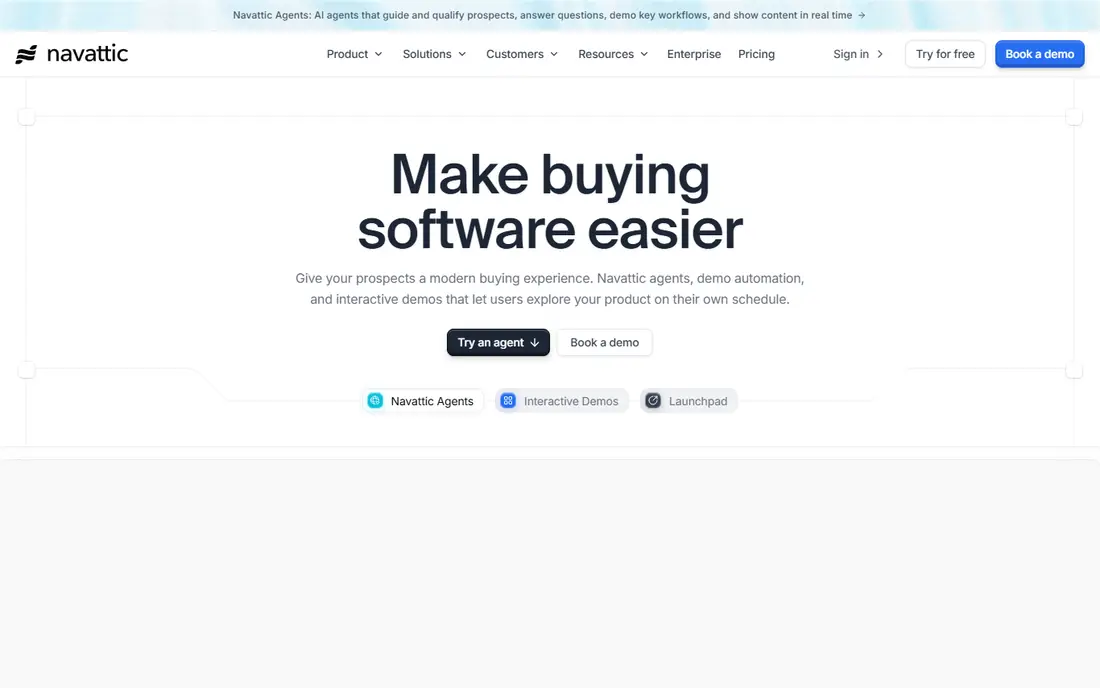
Navattic focuses on HTML demos that feel like the real product, because they capture live HTML rather than only screenshots. Marketing teams can embed a demo on a website, let a buyer click through a realistic workflow, and track engagement without a live call. Launchpad and sharing tools help sales teams send the right demo for each account and follow up on views.
The free plan includes one demo, which is enough to test the HTML feel and analytics on a single journey. Paid plans are quote-based in current listings, with sandbox, single sign-on and translation features on higher tiers. Navattic fits a marketing-led team that wants polished website demos and is willing to talk to sales for full pricing.
- HTML capture gives a realistic product feel
- Launchpad helps sales share demos
- Free plan with one demo to test
- Paid pricing is not published in a simple table
- Sandbox and advanced features start on higher plans
Arcade is built for speed and polish. A product marketer can capture a walkthrough, edit steps, add narration and export a video or GIF for a launch, a docs page or social post, all in a short session. That speed suits teams that publish often and need demos that look good without a long production process. The free plan covers small teams and a few demos, with paid plans for growth teams.
The trade-off is depth for enterprise demo programs. Native Salesforce links, single sign-on and advanced permissions sit on enterprise plans, and HTML demo depth is thinner than a dedicated HTML platform. Arcade fits a design-led marketing or product team that needs fast, beautiful walkthroughs, and that will use demo software for launches and onboarding as well as sales.
- Fast creation for product walkthroughs
- Polished exports for video, GIF and embeds
- Free plan for small teams
- Enterprise features such as SSO sit on higher plans
- HTML demos are more limited than Navattic or Storylane
Walnut is an enterprise demo platform for sales and presales teams that need personalised demos at scale. A rep can tailor a demo to an account, industry or buyer role, share it through a Digital Sales Room, and track engagement alongside Salesforce data. Sandbox experiences let buyers try a realistic product environment without risk to live data, which helps for complex enterprise deals.
Pricing is enterprise-grade, with no free plan and paid plans starting in the hundreds per month for small teams, rising for sandbox and advanced features. That cost fits a sales-led firm with large deals, where a personalised demo can influence a major contract. Smaller teams that only need a few tours will find Supademo, Storylane or Arcade more practical and affordable.
- Strong personalisation for sales demos
- Sandbox experiences and Digital Sales Rooms
- Deep Salesforce workflows for sales teams
- No free plan
- Enterprise pricing starts higher than mid-market tools
Reprise builds demo environments by cloning a real product, then injecting demo data for a specific buyer or use case. That code-level approach gives a demo that behaves like the product, including complex workflows and integrations, rather than a guided screenshot tour. For enterprise presales teams selling complex software, that realism can be the difference in a competitive deal.
Setup is heavier than a capture tool, because cloning, data and environments need engineering and presales time. Pricing is quote-only with annual contracts, and costs are enterprise-grade. Reprise fits a large firm with complex products, regulated customers or long sales cycles, where a realistic sandbox justifies the setup and cost. Smaller teams should start with a capture tool first.
- Code-level cloning for realistic demo environments
- Data injection for personalised demo data
- Strong compliance and security for regulated firms
- Quote-only pricing with annual contracts
- Heavier setup than capture-based tools
Demostack offers full product cloning, letting a sales team show a buyer a working copy of the product with their own data, branding and workflows. That depth suits proof-of-concept work and enterprise deals where a buyer needs to test a real workflow, not only watch a tour. Personalisation, analytics and sales workflows help a team tailor each demo and learn which steps matter to a buyer.
The cost and setup reflect that depth. Demostack typically prices by annual contract in the tens of thousands, with a longer implementation than a capture tool. It is not a fit for a small team that needs a quick tour for a website. Demostack fits an enterprise sales organisation with complex products, large deals and a presales team ready to own demo environments.
- Full product cloning for complex demos
- Personalisation and demo analytics for sales teams
- Suits proof-of-concept and enterprise deals
- Quote-only pricing, often tens of thousands per year
- Long setup for a full clone
HowdyGo is a lightweight HTML demo tool for teams that want realistic demos without enterprise complexity. Paid plans offer unlimited users and demos, which helps a small team share demos widely without counting seats. The workflow is simple: capture HTML, edit steps, publish and share, with analytics to see engagement.
Advanced features such as sandbox environments, AI agents and deep Salesforce workflows are thinner than on enterprise platforms, and the ecosystem is smaller than Storylane or Supademo. That simplicity is the point for a small team. HowdyGo fits a team that wants HTML demos, a simple price model and a fast start, and that does not need a full enterprise demo suite yet.
- Lightweight HTML capture with unlimited users on paid plans
- Simple workflow for small teams
- Trial to test HTML demos before buying
- Fewer advanced features than enterprise platforms
- Smaller ecosystem than Storylane or Supademo
How we picked these
We compared official product pages, pricing pages and public reviews for demo software that creates interactive product demos in 2026. We kept tools with a working demo builder, sharing and analytics, and a clear fit for sales, marketing or onboarding use. We left out simple screen recorders with no interactive demo features, because they do not let buyers click through a product journey.
What to check before you buy
Start with one buyer journey, not a library. Build a demo for your most common use case, share it with a real prospect or customer, and check completion rate, time spent and drop-off steps. That test tells more than a feature list about whether a tool will help your sales team.
Match demo type to buyer intent
A website visitor needs a short, guided tour, while an enterprise buyer in a proof of concept may need a sandbox or a clone. Screenshot demos work for simple flows, HTML demos feel more real, and clones suit complex products. Pick a tool that covers your main demo type well, rather than one that covers every type poorly.
Plan for demo maintenance
Products change, and demos go stale fast. Ask how the tool handles updates, bulk edits and alerts when a captured screen changes. Assign an owner for each demo, review demos after each major release, and retire demos that no longer match the product. A stale demo hurts trust more than no demo.
Check analytics and CRM fit
Demo analytics should show views, completions and step drop-offs, and connect to your CRM so sales can follow up on engaged buyers. Test the Salesforce or HubSpot link during a trial, and confirm what data flows to a contact or deal record. Analytics that no rep sees will not change sales behaviour.
FAQ
What is demo software?
Demo software creates interactive product demos that buyers can click through without a live call or a full product setup. It can use screenshots, live HTML, video or a cloned product environment, with guided steps and analytics. The goal is to show value fast and help sales follow up on engaged buyers.
What is the difference between HTML and screenshot demos?
Screenshot demos use images of a product with guided steps, which are fast to build and easy to maintain. HTML demos capture live product code, so buyers can click, type and interact more realistically. HTML demos feel more real but need more setup and maintenance when the product changes.
How much does demo software cost?
It ranges from free tiers and $38 to $40 per user per month for mid-market tools such as Supademo and Storylane, to enterprise contracts in the tens of thousands per year for Reprise and Demostack. Cost depends on demo type, user count, sandbox needs and contract length, so get a quote for your exact use.
Do I need a demo tool if I already do live demos?
Often yes, because interactive demos work when a rep is not present, such as on a website, in an email or after a call. Live demos still matter for complex deals and questions, but a shareable demo lets a champion show the product to colleagues and keeps the deal moving between calls.
How do I measure demo success?
Track views, completion rate, time spent, step drop-offs and downstream meetings or deals from demo viewers. Compare demos by use case and buyer role, and update demos with high drop-offs. A demo with many views but low completion may need shorter steps or a clearer first value moment.
Can small teams use demo software?
Yes. Supademo, Storylane, Arcade and HowdyGo offer free plans or trials and low-cost paid plans for small teams. Start with one demo for your main buyer journey, test it with real prospects, and expand only when analytics show it helps. Enterprise tools are usually unnecessary until deal size and complexity justify them.