Best Decluttering Apps in 2026: 8 Apps Compared
Compare the best decluttering apps for room-by-room plans, cleaning routines, home inventory, and selling or donating items you no longer need in 2026.
- Editor's choice
 Clutterfree
Guided room-by-room clear-outs
Starts atSee websiteVisit clutterfree.comFull review - Great alternative
 Tody
Cleaning routines by need
Starts atFreeVisit todyapp.comFull review - Also consider
 Sweepy
Gamified family cleaning
Starts atFreeVisit sweepy.comFull review
TL;DR:
- We found a guided plan app plus a routine app works better than one app trying to cover a whole house, a schedule, and selling.
- Clutterfree suits a first whole-home clear-out, while Tody and Sweepy suit keeping a home tidy once the big clear-out is done.
- Sortly is the pick for boxes, storage, and moving, since photos and labels stop you losing track of what went where.
- Selling apps such as ThredUp and OfferUp help only after you decide what goes, so sort first and list second.
- Start with one room and a short daily session, since a huge weekend plan is the most common reason a clear-out stalls.
Quick comparison
| Tool | Best for | Starts at | Free plan? | |
|---|---|---|---|---|
| Clutterfree | Guided room-by-room clear-outs | See website | Free trial | Visit |
| Tody | Cleaning routines by need | Free | Yes | Visit |
| Sweepy | Gamified family cleaning | Free | Yes | Visit |
 Sortly | Home inventory and box tracking | Free | Yes | Visit |
 OurHome | Family chores and rewards | Free | Yes | Visit |
 Cozi | Shared family schedules and lists | Free | Yes | Visit |
 ThredUp | Selling and donating clothes | Free | Yes | Visit |
 OfferUp | Selling household items locally | Free | Yes | Visit |
The best decluttering apps
We grouped these apps by job: planning a clear-out, keeping a routine, tracking what you own, and moving items out of the house.
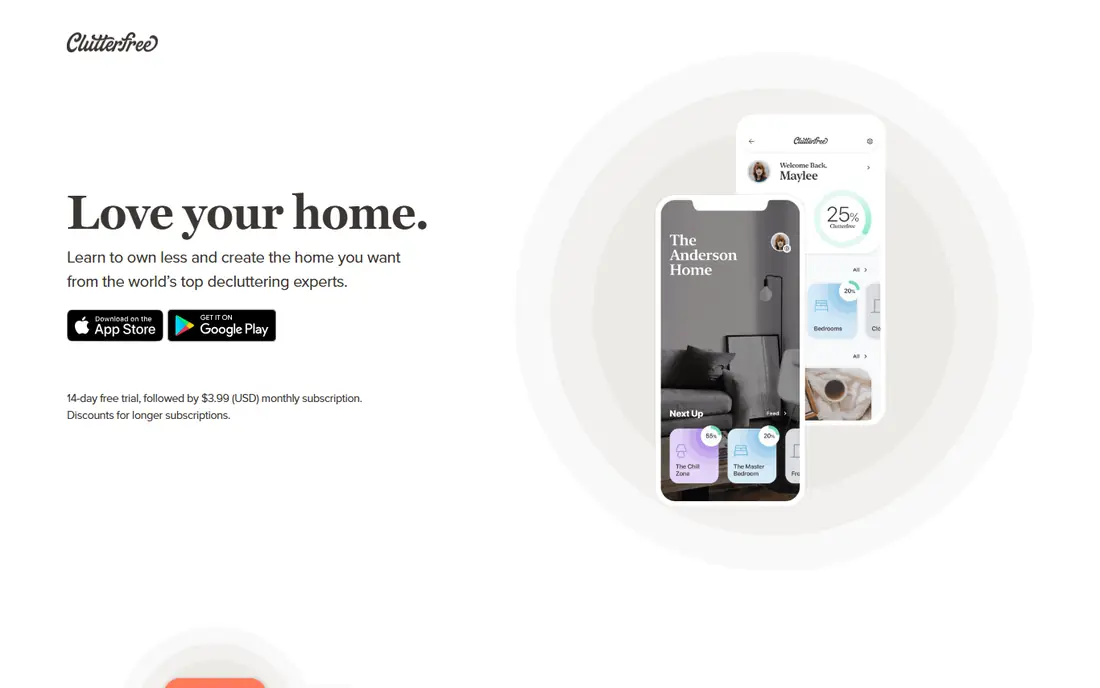
Clutterfree is our pick for people who feel stuck at the start. Instead of a blank list, you get a plan for your home and rooms, with steps, challenges, and progress tracking that make a large job feel smaller. That structure helps when the problem is not effort, but deciding where to begin and what counts as done in each room.
Pricing is listed on the vendor site, so we mark it as See website, and a trial lets you test the plan before paying. The honest catch is that the paid plan is where the full guides and challenges live, so the free experience is a taste, not the whole program. If you need a guide to keep you moving, that cost can be worth it for one focused clear-out.
- Personalized decluttering plan
- Challenges and progress tracking
- Expert guides
- Full features need a paid plan
- Photo handling has drawn complaints in older reviews

Tody takes a different view of tidiness: clean when a task actually needs it, not on a rigid weekday. Each task gets an interval, and a color indicator shows whether it can wait or is overdue, which feels calmer than a long daily list. You can assign or rotate tasks, and checking off a job gives a small sense of progress that adds up across a house.
The free plan is genuinely useful, with no ads, and Premium at $9.99 per year adds multiple homes and a focus timer, based on vendor and review listings. Household sync, where everyone sees the same live plan, sits on a higher tier, so a single-person household gets more from the free plan than a large family. For keeping a decluttered home from filling up again, Tody is hard to beat.
- Visual dirtiness indicator
- Flexible intervals
- Free plan with no ads
- Setup takes time to match your home
- Household sync needs a paid tier

Sweepy turns cleaning into a shared game, with schedules, effort points, and leaderboards for household members. That approach works well for families and roommates, where the problem is motivation and fairness as much as the tasks themselves. Parents can review completed tasks, and the app builds a daily schedule from your home and habits rather than leaving you to plan it.
A free tier lets you try the core routine, with a paid subscription adding fuller household features. Pricing varies by platform and plan, so check the vendor site before subscribing. If competition annoys your household, Tody is the calmer choice. If your household responds to streaks and points, Sweepy can keep a routine alive longer.
- Auto-generated schedules
- Points and leaderboards
- Family sync
- Best features need a paid plan
- Gamification does not suit every household
Sortly is the app for the middle of a clear-out, when boxes start to pile up and you forget what went where. Photograph items, group them by room and box, print QR labels, and scan a box later to see its contents without opening it. That record also helps for insurance, moving, and storage, since you have photos and a list instead of memory alone.
The free tier covers a starter inventory, with paid plans raising limits and adding team features. For a whole-home move or a garage full of storage boxes, the paid tier is likely needed. For one room or a small storage unit, the free tier may be enough. Either way, Sortly solves the problem most decluttering apps ignore: finding things again after you tidy them away.
- Photo inventory
- QR code labels
- Export for insurance records
- Free tier limits item counts
- Full features need a paid plan
OurHome is a free family organizer that covers chores, rewards, a shared calendar, and grocery lists in one simple app. Children earn points for completed chores toward rewards parents set, which makes it useful for families who want a routine without paying for a premium cleaning app. Setup is quick, and the whole household can see who owes what.
The trade-off is scope. OurHome does not offer a guided decluttering plan, a photo inventory, or selling tools, so it fits the maintenance phase rather than a big clear-out. Pair it with Clutterfree for the clear-out and Sortly for boxes, and OurHome can carry the daily routine that stops clutter from returning.
- Free for families
- Chores, rewards, and grocery lists
- Simple setup
- Design is basic
- Fewer inventory or selling features
Cozi is a long-running family organizer with a shared calendar, shopping lists, to-do lists, and recipes. For decluttering, its value is indirect but real: a shared calendar stops double-booking a clear-out weekend, and shared lists stop duplicate purchases that add clutter. Families who already use Cozi for schedules can add decluttering tasks to the same place everyone already checks.
The core app is free, with ads, and Cozi Gold removes ads and adds features for a yearly fee listed on the vendor site. Cozi will not plan your clear-out or track boxes, so it is a support tool, not a decluttering specialist. For a busy household that needs one shared hub, though, it keeps the plan visible to everyone.
- Shared calendar and lists
- Recipes and meal planning
- Free core features
- Ads on the free plan
- Premium needed for an ad-free experience and more features
ThredUp handles the wardrobe part of decluttering, which is often the largest pile in a bedroom clear-out. Order a clean-out bag, fill it with clothes, shoes, and accessories, send it back, and ThredUp lists accepted items for resale or handles donation for the rest. You avoid photographing, pricing, and posting each item yourself, which is why many people finish a wardrobe clear-out with ThredUp when they stall on a marketplace.
Using the service is free to start, and payouts depend on brand, condition, and sale price, so do not expect retail prices back. It also covers clothes only, so furniture and general household goods need another route. For a closet that has been avoided for months, ThredUp turns a vague pile into a finished job.
- Prepaid clean-out bags
- Resale or donation options
- No listing photos needed
- Payouts vary by brand and condition
- Not for furniture or general household items
OfferUp is the outlet for everything ThredUp cannot take: furniture, appliances, tools, toys, and general household items. List an item with photos and a price, and local buyers can collect it, which is faster and cheaper than shipping a sofa. Shipping options exist for smaller items, and the app is free to list, with fees on some shipped sales.
The catch is effort. You will answer messages, negotiate, and arrange collection, and that time adds up for low-value items. For anything worth less than your time to sell, donation may be the better exit. Meet in a public place, or use a safe exchange zone where available, and never share home access details with a buyer. Used for larger items, OfferUp can clear real space and return some money.
- Local buyers for furniture and household goods
- Simple listings
- Shipping options
- Selling takes time and messages
- Meetups need safety care
How we picked these
We compared official feature and pricing pages and recent app listings for decluttering, cleaning routine, inventory, and resale apps that still work in October 2026. We favored apps with a usable free tier, clear pricing, and a distinct job in a clear-out, and we left out apps that only offer generic to-do lists without a decluttering, routine, or inventory angle. Our test was practical: could a reader plan a room, keep it tidy, find stored items, and move unwanted goods out using this set.
How to run a clear-out without stalling
Start small and finish one space completely before moving on. Pick a drawer, a shelf, or one closet, set a timer for 30 minutes, and sort into four groups: keep, donate or sell, recycle, and trash. Put the donate and sell groups in bags or boxes the same day, so they do not drift back into a room.
Then choose a routine app before the clear-out ends. Tody or Sweepy for cleaning, OurHome or Cozi for family tasks, and Sortly for anything going into storage will hold the gain. A clear-out without a routine is a pause, not a change, and the routine is what keeps a home usable week after week.
The exit plan matters as much as the sort
Many clear-outs fail at the exit, not the sort. Book a donation pickup, order a ThredUp bag, or list larger items on OfferUp on the same day you sort them. If an item sits in a hallway bag for a month, it is still clutter, just in a bag.
FAQ
Which decluttering app should I start with?
Start with Clutterfree if you need a guided plan for a whole home, or Tody if your home is already mostly tidy and you need a routine. Most people benefit from one of each, rather than trying to force one app to do planning, routines, and selling.
Are decluttering apps free?
Many have free tiers, including Tody, Sweepy, Sortly, OurHome, Cozi, ThredUp, and OfferUp for basic use. Clutterfree offers a trial, and paid plans add fuller features, higher limits, or ad-free use, so check the vendor site for current prices before subscribing.
How long does a room-by-room clear-out take?
A single room often takes a few focused sessions of 30 to 60 minutes, while a whole home can take weeks of short sessions. Short, regular sessions beat a single exhausting weekend, since decision fatigue is the main reason people stop halfway through a room.
What should I do with clothes I no longer wear?
Sort them into resale, donation, and recycling groups. ThredUp suits branded clothes in good condition, local donation suits everyday items, and worn-out textiles should go to textile recycling where available, rather than general trash where a recycling route exists.
Can an app help with a move or storage unit?
Yes. Sortly is built for that job, with photos, room and box grouping, and QR labels. Photograph each box as you pack it, label it, and you can find an item later without opening every box in a storage unit.
How do I keep a home tidy after decluttering?
Set a short daily routine in Tody or Sweepy, keep a shared list in Cozi or OurHome for household tasks, and use a one-in, one-out rule for new purchases. A weekly 15-minute reset, where everyone returns items to their homes, prevents a slow return to clutter.