Best Customer Journey Analytics Software in 2026: 8 Tools Compared
Best customer journey analytics software compared for 2026: 8 tools for funnels, paths, session replay, and cross-channel journeys, with free tiers noted.

- Editor's choice
 Adobe Customer Journey Analytics
Enterprise omnichannel journeys
Starts atSee websiteVisit adobe.comFull review - Great alternative
 Google Analytics 4
Free website and app journeys
Starts atFreeVisit analytics.google.comFull review - Also consider
 Mixpanel
Event-based product journeys
Starts atFreeVisit mixpanel.comFull review
TL;DR:
- Google Analytics 4 is the free starting point for most sites, while Amplitude and Mixpanel lead for product teams that need event paths and cohorts.
- Adobe Customer Journey Analytics suits large enterprises that must stitch web, app, call center, and offline data into one journey.
- Contentsquare and FullStory add the visual layer: heatmaps, replays, and friction signals that explain why a journey breaks.
- Heap, now part of Contentsquare, still stands out for autocapture, which lets teams ask new questions about past behavior.
- Good event naming and privacy controls matter more than chart count, since messy data makes every journey view misleading.
Quick comparison
| Tool | Best for | Starts at | Free plan? | |
|---|---|---|---|---|
| Adobe Customer Journey Analytics | Enterprise omnichannel journeys | See website | No | Visit |
| Google Analytics 4 | Free website and app journeys | Free | Yes | Visit |
| Mixpanel | Event-based product journeys | Free | Yes | Visit |
 Amplitude | Journeys, cohorts, and retention | Free | Yes | Visit |
 Heap | Autocapture and retroactive analysis | See website | Free trial | Visit |
 FullStory | Session replay and friction signals | See website | Free trial | Visit |
 Contentsquare | Visual journey and friction analysis | Free | Yes | Visit |
 Quantum Metric | Revenue-quantified journey friction | See website | No | Visit |
The best customer journey analytics software
Customer journey analytics shows the paths people actually take, from first visit to purchase, renewal, or churn, instead of the path a team drew on a whiteboard. The tools below cover funnels, path analysis, cohorts, session replay, and cross-channel stitching. We compared official product pages and public documentation for tools in active use in October 2026.
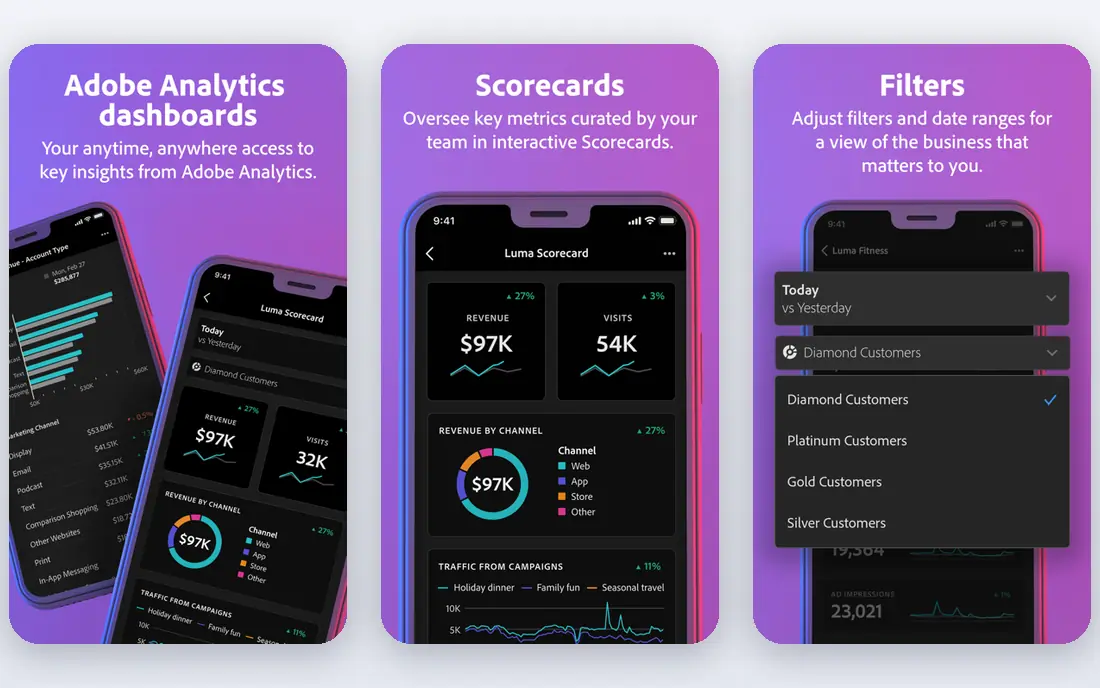
Adobe Customer Journey Analytics is built for large organizations that need one person-based view across channels, including web, mobile apps, contact centers, and offline sources. Its fallout, flow, and cohort views help teams see where journeys break and which segments complete key steps. For companies already running Adobe Experience Platform, the shared data model is a major advantage.
The catch is scale. This is an enterprise product with implementation work, data governance needs, and analyst skill requirements, so small teams will find it heavy. It suits large enterprises with multi-channel journeys and the staff to govern data definitions. Smaller teams should start with GA4, Mixpanel, or Amplitude.
- Stitches web, mobile, call center, and offline data
- Fallout, flow, and cohort views
- Adobe Experience Platform fit
- Enterprise pricing and setup effort
- Needs skilled analysts to run well
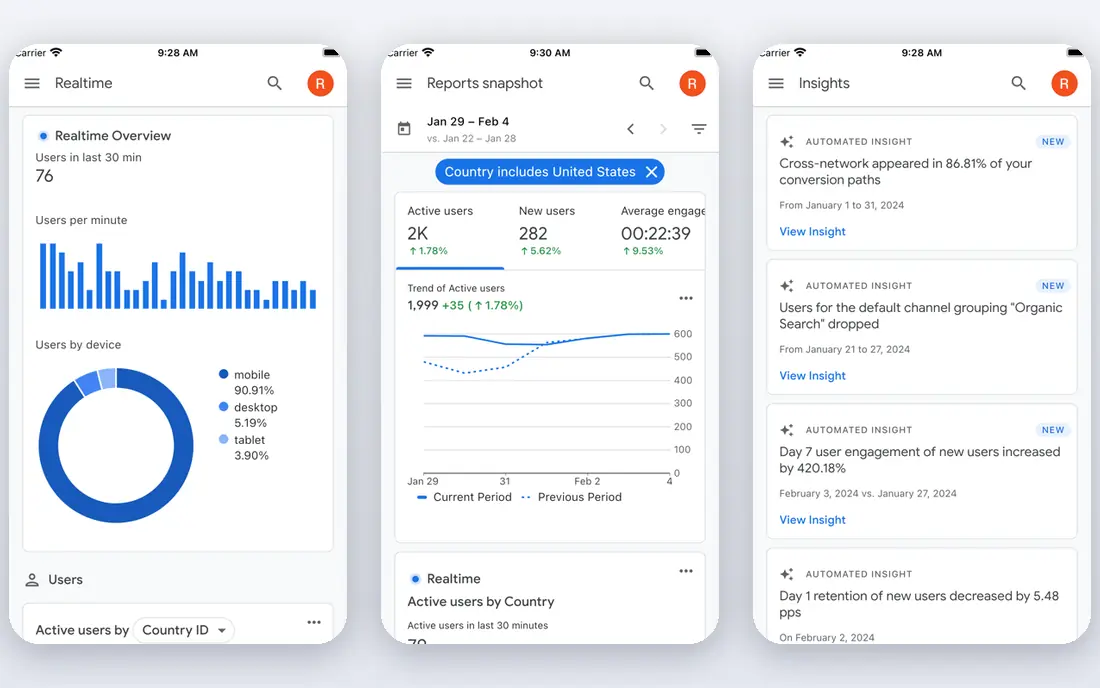
Google Analytics 4, or GA4, is the free default for website and app analytics, and its event-based model supports funnel, path, and cohort views for common journeys like signup, checkout, and content flows. It integrates widely with Google Ads, Search Console, and BigQuery, which helps small teams connect traffic, behavior, and revenue without buying a second tool. For most small sites, GA4 answers the core journey questions.
The catch is depth. Product teams that need detailed event paths, retroactive funnels, or session-level replay will find GA4 limited compared with Mixpanel or Amplitude. Setup also matters: poor event naming and missing consent controls weaken every report. GA4 suits teams that want a solid free baseline and can keep tagging clean.
- Free for most sites and apps
- Event-based model with funnels and paths
- Wide integration ecosystem
- Path analysis is less deep than product tools
- Sampling and setup quirks on large properties

Mixpanel is an event-based product analytics tool with Flows, funnels, cohorts, and retention views that show how users move through a product. Teams can compare the paths of retained users against churned users, test changes by cohort, and track feature adoption over time. A free tier makes it easy for product-led teams to start, and a session replay add-on adds qualitative context to the numbers.
The catch is instrumentation. Mixpanel reports are only as good as event names and properties, so teams need a tracking plan and naming rules before they scale. Usage-based pricing also means event volume drives cost, so high-traffic products should model event counts. Mixpanel suits product teams that live in event data daily.
- Clear Flows, funnels, and cohorts
- Free tier for product teams
- Session replay add-on
- Usage-based pricing grows with events
- Instrumentation discipline required
Amplitude combines journey analysis with funnels, retention, cohorts, and experimentation, which helps product teams see not just where users drop off, but which groups return and why. Its Journeys chart shows the most common event sequences between two points, with conversion and drop-off at each step, and filters by cohort make comparisons straightforward. A free plan with a large monthly event allowance suits startups well.
The catch is cost at scale. Paid Growth and Enterprise tiers are quote based, and instrumentation planning still decides report quality. Amplitude suits SaaS and mobile teams that need journey, retention, and experiment views in one tool. Teams that only need website funnels may do fine with GA4 for free.
- Journeys chart with conversion and drop-off
- Cohorts and retention analysis
- Generous free event allowance
- Growth and enterprise tiers are quote based
- Setup takes planning for large products
Heap stands out for autocapture: it records clicks, page views, form submissions, and other interactions automatically, so teams can define a funnel or journey later and analyze past behavior retroactively. That flexibility helps teams that discover a new question weeks after users behaved, since they do not need to have tagged the event in advance. AI features help surface notable changes and patterns.
The catch is packaging. Heap is now part of Contentsquare, and its tiers sit inside the wider Contentsquare platform, so buyers should confirm which Heap features sit on which plan. Pricing is sales-led for most teams. Heap suits data-curious teams that ask new questions often and hate waiting for a tagging release to answer them.
- Autocapture records events without manual tagging
- Retroactive funnels and journeys
- AI insight features
- Pricing is sales-led
- Now part of Contentsquare, so packaging is changing
FullStory pairs session replay with journey and funnel data, so teams can watch the exact sessions behind a drop-off instead of guessing from charts. Frustration signals, such as rage clicks and dead clicks, help prioritize which broken journeys to fix first, and mobile coverage extends the same view to apps. That qualitative layer is why UX and product teams adopt it alongside a numbers tool.
The catch is cost and privacy care. Pricing is sales-led and tied to session volume, so high-traffic sites should model costs carefully. Teams must also mask sensitive fields, set retention rules, and respect consent requirements before replaying sessions. FullStory suits teams that fix journeys by watching real user struggle, not just by reading funnel charts.
- Session replay linked to journeys and funnels
- Frustration signals
- Mobile and web coverage
- Sales-led pricing
- Replay volume drives cost
Contentsquare brings journey analysis together with heatmaps, session replay, zone-based analysis, and surveys, which helps marketing and ecommerce teams see where a live journey breaks. Its AI features quantify the revenue impact of friction, so teams can rank fixes by business value rather than by complaint volume. A free tier with session and replay limits makes it easy to try on one site.
The catch is plan clarity. Contentsquare acquired Heap and merged Hotjar into the group, so buyers should confirm which features sit on the current Experience Analytics plans versus legacy plans. Higher tiers are quote based. Contentsquare suits ecommerce and marketing teams that want visual proof of friction alongside journey numbers.
- Heatmaps, replays, journey analysis, and surveys in one place
- Free tier available
- AI friction quantification
- Higher tiers are quote based
- Platform consolidation can confuse plan comparisons
Quantum Metric is built for large enterprises that need journey analytics tied directly to revenue, with native journey views, session replay linked to each step, and AI help investigating friction. Its strength is quantification: teams can see how much revenue a broken path or error may be costing, which helps prioritize fixes in a large organization. Coverage spans web, mobile, kiosk, and contact center sources.
The catch is fit. Quantum Metric targets enterprises with large digital revenue, and its pricing reflects that scope. Small and mid-size teams will find better value in GA4, Mixpanel, or Contentsquare. It suits large digital businesses where a single journey fix can move revenue enough to justify an enterprise platform.
- Native journey visualization with revenue impact
- Web, mobile, and contact center coverage
- AI investigation help
- Enterprise pricing
- Built for large revenue organizations
How we picked these
We compared official product pages and public documentation for journey analytics tools in active use in October 2026, and we favored tools that build journey views into the core product, rather than as a thin add-on. We covered free baselines, product analytics, visual analysis, autocapture, and enterprise omnichannel options. Where pricing is quote based, we list See website rather than repeating third party estimates.
What to check before you buy
Start with the journey question you must answer. A marketing team tracking checkout drop-off needs different views than a product team tracking onboarding retention. Write down three journeys that matter most, such as signup, purchase, and renewal, and test each tool against those exact paths during a trial. A tool that looks strong on a demo journey may be weak on yours.
Fix tagging and privacy first
Agree on event names, properties, and user identity rules before you scale any tool, since bad naming makes every journey chart misleading. Set consent controls, mask sensitive fields in replays, and define retention periods that fit your privacy policy. Journey analytics that ignore privacy will create legal and trust problems that no chart can fix.
Pair numbers with sessions
Use funnels and paths to find where journeys break, then watch sessions for those exact steps to learn why. That pairing keeps teams from redesigning a page based on a chart alone. Set a weekly routine: review the top three drop-offs, watch a sample of sessions, pick one fix, and measure the next week. Small, repeated fixes beat a yearly redesign.
FAQ
What is customer journey analytics software?
It is software that shows the paths customers take across touchpoints, such as visits, app use, purchases, and support contacts, and where those paths break. It combines funnels, path views, cohorts, and often session replay to explain behavior. The goal is to fix the journeys that lose customers or revenue.
Is Google Analytics 4 enough for journey analytics?
For many small sites, yes. GA4 covers funnels, paths, and cohorts for free, and it integrates with Google marketing tools. Product teams that need deep event paths, retroactive analysis, or session replay usually add Mixpanel, Amplitude, or a visual tool like Contentsquare or FullStory.
What is the difference between Mixpanel and Amplitude?
Both are event-based product analytics tools with journeys, funnels, cohorts, and retention views. Mixpanel is often picked for clear Flows and transparent free tier use, while Amplitude is often picked for its Journeys chart, retention depth, and experimentation options. Try both on the same product events and compare which views your team actually uses.
Do journey analytics tools respect user privacy?
They can, but teams must configure them well. Use consent controls, mask sensitive fields in replays, limit retention, and avoid collecting passwords or payment details. Check each vendor's data processing terms and hosting options, and follow privacy laws that apply to your users.
How do I start with customer journey analytics?
Pick three journeys that matter, such as signup, checkout, and renewal, and map the steps each one should include. Instrument those events cleanly, run the tool for a few weeks, then review drop-offs and watch sessions for the worst steps. Fix one break at a time and measure the change before moving on.
Can one tool cover web, app, and offline journeys?
Adobe Customer Journey Analytics and Quantum Metric are built for that omnichannel view, including call center and offline sources. Most other tools cover web and app well but need extra integration work for offline data. If offline journeys matter, ask vendors to demo stitching with your exact data sources.