Best Crypto Tax Software in 2026: 8 Tools Compared
We compared the best crypto tax software for US filers, covering exchanges, DeFi, tax forms, price by transaction count, and free preview plans for 2026.

- Editor's choice
 Koinly
Most crypto investors
Starts at$49 per tax yearVisit koinly.comFull review - Great alternative
 CoinTracker
Coinbase users
Starts at$59 per tax yearVisit cointracker.ioFull review - Also consider
 TokenTax
Service-led complex cases
Starts atSee websiteVisit tokentax.coFull review
TL;DR:
- Koinly is our pick for most investors, thanks to broad exchange support and country-specific reports.
- CoinTracker suits Coinbase-heavy users, while CoinLedger suits simple US portfolios that export to TurboTax.
- Free plans usually cover tracking and preview, not a filing-ready report, so budget for a paid plan if you need forms.
- Crypto tax rules vary by country and change often, so check a tax professional before you file a complex return.
Quick comparison
| Tool | Best for | Starts at | Free plan? | |
|---|---|---|---|---|
| Koinly | Most crypto investors | $49 per tax year | Yes | Visit |
| CoinTracker | Coinbase users | $59 per tax year | Yes | Visit |
| TokenTax | Service-led complex cases | See website | No | Visit |
 CryptoTaxCalculator | DeFi-heavy portfolios | $49 per tax year | Yes | Visit |
 ZenLedger | US filers who want support | $49 per tax year | Yes | Visit |
 CoinLedger | Simple US TurboTax filers | $49 per tax year | Yes | Visit |
 TaxBit | Enterprise and pro workflows | See website | No | Visit |
 CoinTracking | High-volume traders | $49 per year | Yes | Visit |
The best crypto tax software
We compared official pricing, integration lists, report types, and free tiers for the best crypto tax software, and we favored tools that still support major US exchanges and produce IRS-ready forms.
Koinly is our pick for most crypto investors because it balances coverage, clarity, and price. It imports from a large list of exchanges, wallets, and chains, flags missing cost basis, and produces reports for many countries, including US IRS forms. The dashboard shows gains and income before you pay, which helps you spot missing transactions early.
The free plan is a preview, not a filing tool: you can import and review, but you need a paid plan to download reports. Transaction count drives price, so active traders should check the tier that fits their history. For a typical investor with several exchanges and some DeFi activity, Koinly is a strong, well-rounded choice.
- Broad exchange, wallet, and chain support
- Country-specific reports
- Free preview before you pay for a report
- Free plan does not generate filing reports
- Support can be slow at tax-season peaks
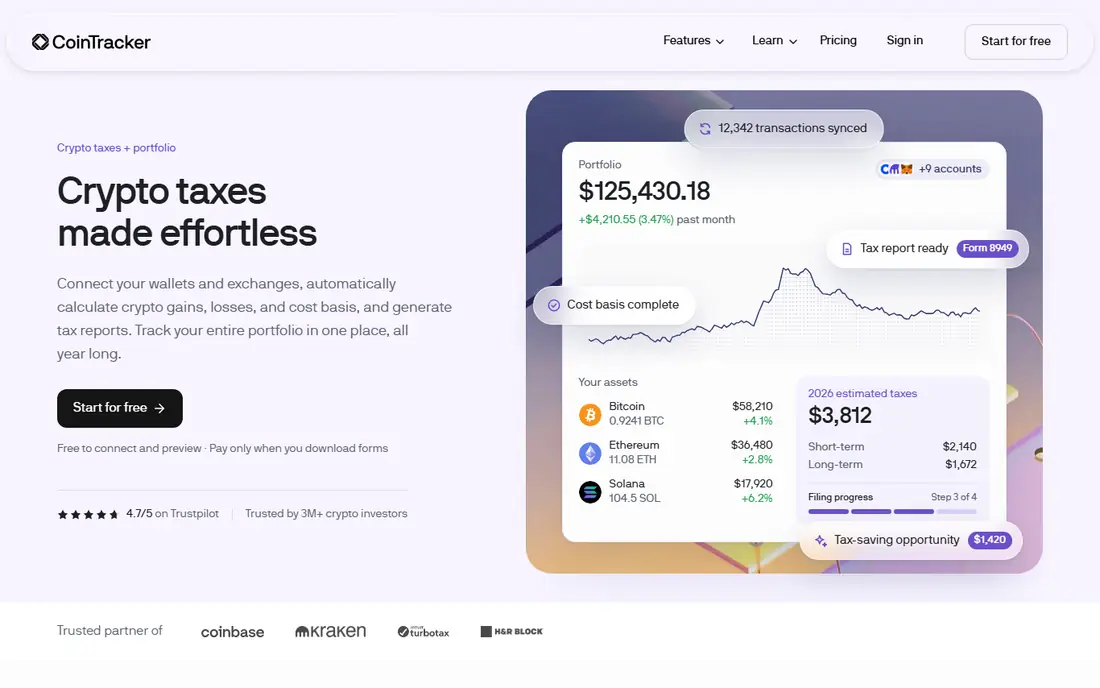
CoinTracker suits investors who want a clear portfolio view plus tax reports without a steep learning curve. Its dashboard tracks holdings, gains, and income, and its paid plans export to major US tax software. Coinbase users often find the connection smooth, since CoinTracker has long worked closely with that exchange.
The free plan shows a tax summary but does not provide downloadable forms, so filers need a paid plan for a return. Price also climbs with transaction count, which can surprise high-volume traders. For buy-and-hold investors and moderate traders who value clarity, CoinTracker is a polished option.
- Clean portfolio and tax summary
- TurboTax and TaxAct exports
- Useful for Coinbase-linked accounts
- Free plan does not include downloadable tax forms
- Higher tiers rise fast for large histories

TokenTax is best for investors with complex histories who want human help alongside software. It supports major exchanges, DeFi, and derivatives, and its professional packages add review by tax professionals for tricky cases. That service layer matters when cost basis is missing, when margin trades are involved, or when prior years need cleanup.
TokenTax is not the cheapest choice, and simple filers will find better value in Koinly or CoinLedger. Its pricing also varies by service level, so check the current page for the plan that fits your transaction count. For complex cases where accuracy matters more than price, TokenTax is worth the premium.
- Handles complex DeFi and margin cases
- Professional review options
- IRS form support
- Higher cost than self-serve rivals
- Less suited to simple low-volume filers
CryptoTaxCalculator, also known as Summ in some listings, suits DeFi-heavy investors who need deep chain coverage. It imports from many wallets, exchanges, and on-chain platforms, categorizes staking, lending, and liquidity activity, and produces IRS forms and international reports. Its tax-loss tools also help investors review sales before year-end.
Beginners may find the detail overwhelming, and filing reports still need a paid plan. For investors with bridging, liquidity pools, or many chains, that depth is the point: a simpler tool may misclassify activity and create cleanup work later. Check the tier for your transaction count before you import a large history.
- Broad wallet and chain coverage
- Strong DeFi categorization
- TurboTax and TaxAct exports
- Paid plan needed for filing reports
- Interface can feel detailed for beginners
ZenLedger is a solid US-focused choice for investors who want clear IRS forms and human support. It imports from many exchanges and wallets, produces IRS forms and Schedule D support, and exports to TurboTax. Its portfolio tools also help users review gains, losses, and income during the year, not just at filing time.
ZenLedger is less deep on some advanced DeFi activity than CryptoTaxCalculator or Koinly, so complex DeFi users should test imports during the free preview. Support options vary by plan, so check whether phone or priority help is included. For straightforward US filers who value support, ZenLedger is a practical pick.
- US-focused IRS forms and TurboTax export
- Portfolio analytics
- Phone support on some plans
- DeFi depth is less than some rivals
- Paid plan needed for full reports
CoinLedger suits US investors with simple portfolios who want a fast path to TurboTax. Its import flow is straightforward, its gains overview is easy to read, and its paid plans cover common exchange and wallet histories. For buy-and-hold investors and moderate traders, that simplicity saves time at tax season.
CoinLedger is less suited to heavy DeFi or NFT traders, where categorization depth matters more. Its free tier covers tracking, not report downloads, so budget for the paid tier that fits your transaction count. If your history is simple and you file with TurboTax, CoinLedger is an efficient choice.
- Simple import and review flow
- TurboTax integration
- Free tracking before you pay for a report
- DeFi and NFT depth is limited
- Report download needs a paid plan
TaxBit is best for enterprises, exchanges, and professionals who need compliance workflows at scale, rather than for a casual investor seeking the cheapest filing report. It offers broad coverage, reporting tools, and controls suited to larger operations and professional use. That focus makes it a credible choice for firms and advisers handling many clients.
Consumer filers may find TaxBit harder to price and compare than Koinly, CoinTracker, or CoinLedger. Check the current TaxBit site for consumer or professional options that fit your needs, and confirm which forms and exports are included. For pro workflows, TaxBit is a serious tool; for simple personal filing, a consumer-first app usually fits better.
- Strong compliance and enterprise tools
- Broad exchange coverage
- Professional workflows
- Less focused on low-cost consumer filing
- Pricing is not a simple consumer tier list
CoinTracking suits high-volume traders who want deep reports, trade analysis, and long-term history tools. It supports many exchanges and wallets, offers detailed gain and loss reports, and includes features for tracking trades over years. Experienced traders often value that depth over a modern dashboard.
New users may find the interface busy, and the free tier is limited by transaction count. CoinTracking bills as an annual subscription rather than per tax year in the same way as some rivals, so check the current pricing page for your volume. For traders with large histories who want control, CoinTracking remains a strong specialist pick.
- Deep reporting and analysis tools
- Long track record
- Supports many exchanges and wallets
- Interface feels dated
- Learning curve for new users
How we picked these
We compared official pricing pages, integration lists, form support, and free tiers, and we favored tools that produce IRS-ready output for US filers. We included consumer, DeFi, service-led, and high-volume options, since crypto histories vary widely. We also noted the common free-plan limit: tracking and preview are often free, while filing reports are paid.
How to choose the best crypto tax software for you
Count transactions before you compare price
Most tools price by transaction count per tax year, so a cheap entry tier can jump fast for active traders. Export a rough count from your exchanges, include DeFi activity, and check the tier that covers your full history. A tool that fits 100 transactions is a poor deal if you have 5,000.
Test imports before you pay
Use the free preview to import every exchange and wallet, then check for missing cost basis, duplicate transfers, and misclassified DeFi activity. Fixing data early is far easier than fixing a filed return later. If a tool misreads your main chain or exchange, try another before you buy.
Confirm forms, exports, and local rules
Check that the tool produces the forms your country needs and exports to your tax software, such as TurboTax or TaxAct in the US. Crypto tax rules vary by country and change often, and new broker reporting rules make clean cost basis more important. This is not tax advice; check a tax professional for complex cases, prior-year fixes, or large gains.
FAQ
What is the best crypto tax software for most people?
Koinly is our pick for most investors, thanks to broad coverage, clear previews, and country-specific reports. CoinTracker suits Coinbase users, and CoinLedger suits simple US TurboTax filers. Choose by exchange coverage and transaction count, not by the lowest headline price.
What is the best free crypto tax software?
Koinly, CoinTracker, CoinLedger, and CoinTracking offer free tracking or preview tiers, but filing-ready reports usually need a paid plan. Free tiers help you test imports and spot missing cost basis before you pay. For a free filing option, check current terms carefully, since free report limits change.
What is the best tax software for crypto with DeFi?
CryptoTaxCalculator is a strong pick for DeFi-heavy portfolios, with broad chain coverage and detailed categorization. Koinly also handles DeFi well for many investors. Test your main chains and protocols in the free preview, since DeFi parsing varies by tool.
Does crypto tax software work with TurboTax?
Yes, many tools here, including Koinly, CoinTracker, ZenLedger, CoinLedger, and CryptoTaxCalculator, offer TurboTax exports or compatible files. Check the exact export type for your plan, since some exports sit on paid tiers. Confirm the file imports cleanly before filing day.
Do I still need a tax professional for crypto taxes?
For simple histories, software plus a careful review may be enough. For large gains, missing cost basis, DeFi income, margin trading, or prior-year errors, a tax professional is worth the cost. Crypto tax rules vary, and a professional can help you avoid filing errors that software alone cannot fix.