Best CrossFit Software in 2026: 8 Products Compared
Compare the best crossfit software in 2026, from WOD tracking and gym management to programming apps for athletes, coaches and box owners alike today.
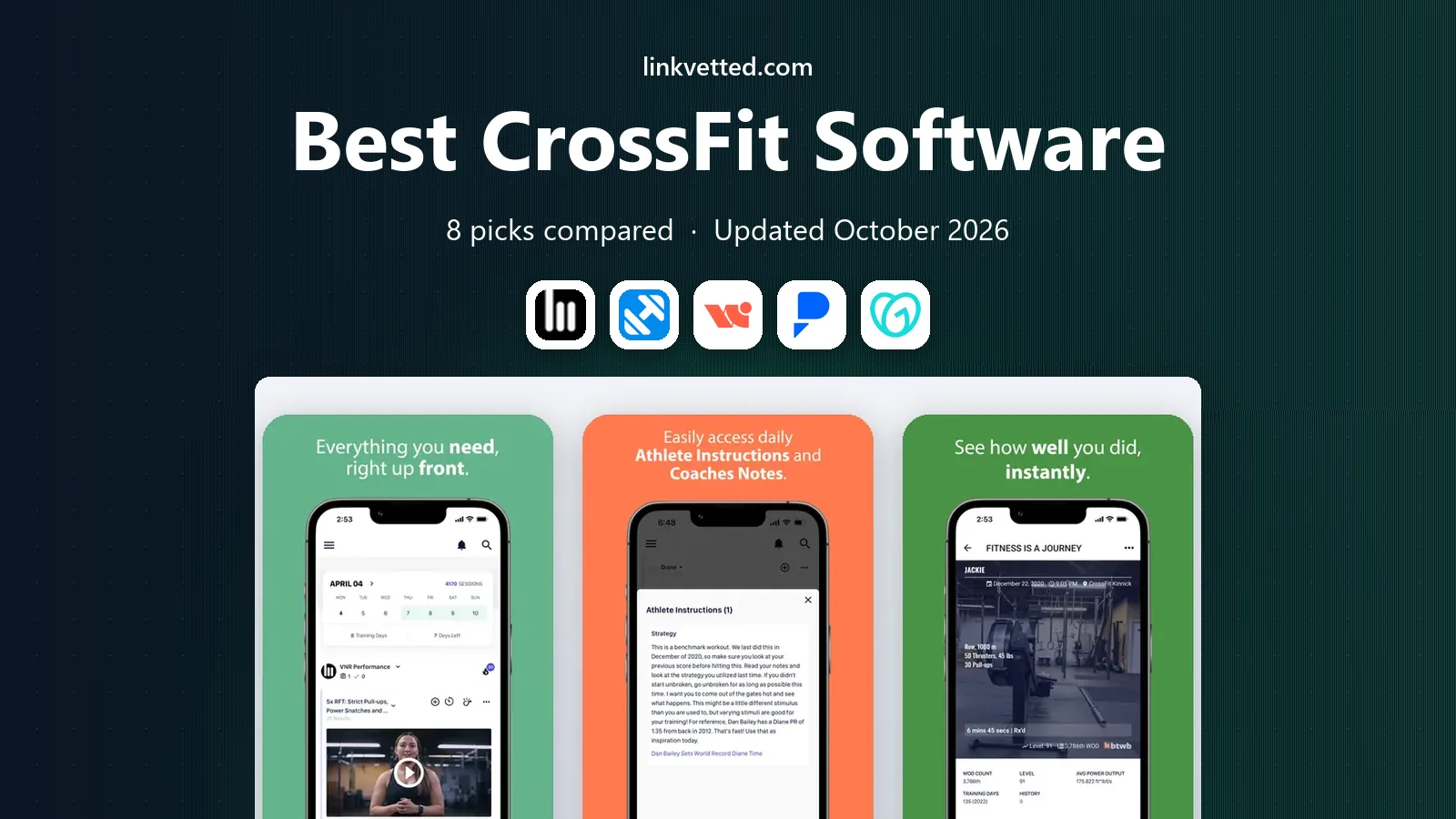
- Editor's choice
 Beyond the Whiteboard
Athletes who want deep tracking and programming
Starts at$7.99 per monthVisit btwb.comFull review - Great alternative
 SugarWOD
Box members and coaches who share programming
Starts atSee websiteVisit sugarwod.comFull review - Also consider
 Wodify
Box owners who need management plus workout tracking
Starts atSee websiteVisit wodify.comFull review
TL;DR:
- Athletes mainly need WOD logging, personal records, and programming, while box owners also need scheduling, billing, and member management.
- Beyond the Whiteboard and SugarWOD suit most athletes, while Wodify and PushPress suit gyms that need full management tools.
- Free apps such as SmartWOD work well for daily workouts, but they lack the long term tracking and coaching tools paid apps provide.
- Check whether your gym already uses an app, because joining your box system matters more than picking a separate tracker.
- This is general fitness information only, not medical advice, and new exercisers should check with a clinician before starting intense training.
Quick comparison
| Tool | Best for | Starts at | Free plan? | |
|---|---|---|---|---|
| Beyond the Whiteboard | Athletes who want deep tracking and programming | $7.99 per month | No | Visit |
| SugarWOD | Box members and coaches who share programming | See website | No | Visit |
| Wodify | Box owners who need management plus workout tracking | See website | No | Visit |
 PushPress | Gyms that want billing, scheduling, and member tools | See website | No | Visit |
 SmartWOD | Athletes who want free daily WOD variety | Free | Yes | Visit |
 Street Parking | Beginners and home athletes who need guided programming | $19 per month | No | Visit |
 GOWOD | Athletes who need mobility work for lifts and gymnastics | $13.99 per month | Yes | Visit |
 Zen Planner | Small gyms that need scheduling and billing | See website | No | Visit |
The best CrossFit software
We compared official feature pages, pricing pages, app store listings, privacy policies, and public reviews, looking at workout logging, programming, gym management, and ease of use for athletes and coaches. Prices for gym management tools vary by gym size, so we list See website where a public starting price depends on that detail.

Beyond the Whiteboard, often called BTWB, is built around logging workouts and seeing progress over time. Athletes can record scores, track personal records, follow programming, and compare results with past performances. That history is useful for functional training, where small gains in strength and conditioning are easy to lose track of without a log. The app is less suited to gym owners who need billing or class booking, since its focus stays on athlete data. New users may also need a few sessions to learn the layout. For an individual athlete who trains several times a week, the tracking depth is hard to beat at this price.
- Detailed personal records, workout history, programming options
- Interface can feel busy for new users, no gym billing tools
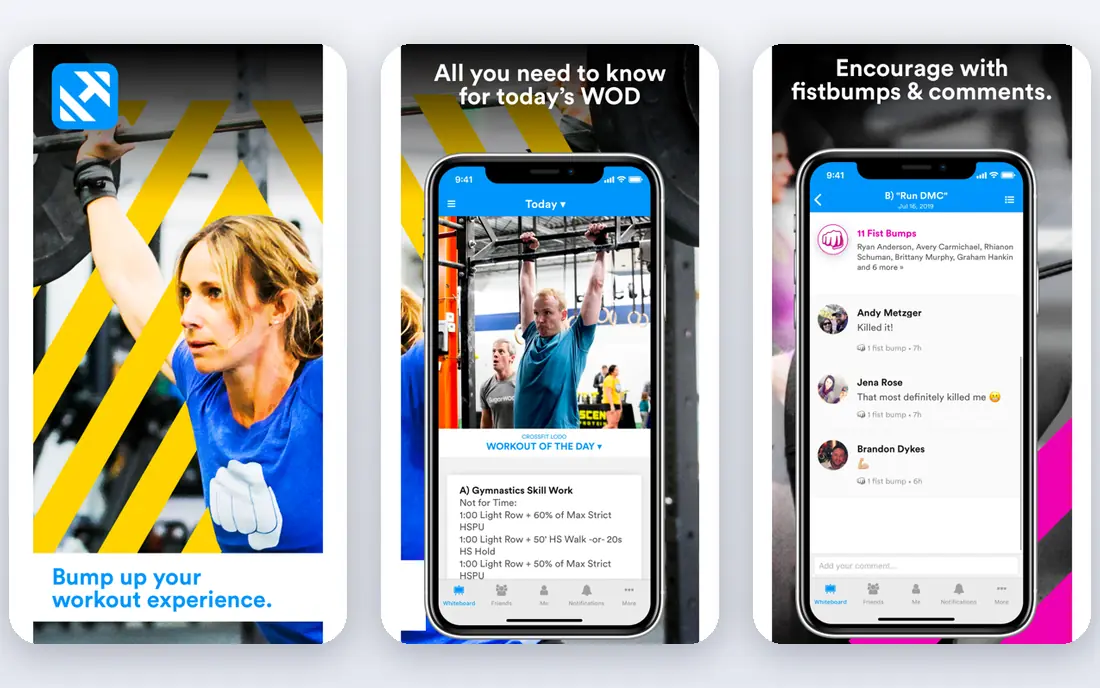
SugarWOD powers the workout experience at many boxes, with coaches posting WODs and athletes logging scores in the same place. Leaderboards, personal records, and comments help build community, which matters in a group training setting. Coaches get programming tools and a library of workouts to adapt for their classes. SugarWOD is not a full billing system, so many gyms pair it with separate management software. Athletes at a SugarWOD gym usually access it through their membership, so check with your box before buying a separate plan. For community and daily workout sharing, it remains a strong pick.
- Shared WODs, leaderboards, coach programming tools
- Gym pricing varies, limited billing features on its own
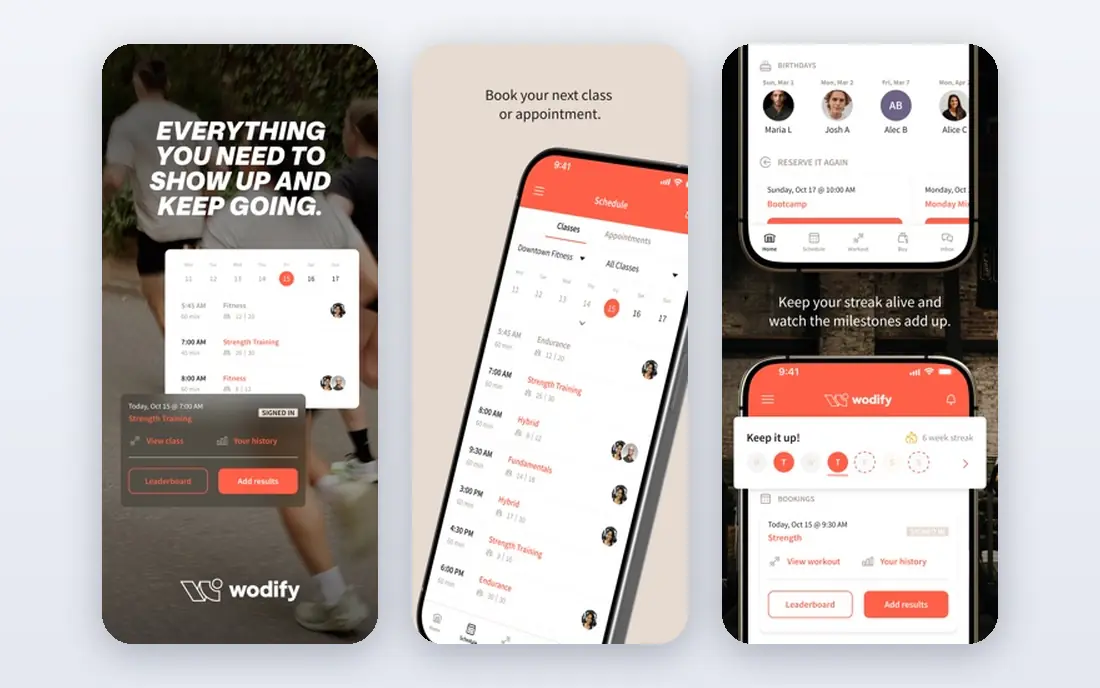
Wodify combines class scheduling, membership billing, and workout tracking, which appeals to owners who want one system rather than several tools. Athletes can book classes, log WODs, and see leaderboards, while owners get reports on attendance and retention. That combination reduces admin work for a busy box. The trade-off is complexity and cost. Pricing depends on membership size and features, so small gyms should request a quote and compare the total against simpler tools. Wodify suits established boxes more than a solo athlete looking only for a workout log.
- Scheduling, billing, memberships, workout tracking in one system
- Price depends on gym size, setup takes time
PushPress focuses on running the business side of a gym, with tools for memberships, payments, scheduling, and lead management. Members get an app for booking classes and tracking workouts, but the main strength is the admin side. Owners who struggle with billing and retention often find that focus helpful. Athletes who only want detailed WOD analytics may prefer BTWB or SugarWOD alongside PushPress. PushPress makes most sense for owners who want growth and admin tools in one place, rather than for a single athlete choosing a training log.
- Member management, billing, class booking, marketing tools
- Workout programming is less central than in athlete apps
SmartWOD offers daily workouts, a WOD generator, and timers without a subscription for core features. That makes it a good starting point for athletes who train at home, travel often, or want to test functional training before paying. The generator can tailor workouts by equipment and time, which helps when a full gym is not available. Long term tracking is thinner than BTWB, and there is no coach programming or gym billing. SmartWOD works best as a workout source and timer, paired with a simple log if you want to track personal records over months. For free, it covers the basics well.
- Free WOD generator, timers, no subscription needed for core use
- Limited long term analytics, no gym management tools
Street Parking
Best for: Beginners and home athletes who need guided programming
Street Parking provides daily programming with scaling options for different levels and equipment, including home setups with limited gear. That guidance helps beginners who feel lost choosing a WOD, and home athletes who cannot attend a box. Videos and community support add structure to solo training. Street Parking does not replace a gym management system, and its price is higher than a simple tracker. It suits athletes who want someone else to plan each session and explain scaling, rather than athletes who already follow their box programming.
- Daily programming, scaling options, home-friendly workouts
- Higher price for programming alone, less gym management
GOWOD starts with a mobility test, then builds daily protocols aimed at weak spots such as hips, shoulders, and ankles. Short pre-workout and post-workout routines fit around WODs, and the free tier gives access to a mobility test and exercise library. For athletes whose lifts stall because of range of motion, that targeted work can matter. GOWOD is not a replacement for a WOD log or a programming app. Treat it as a companion tool for movement quality, used alongside BTWB, SugarWOD, or your box app. Athletes without mobility limits may get less value from a dedicated subscription.
- Mobility test, personalised protocols, pre-workout routines
- Narrow focus, not a full WOD tracker
Zen Planner serves fitness businesses with class scheduling, membership billing, and member management. Owners can track attendance, automate payments, and manage staff schedules from one dashboard. That admin focus helps small boxes that spend too much time on paperwork. Athletes looking for deep personal record analytics may find Zen Planner thinner than BTWB. It works best when the gym owner chooses it as the box system, with athletes using it mainly for booking and basic logging. Owners should compare its total price and onboarding support before switching systems.
- Scheduling, billing, member management, reporting
- Workout tracking is less detailed than athlete-first apps
How we picked these
We compared official feature pages, pricing pages, app store listings, privacy policies, and public reviews, and we separated athlete tools from gym management tools so readers can match the pick to their role. We kept only products that work today for functional training, WOD logging, programming, or box management, and we avoided tools that only offer generic fitness tracking. This is general fitness information only, not medical advice.
Buying guide: how to choose the best CrossFit software
Decide if you are an athlete, a coach, or an owner
Athletes need logging, records, and programming. Coaches need programming tools and a way to share WODs with members. Owners need scheduling, billing, and retention reports. Buying a gym system for solo tracking, or an athlete log for a whole box, usually leads to frustration and extra cost.
Check what your gym already uses
Many boxes already pay for SugarWOD, Wodify, PushPress, or Zen Planner, and members get access through membership. Ask your coach before buying a separate tracker, because duplicate logs are hard to maintain. If you train alone, BTWB or Street Parking may fit better.
Look at programming and scaling
Good programming explains scaling for different levels, equipment, and injuries, and it progresses over weeks rather than offering random workouts. Check whether the app offers beginner scaling, home options, and rest guidance. Random daily WODs can be fun, but structured programming supports steadier progress.
Test the logging flow during a real workout
A tracker that is slow between sets will not get used. Test adding a score, editing a result, and finding a past personal record during a busy class. The best app is the one you can use with chalky hands and limited time, not the one with the longest feature list.
FAQ
What is the best CrossFit app for athletes?
Beyond the Whiteboard suits athletes who want detailed tracking, while SugarWOD suits box members who share WODs and leaderboards. If you train at a box, start with the app your gym uses.
What is the best WOD app for free?
SmartWOD offers free daily WODs, a generator, and timers, which covers basic training needs. Paid apps add deeper tracking, coaching, and programming, so free works best for casual or home training.
What is the best CrossFit workout app for beginners?
Street Parking suits beginners and home athletes because it provides scaled daily programming and guidance. A box app such as SugarWOD also helps, since coaches can scale workouts in class.
Do box owners need separate billing software with SugarWOD?
Often yes, because SugarWOD focuses on workouts and community rather than full billing. Wodify, PushPress, and Zen Planner combine billing and scheduling, which suits owners who want one management system.
Can I use CrossFit software at home?
Yes, if you choose programming built for home equipment, such as Street Parking or SmartWOD with equipment filters. Check scaling options and space needs before starting, and follow general safety guidance for intense training.
Is CrossFit software safe for new exercisers?
Software alone does not make training safe. Start with scaled workouts, learn technique from a qualified coach where possible, and seek medical advice if you have a health condition, injury, or concern about intense exercise.
Sources
https://www.btwb.com https://www.sugarwod.com https://www.wodify.com https://www.pushpress.com https://www.smartwod.com https://www.streetparking.com https://www.gowod.com https://www.zenplanner.com