Best Cross-Platform Password Managers in 2026: 8 Tools Compared
Compare the best cross platform password manager options in 2026 for Windows, Mac, iOS, and Android, with pricing, free plans, and passkey support now.
- Editor's choice
 Bitwarden
full sync on a free plan
Starts at$1.65 per monthVisit bitwarden.comFull review - Great alternative
 1Password
polished apps and Travel Mode
Starts at$2.99 per monthVisit 1password.comFull review - Also consider
 Dashlane
bundled VPN and dark web monitoring
Starts at$4.99 per monthVisit dashlane.comFull review
TL;DR:
- Bitwarden offers the strongest free plan for unlimited passwords across devices, while 1Password offers the most polished paid experience.
- Proton Pass stands out for built-in email aliases, and Dashlane bundles extra monitoring tools for users who want them.
- Check whether the free plan limits devices, since that limit alone can rule out a tool for a multi-device household.
- Turn on two-factor authentication for the vault itself, and store recovery codes somewhere separate from the vault.
Quick comparison
| Tool | Best for | Starts at | Free plan? | |
|---|---|---|---|---|
| Bitwarden | full sync on a free plan | $1.65 per month | Yes | Visit |
| 1Password | polished apps and Travel Mode | $2.99 per month | No | Visit |
| Dashlane | bundled VPN and dark web monitoring | $4.99 per month | No | Visit |
 NordPass | simple modern vault | See website | Yes | Visit |
 Proton Pass | privacy plus email aliases | See website | Yes | Visit |
 Keeper | business-grade admin controls | See website | Yes | Visit |
 RoboForm | strong form filling | See website | Yes | Visit |
 Enpass | offline-first vaults you control | See website | Yes | Visit |
The best cross-platform password managers
A cross-platform password manager should work the same way on your phone, laptop, and browser, with strong encryption and a recovery plan you understand. Price matters, but so do passkey support, sharing, and what happens if you lose a device.
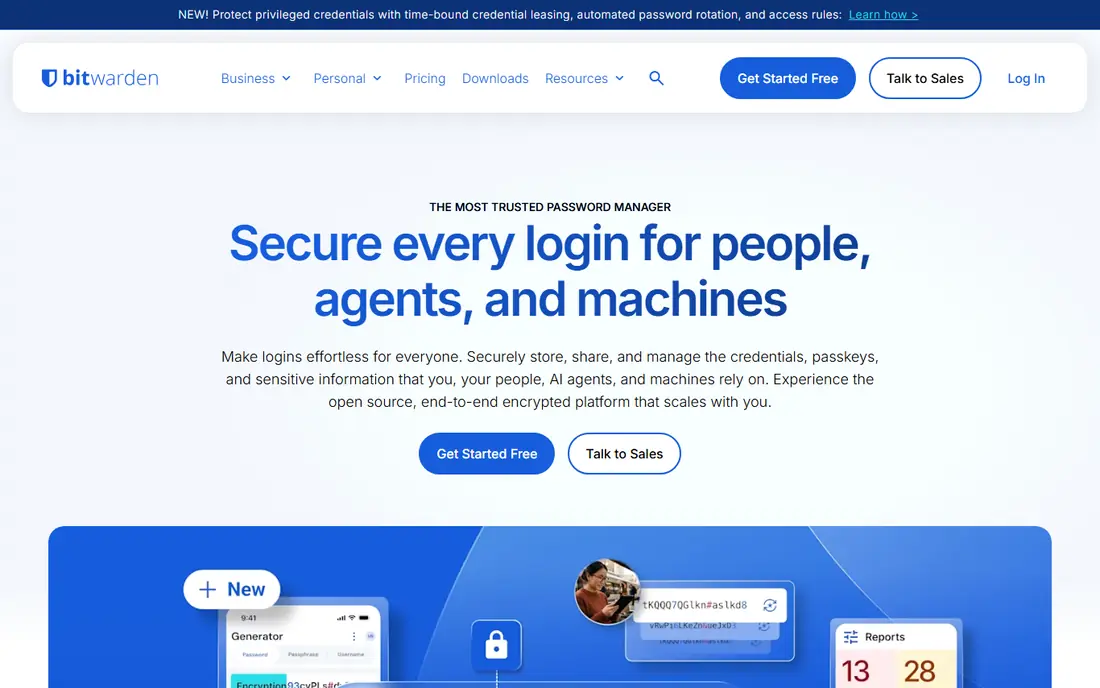
Bitwarden is a strong fit for budget users and anyone with several devices. The clearest reason to consider it is its free plan, which includes unlimited passwords and sync across devices. That focus shows in daily use, where the main actions stay visible and the less common settings stay out of the way.
The strength in practice is its free plan, which includes unlimited passwords and sync across devices, and it shows most clearly when you use the tool for its main job rather than for every possible task. If that strength matches your main job, the tool is worth a closer look despite its limits.
The main trade-off is its plainer interface, which takes a little longer to learn than the most polished rivals. That limit is common in this category, so compare it directly with the other tools here.
- Open source
- Unlimited passwords on free plan
- Self-host option
- Interface is plainer than rivals
- Some extras need Premium
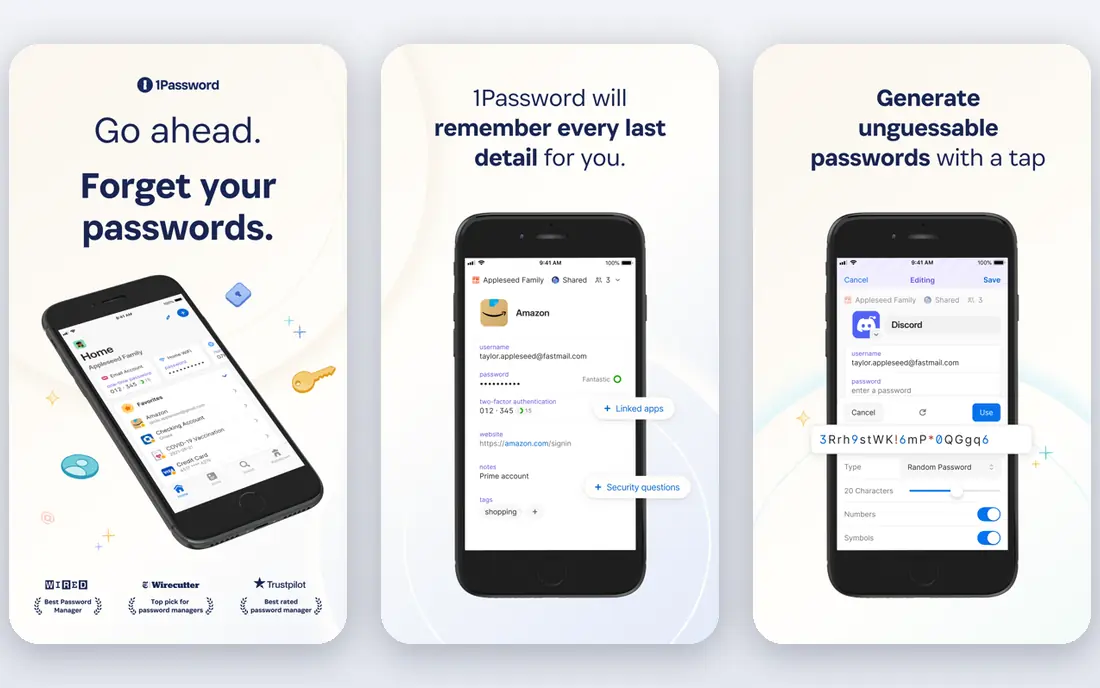
1Password is a strong fit for individuals and families who want polish and sharing. The clearest reason to consider it is its Travel Mode, which can remove selected vaults from a device before travel. For a new user, that means less time reading docs and more time doing the job the tool was bought for.
The strength in practice is its Travel Mode, which can remove selected vaults from a device before travel, and it shows most clearly when you use the tool for its main job rather than for every possible task. Weigh that strength against the weakness below before you commit to a paid plan.
The main trade-off is its lack of a free tier, which means you pay from the start even to test daily use. Plan for it in your budget or workflow, rather than discovering it during a busy week.
- Travel Mode
- Watchtower breach alerts
- Strong family sharing
- No free tier
- Individual price rose in 2026
Dashlane is a strong fit for users who want a security bundle in one subscription. The clearest reason to consider it is its bundled VPN and monitoring, which replace two separate subscriptions for some buyers. Over a few weeks, that difference adds up, especially when the tool is used every day rather than once a month.
The strength in practice is its bundled VPN and monitoring, which replace two separate subscriptions for some buyers, and it shows most clearly when you use the tool for its main job rather than for every possible task. That point is worth testing early, since it affects daily work more than a headline feature.
The main trade-off is its price, which is hard to justify if you already pay for a VPN elsewhere. It does not rule the tool out, but it does shape who should choose it.
- Built-in VPN
- Dark web monitoring
- Strong autofill
- Higher price
- Free tier was removed
NordPass is a strong fit for users who want a simple vault from a known security brand. The clearest reason to consider it is its clean, modern interface, which makes daily use feel quick. It is a practical advantage, not a cosmetic one, since it affects how often people actually open the tool.
The strength in practice is its clean, modern interface, which makes daily use feel quick, and it shows most clearly when you use the tool for its main job rather than for every possible task. For many buyers, this single strength is enough to place the tool on a shortlist.
The main trade-off is its free device limit, which can frustrate a household with many phones and computers. A trial is the best way to judge whether that weakness matters for your own use.
- Clean interface
- XChaCha20 encryption
- Passkey support
- Free plan limits devices
- Some features need a paid plan
Proton Pass is a strong fit for privacy-focused users who want aliases and a free plan. The clearest reason to consider it is its hide-my-email aliases, which let you use a different address for each service. That balance matters, because a tool that is powerful but avoided will not help a team meet its goals.
The strength in practice is its hide-my-email aliases, which let you use a different address for each service, and it shows most clearly when you use the tool for its main job rather than for every possible task. Keep your own workflow in mind, since a strength in one job can be less useful in another.
The main trade-off is its smaller business admin range, which matters less for personal use but more for large teams. Note it alongside price, since a workaround can add time or cost over a year.
- Built-in email aliases
- Strong privacy stance
- Unlimited logins on free plan
- Smaller business toolset than older rivals
- Paid tiers vary by bundle
Keeper is a strong fit for businesses and families who need admin controls and audit trails. The clearest reason to consider it is its admin and sharing controls, which suit teams that must manage many vaults. In practice, this makes the tool easier to recommend to colleagues who have different levels of experience.
The strength in practice is its admin and sharing controls, which suit teams that must manage many vaults, and it shows most clearly when you use the tool for its main job rather than for every possible task. That detail is easy to miss in marketing, so confirm it on the vendor page before buying.
The main trade-off is its add-on pricing, which can push the total higher than the headline plan suggests. That weakness is manageable if you plan around it, but it should not be a surprise after purchase.
- Strong admin controls
- Secure sharing
- Breach monitoring
- Pricing varies by plan and add-ons
- Interface can feel business-first
RoboForm is a strong fit for users who fill many forms and want a low-cost paid plan. The clearest reason to consider it is its form filling, which handles logins and web forms with less manual work. The result is a shorter path from signing up to a useful result, which is what most buyers want first.
The strength in practice is its form filling, which handles logins and web forms with less manual work, and it shows most clearly when you use the tool for its main job rather than for every possible task. Check the vendor page for current limits, since plans and feature splits change over time.
The main trade-off is its older look, which may put off buyers who judge a tool by its interface. If that trade-off touches your main job, test it in a trial before you pay.
- Reliable form filling
- Good browser support
- Affordable paid plan
- Interface feels older
- Fewer modern extras than leaders
Enpass is a strong fit for users who want local control over where a vault lives. The clearest reason to consider it is its offline-first option, which appeals to users who prefer not to rely on a vendor cloud. That kind of everyday usability often decides whether a tool stays in use after the first month.
The strength in practice is its offline-first option, which appeals to users who prefer not to rely on a vendor cloud, and it shows most clearly when you use the tool for its main job rather than for every possible task. A short trial with your own data will reveal more than a feature list ever can.
The main trade-off is its sync setup, which needs more manual steps than a fully cloud-based rival. Most buyers can work around it, but it is worth noting in a shortlist comparison.
- Offline vault option
- One-time purchase history
- Wide platform support
- Sync setup needs more steps
- Interface is functional
How we picked these
We compared official feature pages, pricing pages, app store listings, privacy policies, and public reviews for each product in this guide. We checked that each product exists today, that its main features match the category, and that its pricing or free plan could be described from vendor sources or marked as See website where pricing was quoted or unclear.
We favoured products with clear documentation, a usable free plan or trial where available, and a track record in the category. For money, health, safety, and dating topics, we also favoured products with clear safety, privacy, and moderation practices, and we note where a disclaimer or careful setup matters. We did not claim hands-on testing, and prices should be checked on the vendor site before purchase, since plans change.
How to choose a password manager
Start with the job you do most often, not the longest feature list. A tool that handles your main job well will save more time than a tool with many features you never open. List the three tasks you repeat each week, then check which products handle all three without workarounds.
Check price, limits, and lock-in
Compare the starting price with the price of the plan you will actually need, including seats, storage, hours, or data volume. Check free plan limits, trial length, and renewal terms, and ask whether your data can be exported if you leave. A low starting price can hide a higher cost once limits are reached.
Test with your own work
Use a free plan or trial with a real project, not a demo file. Invite a colleague or friend where sharing matters, test on each device you use, and check support response times. If setup feels confusing in a trial, it will likely feel worse during a busy week, so trust that early signal.
Safety, privacy, and support
Read the privacy policy for data collection, retention, and sharing, and check security features such as two-factor authentication, encryption, and access controls. For shared or business use, check admin controls and audit options. Good support and clear documentation matter as much as features when something goes wrong.
FAQ
What makes a password manager cross-platform?
It offers apps or extensions for Windows, macOS, iOS, Android, and major browsers, with the same vault synced across them. A tool that only works in one browser or on one phone system does not meet that test.
Is a free password manager safe?
A reputable free plan can be safe when it uses end-to-end encryption and a zero-knowledge design, meaning the vendor cannot read your vault. Check the vendor's audit history and privacy policy, and avoid tools that store passwords in plain text.
Do password managers support passkeys?
Most major managers now store and fill passkeys alongside passwords, though support varies by platform and browser. Check the vendor page for passkey creation, sharing, and import before you commit to a switch.
What happens if I forget my master password?
Many zero-knowledge managers cannot reset it for you, so recovery depends on emergency access, a recovery key, or a trusted contact you set up in advance. Set up that recovery option on day one, not after a lockout.
Should families share one password manager account?
Family plans are safer than sharing one login, since each person keeps a private vault and shares only selected items. Compare seat counts and sharing controls, since family pricing and limits differ.