Best CRM Software for Enterprise in 2026: 8 Platforms Compared
Compare the best CRM software for enterprise teams in 2026, with 8 platforms rated on pricing, scale, integrations and admin controls for large teams.
- Editor's choice
 Salesforce Sales Cloud
Large, complex sales orgs
Starts at$25 per user per monthVisit salesforce.comFull review - Great alternative
 Microsoft Dynamics 365 Sales
Microsoft-centered enterprises
Starts at$65 per user per monthVisit microsoft.comFull review - Also consider
 HubSpot Sales Hub
Faster enterprise rollout
Starts at$20 per seat per monthVisit hubspot.comFull review
TL;DR:
- Enterprise CRM choice is less about contact lists and more about permissions, audit trails, data governance and how well the platform fits your existing stack.
- Salesforce and Microsoft Dynamics 365 lead for large, complex deployments, but both need skilled admins and a realistic implementation budget.
- HubSpot and Zoho suit enterprises that want faster rollout and clearer pricing, provided their governance and customization needs are not extreme.
- Published seat prices are only part of the bill: implementation, integrations, data migration, training and AI add-ons can exceed the subscription cost.
- Run a pilot with real sales, service and operations users before signing a multi-year deal, and test reporting, mobile use and permission changes.
Quick comparison
| Tool | Best for | Starts at | Free plan? | |
|---|---|---|---|---|
| Salesforce Sales Cloud | Large, complex sales orgs | $25 per user per month | Free trial | Visit |
| Microsoft Dynamics 365 Sales | Microsoft-centered enterprises | $65 per user per month | Free trial | Visit |
| HubSpot Sales Hub | Faster enterprise rollout | $20 per seat per month | Yes | Visit |
 Zoho CRM | Value at enterprise scale | $14 per user per month | Yes | Visit |
 Oracle CX Sales | Oracle ecosystem buyers | See website | No | Visit |
 SAP Sales Cloud | SAP-centered companies | See website | Free trial | Visit |
 Pipedrive | Pipeline-focused teams | $14 per seat per month | Free trial | Visit |
 SugarCRM | Customizable open platform | See website | Free trial | Visit |
The best CRM software for enterprise
We compared official pricing pages, feature documentation, admin and security controls, integration catalogs and public reviews for eight platforms that large organizations actually deploy. Prices below are entry published rates; enterprise editions cost more, and quotes vary by seats, term and add-ons.

Salesforce remains the default enterprise shortlist entry for a reason: it handles complex sales structures, multiple business units, territory rules, approval chains and forecasting in one system. The AppExchange marketplace adds thousands of integrations and add-ons, and the platform supports the kind of customization that large companies expect, from custom objects to automated workflows. For organizations with several sales motions, Salesforce can model them without forcing every team into the same process.
The cost of that depth is real. Enterprise editions run well above the entry price shown here, and Agentforce and other AI features are often billed separately. A Salesforce rollout also needs admins who understand data modeling, security and change management, or an implementation partner. If your team can staff that work, Salesforce is hard to beat. If not, budget for partner help from the start rather than discovering the gap mid-project.
- Deep customization
- Huge app marketplace
- Strong forecasting and AI options
- High enterprise pricing
- Needs skilled admins
- Implementation can be long
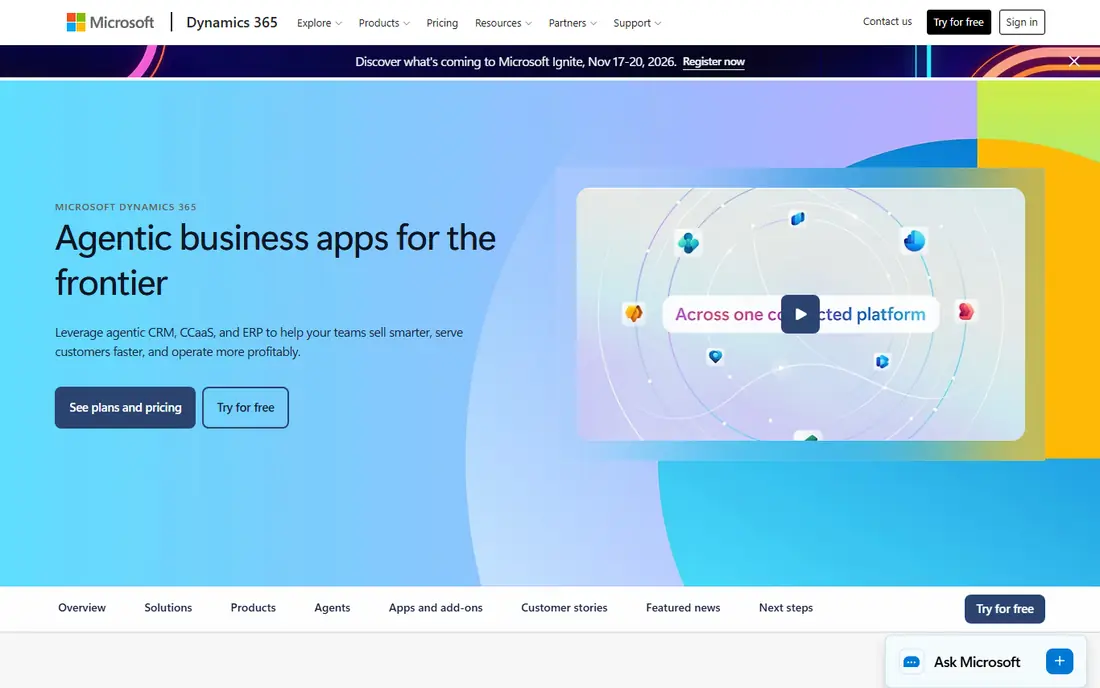
Dynamics 365 Sales makes the most sense when a company already runs on Microsoft 365, Azure and Teams. Sellers work from Outlook and Teams without constant app switching, and data flows through Dataverse to other Dynamics apps for finance, service and marketing. Copilot features assist with summaries, email drafting and opportunity insights, and the platform handles enterprise security, compliance and role-based access in a way IT teams recognize.
The trade-off is complexity. Dynamics licensing spans several apps and tiers, so the true cost depends on which modules you add, and the interface can feel heavy for sellers who only need pipeline basics. Implementation still needs planning, especially for data migration and custom workflows. For Microsoft-centered enterprises, though, the integration saving often outweighs those costs, and IT teams can govern the system with tools they already use.
- Tight Outlook, Teams and Office links
- Strong Dataverse data model
- Copilot features
- Interface can feel dense
- Licensing across Dynamics apps gets complex

HubSpot is the enterprise option for teams that want to move quickly. The interface is easier to learn than Salesforce or Dynamics, the free CRM core covers contacts and deals, and the wider HubSpot platform adds marketing, service, content and operations hubs that share one customer record. That single-record model helps when marketing, sales and service must agree on what a customer did and what happens next.
Enterprise pricing climbs as you add hubs, seats, contacts and onboarding, so the entry price is not the enterprise price. HubSpot also has limits for companies that need very deep custom data models or highly specific approval logic. Still, for enterprises that value speed, adoption and a unified record over extreme customization, HubSpot is a strong pick, and a pilot team can usually judge it within weeks rather than months.
- Clean interface
- Free CRM core
- Marketing, service and CMS in one platform
- Enterprise costs rise with hubs and contacts
- Deep customization has limits
Zoho CRM appeals to enterprises that watch seat costs closely, especially when hundreds of users need access. The entry price is far below Salesforce and Dynamics, and the wider Zoho suite covers finance, HR, support and collaboration at similar value pricing. Workflow rules, blueprint process controls and analytics are included at higher tiers, and the system handles multi-currency, territory and role-based permissions.
The honest catch is scale of ecosystem. Zoho has fewer large implementation partners in some regions, and its top-tier support and AI features cost extra. Companies with very complex enterprise requirements should test Zoho against their hardest workflows, not just the standard sales pipeline. For cost-conscious enterprises with solid internal admins, Zoho can deliver most of what larger platforms offer at a fraction of the seat bill.
- Low seat prices
- Broad Zoho app suite
- Workflow automation included
- Enterprise support and partner network is smaller
- Advanced AI costs extra
Oracle CX Sales fits companies that already run Oracle ERP, finance or supply chain systems. Customer, order and financial data can move between Oracle apps with less custom integration work, and the platform offers enterprise security, audit and compliance controls that large IT teams expect. AI features help with lead scoring, forecasting and recommended actions, and the system supports complex B2B selling, including subscriptions and partner channels.
Pricing is not published as a simple seat rate, so budgeting requires a formal quote, and implementation usually involves Oracle partners. Smaller enterprises without Oracle systems will find little reason to choose it over Salesforce or Dynamics. For Oracle-centered organizations, however, the integration advantage can shorten deployment and reduce the number of middleware tools needed to keep systems in sync.
- Strong Oracle ERP and data links
- Enterprise-grade security
- AI-assisted selling
- Pricing is quote-based
- Implementation is partner-heavy
SAP Sales Cloud is built for companies whose orders, pricing and inventory already live in SAP. Sales teams can see real-time product availability, customer credit and order status without waiting for nightly syncs, and the platform supports complex B2B pricing, contracts and partner selling. Global enterprises benefit from multi-language, multi-currency and compliance features designed for large, distributed operations.
The learning curve is real for teams outside the SAP world, and pricing requires a quote tied to users and modules. Implementation also benefits from SAP expertise, which can be scarce and expensive. If your company is already committed to SAP, those costs are easier to justify, since the alternative is building and maintaining integrations to a separate CRM. If not, a more standalone CRM will likely be faster and cheaper.
- Deep SAP ERP and S/4HANA links
- Strong B2B commerce support
- Global scale
- Quote-based pricing
- Steep learning curve for non-SAP teams
Pipedrive earns its place for enterprises that run a straightforward, pipeline-driven sales motion and want high adoption. The visual pipeline is easy to read, deals move by drag and drop, and automation rules handle follow-ups, assignments and stage changes without heavy admin work. Smaller enterprise units, subsidiaries and partner teams can adopt it quickly, and the price stays well below the big enterprise platforms.
Governance is the limit. Pipedrive offers permissions and security controls, but it does not match Salesforce or Dynamics for complex territory management, audit depth or enterprise data residency options. Large companies with strict compliance needs should test those areas carefully. For sales-led organizations that prize speed and clarity over deep customization, Pipedrive is a practical enterprise departmental choice, even if it is not the whole-company system.
- Clear visual pipeline
- Easy adoption
- Useful automation at mid tiers
- Enterprise governance is lighter
- Reporting needs add-ons at scale
SugarCRM suits enterprises that want to shape the CRM around their own processes rather than adapt processes to the tool. Its data model, workflow automation and reporting can be tailored by admins and developers, and the platform supports sales, service and marketing in one record. Companies in manufacturing, distribution and other process-heavy industries often value that flexibility, since their sales cycles do not follow a standard SaaS template.
The marketplace is smaller than Salesforce AppExchange, so some integrations need custom work, and pricing is quote-based rather than published. SugarCRM also needs capable admins to get the most from its customization options. For teams with a clear process vision and the staff to build it, SugarCRM offers enterprise control without the seat prices of the largest platforms. For teams that want a ready-made process, a more opinionated platform will be faster.
- Flexible data model
- Strong automation
- No-code and code customization
- Smaller marketplace than Salesforce
- Pricing requires a quote
How we picked these
We compared official pricing pages, admin and security documentation, integration catalogs and public buyer reviews, and we weighted enterprise needs above small-business ease of use. That meant scoring permissions, audit trails, data governance, reporting depth, mobile access and ecosystem strength alongside price. We excluded CRMs that are mainly small-team tools, even when they are popular, because enterprise buyers need scale, compliance and support structures that those tools do not promise. We did not claim hands-on testing of live enterprise deployments, since those require real company data and admin access; instead we judged published features, pricing and documented limits.
How to choose an enterprise CRM without regret
Start with your hardest workflows, not your prettiest demo. List the approval chains, territory rules, pricing logic, partner channels and reporting needs that must work on day one, then test each shortlisted platform against those exact cases in a pilot. A CRM that handles a simple pipeline well can still fail on multi-entity forecasting or complex permissions, and discovering that after signing is expensive. Include sales, service, finance and IT in the pilot, since each group will live with the data model.
Next, price the whole project. Add implementation, migration, integration, training, admin staffing and AI add-ons to the seat subscription, and ask vendors for a three-year total, not just a first-year discount. Check contract terms for seat minimums, price rises at renewal, data export rights and exit costs. A platform that looks cheap in year one but locks your data or raises prices sharply in year three is not cheap.
Finally, plan adoption as a project, not an afterthought. Clean your data before migration, define who owns each record type, set permission rules early, and train managers first so they can coach their teams. Roll out to one region or business unit, fix the issues, then expand. The best enterprise CRM is the one your teams actually use, with clean data and clear ownership, not the one with the longest feature list.
FAQ
What is the best enterprise CRM software?
Salesforce Sales Cloud and Microsoft Dynamics 365 Sales lead for large, complex enterprises, while HubSpot and Zoho lead for faster, lower-cost rollouts. The right answer depends on your existing stack, governance needs and admin capacity. Test your hardest workflows in a pilot before choosing, since feature lists alone hide important differences.
What CRM platforms work best for enterprises?
Platforms built for scale, such as Salesforce, Dynamics 365, Oracle CX and SAP Sales Cloud, handle complex permissions, audit trails and multi-entity reporting. HubSpot, Zoho, Pipedrive and SugarCRM also serve enterprise teams, especially for specific business units or simpler sales motions. Match the platform to the complexity of the business unit that will use it most.
How much does enterprise CRM software cost?
Entry seat prices in this guide range from $14 to $65 per user per month, but enterprise editions, implementation, integrations and AI add-ons raise the total well beyond that. Large deployments often cost hundreds of thousands of dollars per year once services are included. Ask each vendor for a three-year total cost, including onboarding and renewal terms.
Is HubSpot good for enterprise companies?
Yes, for enterprises that want fast adoption, a unified customer record and marketing plus service in one platform. HubSpot is less suited to companies that need very deep custom data models or the most complex enterprise governance. A pilot with real users will show quickly whether its customization limits matter for your workflows.
Should an enterprise choose Salesforce or Dynamics 365?
Choose Salesforce if you need the largest app marketplace, deep customization and a platform that is independent of your back-office stack. Choose Dynamics 365 if you already run Microsoft 365, Teams and Azure, since integration and IT governance will be simpler. Both need skilled admins, so staff or partner capacity should be part of the decision.
What should enterprises check before buying a CRM?
Check permissions, audit logs, data residency, single sign-on, API limits, data export rights, mobile access and support response times. Also confirm migration help, training, renewal pricing and what happens to your data if you leave. These contract and governance details matter more at enterprise scale than any single feature demo.