Best CRM Software for Consultants in 2026: 8 Tools Compared
Compare the best crm software for consultants, from free solo tools to full pipelines, with pricing, strengths and honest limits for client work in 2026.
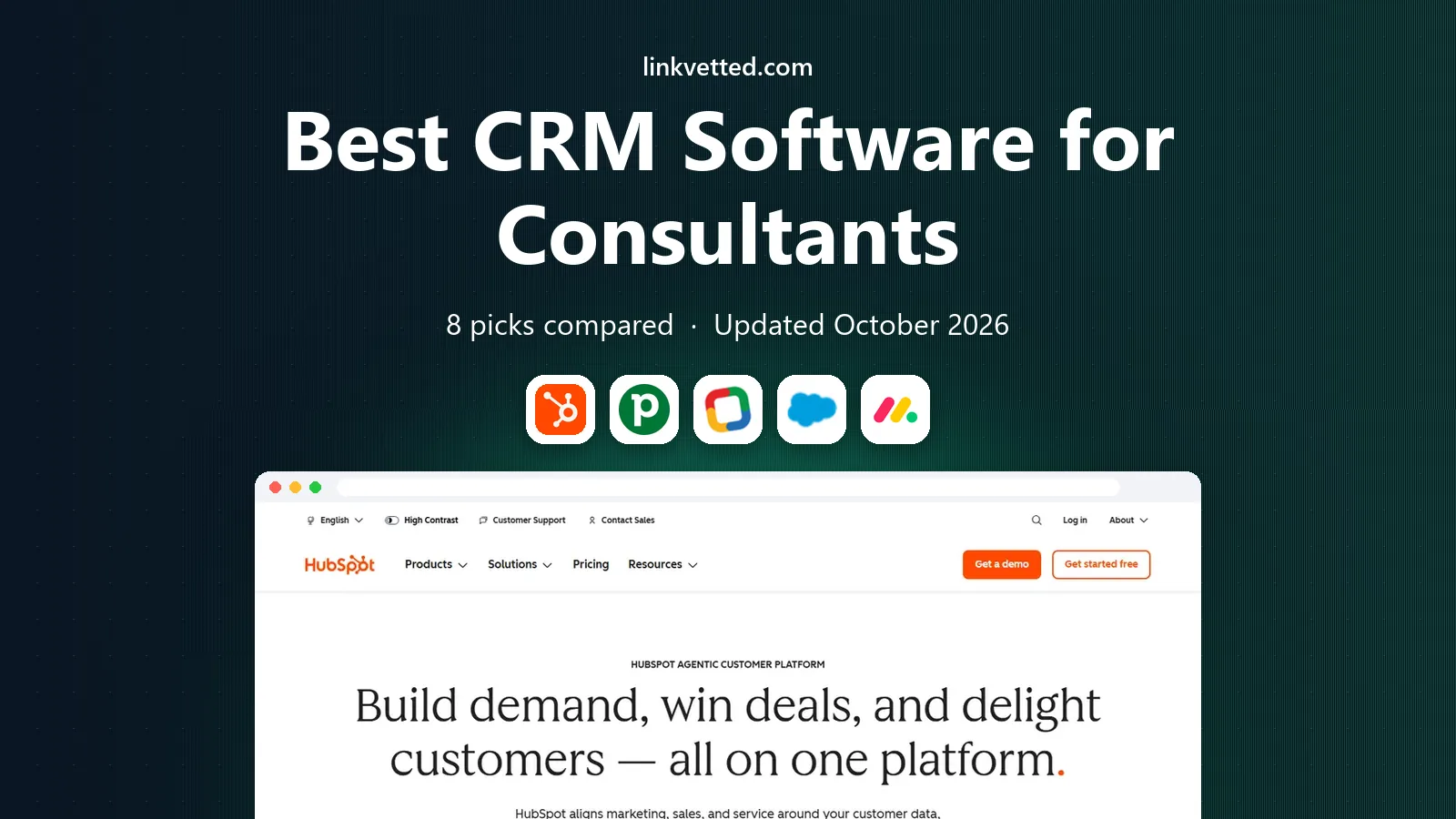
- Editor's choice
 HubSpot CRM
All-round growth for solo and small firms
Starts atFreeVisit hubspot.comFull review - Great alternative
 Pipedrive
Visual pipeline management
Starts at$14 per user per monthVisit pipedrive.comFull review - Also consider
 Zoho CRM
Value and depth on a budget
Starts atFreeVisit zoho.comFull review
TL;DR:
- Consultants need a CRM that tracks long, relationship-led sales cycles, not just one-off deals, so pipeline views and follow-up reminders matter more than raw contact counts.
- HubSpot and Zoho CRM offer the strongest free starting points, while Pipedrive suits consultants who live in their pipeline day to day.
- Salesforce makes sense only once a practice has a team, complex engagements and admin support, since its power comes with setup cost.
- Solo consultants should favour simple tools such as Capsule or Insightly, and check per-seat pricing before adding associates or subcontractors.
Quick comparison
| Tool | Best for | Starts at | Free plan? | |
|---|---|---|---|---|
| HubSpot CRM | All-round growth for solo and small firms | Free | Yes | Visit |
| Pipedrive | Visual pipeline management | $14 per user per month | Free trial | Visit |
| Zoho CRM | Value and depth on a budget | Free | Yes | Visit |
 Salesforce | Large practices and complex deals | $25 per user per month | Free trial | Visit |
 monday sales CRM | Custom boards and client workflows | $12 per seat per month | Free trial | Visit |
 Capsule | Simple contact and deal tracking | Free | Yes | Visit |
 Insightly | CRM plus project delivery | $29 per user per month | Free trial | Visit |
 Freshsales | Built-in phone, email and AI help | Free | Yes | Visit |
The best CRM software for consultants
Consulting sales run on trust, referrals and long follow-ups. The tools below keep that work visible, from first call to signed proposal, without forcing a solo adviser into an enterprise system.

HubSpot is our pick for most consultants starting out, because the free CRM covers contacts, deals, pipelines and meeting scheduling at no cost. A consultant can log calls, track proposals and set follow-up tasks from one record, and add paid sales tools only when volume justifies them. The interface is plain and easy to learn, which matters when the person selling is also the person delivering the work.
The catch is the price path. Sales Hub Starter is listed from $15 per seat per month, but Professional tiers cost far more, and features such as sequences and custom reporting sit higher up. Consultants should also watch contact-based pricing in marketing tools. Still, starting free and growing inside one system beats migrating client data later.
- Generous free CRM
- Strong email, meeting and pipeline tools
- Scales into marketing and service hubs
- Paid tiers get expensive
- Advanced automation sits on higher plans
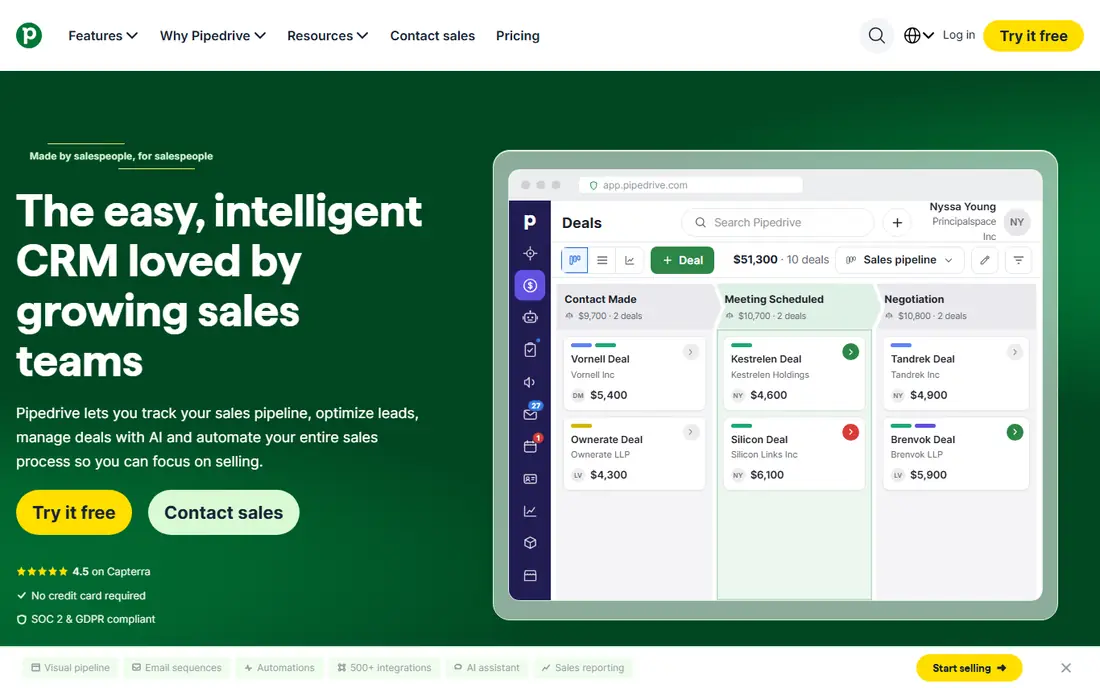
Pipedrive suits consultants who think in stages, such as discovery call, proposal sent, negotiation and won. Deals move across a board with a drag, and activity reminders keep long cycles from going quiet. Setup takes hours rather than weeks, and the mobile app works well for consultants who travel between clients.
The trade-off is breadth. Pipedrive is a sales tool first, so consultants who also want deep marketing automation or full project delivery will need add-ons or another app. Pricing starts at $14 per seat per month on annual billing for the Lite plan, with higher tiers adding automation and reporting. For pipeline-led practices, that focus is a strength rather than a gap.
- Clear drag-and-drop pipeline
- Fast setup
- Good email sync and activity reminders
- No free plan
- Marketing and project features cost extra

Zoho CRM gives small consulting firms a lot of software for little money. The free plan covers up to three users, and paid plans start at $14 per user per month for Standard on annual billing. Consultants get lead scoring, workflow automation, email integration and reporting, plus a large catalogue of related Zoho apps for books, projects and mail.
The downside is polish. Menus run deep, and a solo consultant may spend a weekend tuning fields, layouts and automations before the system feels personal. Once set up, though, Zoho handles multi-service practices well, with separate pipelines for different offer types. It is a strong choice for budget-conscious firms that want room to grow without switching vendors.
- Free plan for up to 3 users
- Wide feature set for the price
- Strong customisation
- Interface feels busy
- Learning curve is steeper than Pipedrive
Salesforce fits established consulting firms with teams, partners and complex engagements. Starter Suite is listed from $25 per user per month, and from there firms can build custom objects for engagements, track partner referrals and forecast revenue across practice areas. The AppExchange marketplace adds tools for proposals, billing and analytics that smaller CRMs cannot match.
For a solo consultant, Salesforce is usually too much. Configuration takes time, and without an admin the system can become a chore rather than a helper. Firms should budget for implementation as well as licences. When a practice has outgrown simpler tools and needs strict process control, Salesforce earns its cost.
- Deep customisation
- Huge app marketplace
- Strong reporting and forecasting
- Expensive at scale
- Setup often needs an admin or partner
Consultants who run client work as boards will feel at home in monday sales CRM. Deals, deliverables, onboarding checklists and follow-ups can live in connected boards, so the line between selling and delivering stays visible. Pricing starts at $12 per seat per month on annual billing for Basic, with a three-seat minimum that small firms should note.
The weakness is focus. Monday is a work management platform with CRM features, not a sales-only tool, so some sales automation feels lighter than Pipedrive or HubSpot. For consulting teams that already manage projects in boards, that blend is convenient. Solo consultants should check the seat minimum before committing.
- Flexible boards for deals and delivery
- Visual dashboards
- Good team collaboration
- Three-seat minimum on paid plans
- Can feel like a work tool rather than a pure CRM
Capsule is built for people who want a CRM, not a second job. Contacts, deals, tasks and a shared calendar sit in a calm interface, and the free plan covers up to 250 contacts. Paid plans start from about $18 per user per month. A consultant can import contacts, log a call and set a follow-up in minutes, with no training course required.
The limit is depth. Capsule offers fewer automations and integrations than HubSpot or Zoho, so firms with complex nurture sequences may outgrow it. For independent consultants and tiny firms, that simplicity is the point. It keeps client history tidy without adding admin work to every week.
- Clean, simple interface
- Real free plan
- Quick to adopt
- Fewer automation options
- Smaller integration catalogue
Insightly stands out for consultants because it connects a won deal to the project that follows it. Tasks, milestones and files carry over, so handover from sales to delivery does not rely on memory or a separate spreadsheet. Pricing starts at $29 per user per month on annual billing for the Plus plan, with Professional adding deeper workflow tools.
That price is higher than Pipedrive or Zoho, and the design feels more functional than fresh. Consultants who sell multi-week engagements will value the project link enough to pay it. Those who only need contact and pipeline tracking can save money elsewhere.
- Links deals to projects
- Good for delivery tracking
- Solid reporting
- Higher starting price
- Interface is less modern than rivals
Freshsales, from Freshworks, bundles calling, email and chat into the CRM, which suits consultants who prospect by phone and email. The free plan covers up to three users, and the Growth plan is listed from $9 per user per month on annual billing. AI features help draft emails, summarise conversations and score leads, saving time for small teams.
The ecosystem is smaller than the leaders, so niche integrations may need workarounds. Higher tiers open up the deeper automation and forecasting tools. For consultants who want communication and CRM in one place at a low entry price, Freshsales is a practical shortlist pick.
- Free plan
- Built-in telephony and email
- AI-assisted summaries and scoring
- Smaller ecosystem than Salesforce or HubSpot
- Advanced features need higher tiers
How we picked these
We compared official feature pages, pricing pages and app store listings, plus public documentation on pipelines, automation and integrations. We favoured tools that support the consulting sales cycle, including long follow-ups, proposal tracking and referral sources, and that publish clear pricing or a usable free plan. Tools that were discontinued, or that only served one industry, were left out.
What to check before you commit
Start with how you actually win work. If most clients arrive by referral, a simple pipeline with strong follow-up reminders beats a complex system. If you run paid campaigns or webinars, a CRM with marketing tools, such as HubSpot or Zoho, will save you from stitching apps together.
Trial it with real deals
Run a two-week trial using live prospects, not sample data. Log calls, move a deal through each stage and send a proposal follow-up. If logging a call takes more than a minute, the team will stop using it, and an unused CRM helps no one.
Count the true monthly cost
Check seat minimums, annual billing terms and add-on prices for email, calling and reporting. A low headline price can rise fast once associates, subcontractors and extra pipelines are added. Ask for the total for your actual team size before signing an annual contract.
FAQ
What is the best CRM for a solo consultant?
HubSpot free or Capsule are strong starting points, since both cost nothing to begin and cover contacts, deals and follow-ups. Pipedrive is worth the paid step once a pipeline holds enough active deals to need daily management.
Do consultants need a CRM, or is a spreadsheet enough?
A spreadsheet works until follow-ups, referrals and proposal versions pile up. A CRM centralises that history, reminds you to follow up, and shows which sources bring signed work, which a sheet rarely does well.
How much should a small consulting firm budget for a CRM?
Solo consultants can start free, while small teams often pay $14 to $29 per user per month on annual billing, plus any calling or marketing add-ons. Firms should price the plan they will actually use, not the cheapest tier.
Can a CRM handle proposals and invoicing for consultants?
Some tools, such as HubSpot, Zoho and Insightly, support quotes and link to invoicing apps, but most consultants still pair a CRM with an accounting tool. Check the integration with your billing system before choosing.
Is Salesforce too much for a consulting practice?
For solo consultants, usually yes, since setup and admin time outweigh the benefits. For larger firms with teams, partners and complex reporting needs, Salesforce becomes worth its cost and implementation effort.