Best CRM for Home Service Business in 2026: 7 Tools Compared
Find the best crm for home service business needs in 2026, with Jobber, Housecall Pro, and other field tools compared on price, scheduling, and payments.
- Editor's choice
 Jobber
Small home service teams needing quotes to payment in one place
Starts at$49 per monthVisit getjobber.comFull review - Great alternative
 Housecall Pro
Teams that want quick setup and strong customer communication
Starts at$79 per monthVisit housecallpro.comFull review - Also consider
 ServiceTitan
Larger home service companies with complex operations
Starts atSee websiteVisit servicetitan.comFull review
TL;DR:
- Jobber is our pick for most small home service businesses because it balances client records, scheduling, quotes, and payments in one system.
- Housecall Pro suits teams that want fast adoption, strong customer texts, and review tools for local service work.
- ServiceTitan suits larger companies with many technicians, complex dispatch, and deeper reporting needs.
- Per-user pricing means your crew size drives the bill, so model the cost with every field worker included.
- A general CRM such as HubSpot can work for lead tracking, but it lacks job scheduling, dispatch, and field payments.
Quick comparison
| Tool | Best for | Starts at | Free plan? | |
|---|---|---|---|---|
| Jobber | Small home service teams needing quotes to payment in one place | $49 per month | Free trial | Visit |
| Housecall Pro | Teams that want quick setup and strong customer communication | $79 per month | Free trial | Visit |
| ServiceTitan | Larger home service companies with complex operations | See website | No | Visit |
 FieldEdge | Mid-size teams with strong QuickBooks needs | See website | No | Visit |
 ServiceFusion | Teams that want flat pricing without per-seat fees | $245 per month | No | Visit |
 Workiz | Dispatch-led teams that need calls and messages in one view | See website | Free trial | Visit |
 HubSpot CRM | Lead tracking and follow-up on a tight budget | Free | Yes | Visit |
The best CRM tools for home service businesses
A home service CRM is not just a contact list. It needs client history, job scheduling, quotes, invoices, payments, and reminders that work in the field. The tools below are built for trades such as plumbing, HVAC, cleaning, lawn care, and electrical work, plus one general CRM for comparison.
Jobber
Best for: Small home service teams needing quotes to payment in one place
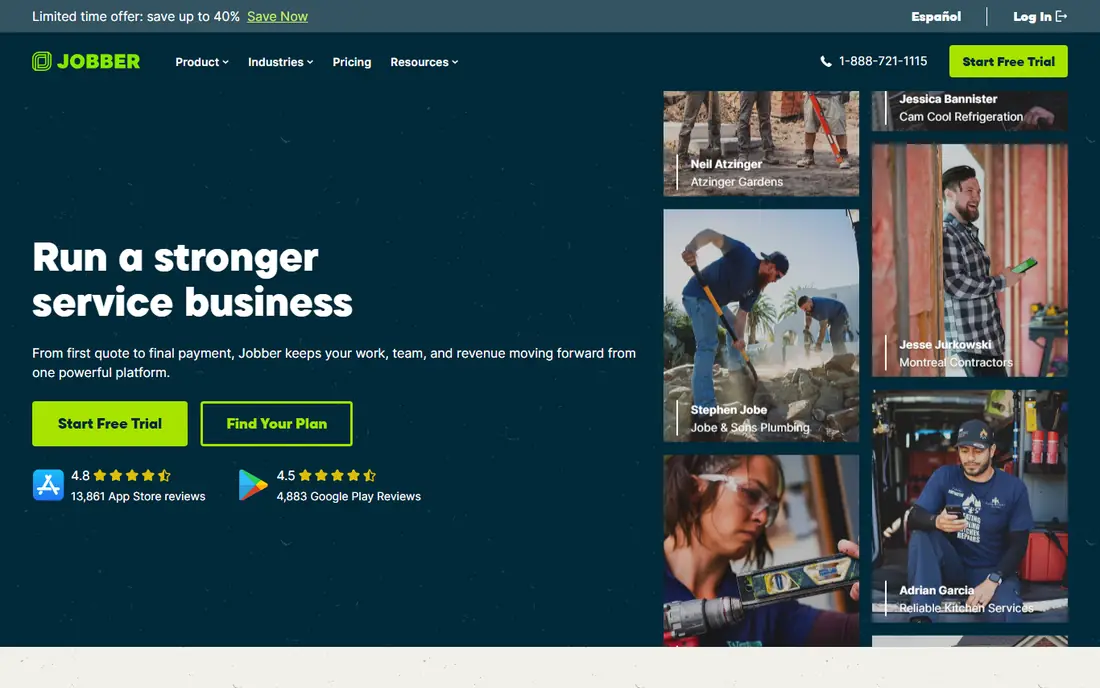
Jobber is a good default because it covers the full job cycle without forcing a small team to buy separate tools. Client profiles hold job history, notes, and communication, so a tech arriving at a home can see past work and special notes. Quotes can be approved online, invoices can be sent from the field, and payments can be taken on the spot.
The cost model needs attention. Extra users add a monthly fee, so a team with five field workers pays more than the headline solo price. Higher tiers also hold the deeper automation and reporting tools. For a solo operator or a team of up to five, Jobber still offers a clear and practical balance.
- Clear client history
- Online booking and quotes
- Invoicing and payments included
- Per-user costs add up as crews grow
- Advanced automation needs higher tiers
Housecall Pro
Best for: Teams that want quick setup and strong customer communication
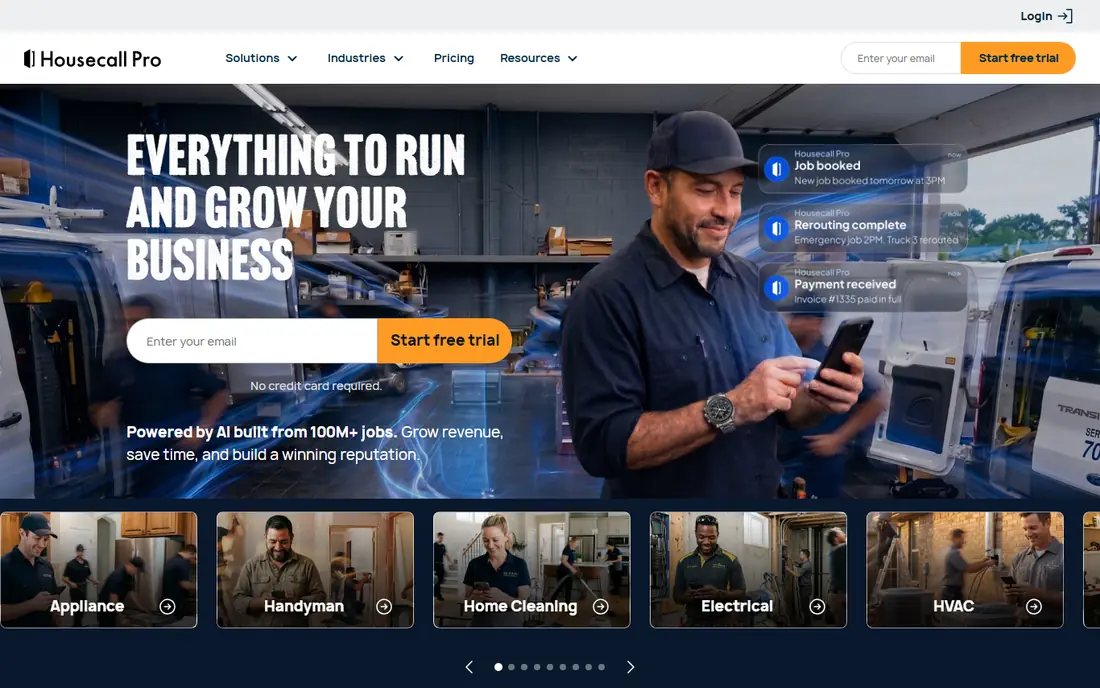
Housecall Pro is known for fast adoption. Scheduling is visual, customer texts keep clients informed, and review requests help local businesses build trust. Online booking and instant estimates also reduce phone tag for common jobs, which helps a busy office.
The entry price is higher than Jobber for a solo user, and larger teams move to higher tiers with added seat costs. It also focuses on the field workflow more than deep sales reporting. For a team that values speed, texts, and reviews, Housecall Pro is a strong choice.
- Easy drag-and-drop scheduling
- Automated texts and review requests
- Online booking
- Higher entry price than Jobber
- Extra seats add cost on higher tiers
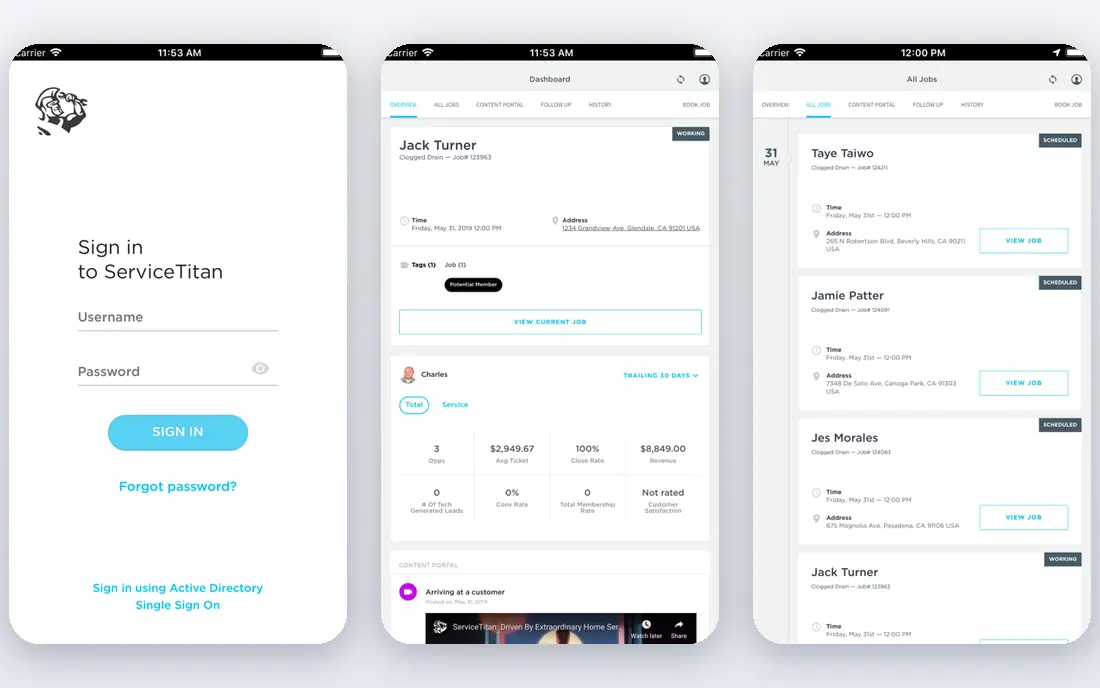
ServiceTitan suits a company that has outgrown a simple scheduling tool. It handles many technicians, locations, and job types, with dispatch boards, capacity planning, and reporting that managers use to track revenue per tech and per job. Marketing tools and customer history also help larger firms win repeat work.
The trade-off is cost and setup. Pricing is by quote, implementation needs planning, and staff need training to use the full system. A solo operator will find it heavy and costly. A growing multi-truck business that needs control and insight will find the depth worth it.
- Deep dispatch and reporting
- Marketing automation
- Location and job history at scale
- Quote-based pricing
- Implementation takes time and training
FieldEdge is built for HVAC, plumbing, and electrical teams that already run their books in QuickBooks. Sync keeps invoices, payments, and job costs aligned, and service agreement reminders help a team sell and renew maintenance plans. A visual pricebook also helps techs quote consistent prices in the field.
It is less suited to a tiny team that wants a quick start and a published price. Sales-led pricing and a longer setup mean a small shop should compare it with Jobber or Housecall Pro first. For a mid-size firm with QuickBooks at the center, FieldEdge is a credible pick.
- Native QuickBooks sync
- Service agreement tracking
- Visual pricebook
- Quote-based pricing
- Setup can be complex for small teams
ServiceFusion stands out because its pricing is flat for unlimited users on its published tiers, which changes the math for a larger crew. Dispatch, customer records, estimates, invoices, and payments sit in one system, and referral source tracking helps a business see which marketing brings jobs.
The base price is higher than Jobber or Housecall Pro for a solo user, so a tiny team may overpay. Some operational tools also arrive as add-ons. For a team with many field workers, flat pricing can be cheaper than per-user billing once headcount grows.
- Unlimited users on published plans
- Dispatch and billing in one system
- Referral tracking
- Higher base price
- Some tools are add-ons
Workiz puts dispatch and communication at the center. Calls, texts, and job updates sit alongside the schedule, so office staff can see the full story for a job without switching tools. Online booking and scheduling help a team handle peak demand without missing calls.
Pricing is less transparent than Jobber, so a buyer should get a written quote for its team size and feature needs. Some service plan tools also sit on higher tiers. For a dispatch-heavy business, such as locksmith or appliance repair work, Workiz is worth a trial.
- Strong dispatch and phone tools
- Customer messages tied to jobs
- Online booking
- Pricing is not published in full
- Service plans need higher tiers
HubSpot CRM is useful when the main need is lead tracking, not field operations. A home service business can track inquiries, follow up by email, and manage a sales pipeline for larger projects. The free tier lowers the barrier for a new business that is still building its customer base.
It is not a field service system. Scheduling, dispatch, tech tracking, invoicing for field jobs, and service agreements need other tools or integrations. A business that already uses Jobber or Housecall Pro for jobs can still use HubSpot for marketing, but it should not replace a field CRM on its own.
- Free CRM tier
- Good pipelines and email tools
- Wide integration catalog
- No field dispatch or job scheduling
- Field payments need other tools
How we picked these
We compared official pricing pages, feature pages, and public reviews for home service and field service tools in October 2026. We favored tools with client history, scheduling, quotes, invoices, payments, and mobile apps for field staff. We also checked pricing models, since per-user and flat pricing lead to very different bills at the same headcount.
What to check before you choose
Count every field user
List everyone who views or manages the schedule, including office staff and field techs. Then price each tool at that headcount, not at the solo price. A tool that looks cheap for one user can become the most expensive option for eight users.
Test the field app in real conditions
Ask a tech to create a quote, take a photo, send an invoice, and take a payment from a phone on a job. Check offline behavior, since signal can be weak in basements or rural areas. A CRM that only works well at a desk will slow a field team.
Check accounting and payment costs
Confirm QuickBooks or Xero sync, payment processing fees, and invoice automation. A tool with a low subscription price can still cost more if payment fees are high or if office staff must re-enter every job into accounting software.
A final point on home service CRM choice is follow-up discipline. A system only helps when office staff act on reminders, review requests, and unpaid invoices on schedule. Set daily habits for new leads, open quotes, and overdue invoices, and review those lists each morning. That routine turns a good CRM into steady bookings and faster payment.
FAQ
What is the best crm for home service businesses overall?
Jobber is our pick for most small teams because it covers clients, scheduling, quotes, invoices, and payments in one system. Housecall Pro is a close alternative for teams that prioritize texts and reviews, while ServiceTitan suits larger firms.
How much does home service CRM software cost?
Solo entry pricing starts near $49 per month for Jobber and $79 per month for Housecall Pro, while flat plans such as ServiceFusion start near $245 per month. Larger teams pay more for extra users, higher tiers, and payment processing, so model your headcount.
Do I need a field service CRM or a general CRM?
A field service CRM is better when you schedule jobs, dispatch techs, and invoice from the field. A general CRM such as HubSpot is better for lead tracking and email follow-up. Many growing firms use a field CRM for jobs and a general CRM for marketing.
Can customers book online with these tools?
Yes, most tools here offer online booking, quote approval, and automated reminders. Check that booking rules match your services, travel time, and capacity, since a booking tool that overbooks will create more problems than it solves.
Does Jobber work for a solo operator?
Yes. Jobber offers a solo plan and a mobile app for quotes, scheduling, and payments. A solo operator should still check the cost of extra users before hiring, since each new field worker adds to the monthly bill.
What should I look for in a home service CRM trial?
Test client history, scheduling, quote approval, invoicing, payments, and customer texts during the trial. Bring a real job through the full cycle, from first call to paid invoice, and ask office and field staff what slowed them down.