Best Contract Management Software Comparison in 2026: 8 Tools Compared
Our best contract management software comparison for 2026 covers Ironclad, DocuSign CLM, PandaDoc, and more, with workflows, AI tools, and pricing notes.

- Editor's choice
 Ironclad
Enterprise workflow automation
Starts atSee websiteVisit ironcladapp.comFull review - Great alternative
 DocuSign CLM
DocuSign ecosystem teams
Starts atSee websiteVisit docusign.comFull review - Also consider
 PandaDoc
Sales document workflows
Starts at$19 per user per monthVisit pandadoc.comFull review
TL;DR:
- Ironclad and DocuSign CLM suit larger teams that need full lifecycle workflows, approvals, and repository control.
- PandaDoc and Concord suit smaller teams that need fast document creation, signing, and simple tracking.
- Juro and SpotDraft suit modern mid-market legal teams that want a cleaner editor and faster rollout.
- Agiloft and Icertis suit firms with custom workflows or regulated, global contract programs.
- Most enterprise CLM pricing is custom, so compare implementation, seats, and AI add-ons, not just license cost.
Quick comparison
| Tool | Best for | Starts at | Free plan? | |
|---|---|---|---|---|
| Ironclad | Enterprise workflow automation | See website | No | Visit |
| DocuSign CLM | DocuSign ecosystem teams | See website | No | Visit |
| PandaDoc | Sales document workflows | $19 per user per month | Yes | Visit |
 Juro | Modern mid-market teams | See website | No | Visit |
 Agiloft | Custom no-code workflows | See website | No | Visit |
 Icertis | Regulated global programs | See website | No | Visit |
 Concord | Simple SMB contracts | See website | Free trial | Visit |
 SpotDraft | Fast-growing legal teams | See website | No | Visit |
The best contract management software comparison
We compared tools across the full contract lifecycle, from drafting and negotiation to signing, storage, and renewal. E-signature alone does not count as CLM here, though several tools include it.
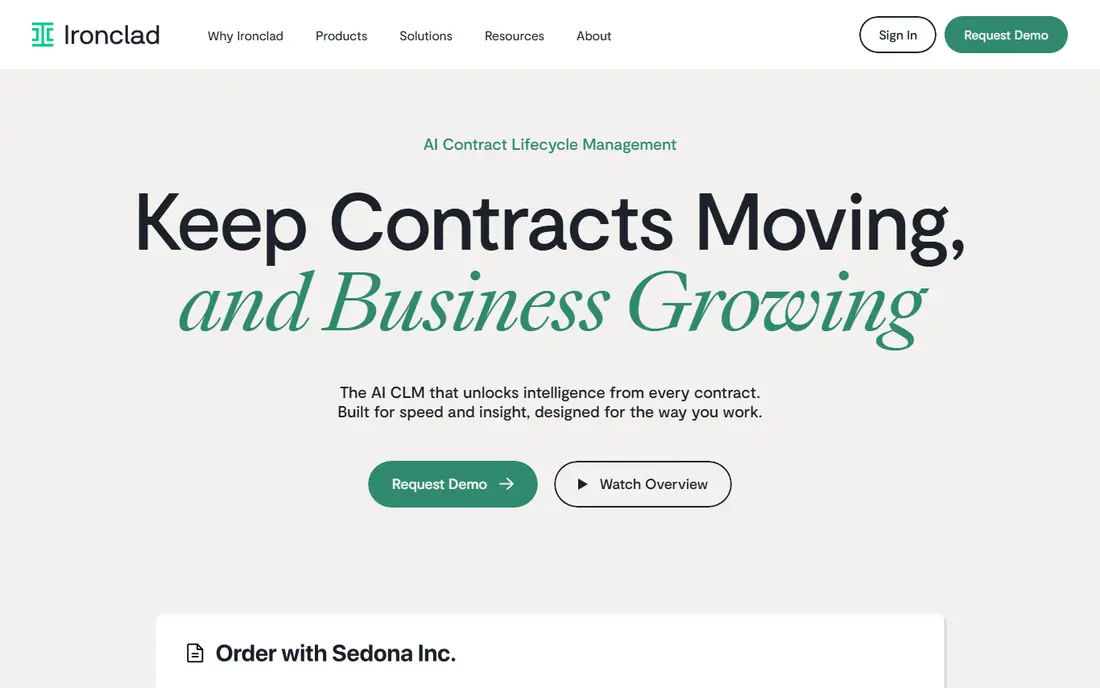
Ironclad helps legal and business teams automate contracts from intake to signed record. Workflow automation routes drafts for approval, templates keep language consistent, and a central repository tracks obligations and renewals. AI tools assist drafting, review, and extraction of key terms.
Cost and implementation are the main barriers for smaller teams. Pricing is custom, and AI features may be add-ons, so a first quote should include them. For mid-size to enterprise teams with high contract volume, Ironclad offers one of the most complete workflow balances in this comparison.
- Full lifecycle workflows with approvals and routing
- Central searchable repository
- AI drafting, review, and data extraction tools
- Custom enterprise pricing
- Implementation scope suits larger teams best

DocuSign CLM builds on the e-signature product most teams already know. It adds intake, templates, negotiation workflows, approvals, and a searchable agreement repository. Teams that already use DocuSign for signing gain continuity, since signed records stay in a familiar system.
Pricing is custom and varies widely by users and modules, so budget from a scoped quote rather than a headline figure. Smaller teams may find DocuSign IAM or PandaDoc enough. For Salesforce-heavy firms and DocuSign users, CLM is the natural upgrade path.
- Extends DocuSign e-signature into full lifecycle
- Strong Salesforce and business app integrations
- Agreement repository with AI insights
- Custom pricing with wide cost ranges
- Full rollout needs planning and integration work
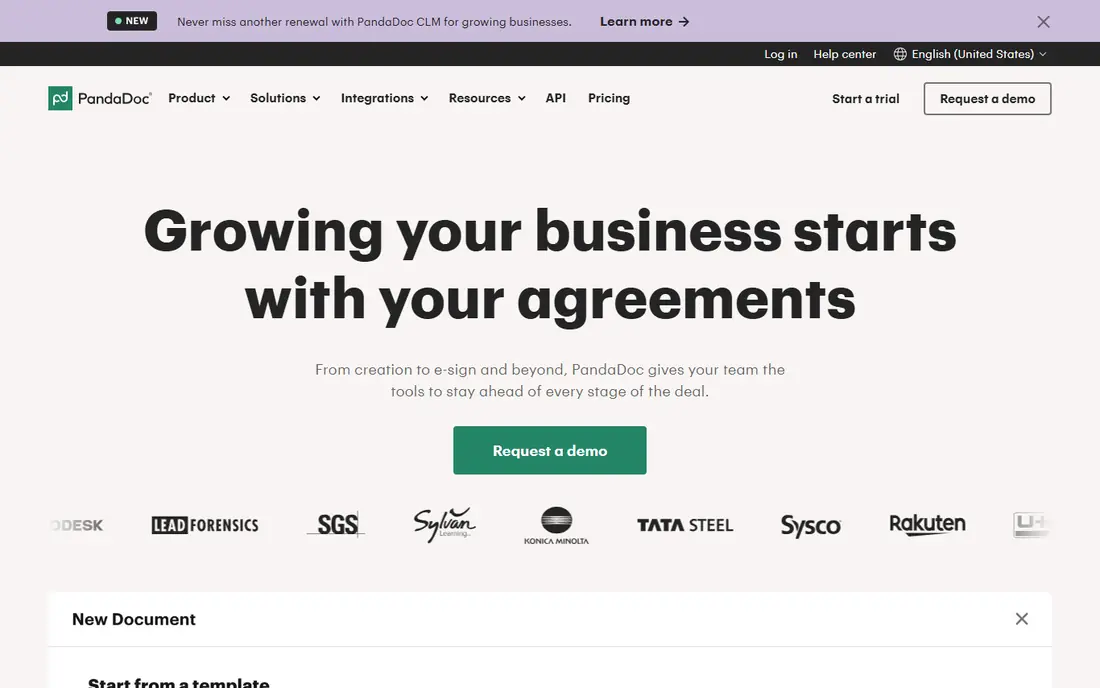
PandaDoc is the accessible option for teams that mainly need documents created, sent, and signed quickly. Templates, e-signatures, payments, and tracking cover sales proposals, quotes, and simple contracts well. The free plan lets small teams test core workflows before paying.
Enterprise legal teams with complex approvals, obligation tracking, and AI review will need a dedicated CLM instead. PandaDoc works best when sales speed matters more than legal workflow depth. Check document and template limits on lower tiers before rolling it out widely.
- Free plan and clear per-user pricing
- Fast document creation with templates and signing
- Good fit for sales proposals and quotes
- Less deep as a full enterprise CLM
- Advanced workflow and repository controls sit on higher tiers
Juro suits mid-market teams that want modern contract software without enterprise weight. Its browser editor lets legal and business users draft and negotiate in one place, with approvals and a searchable repository beside it. The interface feels closer to a modern document app than a legacy system.
Pricing is custom, so a quote is needed to compare fairly. Teams with very complex custom workflows may prefer Agiloft, while regulated global programs may prefer Icertis. For growing firms that value speed and usability, Juro is a strong shortlist pick.
- Browser-native editor for collaborative drafting
- Clean workflow and approval design
- Good fit for fast-moving legal teams
- Custom pricing with no public rate card
- Smaller ecosystem than DocuSign or Ironclad
Agiloft is the choice when standard CLM workflows do not fit. Its no-code platform lets teams build custom intake forms, approval chains, data models, and reports without heavy development. That flexibility suits firms with unusual contract types or approval rules.
Flexibility also demands ownership. Someone must design, test, and maintain the configuration, or complexity grows quickly. Pricing is custom, and AI features are modular. For teams that know their workflow is unusual, Agiloft flexibility outweighs the setup effort.
- Highly configurable no-code platform
- Deep workflow, approval, and reporting options
- AI tools available as modules
- Custom pricing
- Configuration depth needs skilled owners
Icertis serves large enterprises and regulated industries that manage contracts across countries and business units. It focuses on contract intelligence, obligations, and compliance, with a repository that supports global reporting. Analyst recognition for enterprise CLM reflects that scale focus.
Smaller teams will find cost and implementation too heavy. Icertis is best when contract volume, regulatory risk, and global reporting justify an enterprise program. Ask for a scoped implementation plan and a clear view of which AI features are included versus add-ons.
- Enterprise contract intelligence at scale
- Strong for regulated and global operations
- Obligation and compliance tracking
- Custom enterprise pricing
- Rollout suits large programs, not small teams
Concord suits small and midsize businesses that want contracts organized without enterprise complexity. Teams can draft, negotiate, sign, and store contracts online, with deadlines and reminders for renewals. The repository-first design keeps signed agreements easy to find.
Larger legal teams with complex approvals and AI review needs should compare Ironclad, DocuSign CLM, or Agiloft. For SMBs that mainly need a tidy contract home with signing and reminders, Concord offers a simpler path. Confirm user pricing, since plans have been sold per group of users.
- Simple repository-first design
- Online negotiation and signing in one place
- Clear plans for small teams
- Less workflow depth than enterprise CLM
- Advanced AI and integrations are limited
SpotDraft targets legal teams that are growing fast and need structure without a long enterprise rollout. It covers intake, drafting, approvals, signing, and a searchable repository, with AI tools for review and extraction. That combination suits startups and scale-ups formalizing legal operations.
Pricing is custom, so compare a scoped quote against Juro and Ironclad for your volume. SpotDraft has less brand history than the largest CLM vendors, which matters for some enterprise buyers. For growth-stage teams, its balance of workflow and AI is worth a demo.
- Workflow automation for growing legal teams
- AI review and extraction tools
- Repository with renewal and obligation tracking
- Custom pricing
- Newer brand than Ironclad or DocuSign
How we picked these
We compared official feature pages, pricing pages, analyst coverage, and public buyer guides for CLM tools. We favored tools that cover more than signing, including drafting, negotiation, approvals, repository, and renewal tracking. We also weighed ecosystem fit, since Salesforce, DocuSign, and Microsoft integrations often decide a purchase.
We did not claim hands-on testing, and we did not invent ratings, awards, or prices. Enterprise CLM pricing is custom and varies by seats, modules, and term, so we listed See website for those tools. Third-party purchase data can help with budgeting, but a vendor quote remains the reliable figure.
How to compare CLM tools fairly
A CLM purchase fails when teams compare license prices but ignore implementation and daily workflow fit.
Run one contract type end to end
Pick your most common contract, such as an NDA or sales agreement, and run it through each shortlisted tool. Test intake, drafting, redlining, approval, signing, storage, and renewal reminders. Note every manual step, such as copying terms into another system. The tool with the fewest manual steps usually wins, even if its license costs more.
Check AI features and data control
Ask which AI features are included, which are add-ons, and how contract data is used for model training. Legal teams handle sensitive terms, so data handling, access controls, and retention settings matter. Confirm whether AI extraction results can be reviewed and corrected, since errors in key dates or obligations carry real risk.
Budget for implementation and adoption
Include implementation fees, data migration from old folders, template setup, and training in your first-year cost. A tool that needs six months of configuration costs more than its license suggests. Pilot with one team and one contract type, then expand only after approvals actually run faster.
FAQ
What is contract management software?
It is software that manages contracts from drafting and negotiation through signing, storage, and renewal. It typically includes templates, approval workflows, e-signatures, a searchable repository, and reminders for obligations and renewals. E-signature alone covers only the signing step.
What is the difference between CLM and e-signature software?
E-signature software gets a document signed electronically. CLM software manages the whole lifecycle, including authoring, negotiation, approvals, storage, obligation tracking, and analytics. DocuSign offers both as separate products, and many teams start with e-signature before moving to CLM.
Which contract management software is best for small businesses?
PandaDoc and Concord suit small businesses that need simple creation, signing, and storage at a clear price. Juro and SpotDraft suit growing firms that need stronger workflows. Small teams should avoid enterprise CLM until contract volume and approval complexity justify the cost.
How much does contract management software cost?
Costs range from a free PandaDoc plan and low per-user pricing to custom enterprise contracts that run into five or six figures yearly. Implementation, AI add-ons, and user counts drive total cost. Always request a scoped quote that includes implementation and the features you actually need.
Do I need AI in my contract software?
AI helps with drafting, review, extraction, and obligation tracking, especially at higher volumes. Smaller teams may not need it yet, and manual review remains important for key terms. If you buy AI features, check whether they are included or add-ons, and how your contract data is handled.
How long does CLM implementation take?
It depends on contract types, templates, integrations, and data migration. Simple tools can start in days, while enterprise CLM programs can take months. Ask each vendor for a scoped schedule with milestones, and pilot one contract type before a full rollout.