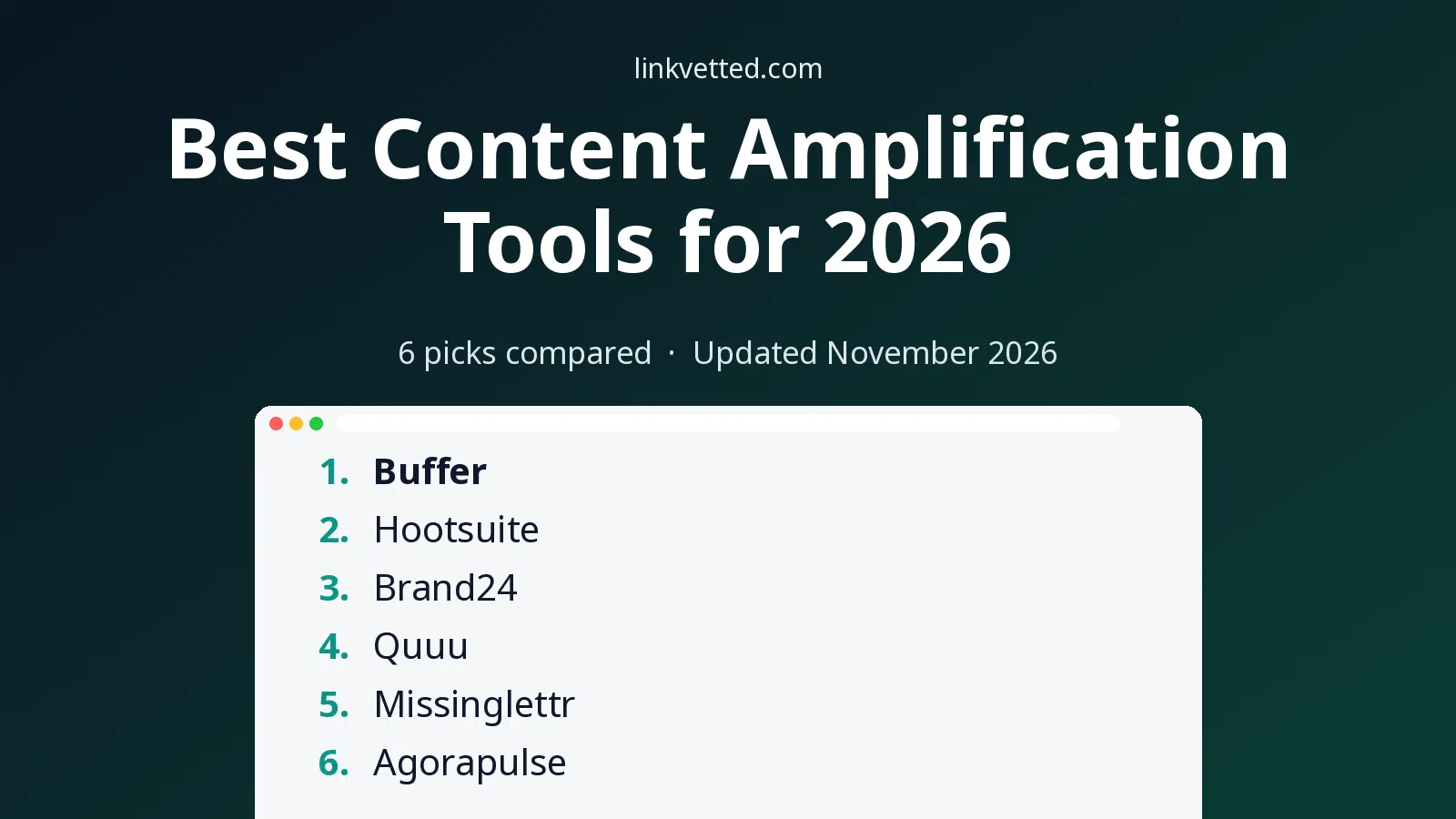
Best Content Amplification Tools for 2026: Our 6 Vetted Picks
A practical guide to the best content amplification tools in 2026, compared from vendor documentation and public sources, with limits and buying checks.
- Editor's choice
 Buffer
Simple multi-channel post scheduling
Starts atSee websiteVisit buffer.comFull review - Great alternative
 Hootsuite
Managing many accounts in one place
Starts atSee websiteVisit hootsuite.comFull review - Also consider
 Brand24
Finding conversations worth joining
Starts atSee websiteVisit brand24.comFull review
Direct answer
My first pick is Buffer, because it covers the everyday job most small teams need: scheduling and resharing the same post across several networks from one queue. For teams that want to find and reply to relevant conversations, I would look at Brand24. For getting a piece in front of niche communities and newsletters, Quuu is the one I would check first. Each fits a different part of amplification, so the right choice depends on where your content currently stalls.
TL;DR:
- Content amplification is mostly distribution work: scheduling, repurposing, community sharing and monitoring replies, not publishing more posts.
- A scheduler like Buffer or Hootsuite handles the repeatable part, but it will not find new audiences for you.
- Discovery and monitoring tools such as Brand24 help you join conversations where your content is relevant, which is slower but often more useful.
- Quuu and similar services put content in front of curated audiences, so read how their queues and categories work before you commit.
- No tool guarantees reach or rankings; treat every pick as a workflow aid and measure referral traffic and engagement yourself.
Last checked November 2026. Plan prices are not quoted in this guide because they change often; see each vendor's own pricing page for current figures before you buy.
Quick comparison
| Tool | Best for | Starts at | Free plan? | |
|---|---|---|---|---|
| Buffer | Simple multi-channel post scheduling | See website | Free plan | Visit |
| Hootsuite | Managing many accounts in one place | See website | Free trial | Visit |
| Brand24 | Finding conversations worth joining | See website | Free trial | Visit |
| Quuu | Curated sharing to interested audiences | See website | Free trial | Visit |
| Missinglettr | Turning blog posts into social drips | See website | Free trial | Visit |
 Agorapulse | Agencies running client social distribution | See website | Free trial | Visit |
The best content amplification tools compared
I put this list together from vendor documentation and public sources, not from hands-on testing. I read each product's feature pages, help docs and public descriptions, then compared them on the work they actually do: scheduling, discovery, repurposing and community sharing. Where a tool's documentation was thin on a point, I say so rather than filling the gap. Treat this as a shortlist to evaluate, not a lab result.
Buffer is a scheduling tool built around a queue. You add posts, set times, and the tool publishes them across the networks you connect. For amplification, that means one blog post can become several social updates without you writing each one from scratch at publish time. It suits small teams, solo marketers and anyone who wants distribution to run in the background.
The workflow that matters here is recycling. When a piece goes live, you can schedule the link, then schedule follow-up posts that quote a section or ask a question. Buffer's queue makes that repeatable. It also lets you keep a steady posting rhythm on networks you would otherwise neglect, which is often the real gap in content distribution.
The limit is discovery. Buffer will not tell you which communities or conversations to join, and its analytics on cheaper plans are shallow. If you need deep reporting or social listening, pair it with something else or skip it.
- Clean queue-based scheduling
- supports several major networks
- easy to reshare older posts
- Analytics are basic on lower tiers
- no built-in audience discovery
Hootsuite is one of the longer-running social management platforms. It combines scheduling, a stream-based monitoring view and team workflows. It fits agencies and in-house teams that run several profiles and need one place to see what is queued and what is being said. For a single blog with two social accounts, it is more than you need.
For amplification, the useful part is the mix of scheduling and streams. You can queue a post across profiles, then watch replies and mentions in the same dashboard and respond while the post is still fresh. That shortens the loop between publishing and conversation, which is where a lot of amplification actually happens.
The trade-off is complexity. The interface carries a lot of options, and the account-based pricing can climb. Solo operators and very small teams should weigh whether a simpler scheduler covers the same ground.
- Handles multiple networks and profiles
- scheduling and monitoring in one dashboard
- team approval options
- Can feel heavy for one person
- pricing scales with accounts
Brand24 is a media monitoring tool. You set keywords, and it collects public mentions from social networks, forums, blogs and news. For content amplification, that means you can find people already discussing your topic and join in with a relevant link or answer, rather than broadcasting into a void. It suits teams that want to earn attention through participation.
The practical use is narrow and specific. Set keywords around your article's subject, review the mentions, and reply where you can add something. That is slower than scheduling, but it puts your content in front of people who have already shown interest. It also surfaces places where your brand is mentioned without a link, which is worth knowing.
The limit is that monitoring is a paid, ongoing commitment, and keyword setup takes tuning. If you will not check the dashboard regularly, the value drops quickly. Skip it if you want a set-and-forget scheduler.
- Tracks mentions across many public sources
- sentiment and topic filters
- useful for finding reply opportunities
- Ongoing monitoring needs a paid plan
- results depend on how you set keywords
Quuu
Best for: Curated sharing to interested audiences
Quuu is a content curation and sharing service. It offers curated content suggestions by category and, on its paid options, ways to get your own content into sharing queues. The idea is to reach people through accounts that already share material in your topic area. It fits marketers who want distribution beyond their own follower base.
For amplification, the fit is audience access. Instead of only posting to your own profiles, you look at whether your content can enter curated streams where relevant accounts pick it up. That can widen reach for topics that match popular categories. It works best when your subject is broad enough to sit in an established category.
The limit is fit. Narrow or technical niches may not have a matching category, and curated sharing is not the same as a targeted outreach campaign. Check the category list before you rely on it.
- Curated content categories
- connects to social accounts
- can surface posts to a wider audience
- Curated feeds may not match narrow niches
- results vary by category
Missinglettr
Best for: Turning blog posts into social drips
Missinglettr takes a blog post and builds a drip campaign of social posts from it, spread over weeks. It pulls quotes and images and suggests captions, which you can edit before scheduling. It suits bloggers and content teams who publish articles and then let them go quiet, which is a common waste in content marketing.
The amplification value is in the drip. One article becomes a series of posts that run long after launch, so the same piece gets several chances to be seen. That is a simple way to extend the life of existing content without writing new material. It also keeps your social profiles active between publishes.
The limit is that generated posts are a starting point, not a finished product. Left unedited, they can read as generic. It also does not find new audiences; it recycles your own content. Skip it if you want discovery or outreach features.
- Builds multi-post campaigns from one article
- suggests quotes and snippets
- schedules over time
- Generated posts need editing
- not a discovery tool
Agorapulse is a social media management platform aimed at agencies and teams. It combines publishing, a unified inbox, reporting and team collaboration. For content amplification, it gives a team one place to schedule a piece across client profiles, assign replies and report on what happened. It fits agencies and multi-brand operations.
The useful part for amplification is the shared inbox and reporting. When a post goes out, replies land in one queue, and the team can respond without switching tools. Reports then show which posts and networks brought engagement, which helps you decide where to put the next piece. That feedback loop is the point.
The limit is scale. The feature set is broad, and pricing is tied to profiles and users, so a solo blogger will pay for things they never open. Small operations should start with a simpler scheduler.
- Scheduling plus inbox and reporting
- team roles and approvals
- works across major networks
- Feature set is large for small needs
- client-based pricing adds up
How I chose
I built this list from vendor documentation and public sources. I read each product's official feature pages, help documentation and public descriptions, then compared them on the tasks that make up amplification: scheduling repeat posts, finding conversations, repurposing articles into social updates and sharing to curated audiences. I did not run hands-on tests, so I am describing documented capabilities and stated workflows, not measured results.
The second filter was fit and limits. A tool that schedules well but offers no discovery is still useful, as long as you know that is what you are buying. I also dropped tools whose documentation was too vague to describe accurately, and I avoided any product I could not confirm is currently operating. Where pricing and plan details change often, I point you to the vendor's own site instead of quoting figures that may be out of date. Use this as a starting shortlist and check the current docs before you decide.
What to check before you buy
- Confirm which social networks and channels the tool actually supports, since coverage varies and changes.
- Check whether scheduling includes recycling or evergreen queues, which is the core of repeat amplification.
- Read how discovery or monitoring works, and whether it covers the forums and communities your audience uses.
- Look at reporting depth on the plan you would buy, not the top tier shown in demos.
- Check team seats, approval flows and client limits if more than one person will publish.
- Review export and API options so you are not locked in if you switch tools later.
FAQ
What is content amplification?
Content amplification is the work of getting a piece of content in front of more of the right people after it is published. That includes scheduling repeat social posts, sharing in relevant communities, repurposing an article into smaller updates and joining conversations where the topic comes up. It is distribution, not creation, and it usually matters more than publishing extra posts.
Do I need a paid tool for amplification?
Not always. A free scheduler plan can cover basic repeat posting for one person. Paid tools make sense when you need monitoring, multiple profiles, team approvals or deeper reporting. Start with the free option, note what you cannot do, and only pay when a specific gap is blocking you. Many teams overbuy before they have a posting routine.
Can these tools guarantee reach or rankings?
No. These tools help you distribute content and track what happens, but reach depends on the audience, the platform and the content itself. No scheduler or monitoring tool can promise rankings or traffic. Use them to run a consistent process, then judge results from your own referral and engagement data over time.
How do I choose between a scheduler and a monitoring tool?
Pick a scheduler if your problem is inconsistency: posts go out once and then stop. Pick a monitoring tool if your problem is reach: you publish but nobody relevant sees it. Many teams use both, with the scheduler handling routine posts and monitoring handling replies and community participation. Decide based on which gap costs you more.
Are these tools only for social media?
Mostly, yes. The tools here focus on social scheduling, monitoring and curated sharing. Email newsletters, communities and outreach are separate channels that need their own process. If your audience lives in forums or inboxes, a social scheduler will only cover part of the job, so plan for those channels too.
Sources
- https://buffer.com
- https://www.hootsuite.com
- https://brand24.com
- https://quuu.co
- https://missinglettr.com
- https://www.agorapulse.com