Best Contact Center Software for Small Business in 2026: 8 Options Compared
Compare the best contact center software for small business teams, from queues and routing to AI help, callbacks, CRM links, and full per seat costs now.

- Editor's choice
 Dialpad Support
AI led support teams
Starts at$80 per user per monthVisit dialpad.comFull review - Great alternative
 Aircall
Simple setup for growing teams
Starts at$30 per user per monthVisit aircall.ioFull review - Also consider
 Talkdesk
Midsize teams needing scale
Starts at$85 per user per monthVisit talkdesk.comFull review
TL;DR:
- Small teams should price the contact center seat, not just the basic phone plan, because queues and routing often sit on higher tiers.
- Check seat minimums first, because a low per user price can still mean a high monthly bill for a team of three.
- Queues, callbacks, and supervisor monitoring matter more than a long feature list for a busy small team.
- CRM and help desk links save time, but only if the integration logs calls and tickets without manual work.
Quick comparison
| Tool | Best for | Starts at | Free plan? | |
|---|---|---|---|---|
| Dialpad Support | AI led support teams | $80 per user per month | Free trial | Visit |
| Aircall | Simple setup for growing teams | $30 per user per month | Free trial | Visit |
| Talkdesk | Midsize teams needing scale | $85 per user per month | Free trial | Visit |
 Nextiva | Phone plus contact center in one | $75 per user per month | Free trial | Visit |
 RingCentral RingCX | RingCentral users adding a contact center | $65 per user per month | Free trial | Visit |
 CloudTalk | International calling teams | $25 per user per month | Free trial | Visit |
 JustCall | Small sales and support teams | $29 per user per month | Free trial | Visit |
 Freshdesk Contact Center | Help desk teams adding voice | $15 per user per month | Free trial | Visit |
The best contact center software for small business teams
A contact center adds queues, routing, callbacks, and reporting to basic phone service. These eight tools suit small teams with different budgets and call volumes.

Dialpad Support gives small support teams a contact center with AI transcripts, call summaries, and sentiment signals built in, rather than bolted on. Agents can handle voice and digital contacts in one workspace, while supervisors use live monitoring and analytics to spot queue problems early. The system also offers IVR and routing setup that a small team can manage without a telecom specialist.
The main drawback is price. The contact center seat starts higher than a basic phone plan, and coaching or workforce management features sit on higher tiers. Small teams should confirm the exact Support tier price for their headcount and contract term before comparing Dialpad to a cheaper phone only tool. For teams that want AI help in every call, the higher price can be justified by time saved on notes and coaching.
- Built in AI transcripts and summaries
- Voice and digital routing
- Detailed analytics
- Higher starting price for a contact center seat
- Coaching and workforce tools cost more
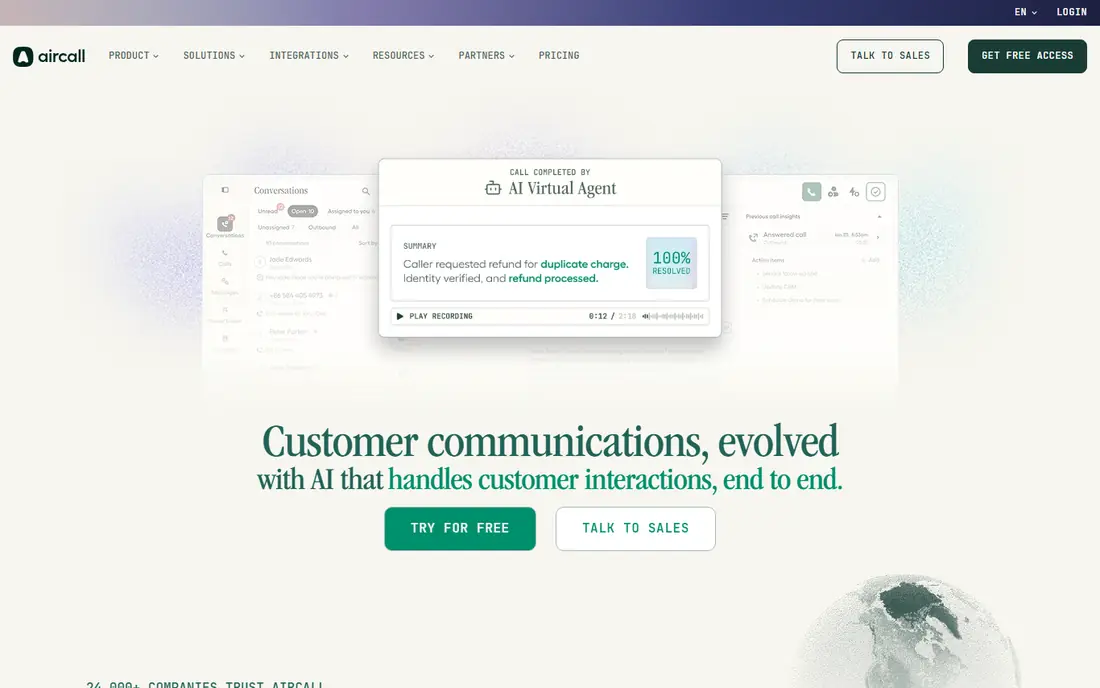
Aircall is known for simple setup and a large integration marketplace, which helps small teams connect phone calls to HubSpot, Salesforce, Zendesk, and other tools. Agents can share numbers, tag calls, and log activity without complex configuration, and managers can review calls and performance from a central dashboard. That ease of use suits teams that need to get running quickly.
The catch is tier gating. Smart routing, queue callbacks, and some coaching features need the Professional tier, which costs more and may carry a three license minimum. A three person team should therefore price the Professional tier, not the entry tier, if callbacks matter. For a team that values integrations and a clean interface, Aircall remains a strong small business pick.
- Fast setup
- Many CRM and help desk integrations
- Shared numbers and call tagging
- Smart routing and callback features need higher tiers
- Three license minimum on some plans
Talkdesk is a full contact center platform with voice, digital channels, routing, AI assist, and reporting, aimed at teams that expect to grow. Small businesses that plan to add chat, email, and social contacts alongside calls will benefit from having those channels in one system. Industry editions and AI tools also help teams in regulated or service heavy sectors.
Talkdesk is not the cheapest small business option, and its starting price reflects a mid market platform. A team of two or three agents may pay more than needed for features they will not use yet. For a small business with growth plans, a larger contact volume, or a need for omnichannel service, Talkdesk offers scale that simpler phone tools cannot match.
- Omnichannel routing
- AI agent assist
- Workforce tools on higher tiers
- Higher price for small teams
- More platform than a tiny team needs
Nextiva combines a business phone system with contact center features on its higher plans, which suits small teams that want one vendor for calls, messaging, and support queues. On the contact center plan, teams get queues, supervisor monitoring, skills routing, and analytics, without buying a separate contact center platform. That single vendor approach can simplify billing and support.
Buyers must check the plan carefully, because the basic phone price does not include contact center queues and routing. The contact center plan costs more, and annual terms affect the monthly rate. For a team that already uses Nextiva for phones, upgrading to the contact center plan is often simpler than switching vendors. For a new buyer, compare the contact center plan price directly with rivals.
- Phone system and contact center together
- Queues and supervisor tools on higher plans
- US support
- Contact center features need the higher plan, not the basic phone plan
- Term and pricing need checking
RingCentral RingCX is the contact center product for teams already using RingCentral for phone, video, or messaging. It adds intelligent routing, queues, AI summaries, and supervisor tools, while keeping agents in a familiar RingCentral environment. That link matters for small teams, because agents do not need to learn a wholly separate system for contact center work.
For teams not already on RingCentral, the value is less clear, because other contact centers may offer similar routing at a similar price without a full unified communications switch. Tier differences also affect AI and digital channel depth, so check the exact RingCX tier. For RingCentral customers, RingCX is the natural and low friction upgrade.
- Blended voice and digital routing
- AI summaries
- Works with RingCentral phone and video
- Best value for existing RingCentral users
- Digital and AI features vary by tier
CloudTalk suits small sales and support teams that call across countries and need local numbers, smart dialers, and CRM logging in one platform. Entry plans include core calling and queue features at a lower price than many rivals, and the platform supports a wide range of international numbers. Integrations with common CRMs help agents log calls without manual entry.
Higher tier features, such as advanced monitoring and wallboards, need more costly plans, and some plans carry license minimums. Teams should also check per minute rates for their calling countries, because those costs sit on top of the seat price. For a small international team, CloudTalk offers a useful balance of price and calling reach.
- Low entry price
- International numbers
- Queues and dialers
- CRM integrations
- Advanced monitoring needs higher tiers
- Per minute costs need checking
JustCall combines voice and SMS for small teams that call and text customers from one number and one inbox. It offers IVR, call distribution, call recording, and integrations with CRMs and help desks, which helps a small team track conversations without juggling separate tools. The interface is designed for quick setup, which suits teams without a dedicated telecom admin.
Queue callbacks, skills routing, and advanced coaching need the higher Pro tier, so teams that need those features should price Pro, not the entry plan. There is also a two user minimum, which is fine for most small teams but worth noting for a solo operator. For a small team that lives on calls and texts, JustCall is a practical and affordable pick.
- Voice plus SMS in one tool
- IVR and call distribution
- CRM integrations
- Queue callback and skills routing need higher tiers
- Two user minimum
Freshdesk Contact Center, formerly Freshcaller, adds voice to the Freshdesk help desk, so support teams can handle calls and tickets in one workflow. Agents can see ticket history during a call, log call notes to tickets, and route calls with IVR and queues. That link between calls and tickets saves time for teams that already use Freshdesk for email and chat support.
The entry price looks low, but per minute charges apply on top, and advanced routing and reporting need higher tiers. Teams with high call volume should estimate total cost including minutes before comparing to an all in seat price elsewhere. For a Freshdesk team that needs voice without a separate contact center vendor, this is a clean and cost effective add on.
- Voice inside a help desk workflow
- Ticket and call links
- Lower entry price
- Per minute charges apply
- Advanced contact center features need higher tiers
How we picked these
We compared official feature pages, pricing pages, and public documentation for contact center tools in October 2026, with a focus on small business needs. We checked queues, callbacks, routing, IVR, monitoring, CRM links, seat minimums, and starting prices for contact center seats, not just basic phone plans. We marked prices as See website where tier or term varies, and favored tools with current vendor pages and real small team use.
What to check before you buy
Start with your smallest team math. Ask each vendor for the price of a contact center seat for your exact agent count, including any seat minimum, and confirm whether queues, callbacks, and supervisor monitoring are included at that price. Then estimate call minutes, SMS costs, and any AI or analytics add ons. A tool that looks cheap on a basic phone plan can cost twice as much once contact center features are added.
Next, test the agent and caller experience. Call the demo number, wait in a queue, request a callback, and check how the agent sees caller history and CRM data. Test supervisor monitoring, whisper, and barge if you coach agents live. Also check call quality, number porting, business hours routing, and after hours handling, because those daily details matter more than a long feature list.
Questions for a vendor demo
Ask how queues handle overflow, how callbacks are offered and tracked, and how routing uses skills, language, or CRM data. Ask about reporting for wait times, abandon rates, and agent performance, and whether reports can be scheduled for managers. If you need compliance recording or consent messages, confirm how those are handled for your region.
FAQ
What is the best contact center software for small business teams?
For most small teams, Aircall, CloudTalk, and JustCall offer the best balance of price and setup, while Dialpad Support suits teams that want AI help in every call. Nextiva and RingCentral RingCX suit teams already on those phone platforms. The best pick depends on agent count, call volume, and whether callbacks and omnichannel contacts matter.
How much does small business contact center software cost?
Contact center seats in this list start from about $15 to $85 per user per month, depending on tier and features, plus minutes or SMS where applicable. Basic phone plans are cheaper, but they often lack queues and routing. Always price the contact center tier for your agent count, including minimums and add ons.
Do I need a contact center or just a business phone system?
You need a contact center when callers regularly wait, need routing by skill or issue, or need callbacks when agents are busy. A basic phone system with call queues may suffice for a very small team with low volume. If missed calls, long waits, or lost caller context are common, a contact center will help more.
Can small teams use AI in a contact center?
Yes, many small business tools now offer AI transcripts, summaries, sentiment signals, and AI voice agents for after hours or overflow calls. AI features often sit on higher tiers or cost extra per minute, so check the exact tier. Start with transcripts and summaries, which save agent time without changing the caller experience too much.
How do seat minimums affect small teams?
Seat minimums set the smallest bill, even if you have fewer agents. For example, a $30 plan with a three license minimum costs $90 per month before minutes, even for a two person team. Always multiply the per user price by the minimum, not just by your current headcount, when comparing tools.
What integrations should a small contact center have?
At minimum, look for links to your CRM or help desk, so calls log automatically and agents see customer history. Also check calendar, messaging, and reporting integrations if your team uses them. Test the integration with a real call and ticket during a trial, because a listed integration does not always mean deep data sync.