8 Best Contact Center QA Apps for Mobile Integration in 2026
Compare the best contact center qa app for mobile integration, with QA scorecards, mobile agent tools, and clear pricing notes for teams of every size.

- Editor's choice
 Calabrio ONE
Centers that want QA, workforce, and analytics together
Starts atSee websiteVisit calabrio.comFull review - Great alternative
 NICE CXone
Large omnichannel centers
Starts at$110 per monthVisit nice.comFull review - Also consider
 Genesys Cloud CX
Cloud centers that need to scale
Starts at$75 per monthVisit genesys.comFull review
TL;DR:
- Good QA software scores voice, chat, and mobile interactions in one place, not just phone calls.
- Mobile integration means two things: agents working from phones, and customers reaching you on mobile channels.
- Automated scorecards save QA time, but human review still matters for tone, empathy, and tricky cases.
- Small teams should start with a focused QA tool, while large centers often need a full workforce platform.
- Ask for a demo on your own interaction types before signing, since QA needs vary widely by industry.
Quick comparison
| Tool | Best for | Starts at | Free plan? | |
|---|---|---|---|---|
| Calabrio ONE | Centers that want QA, workforce, and analytics together | See website | No | Visit |
| NICE CXone | Large omnichannel centers | $110 per month | No | Visit |
| Genesys Cloud CX | Cloud centers that need to scale | $75 per month | No | Visit |
 Playvox | Teams that want focused quality management | See website | No | Visit |
 Talkdesk | Centers that want fast cloud deployment | $85 per month | No | Visit |
 Five9 | Voice-led centers with strong analytics | See website | No | Visit |
 Scorebuddy | Dedicated QA scorecards without a platform swap | See website | No | Visit |
 Zoho Desk | Small teams that need QA basics on a budget | See website | Yes | Visit |
The best contact center QA apps for mobile integration
A QA app earns its place here when it reviews mobile work well. That includes agents on mobile apps, customers on chat and messaging, and supervisors who need to coach from anywhere. The tools below cover that range, from focused scorecard apps to full contact center platforms.
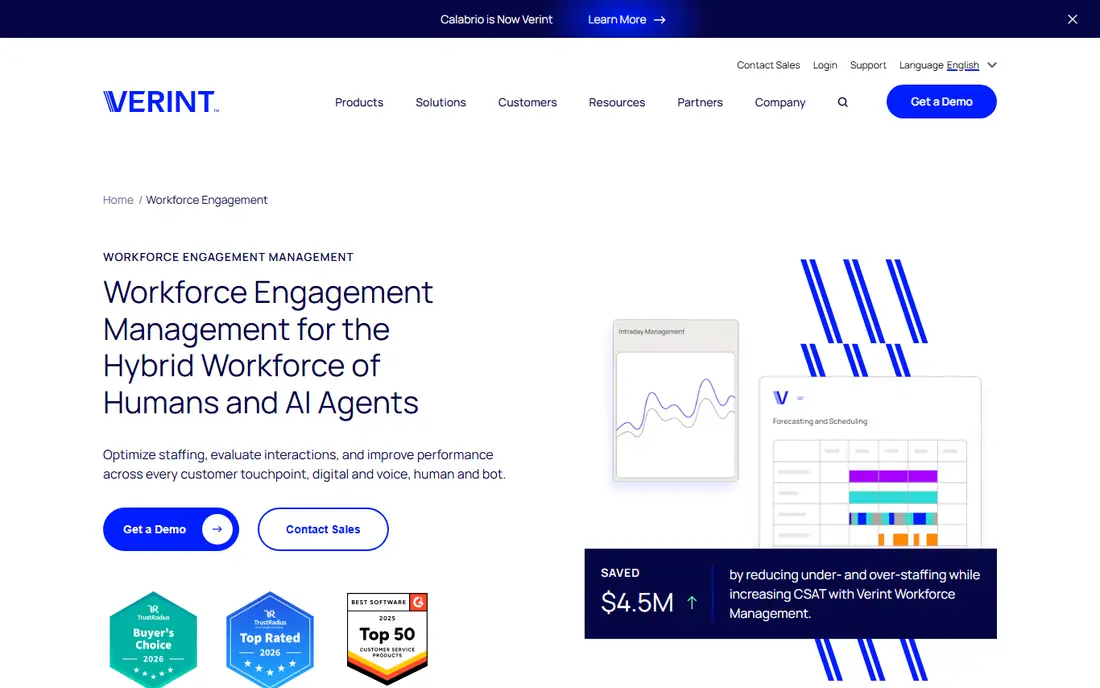
Calabrio ONE brings quality management into a wider workforce suite, so scorecards sit next to schedules, recordings, and analytics rather than in a separate spreadsheet. That connection helps a QA manager link a low score to coaching, scheduling, or a process fix, instead of just filing a report. AI-assisted review can surface more interactions than manual sampling alone. The trade-off is scope. Calabrio is built for established contact centers, and pricing by quote means a small team cannot judge cost from a web page alone. It fits a center that already records across channels and wants QA to guide coaching and staffing, not just grading.
- Integrated QA, recording, and workforce tools
- AI-assisted scoring and insights
- Broad channel coverage
- Priced by quote
- Setup can be heavy for a small team

NICE CXone covers voice, chat, email, messaging, and social channels in one cloud platform, with quality management and analytics built in. For QA, that breadth matters, because a customer journey may start on a phone, move to chat, and finish by email. Scoring across that journey gives a fairer picture than a call-only sample. NICE is a large platform, and its entry suite price reflects that. Small teams may find simpler QA tools faster and cheaper. Large centers that need routing, recording, compliance, and QA in one system will get more value from the full suite, especially when mobile agents and remote supervisors are part of daily work.
- Wide channel and routing coverage
- Interaction analytics
- Mobile-friendly supervisor and agent tools
- Entry price is high for small teams
- Platform depth takes training

Genesys Cloud CX is a cloud contact center platform with routing, IVR, digital channels, and workforce and quality features that expand on higher tiers. Its mobile access helps remote and hybrid teams, since agents and supervisors are not tied to a single office phone system. QA teams can review interactions, build scorecards, and track coaching in the same environment where work happens. Genesys pricing starts at a level that suits mid-size and larger centers more than a five-person support team. Buyers should check which tier includes the QA features they need, since entry tiers focus on routing and voice. When the tier matches the QA need, Genesys is a strong, scalable choice.
- Cloud-native platform
- Strong routing and IVR
- Quality and workforce options on higher tiers
- QA depth depends on tier
- Costs rise with add-ons
Playvox focuses on workforce engagement, with quality management, coaching, and performance tracking at the center. That focus suits a team that already has a phone or helpdesk system and needs better QA, rather than a whole new contact center. Scorecards, feedback, and coaching workflows are clear, which helps QA managers move from a score to a useful conversation with an agent. Playvox is not a standalone phone platform, so buyers should confirm how it connects to their existing channels, including mobile chat and messaging. Pricing by quote also means a demo and a written proposal are part of the buying process. For QA-led teams, that focus is a benefit, not a gap.
- Dedicated quality management and coaching
- Clear scorecards and KPIs
- Workforce tools alongside QA
- Priced by quote
- Less of a full phone system on its own
Talkdesk offers cloud contact center tools with routing, dashboards, and call flow design, plus quality and AI features that expand by plan. Its agent workspace works across devices, which helps teams with remote staff and mobile customers. Supervisors can monitor queues and review work without being in the same room as agents. Talkdesk pricing starts above a basic helpdesk, so small support teams should compare it with focused QA tools first. Mid-size centers that want a modern cloud platform and a clear upgrade path for QA and workforce management will find Talkdesk easier to deploy than many legacy systems.
- Cloud deployment with broad channels
- Dashboards and Studio call flows
- AI and QA options
- Workforce features sit on higher tiers
- Per-agent costs add up
Five9 is a well-known cloud contact center platform with voice routing, digital channels, and analytics that support QA review. It suits centers where phone work still drives volume, but where chat and messaging also need scoring. Analytics help QA teams spot patterns, such as repeat contacts or long silences, across many interactions. Five9 pricing depends on configuration, so buyers need a quote to compare it fairly. It is also more platform than a small team needs for scorecards alone. For a voice-led center planning to grow, or one that needs deep analytics alongside QA, Five9 belongs on the shortlist.
- Strong voice and routing
- Interaction analytics
- Broad integration options
- Pricing is not published as a simple entry tier
- Platform suits larger teams
Scorebuddy is a dedicated QA tool, which is its main appeal. Instead of replacing a phone system, it focuses on scorecards, calibration, coaching, and QA reporting. That focus helps a QA lead build consistent scoring, compare evaluators, and track improvement over time. It suits teams that like their current contact tools but need QA to be more structured than spreadsheets. The limit is that Scorebuddy depends on good integration with your interaction sources. Buyers should check how calls, chats, and mobile messages flow into it, and how much manual work remains. When integration is clean, Scorebuddy gives a small or mid-size QA team a professional process without a full platform migration.
- Purpose-built QA scorecards and calibration
- Coaching and reporting
- Works alongside existing systems
- Needs integration work with your channels
- Not a phone or helpdesk replacement
Zoho Desk is a customer service platform with web and mobile access, which makes it practical for small teams and remote agents. Tickets, chat, and call context sit together, so a QA review can look at the full customer thread rather than a single message. The free tier lets a small team start without cost, and paid plans add automation and reporting. Zoho Desk is not a dedicated QA suite. Scorecards and calibration are lighter than tools like Scorebuddy or Playvox, and larger centers will outgrow it. For a small team that needs solid support tools plus basic QA visibility, especially with mobile agents, Zoho Desk is a sensible low-cost start.
- Free tier for small teams
- Mobile app for agents
- Ticket, chat, and phone context in one place
- QA features are lighter than dedicated tools
- Advanced analytics sit on paid plans
How we picked these
We compared official feature and pricing pages, platform documentation, and public reviews, with a focus on quality management, mobile agent access, and multi-channel review. A tool earned a place if it supports QA scorecards or interaction analytics and if it works across mobile channels or mobile agent devices. We noted where pricing is quote-based rather than published, so buyers can plan for a demo and a written quote.
Buying guide for QA with mobile work in mind
Define what mobile means for your team before you shop. It may mean agents on phones, customers on messaging apps, or supervisors coaching from tablets. Each meaning points to different features, from a mobile agent app to messaging channel scoring to offline access for field staff. Write down your top three interaction types, and test QA on those exact types during a demo.
Scorecards, sampling, and coaching
Build scorecards around outcomes customers care about, such as resolution, accuracy, and tone, rather than only speed. Automated scoring can expand your sample, but calibrate it with human reviewers on a shared set of interactions each month. Link every low score to coaching or a process note, or QA becomes a grading exercise that agents resent and customers never benefit from.
Integration and privacy checks
Check how the tool pulls voice, chat, email, and messaging data, and whether mobile interactions keep their context. Confirm recording consent, retention, and access controls, especially for mobile and remote work. A QA tool that cannot explain where data lives, who can view it, and how long it is kept will create risk as your team grows.
FAQ
What does mobile integration mean in contact center QA?
It covers agents working from mobile devices, customers contacting you through mobile chat and messaging, and supervisors reviewing and coaching from anywhere. A good QA tool should handle at least the parts that apply to your team.
Do I need a full contact center platform for QA?
No, if you already have phone and helpdesk tools you like. A dedicated QA tool can add scorecards, calibration, and coaching. A full platform makes sense when you also need routing, IVR, and workforce management in one system.
Can AI score every interaction?
AI can review far more interactions than manual sampling, and it can flag tone, silence, and script gaps. Human review still matters for empathy, complex cases, and calibration, so most teams use AI to expand coverage, not to replace reviewers.
How many interactions should QA review?
It depends on volume and risk. A small team can review a focused sample each week, while a large center often uses AI to scan all interactions and human review for flagged cases and calibration. Consistency matters more than a single large monthly batch.
What should a QA scorecard include?
Include resolution, accuracy, compliance, and customer tone, with clear definitions for each score. Keep the card short enough that evaluators score the same way, and review the card itself when scores drift or agents dispute results.
How do I get agents to trust QA?
Share score definitions, allow agents to see their own reviews, and link scores to coaching rather than only penalties. Calibration sessions where reviewers score the same interaction together also build trust and consistency.