Best Consumer Video Feedback Software in 2026: 8 Tools Compared
We compared the best consumer video feedback software for collecting video reviews, testimonials and research clips, including free options for small teams.

- Editor's choice
 VideoAsk
Two-way video conversations
Starts atSee websiteVisit videoask.comFull review - Great alternative
 Testimonial
Collecting and displaying testimonials
Starts atSee websiteVisit testimonial.toFull review - Also consider
 Senja
Testimonial collection and sharing
Starts atSee websiteVisit senja.ioFull review
TL;DR:
- Consumer video feedback covers two jobs: collecting video testimonials for marketing, and collecting video research clips for product decisions.
- VideoAsk suits two-way video conversations, while Testimonial, Senja and Vocal Video suit one-way collection and display at scale.
- UserTesting, dscout and Userfeel suit research teams that need real users reacting to a product, not just a testimonial.
- Free plans exist, but they usually limit video count, length or branding, so check limits before launching a campaign.
- Always get clear consent before using a customer video in ads, and confirm who owns the footage in the tool terms.
Quick comparison
| Tool | Best for | Starts at | Free plan? | |
|---|---|---|---|---|
| VideoAsk | Two-way video conversations | See website | Yes | Visit |
| Testimonial | Collecting and displaying testimonials | See website | Yes | Visit |
| Senja | Testimonial collection and sharing | See website | Yes | Visit |
 Vocal Video | Guided video testimonials | See website | Free trial | Visit |
 UserTesting | Video feedback from real users | See website | No | Visit |
 dscout | Remote video research at scale | See website | No | Visit |
 Indeemo | In-context video research clips | See website | No | Visit |
 Userfeel | Video usability testing | See website | No | Visit |
The best consumer video feedback software
Video feedback gives a team tone, facial expression and context that a written survey rarely captures. The tools below help businesses ask for video, collect it without friction, and use it for marketing or product research. Pick by the job, not by the longest feature list.
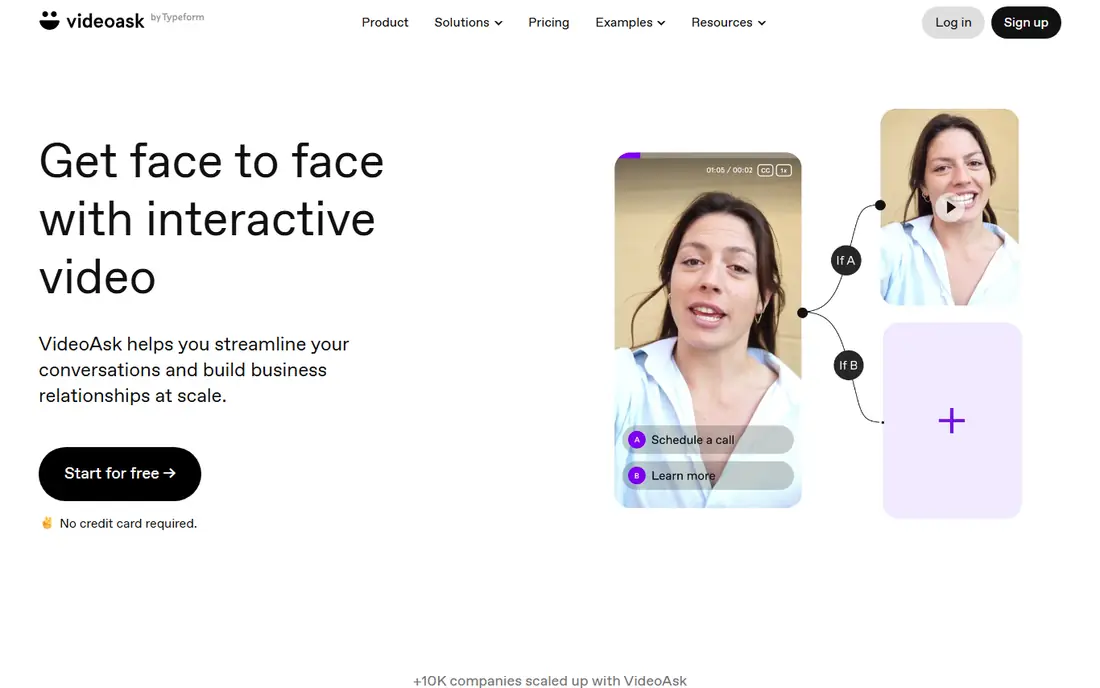
VideoAsk is built for conversation, not just collection. A business records a video question, the customer replies by video, audio or text, and the business can follow up in the same thread. That back-and-forth suits lead qualification, customer interviews and support follow-ups where one answer leads to another question.
The trade-off is library management. VideoAsk is less focused on building a wall of testimonials for a website than Testimonial or Senja. If the goal is a public proof library, pair it with a testimonial tool. If the goal is dialogue with customers, VideoAsk is the most natural pick here.
- Video questions with video, audio or text replies
- Lead capture and booking options
- Works on phones without an app download
- Not built for large testimonial libraries
- Paid plans needed for higher volume and branding control
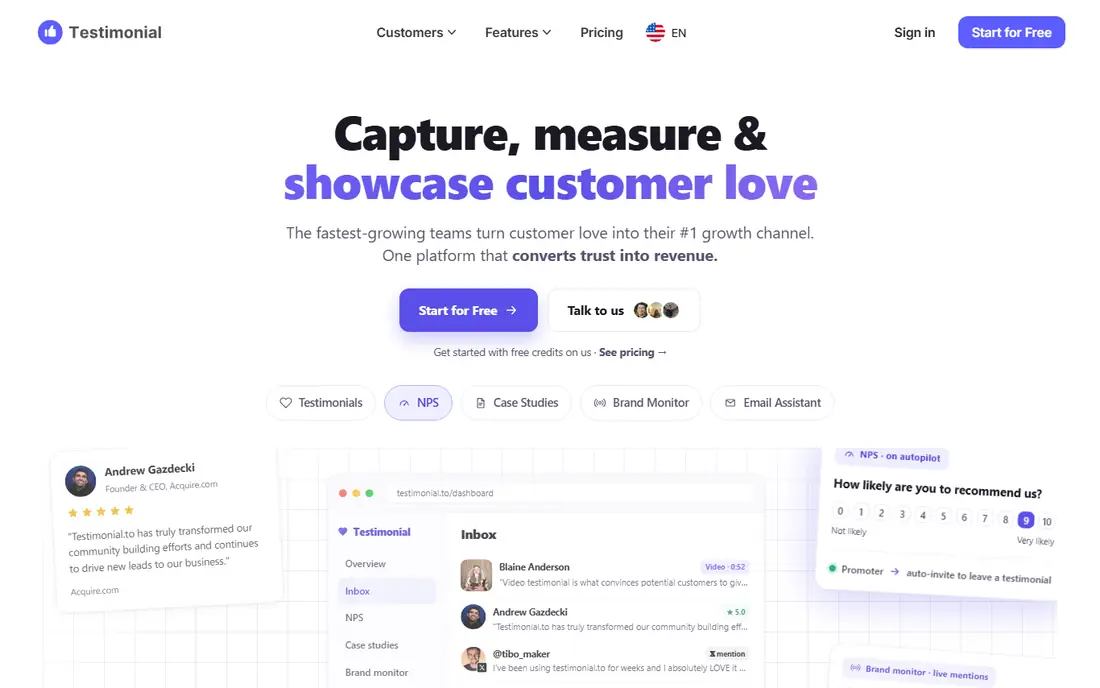
Testimonial, also known as Testimonial.to, is a straightforward way to collect video and text testimonials and display them on a website. A business shares a collection link, customers record from a phone or computer, and the team approves and embeds the best clips as a wall of love or individual widgets. That simplicity is the point for small teams.
Limits appear at scale. Free plans cap how much can be collected and displayed, and the tool is not a research platform for analysing user behaviour. For a small business that wants social proof quickly, Testimonial is an easy start. For research teams, UserTesting or dscout will fit better.
- Simple collection link and embeddable walls
- Text and video testimonials in one place
- Free plan for testing
- Free plan limits volume and features
- Deeper research analysis needs another tool
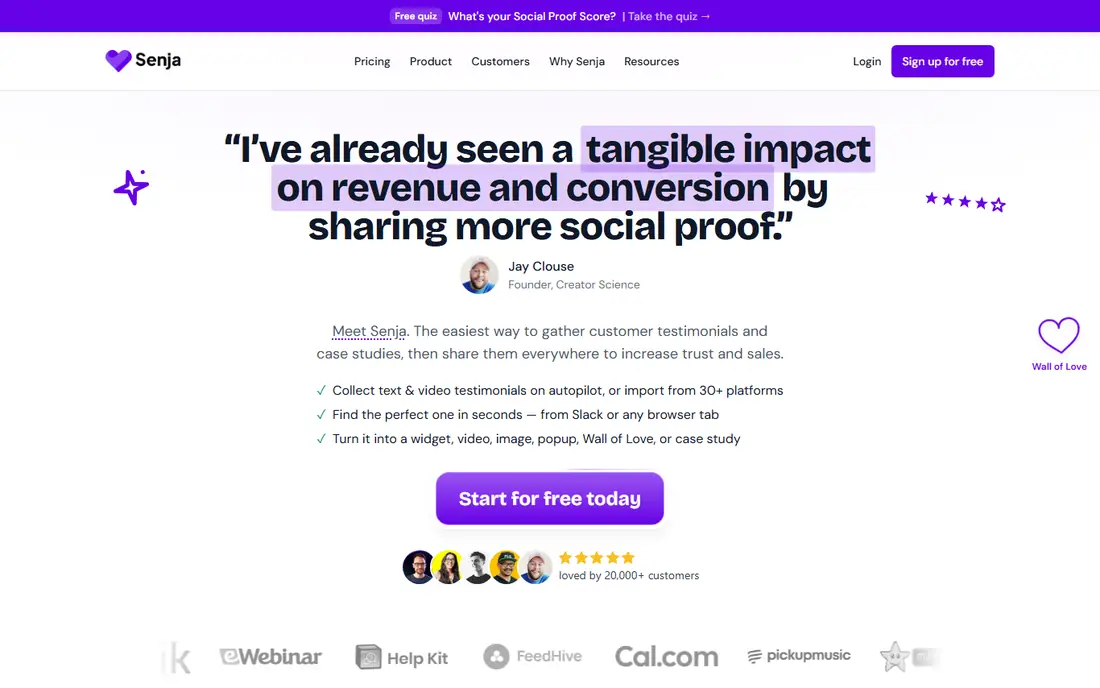
Senja focuses on turning customer proof into content a business can reuse. Collection forms can be set up in minutes, with a personal intro video to lift response rates, and collected testimonials can be turned into widgets, walls, social videos and case studies. That reuse path matters, because a video that sits in a folder does not help sales.
Senja is a marketing proof tool, not a usability research tool. It will not tell a team why users fail a checkout step, unless the testimonial happens to mention it. For teams that want a steady stream of customer videos for websites, pitches and social posts, Senja is one of the strongest free-to-start options.
- Video and text collection with fast setup
- Widgets, walls and social sharing formats
- Imports from other platforms
- Free plan limits apply
- Research and usability analysis are outside its scope
Vocal Video guides customers through a set of questions, so answers are structured instead of rambling. That structure helps marketing teams, because clips arrive in a form that can be edited and published without heavy rework. The platform also handles editing, branding and embedding, which keeps the whole flow in one place.
The main catch is cost at volume. Vocal Video is priced for businesses that collect testimonials regularly, not for a one-off request. Small teams should check the trial and entry plan limits before promising a large campaign. For guided, publish-ready testimonials, Vocal Video is a polished choice.
- Guided question flow for better answers
- Editing and branding options
- Embeddable video galleries
- No permanent free plan for full use
- Pricing rises with video volume
UserTesting serves a different job from the testimonial tools above. It connects businesses with real users who complete tasks on a website or app while thinking aloud on video. Product teams see where users hesitate, misunderstand a step or give up, which is far more useful than a star rating.
Pricing and scope reflect that research focus. UserTesting is priced by quote and suits teams with regular research needs, not a business that wants three customer videos for a homepage. For product and UX teams, it is the most established video feedback platform on this list.
- Access to real users for video feedback
- Task based testing for websites and apps
- Analysis tools for research teams
- Enterprise pricing by quote
- Not a testimonial collection tool
dscout is a remote research platform for collecting video feedback from participants in their own environment. Researchers can run diary studies, missions and interviews, and receive video clips that show how people actually use a product or service. That context helps brand, product and customer experience teams make decisions based on behaviour, not just opinion.
dscout is not a quick testimonial tool. Studies need planning, recruitment and analysis time, and pricing is by quote. For research teams that need rich, in-context video from many participants, dscout is a strong, specialist pick.
- Remote diary and video research with participants worldwide
- In-context clips from daily life
- Research analysis tools
- Quote based pricing
- Needs research planning to get useful results
Indeemo is an AI assisted video research platform that gathers contextual insights through multimedia feedback from participants. Teams can collect video, photo and text responses from real situations, then analyse patterns across responses. That makes it useful for brand strategy, packaging, in-store experience and product design questions.
The platform is aimed at research and insight teams, not at a small business collecting testimonials. Pricing is by quote, and studies benefit from a clear research question. For teams that need video from daily life rather than a lab or a website test, Indeemo fills a gap that testimonial tools do not.
- Multimedia feedback from real life contexts
- AI assisted analysis for research teams
- Suits brand and product research
- Quote based pricing
- Smaller teams may find it more than they need
Userfeel is a usability testing platform that provides video recordings of users interacting with websites and apps. Teams can run moderated or unmoderated tests, watch how users complete tasks, and spot friction points in navigation, forms and checkout flows. That direct view often explains a drop-off that analytics alone cannot.
Userfeel is narrower than UserTesting in scope, which can be an advantage for teams that only need usability video. Pricing and tester panel options should be checked for the countries and devices you need. For focused usability feedback, Userfeel is a practical, lower friction option.
- Video recordings of users interacting with digital products
- Moderated and unmoderated tests
- Panel access for testers
- Pricing by quote or per test
- Analysis depth varies by plan
How we picked these
We compared official feature pages, pricing pages and category guides for video feedback, testimonial and research tools. We favoured tools with a clear video collection flow, a current product in 2026, and a distinct use case, either marketing proof or research insight. We did not claim hands-on testing, and we used vendor pricing or quote based pricing where vendors do not publish a price.
How to get useful consumer video feedback
A video tool does not guarantee useful video. The ask matters more than the platform. Keep questions short, specific and easy to answer on a phone, and tell customers how the video will be used before they record. A vague request such as telling us what you think usually produces vague answers.
Ask one clear question at a time
For testimonials, ask for a specific result, such as what changed after using the product, rather than a general review. For research, give a task, such as finding a product and checking out, and ask the participant to think aloud. One clear prompt beats five broad ones.
Reduce friction for the person recording
Choose a tool that works from a phone browser without an app download, and test the flow yourself. Check video length limits, lighting guidance and whether the customer can re-record. Most drop-offs happen at the recording step, not at the invitation step.
Handle consent and ownership properly
Get explicit consent for each use, especially for paid ads, and keep that consent with the video file. Confirm in the tool terms who owns the footage and whether you can download it on your plan. If a customer withdraws consent, remove the video from every place it was published.
FAQ
What is consumer video feedback software?
It is software that helps businesses collect video responses from consumers, usually through a shareable link, then manage, edit and display those videos. Uses include video testimonials, customer interviews, usability testing and market research.
Is there free consumer video feedback software?
Yes. VideoAsk, Testimonial and Senja offer free plans with real collection and display features. Free plans usually limit video count, length or branding, so they suit testing and small sites rather than large campaigns.
What is the difference between VideoAsk and a testimonial tool?
VideoAsk is built for two-way video conversations, where you ask, the customer answers, and you can follow up. Testimonial tools are built for one-way collection at scale and for displaying results as social proof on a website.
How do I get customers to actually record a video?
Keep the ask short and specific, ideally one or two guided questions, and make recording work on a phone with no app download. Tools that let you record a personal video ask, such as StoryPrompt style flows in some platforms, can lift response rates.
Who owns the video testimonials I collect?
On reputable platforms, the business owns the videos it collects, and most paid plans allow downloads. Consent is separate from ownership: if you plan to use footage in paid ads, get explicit permission for that use and keep a record of it.
Which tool is best for product research rather than testimonials?
UserTesting, dscout and Userfeel suit research, because they recruit real users, set tasks and provide analysis. Testimonial tools suit marketing proof, but they do not replace structured usability or diary research.