Best Construction Takeoff Software in 2026: 8 Tools Compared
Compare the best construction takeoff software for measuring plans, counts and areas, with pricing, AI features and honest limits for estimators in 2026.
- Editor's choice
 PlanSwift
Estimators wanting measure and price in one tool
Starts atSee websiteVisit planswift.comFull review - Great alternative
 STACK
Subcontractors bidding commercial work
Starts atSee websiteVisit stackct.comFull review - Also consider
 Bluebeam Revu
PDF markup with measuring
Starts atSee websiteVisit bluebeam.comFull review
TL;DR:
- Takeoff tools split into dedicated takeoff platforms, PDF markup tools and AI-first tools that draw quantities for you.
- PlanSwift and STACK suit estimators who want measurement and estimating in one workflow, at a higher price.
- Bluebeam Revu suits teams that need plan markup and review with measurement on the side, at a lower price.
- Togal.AI and Kreo suit teams that want AI to speed area and count takeoffs, with a demo before buying.
- Run one live bid through a trial and check how quantities export to Excel or your estimating system.
Quick comparison
| Tool | Best for | Starts at | Free plan? | |
|---|---|---|---|---|
| PlanSwift | Estimators wanting measure and price in one tool | See website | Free trial | Visit |
| STACK | Subcontractors bidding commercial work | See website | Yes | Visit |
| Bluebeam Revu | PDF markup with measuring | See website | Free trial | Visit |
 Togal.AI | AI-automated area takeoffs | See website | No | Visit |
 Kreo | Cloud takeoff with AI on a lower budget | See website | Free trial | Visit |
 Autodesk Forma Takeoff | 2D and 3D quantities for Autodesk teams | See website | Free trial | Visit |
 Buildxact | Residential builders and remodelers | See website | Yes | Visit |
 On-Screen Takeoff | Mature commercial takeoff workflow | See website | Free trial | Visit |
The best construction takeoff software
Takeoff software measures quantities from plans, such as square feet of drywall, linear feet of pipe and counts of fixtures. Estimating then prices those quantities. Some tools do both, while others focus on measurement alone.

PlanSwift remains the default for many estimators who want to measure and price without leaving one tool. Trade assemblies let you build a priced item from measured quantities, and Excel integration makes it easy to export and share bids. Custom formulas and plug-ins support concrete, drywall, painting and mechanical trades.
The cost is the main barrier, with recent listings around $2,000 per licence per year, and the tool runs on Windows only. If you already have PlanSwift assemblies and workflows, that cost is easier to justify. If you are starting fresh on a Mac or in the cloud, test STACK or Kreo first.
- Trade assemblies and estimating in one desktop tool
- Strong Excel integration
- Custom formulas and plug-ins
- Windows only
- Higher annual cost than cloud rivals

STACK is a cloud platform for subcontractors who bid commercial work. It combines takeoff, estimating and proposals in a browser, so teams can collaborate without a Windows desktop. A free plan with one project a month lets small firms test it on a real bid before paying.
Paid tiers rise in price, especially for full AI takeoff features, so check which tier your trade actually needs. For a subcontractor team that works remotely or on mixed devices, STACK is a strong, modern alternative to desktop-only tools.
- Cloud takeoff, estimating and proposals
- Free plan for one project a month
- Team collaboration in a browser
- Higher paid tiers for full AI features
- Free plan limits pages and measurements
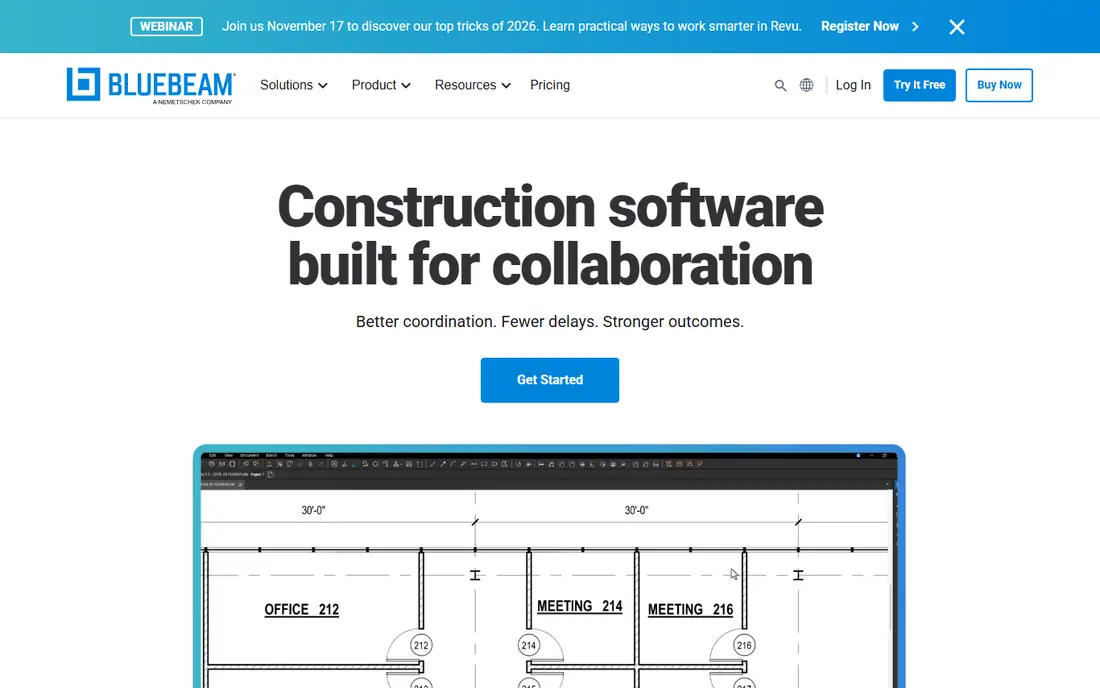
Bluebeam Revu is a PDF tool that can measure, rather than a dedicated takeoff tool. It excels at markup, review and document control, with length, area, perimeter, count and volume measurements across its tiers. Complete adds Dynamic Fill and Quantity Link to Excel, which helps turn measurements into a bid.
If your main job is turning drawings into priced quantities, a dedicated tool such as PlanSwift or STACK will get you closer to a finished number faster. If your job is markup and review with some measuring on the side, Bluebeam is cheaper and better at that broader job, which is why many firms run both.
- Industry-standard plan markup
- Measurements from Basics to Complete
- Quantity Link to Excel on Complete
- Not a full estimating tool
- Desktop Revu needs Windows
Togal.AI uses AI to draw area takeoffs automatically from architectural plans, which can cut hours from a large bid. Estimators review and adjust the AI output rather than measuring every room by hand, and the cloud workflow suits teams sharing plans and quantities.
AI takeoff is not magic. Complex plans, poor scans and unusual details still need human checks, and pricing is demo-based rather than published in full. Run a live, messy plan through a demo before you buy, and compare AI quantities against a manual takeoff on the same job.
- AI draws area quantities from plans
- Fast takeoff on architectural plans
- Cloud workflow for teams
- Quote and demo-based sales
- AI output still needs estimator review
Kreo offers cloud takeoff with AI help at a lower budget than some enterprise tools. It handles 2D and 3D quantities in a browser, so estimators can work on Mac or Windows without a desktop install. AI features speed counting and area work, though they still need review.
The trade-off is maturity and support depth. Kreo has a smaller user community than PlanSwift or Bluebeam, so finding training and templates may take more effort. For a small team that wants cloud takeoff with AI without enterprise pricing, it is worth a trial.
- Cloud 2D and 3D takeoff
- AI features for faster measurement
- Browser access on any device
- Pricing is quote-based in recent listings
- Smaller community than PlanSwift or Bluebeam
Autodesk Forma Takeoff, formerly part of Autodesk Takeoff, measures 2D plans and 3D models in one cloud tool. That dual coverage suits teams already using Autodesk design and coordination tools, since quantities can stay tied to the model rather than living in separate files.
Outside the Autodesk ecosystem, its advantage shrinks, and trade assembly depth is thinner than PlanSwift. If your firm already pays for Autodesk, Forma Takeoff is a logical, affordable add-on. If not, a standalone takeoff tool may be simpler.
- 2D and 3D takeoff in one tool
- Fits Autodesk workflows
- Trial for testing on a real bid
- Best value inside the Autodesk ecosystem
- Less trade assembly depth than PlanSwift
Buildxact is built for residential builders and remodelers, not large commercial estimators. Takeoff feeds directly into estimates, quotes, purchase orders and scheduling, so a small builder can go from plans to a client proposal without rekeying quantities. That end-to-end flow is its main strength.
Commercial estimators with complex assemblies will find Buildxact thinner than PlanSwift or STACK. For a custom home builder or remodeler doing a handful of projects at once, though, the simplicity and connected workflow outweigh that limit.
- Takeoff feeds straight into estimates and orders
- Built for residential builders
- Simple quote and proposal flow
- Less suited to large commercial bids
- Advanced takeoff features are thinner than dedicated tools
On-Screen Takeoff has served commercial estimators for decades, with a mature workflow for measuring plans and sending quantities to Quick Bid estimating. Shops built around Quick Bid often stay with it because the integration is deep and the output is trusted on large bids.
It runs on Windows only and is priced by quote, so Mac and cloud-first teams should look elsewhere. For a commercial estimating shop already on Quick Bid, On-Screen Takeoff remains a dependable, if traditional, choice.
- Long track record in commercial takeoff
- Deep integration with Quick Bid estimating
- Reliable quantity output
- Windows desktop only
- Quote-based pricing
How we picked these
We compared official pricing pages, product documentation and recent takeoff comparisons checked in 2026. We favoured tools still sold and supported, with a clear takeoff workflow rather than a generic PDF viewer. We also weighed export to Excel and estimating systems, since a takeoff that cannot leave the tool is of limited use. Prices marked See website reflect changing tiers and quote-based sales in this market.
How to choose construction takeoff software
Start with your trade and project type. Residential builders do well with Buildxact or STACK, commercial subcontractors with STACK or PlanSwift, and large estimating shops with PlanSwift or On-Screen Takeoff. A tool built for another trade will force workarounds on every bid.
Run one live bid through a trial. Measure a real plan set, including a messy scan, and check how quantities export to Excel or your estimating system. Time the bid, count errors, and ask the estimator who will use the tool daily, not just the manager who buys it.
Finally, check device and collaboration needs. Cloud tools suit remote teams and Mac users, while desktop tools suit estimators who work offline on Windows. AI features can save time, but they do not replace estimator judgement, so budget for review time on every AI bid.
FAQ
What is the best takeoff software for construction?
PlanSwift is the best-known all-round pick for estimators who want measurement and estimating together, while STACK suits cloud-first subcontractors and Bluebeam suits markup-heavy teams. The best tool depends on your trade, device and estimating workflow.
What is the best takeoff software for residential builders?
Buildxact and STACK suit residential builders well, since takeoff feeds into estimates and proposals. Houzz Pro also offers takeoff for small remodelers, though its estimating depth is thinner than dedicated tools.
Is digital takeoff more accurate than manual takeoff?
Digital takeoff is usually more consistent than manual scaling, since it removes ruler errors and keeps a clear audit trail. Accuracy still depends on plan quality, scale calibration and estimator review, especially for AI-generated quantities.
How much does construction takeoff software cost?
Costs range from free plans with limits to around $2,000 per licence per year for PlanSwift and several hundred dollars per user per month for premium cloud tiers. Bluebeam is cheaper for markup-led teams, while AI tools are often quote-based.
Does takeoff software work on Mac?
Cloud tools such as STACK, Kreo and Autodesk Forma Takeoff work in a browser on Mac, while PlanSwift and On-Screen Takeoff are Windows desktop tools. Bluebeam Revu desktop needs Windows, though Bluebeam also offers web and mobile apps.
What is the difference between takeoff and estimating?
Takeoff measures quantities from plans, such as square feet or counts, while estimating applies unit costs to those quantities to calculate total project cost. Some tools do both, while others focus on measurement and export quantities to a separate estimating system.