Best Construction Inventory Software Reviews in 2026: 8 Tools Compared
Read the best construction inventory software reviews for contractors, covering stock tracking, purchase orders, job costing and field tools in 2026 in detail.
- Editor's choice
 Procore
Large commercial contractors
Starts atSee websiteVisit procore.comFull review - Great alternative
 Buildertrend
Home builders and remodelers
Starts atSee websiteVisit buildertrend.comFull review - Also consider
 JobTread
Residential builders on a budget
Starts atSee websiteVisit jobtread.comFull review
TL;DR:
- Inventory control works best when stock, purchase orders and job costs live in the same system, not in separate spreadsheets.
- Procore and Autodesk suit larger commercial work, while JobTread and Contractor Foreman fit smaller residential contractors.
- Barcode scanning and mobile access matter on site, where materials move faster than office paperwork.
- Quote-based pricing is common for larger platforms, so compare the full contract, including users, projects and support.
Quick comparison
| Tool | Best for | Starts at | Free plan? | |
|---|---|---|---|---|
| Procore | Large commercial contractors | See website | No | Visit |
| Buildertrend | Home builders and remodelers | See website | No | Visit |
| JobTread | Residential builders on a budget | See website | No | Visit |
 Contractor Foreman | Small contractors wanting value | $49 per month | No | Visit |
 Autodesk Construction Cloud | Teams on Autodesk design tools | See website | No | Visit |
 Fieldwire | Field teams and site coordination | Free | Yes | Visit |
 Knowify | Contractors needing job costing | See website | No | Visit |
 Sortly | Simple visual inventory tracking | See website | Yes | Visit |
The best construction inventory software reviews
Construction inventory is not just a warehouse list. Materials arrive, move between sites, get used on jobs and sometimes go missing, and the cost of each item should land on the right job. The tools below handle that chain in different ways, from full project platforms to simple stock trackers.

Procore is the most complete platform in this list for large commercial work. It covers project management, documents, drawings, RFIs, budgets, commitments and change events, with inventory and materials tracking sitting inside that wider financial picture. For a general contractor running several large projects, that breadth means purchase orders, deliveries and job costs can be traced without exporting data between tools. Mobile access lets field teams record deliveries and issues on site.
The catch is cost and complexity. Procore prices by annual construction volume rather than per user, and the total is quoted, so a small contractor may find it out of reach. Implementation also takes time, and a dedicated admin helps. For a large contractor that needs one system across projects, though, Procore sets the standard that other tools are measured against.
- Complete project platform
- Strong documents and budgets
- Unlimited users on plans
- Pricing is quote-based on construction volume
- Implementation can be complex
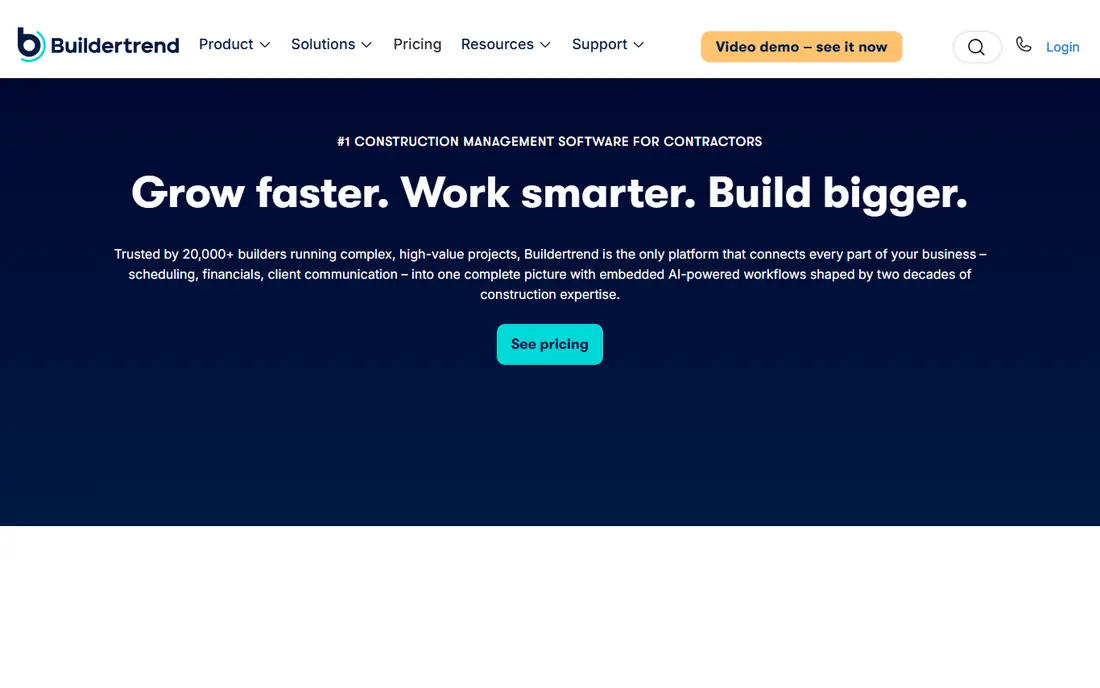
Buildertrend is built for home builders and remodelers, and it shows in the workflow. Scheduling, selections, change orders, budgets, client messages and payments sit together, so a builder can track materials ordered for a home, the cost against the budget, and what the client approved. The client portal reduces back-and-forth, because homeowners can see selections, documents and payment status without calling the office. That clarity helps when a material choice changes mid-project.
The drawback is pricing transparency. Buildertrend does not publish a single price list, and third-party estimates vary, so a builder needs a written quote for its volume and user needs. Some users also report price rises on renewal, so the contract terms matter. For a residential builder that wants one familiar system, Buildertrend remains the default shortlist pick.
- Residential standard
- Client communication
- Change orders and job costing
- Pricing is quote-based
- Some users report price increases

JobTread gives residential builders estimating, scheduling, job costing, invoicing and client communication on a single plan, which keeps pricing simpler to understand. Materials and purchase orders tie to jobs, so a builder can see what was ordered, what arrived and what it cost, without a separate inventory tool. Additional users are cheaper than a full extra seat on some rivals, which helps a growing crew. The interface is modern and easy to learn, a real benefit for firms without an IT team.
The limit is maturity. JobTread is newer than the two leaders above, and its integration list is shorter. A firm that needs a specific accounting or estimating connection should check it before buying. For a residential builder that wants strong job costing at a lower entry cost, JobTread is a smart alternative.
- All features on one plan
- Clear job costing
- Good client and vendor portals
- Newer than Procore and Buildertrend
- Fewer integrations than larger platforms
Contractor Foreman packs a striking amount into a low starting price of $49 per month when billed annually. Scheduling, time tracking, invoicing, daily logs, estimates, change orders and job costing are included, with inventory and equipment tracking alongside them. For a small contractor, that breadth at that price is hard to beat, and the QuickBooks Online connection keeps accounting in sync. Daily logs and photos also give an owner a clear record of what happened on each site.
The trade-off is polish and depth. Reporting is not as deep as Procore or Buildertrend, and the interface can feel crowded because so many tools share one screen. A larger firm may outgrow it, but a small contractor that needs value above all else will find Contractor Foreman hard to ignore.
- Low starting price
- Many features included
- QuickBooks Online connection
- Reporting is lighter than enterprise tools
- Interface can feel busy
Autodesk Construction Cloud
Best for: Teams on Autodesk design tools
Autodesk Construction Cloud, including Autodesk Build, suits teams that already design in Autodesk tools. Drawings, models, RFIs, submittals and documents flow from design into construction without rework, and cost management tracks budgets, commitments and change orders. Inventory and materials data can sit alongside that document control, which helps on projects where the model drives quantities. Field teams get mobile access to current drawings, reducing errors from outdated plans.
The catch is that the value is highest for Autodesk users, and pricing is quoted per user or by plan. A firm that does not use Autodesk design tools may pay for depth it does not need. For a design-build firm or a contractor working from Autodesk models, the connection between model and site is a genuine advantage.
- Strong documents and models
- Cost management
- Good for design-led teams
- Pricing is quote-based
- Best value when already using Autodesk tools
Fieldwire is best for the field side of inventory and materials work. Crews can view drawings, create tasks, record issues, share photos and check off work from a phone, even with limited connectivity. A free plan covers small teams, which makes it easy to test on one site before rolling it out. For a contractor whose main problem is that site teams and office staff work from different information, Fieldwire closes that gap quickly.
The limit is that Fieldwire is not a full accounting or inventory platform. It does not replace job costing or purchase order accounting on its own, and larger firms pair it with another system. If your need is site coordination and task tracking around materials and work, rather than full financial control, Fieldwire is a strong, low-cost start.
- Free plan for small teams
- Strong drawings and tasks
- Easy mobile use
- No native accounting
- Inventory features are lighter than full platforms
Knowify focuses on the money side of construction: contracts, change orders, purchase orders, job costing and invoicing, with a QuickBooks connection for accounting. That focus suits contractors who track materials by job and need to know, at any point, whether a job is on budget. Purchase orders tie materials to jobs, and time and expense tracking feed the same job cost picture. The result is a clearer view of margin than a generic inventory list gives.
The drawback is tier limits. Lower tiers limit users, and a larger team may need a higher plan, so the entry price can mislead. Pricing is also quoted, so a contractor should price the full team. For a contractor that cares most about job cost accuracy, Knowify is worth a demo against JobTread and Buildertrend.
- Contract and job costing focus
- Purchase orders
- QuickBooks connection
- Pricing is quote-based
- User limits on lower tiers
Sortly is the simplest tool in this list, and that is its point. It tracks inventory visually, with photos, folders, barcode and QR scanning, and stock levels, from a phone or browser. A small contractor, workshop or yard can record what is in stock, where it sits and when it runs low, without learning a full project platform. A free plan lets a team test it on a single yard or van stock list before paying.
The limit is scope. Sortly does not provide estimating, scheduling, change orders or deep job costing, so a contractor that needs those must pair it with another tool or choose a fuller platform. For a firm whose main pain is simply knowing what materials it has and where they are, Sortly is fast, visual and easy to adopt.
- Visual and easy to use
- Barcode and QR scanning
- Mobile app
- Not a full construction platform
- No native job costing depth
How we picked these
We compared official feature pages, pricing pages and public reviews for construction inventory and construction management tools active in October 2026. We favoured tools that tie materials to jobs or projects, that offer mobile access for field teams, and that publish at least some pricing or offer a trial. We included both full platforms and simpler stock trackers, because contractors range from one-crew firms to large general contractors. Where a vendor does not publish pricing, we say so and advise getting a written quote.
How to choose construction inventory software
Start by mapping how materials actually move in your business. List the steps from quote to purchase order to delivery to use on a job, and note where items get lost, double-ordered or charged to the wrong job. A tool should fix the weakest step first, not add features you will not use. If deliveries are the problem, barcode scanning and mobile receiving matter most. If job costs are the problem, purchase order and job costing links matter most.
Next, test the tool on a real job, not a demo project. Enter a real purchase order, receive part of it, use some materials on site, and check that the job cost report reflects each step. Ask how the tool handles partial deliveries, returns, damaged goods and materials moved between sites. Those edge cases cause most inventory errors, and a tool that handles them cleanly will save more time than one with a longer feature list.
Finally, check the total cost and the exit route. Confirm user pricing, project limits, support and training, and how you export your inventory and job history if you leave. A low monthly price can hide per-user charges or add-on fees, while a quote-based platform can rise on renewal. Get the full contract in writing, and keep a spreadsheet backup of stock counts during the first month, so you can spot errors early.
FAQ
What is the best construction inventory software for a small contractor?
Contractor Foreman and JobTread are strong small-contractor picks, with broad features at lower entry costs than Procore. Sortly suits a firm that only needs stock tracking. The right choice depends on whether job costing, scheduling or simple stock control is the main need.
Does construction inventory software include job costing?
Full platforms such as Procore, Buildertrend, JobTread and Knowify tie materials to job costs, while simple trackers such as Sortly focus on stock levels. If margin by job matters, choose a tool with purchase orders and job costing built in, and test that link on a real job.
Is Procore worth the cost for a small builder?
For most small builders, no. Procore is priced by construction volume and built for large commercial work, so the cost and setup are hard to justify for a small residential firm. Buildertrend, JobTread or Contractor Foreman usually fit small builders better, with Fieldwire as a field add-on.
Can field teams use these tools on a phone?
Yes. Procore, Fieldwire, Buildertrend, JobTread and Sortly all offer mobile apps for site use, including photos, tasks and stock updates. Check offline behaviour before buying, because site connectivity is often poor, and a tool that needs a constant signal will frustrate crews.
How do I switch from spreadsheets to inventory software?
Start with one yard or one active job, count stock accurately, and enter purchase orders from that point forward. Do not try to rebuild years of history on day one. Train one or two staff first, check job cost reports weekly for the first month, and fix process gaps before rolling the tool out to every crew.