Best Conference Room Booking Software in 2026: 8 Tools Compared
We compared the best conference room booking software for hybrid offices, covering displays, calendar sync, pricing, and no-show release to help you choose.
- Editor's choice
 Robin
Hybrid offices on Microsoft 365 or Google Workspace
Starts atSee websiteVisit robinpowered.comFull review - Great alternative
 Skedda
Spaces with strict booking rules
Starts at$249 per monthVisit skedda.comFull review - Also consider
 Envoy
Offices that also need visitor management
Starts at$5 per bookable resource per monthVisit envoy.comFull review
TL;DR:
- Room displays and auto-release for no-shows matter more than a long feature list, because they stop ghost bookings from blocking rooms all day.
- Pricing models differ a lot: some charge per room, some per user, and some add a platform fee, so compare the total for your room count and headcount.
- The best meeting room booking app for a small team is rarely the best one for a multi-site company, so start with your calendar system and your display hardware.
- A short trial with two or three real rooms will tell you more than a demo, especially for check-in habits and calendar sync.
Quick comparison
| Tool | Best for | Starts at | Free plan? | |
|---|---|---|---|---|
| Robin | Hybrid offices on Microsoft 365 or Google Workspace | See website | No | Visit |
| Skedda | Spaces with strict booking rules | $249 per month | No | Visit |
| Envoy | Offices that also need visitor management | $5 per bookable resource per month | No | Visit |
 Joan | Teams that want room displays first | See website | No | Visit |
 OfficeRnD Workplace | Growing offices that book desks and rooms together | $99 per month | No | Visit |
 Pronestor | Microsoft-centred offices | See website | No | Visit |
 Kadence | Hybrid teams coordinating office days and rooms | See website | No | Visit |
 Yarooms | Mid-size offices that want simple room and desk booking | $99 per month | No | Visit |
The best conference room booking software
We compared tools on calendar sync, room displays, booking rules, check-in and auto-release, reporting, and total cost. Here are eight that cover different office sizes and setups.
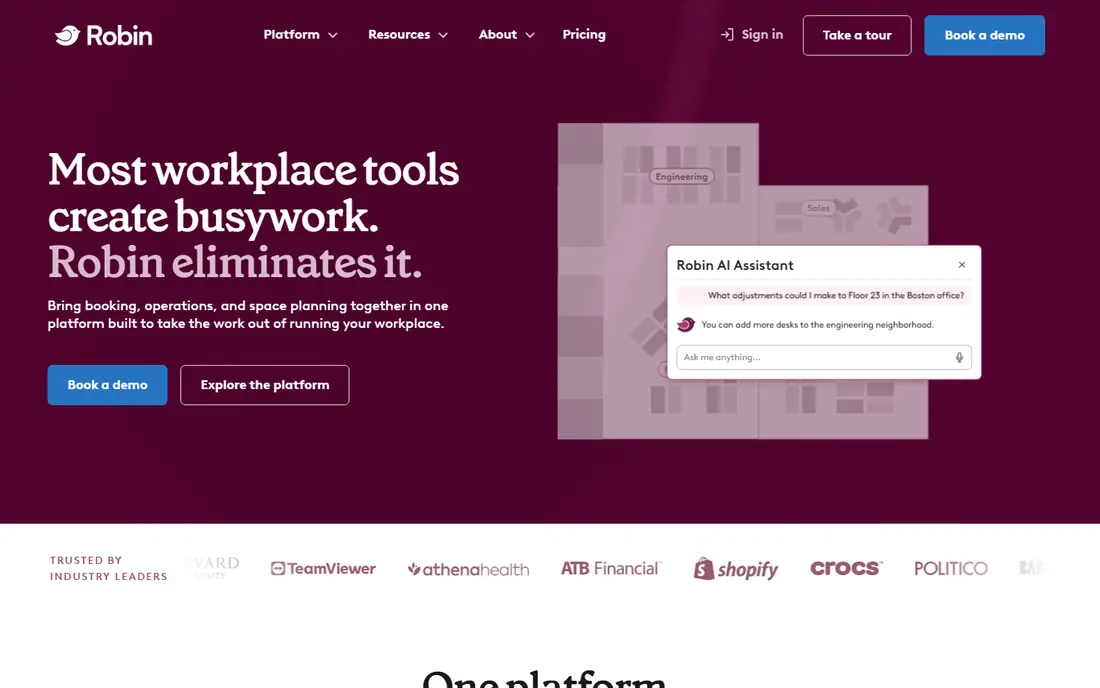
Robin suits offices where people already live in Outlook or Google Calendar and just need booking to fit that routine. Staff can find a free room from a map, book it from their calendar, and see who is using nearby spaces. The check-in step, plus automatic release when nobody shows up, helps keep rooms free for real meetings.
The trade-off is scope. Robin can grow into a wider workplace platform, which is useful if you later add desks and visitors, but it can feel like more than a small office needs. If you only have a handful of rooms and no plans to add desk booking, a simpler per-room tool may cost less. For a hybrid office with changing attendance, though, the map view and calendar fit are hard to beat.
- Clear maps and room availability
- Works with Outlook and Google Calendar
- Visitor and desk booking in the same system
- Pricing is quote based, so budgeting takes a sales call
- Reporting depth varies by plan

Skedda is built for shared spaces where fairness matters. Admins can set who can book, how far ahead, how long, and how often, which helps in coworking spaces, universities, and offices with scarce meeting rooms. The timeline view makes double bookings easy to spot, and payments can be collected where rooms are rented out.
That control comes with setup time. You will want to plan your user groups and rules before inviting everyone in, or the first week can feel fiddly. Once the rules are set, though, Skedda needs little day-to-day admin. It is a good pick when your main problem is not finding rooms, but managing who gets them and when.
- Detailed booking rules and quotas
- Visual floor plans
- Works with Outlook, Google Workspace, and Slack
- No free plan listed
- Pricing rises with the number of spaces

Envoy started with visitor management and has grown into a full workplace platform. If your front desk already needs sign-in, NDAs, and host notifications, adding room booking to the same system makes sense. Rooms can be booked from a map or a display, and missed check-ins release the room back to others.
The catch is the price structure. The $5 per resource rate sounds low, but the platform fee and any extra modules change the total, so get a full quote before you compare it with a flat per-room tool. For visitor-heavy offices, that breadth is worth it. For a team that only needs rooms, a narrower tool may be cheaper.
- Room and desk booking with auto-release
- Strong visitor sign-in and badge tools
- A large set of integrations
- A separate platform fee applies on top of the per-resource price
- Costs add up across modules
Joan is the most display-led option on this list. A small screen outside each room shows whether it is free, when the next meeting starts, and lets someone book on the spot. That helps in offices where people walk around looking for a room rather than booking days ahead. The displays are easy to read at a glance, which cuts down on door-knocking and interrupted meetings.
Hardware is the main cost to plan for, since each room needs a device and a mount, plus the software subscription. Joan also works best when your calendars are already tidy, because a messy calendar will show up on every display. If in-person booking and clear door signage are your priorities, Joan is a focused and practical choice.
- Purpose-built room displays with clear availability
- Simple booking from the door
- Calendar sync with major providers
- Display hardware adds cost
- Pricing depends on users and devices
OfficeRnD Workplace
Best for: Growing offices that book desks and rooms together
OfficeRnD Workplace suits offices that are outgrowing a basic calendar setup but do not want an enterprise contract yet. You pay by bookable desks and rooms rather than by every employee, which can keep costs steady as headcount changes. Staff get a map, a booking app, and a way to find colleagues in the office.
The platform covers a lot, so the first setup deserves a clear plan for which spaces are bookable and who can book them. Visitor management is an add-on rather than a core part of the entry plan, so factor that in if your reception needs it. For a growing hybrid office, the balance of price, maps, and room plus desk booking is a sensible middle ground.
- Room and desk booking in one plan
- Published starting price
- Visitor tools available as an add-on
- Some advanced features sit on higher tiers
- Visitor management costs extra
Pronestor fits offices that run on Microsoft 365 and want booking to feel like part of Outlook. Meetings booked in Outlook appear on room displays, and staff can add services such as catering or extra equipment from the same flow. That reduces the back-and-forth between facilities, catering, and meeting organisers.
Because it is aimed at larger and multi-site workplaces, small teams may find the sales-led pricing and setup heavier than they need. It is also less of a natural fit if your team lives in Google Workspace. For a Microsoft shop with several floors or sites, Pronestor brings order to rooms, services, and displays in one place.
- Deep Microsoft 365 and Outlook integration
- Room displays and catering or service requests
- Multi-site support
- Pricing is quote based
- Smaller Google-first teams may find less benefit
Kadence answers a different question from most room tools: not just which room is free, but who will be in the office on a given day. Teams can plan office days, see where colleagues will sit, and book a room near them. That makes it useful for hybrid teams that only come in two or three days a week and want those days to count.
If your team is in the office every day and just needs rooms, some of that coordination layer may go unused. The value shows up when attendance varies and managers want to avoid a day where everyone books rooms on different floors. For hybrid planning plus booking, Kadence is a coherent choice.
- Combines room booking with team office-day planning
- Clear maps and availability
- Calendar integrations
- Pricing is quote based
- Room-only buyers may pay for coordination features they do not use
Yarooms keeps the experience simple: see a floor plan, pick a free room or desk, and book it. That simplicity helps adoption, because staff do not need training to use it. Admins can set basic rules and see usage patterns without wading through a complex facilities suite.
Larger companies with complex space planning, sensors, or multi-region rules may outgrow it. For a mid-size office that wants reliable booking without a long rollout, Yarooms is a practical pick. Start with your busiest rooms, get check-in habits right, and expand to desks once booking is routine.
- Straightforward room and desk booking
- Floor plans and availability at a glance
- Calendar sync
- Less depth for large enterprise facilities needs
- Advanced reporting varies by plan
How we picked these
We compared official feature pages, pricing pages, calendar and display options, and public reviews for tools that are still sold and supported in October 2026. We favoured tools with clear calendar sync, a check-in or auto-release option, and a pricing model a buyer can actually compare. We left out tools that only handle desk booking, tools with no room display or calendar path, and products that appear to have shut down or merged without a clear successor.
What to check before you buy
Start with your calendar, not the feature list. If your team uses Outlook, pick a tool with two-way Outlook sync and displays that reflect it. If you use Google Workspace, test that path first, because a weak sync will create double bookings no display can fix.
Next, decide how strict check-in should be. Auto-release after ten or fifteen minutes frees rooms, but it can annoy teams whose meetings start late. Agree on the grace period, put it on the display, and review the no-show rate after a month. Also check display hardware early: mounts, power, and Wi-Fi coverage matter as much as software, and they affect the real first-year cost.
Finally, count the total cost at your size. A per-user price looks cheap for a small team and costly for a large one, while a per-room price does the opposite. Add the platform fee, display hardware, and any visitor module before you sign. A two-week trial in your busiest rooms, with real calendars and real meetings, will surface sync and habit problems before you roll out to the whole office.
FAQ
What is the best meeting room booking app for a small office?
For a small office, a per-room tool with calendar sync and a simple display option usually wins, because you pay for rooms rather than headcount. Skedda and Yarooms are good starting points, while Joan is worth a look if door displays matter most. Run a trial in your busiest rooms first.
Do I need room displays, or is calendar booking enough?
Calendar booking is enough if most meetings are planned ahead and rooms are not contested. Displays help when people hunt for rooms in person, book on the spot, or interrupt meetings to ask if a room is free. If walk-up booking is common, displays pay for themselves in saved time and fewer clashes.
How does auto-release for no-shows work?
Staff check in on the display, in the app, or by starting the meeting, and the system frees the room if nobody checks in within a set grace period. That stops one forgotten booking from blocking a room all afternoon. Set the grace period to match how your meetings actually start, and tell staff what it is.
Can these tools work with Microsoft 365 and Google Workspace?
Most of the tools on this list sync with both, but depth varies, so test your exact setup. Robin, Pronestor, and Skedda all list calendar integrations, while Joan and Kadence also sync with major calendars. Confirm two-way sync, room resource handling, and recurring meetings before you commit.
How much should a mid-size office budget for room booking software?
It depends on rooms, users, and hardware. Per-room tools can start near $99 per month for a small set of spaces, while platform plus per-resource models need a full quote that includes any platform fee. Add display hardware per room, and budget time for setup and staff guidance in the first month.