Best Collaborative AI Platform for Teams in 2026: 9 Tools Compared
We compared the best collaborative ai platform for teams, from ChatGPT Business and Copilot to Notion AI, Slack AI, and shared workspaces for daily work.
- Editor's choice
 ChatGPT Business
Shared general assistant
Starts at$20 per user per monthVisit openai.comFull review - Great alternative
 Claude Team
Shared writing and document work
Starts at$20 per user per monthVisit claude.comFull review - Also consider
 Microsoft 365 Copilot
Teams on Microsoft 365
Starts atSee websiteVisit microsoft.comFull review
TL;DR:
- The best collaborative AI tool is usually the one that already lives where your team works, whether that is Google Workspace, Microsoft 365, Notion, or Slack.
- ChatGPT Business and Claude Team lead for general shared assistants with admin controls, while Copilot and Gemini win when your files already sit in Microsoft or Google systems.
- Notion AI, Slack AI, Asana AI, and ClickUp AI add AI inside a specific workflow, which often beats a separate chatbot for daily tasks.
- Check data controls before you buy: admin controls, single sign-on, and whether your content is used for model training matter more than a long demo feature list.
Quick comparison
| Tool | Best for | Starts at | Free plan? | |
|---|---|---|---|---|
| ChatGPT Business | Shared general assistant | $20 per user per month | No | Visit |
| Claude Team | Shared writing and document work | $20 per user per month | No | Visit |
| Microsoft 365 Copilot | Teams on Microsoft 365 | See website | No | Visit |
 Google Gemini for Workspace | Teams on Google Workspace | See website | No | Visit |
 Notion AI | AI inside shared docs and wikis | $10 per user per month | No | Visit |
 Slack AI | AI inside team chat | See website | No | Visit |
 Atlassian Rovo | AI search across Atlassian tools | See website | No | Visit |
 Asana AI | AI inside project work | See website | No | Visit |
 ClickUp AI | AI inside all-in-one project work | See website | Free trial | Visit |
The best collaborative ai platform for teams
A collaborative AI platform is not just a chatbot with a team login. It should let a team share prompts, projects, and documents, control who can see what, and bring AI into the docs, chats, and tasks where work already happens. The tools below do that in different ways. Our pick for most general teams is ChatGPT Business for flexibility, while teams already on Microsoft 365 or Google Workspace should check Copilot or Gemini first, because you may already pay for much of that value.

ChatGPT Business gives a team a shared assistant with projects, shared chats, and admin controls that a personal plan lacks. Team members can work from the same project files, share prompts and outputs, and keep business content separate from personal use. OpenAI states that business content is not used for model training by default, which matters for client and internal material.
The weakness is that ChatGPT Business lives mainly in its own app. Connectors can pull in Drive, SharePoint, and other sources, but it does not sit inside Word, Docs, or your task app in the same native way as Copilot or Gemini. For a team that wants one flexible assistant for writing, analysis, brainstorming, and coding, it is our pick for most people. Check the current seat minimum and annual billing terms before you sign up.
- Shared projects and workspaces
- Admin controls and single sign-on
- Strong general writing, coding, and analysis
- Needs a minimum seat count on some plans
- AI inside your other apps needs connectors, not native depth
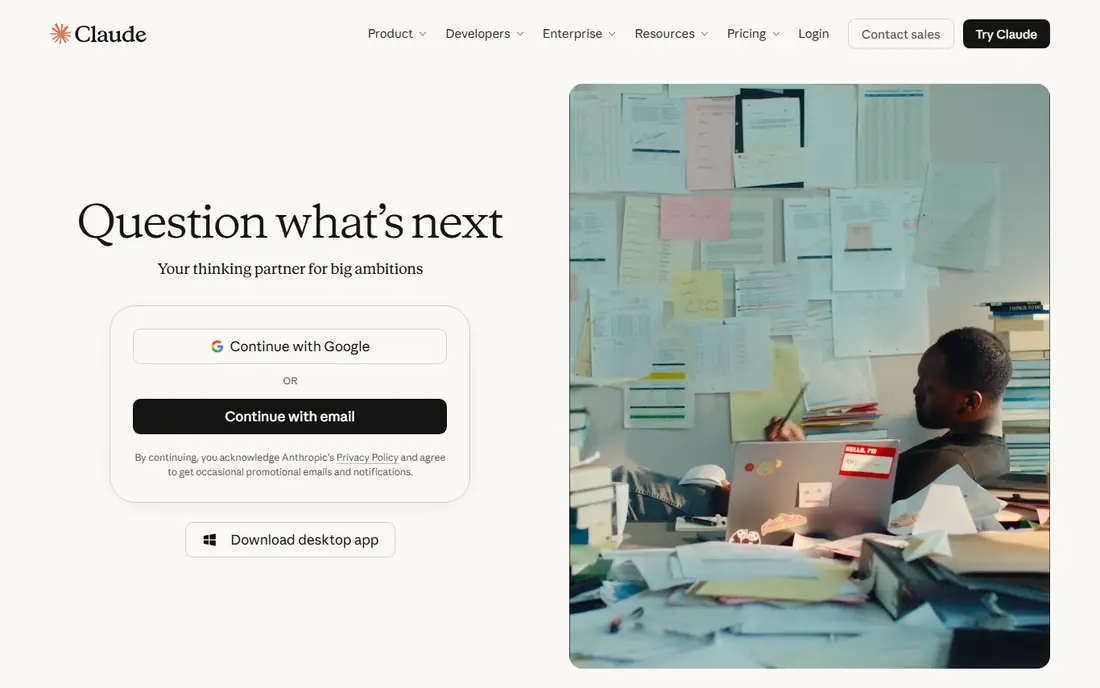
Claude Team suits teams that spend their days reading long reports, contracts, research, and drafts, and then turning them into clear summaries and next steps. Projects let a team store shared documents and instructions in one place, so Claude can answer from that context rather than from a blank chat. Writing tone is careful and structured, which helps for client documents and internal memos.
The ecosystem is smaller than ChatGPT, with fewer third-party integrations and a narrower range of image and voice tools. Heavy users may also need premium seats for higher usage. For document-heavy teams that value accuracy and tone over breadth, Claude Team is a strong pick, and it pairs well with a task or docs tool for project tracking.
- Strong long-document reading and careful writing
- Projects for shared context
- Admin controls and no training on team content by default
- Smaller app ecosystem than ChatGPT
- Some team features need higher tiers
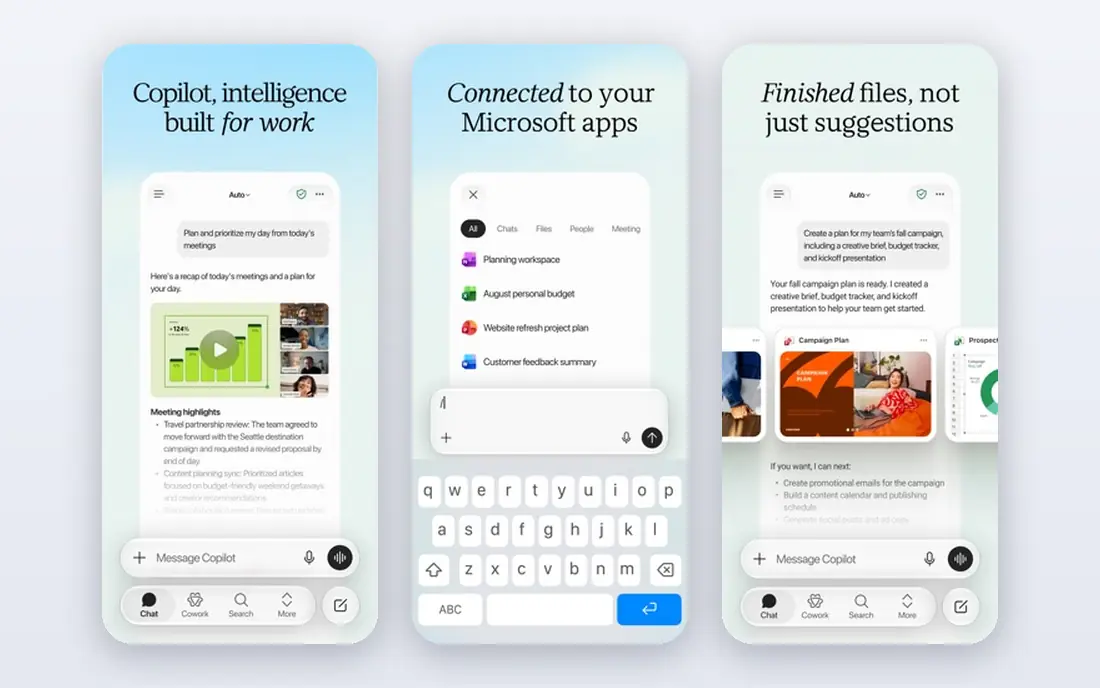
Microsoft 365 Copilot brings AI into the apps many office teams already open each day. It can draft from a Word outline, summarise a long email thread, pull meeting notes from Teams, and analyse a spreadsheet without copying files into a separate chatbot. Because it respects Microsoft 365 permissions, a user should only see AI answers drawn from files they already have access to, which helps with governance.
Cost is the main check. Copilot is an add-on on top of a Microsoft 365 plan, priced per user per month, so a large team faces a large annual bill. It also pays off most when your files, mail, and meetings already live in Microsoft 365. For a Microsoft-first team, it is the most natural collaborative AI pick. For a mixed-tool team, a standalone assistant may be cheaper.
- AI inside Word, Excel, Outlook, and Teams
- Uses your Microsoft 365 files and permissions
- Business add-on for smaller teams
- Needs a Microsoft 365 plan underneath
- Cost adds up per user across a large team
Google Gemini for Workspace adds AI help inside Gmail, Docs, Sheets, Slides, and Meet, with access to Drive files your team already shares. It can draft a doc from a brief, summarise a long thread, help with a sheet formula, and take meeting notes in Meet. For teams that live in Google Docs and Drive, that native placement saves copy-and-paste time and keeps context in one place.
Feature depth varies by tier, and lower Workspace plans include only limited Gemini features in the apps. Check your current Workspace plan before you buy an extra AI tier, because Business Standard and higher plans already include much of the Gemini value. For Google-first teams, Gemini for Workspace is the simplest collaborative AI choice, and it avoids adding another vendor to manage.
- AI inside Gmail, Docs, Sheets, and Meet
- Included in higher Workspace plans
- Strong search across Drive files
- Feature depth varies by Workspace tier
- Best value needs a Business Standard plan or higher
Notion AI works where many product, design, and operations teams already keep their wikis, specs, and meeting notes. It can summarise a long page, turn meeting notes into action items, answer questions from your workspace, and draft or rewrite a section without leaving the doc. That placement matters, because the AI sees the same context your team sees, rather than a pasted snippet.
The cost is an add-on per user on top of a Notion plan, so a team should already get value from Notion itself before adding AI. Meeting notes and some agent features sit in higher plans, so check the tier that matches your needs. For a team that already runs its knowledge base in Notion, Notion AI is our pick for the most useful in-doc AI.
- AI search and summaries inside your wiki
- Drafting and editing in the same doc
- Meeting notes on Business plans
- AI add-on cost sits on top of Notion plans
- Best for teams already using Notion daily
Slack AI targets the problem every busy team knows: long channels, missed threads, and a key decision buried in chat history. It can summarise a channel, catch up a returning team member, search messages and shared files, and turn huddle notes into action items. For teams that make decisions in Slack, that summary and search value is immediate.
Slack AI is an add-on, not a separate product, so its cost sits on top of a paid Slack plan, and its value depends on how much of your work actually happens in Slack. Teams that mainly use email or docs may get less from it. For Slack-first teams, it is a practical way to cut reading time and keep decisions visible without adding another app.
- Summaries for long channels and threads
- Search across messages and files
- Huddle notes for meetings
- Add-on cost on top of Slack plans
- Value depends on how much work happens in Slack
Atlassian Rovo is built for product and engineering teams that live in Jira and Confluence. It searches across tickets, docs, and connected apps, answers questions from that combined context, and offers agents that can draft, summarise, and update work. Because it respects Atlassian permissions, answers should draw only from content a user can already see, which helps with access control.
Outside an Atlassian estate, Rovo has less to search, so its value drops. Pricing and included features also vary by Atlassian plan, so check whether Rovo is included in your current tier or needs an add-on. For Jira and Confluence teams, Rovo is a strong pick for cutting the time spent hunting for tickets, specs, and decisions.
- Search across Jira, Confluence, and connected apps
- AI agents for common tasks
- Respects existing permissions
- Best value inside Atlassian estates
- Pricing and tiers need checking for your plan
Asana AI, marketed as Asana AI Studio in some tiers, brings AI into project tracking rather than into a separate chat window. It can summarise a project, draft status updates, suggest subtasks, and help build workflows that route work automatically. For a team that already plans in Asana, that means less time writing updates and more time doing the work those updates describe.
It is not a general assistant, and it will not replace ChatGPT or Claude for open-ended writing and analysis. AI features also vary by Asana tier, so check your plan before you assume a feature is included. For Asana-first teams, Asana AI is a useful, focused addition, best paired with a general assistant for broader work.
- Smart summaries for projects and tasks
- Goal and status drafting
- Workflow help inside Asana
- AI features vary by Asana tier
- Not a general chatbot replacement
ClickUp AI sits inside ClickUp's all-in-one workspace for docs, tasks, goals, and chat. It can summarise a long task thread, draft a doc or brief, turn notes into tasks, and help with planning in the same place where the work lives. For small teams that want one app for many jobs, that breadth is appealing, because AI does not require another subscription or another window.
ClickUp itself is broad, and new teams can find the setup and options overwhelming. AI output also varies: summaries and drafts are usually strong, while complex planning advice still needs human review. For a team already committed to ClickUp, ClickUp AI is a sensible add-on. For a team that only needs docs or chat, a focused tool such as Notion AI or Slack AI may fit better.
- AI across docs, tasks, and chat in one app
- Summarises threads and docs
- Drafting help for many work types
- ClickUp itself can feel broad and complex
- AI quality varies by task type
How we picked these
We compared official feature pages, pricing pages, and documentation for collaborative AI tools that are current in 2026. We favoured tools with real team controls, such as shared workspaces, admin settings, and single sign-on, plus AI that works inside a team's daily docs, chat, or tasks, not just in a solo chatbot. We did not claim hands-on lab testing. Prices shown as See website mean the vendor prices by plan, tier, or quote, so check the vendor page for your team size.
How to choose a collaborative AI platform
Start with where your team already works. If most files are in Google Workspace, Gemini will feel natural. If most files are in Microsoft 365, Copilot will feel natural. If your knowledge base is in Notion, or your decisions are in Slack, start with the AI add-on for that tool, because adoption will be higher than for a new app no one opens.
Next, set data rules before you roll out AI widely. Decide which content AI may access, who can share projects, and how long prompts and outputs are kept. Train the team to check AI drafts for errors, client details, and confidential data before sending them out. A short pilot with one team, with clear success measures such as time saved on summaries and status updates, tells you more than a company-wide launch on day one.
One general assistant, plus workflow AI
Most teams end up with two layers: one general assistant such as ChatGPT Business or Claude Team for writing and analysis, plus workflow AI inside Notion, Slack, Asana, or ClickUp for daily summaries and updates. That mix avoids paying for three general chatbots that do the same job, while still giving each workflow its own AI help. Review usage after three months and drop any layer the team rarely opens.
FAQ
What is the best collaborative ai platform for teams?
There is no single winner, because the best pick depends on where your team already works. ChatGPT Business is our pick for general shared use, Microsoft 365 Copilot leads for Microsoft teams, and Gemini for Workspace leads for Google teams. Workflow tools such as Notion AI and Slack AI lead when AI needs to live inside a specific doc or chat system.
Is ChatGPT Business better than ChatGPT Plus for a team?
Yes, for team use, because Business adds shared projects, admin controls, single sign-on, and business data protections that Plus lacks. Plus is built for one person. A team that shares prompts, files, and outputs should use Business or Enterprise, even if Plus looks cheaper per seat at first glance.
Does AI use our team data for training?
It depends on the vendor and plan. Business and enterprise plans from OpenAI, Anthropic, Microsoft, and Google generally state that business content is not used for model training by default, but consumer plans differ. Read the vendor data page for your exact plan, and do not paste confidential client data into a free consumer chatbot.
How much does collaborative AI cost per user?
General team assistants often start around $20 per user per month on annual billing, while workflow AI add-ons range from about $10 per user per month for Notion AI to quote-based add-ons for Slack, Copilot, and Gemini tiers. Always add the base app cost, because most workflow AI sits on top of a paid plan.
Can AI replace team meetings?
No, but it can shorten them. AI summaries, action items, and pre-reads help a team arrive with context, so meetings can focus on decisions rather than updates. Decisions, accountability, and sensitive discussions still need human judgement and a clear owner.
What is the best ai collaborative tool for teams on a small budget?
Start with the AI you may already own in Google Workspace or Microsoft 365, or with a focused add-on such as Notion AI if your team already uses Notion. A single general assistant for the whole team is usually cheaper than buying AI add-ons for every app at once.