Best Collaboration Software in 2026: 8 Tools Compared
Looking for the best collaboration software? We compared 8 tools for chat, docs, tasks and whiteboards, with free plans, team pricing and setup tips for 2026.
- Editor's choice
 Slack
team chat and integrations
Starts at$7.25 per user per monthVisit slack.comFull review - Great alternative
 Microsoft Teams
teams already on Microsoft 365
Starts at$4 per user per monthVisit microsoft.comFull review - Also consider
 Notion
docs, wikis and light projects
Starts at$10 per user per monthVisit notion.comFull review
TL;DR:
- Most teams need three layers: chat for quick talk, docs for knowledge, and a task tool for ownership, and no single app does all three perfectly.
- Slack is our pick for team chat, Notion for docs and wikis, and Asana for structured project work.
- Microsoft Teams is the best value if your team already pays for Microsoft 365, since chat, meetings and files come in one bundle.
- ClickUp offers the most features per dollar, but its flexibility can overwhelm small teams that only need a simple board.
- Start with free tiers and upgrade only when a limit bites, such as Slack message history or Notion permissions.
Quick comparison
| Tool | Best for | Starts at | Free plan? | |
|---|---|---|---|---|
| Slack | team chat and integrations | $7.25 per user per month | Yes | Visit |
| Microsoft Teams | teams already on Microsoft 365 | $4 per user per month | Yes | Visit |
| Notion | docs, wikis and light projects | $10 per user per month | Yes | Visit |
 Asana | structured project work | $10.99 per user per month | Yes | Visit |
 monday.com | visual boards and dashboards | $9 per user per month | Yes | Visit |
 ClickUp | all in one tasks, docs and goals | $7 per user per month | Yes | Visit |
 Trello | simple kanban boards | $5 per user per month | Yes | Visit |
 Miro | whiteboards, workshops and brainstorming | $8 per user per month | Yes | Visit |
The best collaboration software
Collaboration software is a broad category, covering chat, documents, tasks and whiteboards. The tools below are grouped by what they do best, so you can build a stack that fits your team instead of forcing one app to do everything.
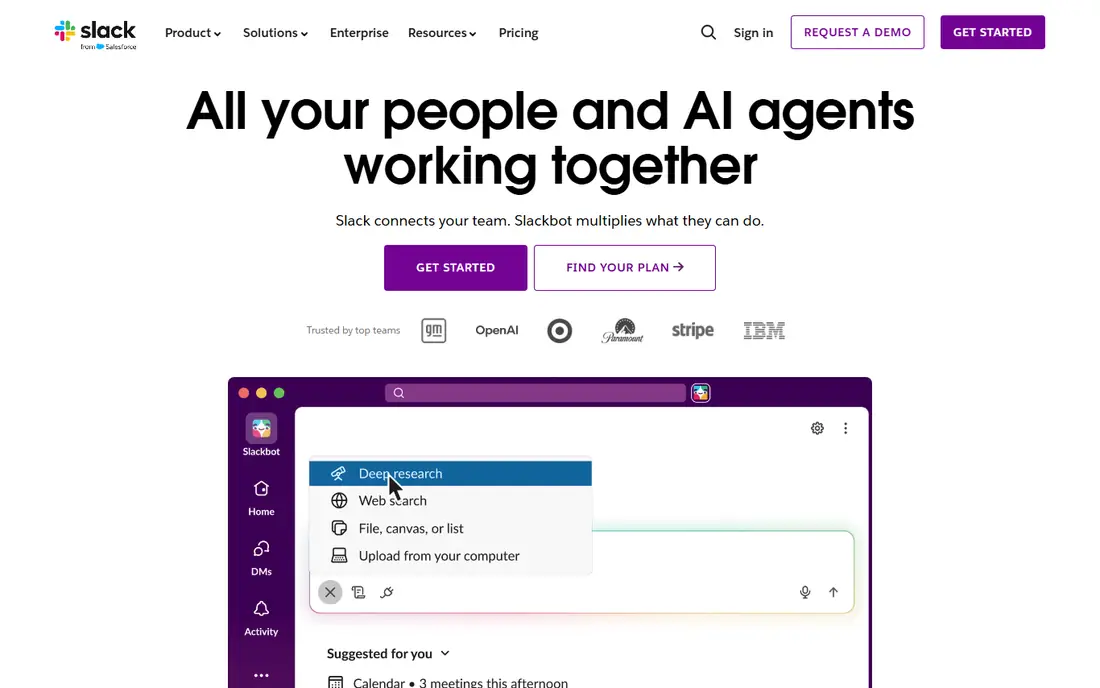
Slack remains the standard for team chat, with channels for projects, direct messages for quick questions, and integrations that bring alerts from other tools into one place. Threads keep side talk from derailing a channel, and huddles offer quick voice chats without scheduling a meeting. For fast moving teams, that speed is hard to match.
The free plan is useful for small teams, but the 90 day message history limit means older decisions disappear from search. Paid plans start at around $7.25 per user per month on annual billing, and costs grow with headcount. If your team already uses Microsoft 365, Teams may be cheaper, but for chat quality and integrations, Slack still leads.
- Channels keep talk organised
- Huge integration library
- Strong search on paid plans
- Free plan limits message history to 90 days
- Per seat cost adds up for large teams

Microsoft Teams makes most sense when your organisation already pays for Microsoft 365, since chat, video meetings, file storage and Office apps come together. Co authoring a Word or Excel file inside a Teams channel is smooth, and admin controls for security and compliance are strong. For larger organisations, that bundle economics is compelling.
The interface layers chat, channels, files and apps into one window, which can overwhelm new users. Some teams also find Teams integrations less polished than Slack's. Still, if you are already in the Microsoft world, Teams avoids another subscription and another login, which is a practical win.
- Chat, meetings and files in one bundle
- Strong Office co authoring
- Enterprise security and compliance
- Interface can feel heavy
- Less flexible than Slack for some integrations

Notion is the best knowledge tool on this list, combining documents, wikis, databases and light project tracking in one flexible workspace. Teams use it for handbooks, meeting notes, product specs and roadmaps, with templates that make starting easy. Comments and page history help teams track decisions without a separate wiki tool.
It is not a full project management tool. Automations, workload views and advanced reporting are weaker than Asana or monday.com, and a workspace can sprawl without clear ownership. Paid plans start at around $10 per user per month, with AI features on higher plans. For documentation heavy teams, Notion is excellent, especially alongside Slack for chat.
- Flexible docs, wikis and databases
- Good templates
- Free plan for personal use
- Weaker workflow automation than Asana
- Large workspaces can become messy without governance
Asana excels at structured work, where every task has an owner, a due date and a clear status. Timeline views, custom fields, rules and portfolios help managers see across projects, and the interface is polished enough for non technical users. Marketing, operations and product teams with repeatable workflows benefit most.
The free plan covers small teams, but timelines, advanced search and private teams need paid plans, starting at around $10.99 per user per month. Asana also lacks built in chat, so most teams pair it with Slack or Teams. For execution and accountability, Asana remains one of the strongest choices available.
- Clear task ownership and timelines
- Portfolios and goals on higher plans
- Many integrations
- Free plan is limited for larger teams
- Advanced features need higher tiers
monday.com leans visual, with colour coded boards, dashboards and automations that give a quick overview of work across teams. It suits cross department planning, where marketing, sales and operations need to see the same board in different ways. Templates for common workflows help new teams start fast.
Pricing starts at around $9 per user per month, with a three seat minimum on some plans, so very small teams should check the total cost. For simple task lists, monday.com can feel heavier than Trello, but for visual planning and reporting, it is one of the best options here.
- Highly visual boards
- Flexible dashboards
- Good for cross department planning
- Minimum seat requirements on some plans
- Can feel complex for simple task lists
ClickUp tries to replace several tools at once, with tasks, docs, whiteboards, goals and chat in a single workspace. The free plan is generous, and paid plans starting at around $7 per user per month offer a lot of features for the price. For small teams that want one app instead of three subscriptions, that value is attractive.
Flexibility is also the risk. With so many views, custom fields and automations, new teams can spend weeks setting up ClickUp instead of doing work. Start with a simple template, limit custom fields, and add complexity only when a real need appears. Done that way, ClickUp is a powerful all in one choice.
- Generous free plan
- Tasks, docs, goals and chat in one app
- Strong value per seat
- Flexibility can overwhelm new users
- Setup takes time to get right
Trello is the simplest tool on this list, with boards, lists and cards that anyone can understand in minutes. That simplicity is its strength for small teams, personal projects and lightweight collaboration, where a full project tool would be overkill. Power Ups add calendars, automation and integrations as needed.
Complex projects with dependencies, portfolios and workload planning will outgrow Trello quickly, and reporting is limited on lower plans. Paid plans start at around $5 per user per month. For a team that needs a shared board and nothing more, Trello is still the fastest way to start.
- Simplest board tool here
- Easy for non technical users
- Free plan covers up to 10 collaborators
- Limited reporting and automation on lower plans
- Weak for complex projects
Miro is a visual collaboration tool, not a task manager, and it shines for brainstorming, workshops, retrospectives and journey mapping. The infinite canvas, sticky notes, templates and real time cursors make remote workshops feel closer to a physical whiteboard. Teams use it alongside Slack, Notion or Asana, not instead of them.
The free plan covers a single workspace with limited boards, and paid plans start at around $8 per user per month. Miro will not track task ownership or deadlines well on its own, so pair it with a task tool. For creative and planning sessions, it is the best whiteboard on this list.
- Infinite canvas for workshops
- Templates for retros, mapping and planning
- Good real time collaboration
- Not a task tracker
- Paid plan needed for more boards and controls
How we picked these
We compared official pricing pages, feature pages and public reviews for collaboration tools that are still available in October 2026, and we kept tools with a clear collaboration use, a usable free tier or trial, and a real team customer base. We looked at chat, docs, tasks and whiteboards separately, since no single tool leads in all four areas. We did not claim hands on enterprise testing, and we treated third party pricing summaries as a guide, since vendor pages change often.
How to build a collaboration stack that sticks
Start with the pain, not the tool. If messages are lost in email, fix chat first. If the same questions keep being asked, fix docs second. If launches slip because ownership is unclear, fix task tracking third. Adopting one tool at a time gives your team time to build a habit, while adopting three at once usually leads to none of them sticking.
Watch for overlap. Paying for Slack and Teams, or for Asana, monday.com and ClickUp at once, wastes money and confuses people about where work lives. Pick one tool per layer, write down where each kind of work lives, and retire the old tool when the new one takes over. A one page guide for new joiners helps more than any feature list.
Finally, test with a real project, not a demo. Run a two week pilot with one team, check whether tasks, decisions and files are easier to find, and ask the team what they would drop. Upgrade only when a free limit bites, such as message history, permissions or reporting, and check per seat costs at your actual headcount, not just the headline rate.
FAQ
What is the best collaboration software?
There is no single winner, because chat, docs and tasks are different jobs. Slack is best for chat, Notion for docs and wikis, Asana for structured projects, and Miro for whiteboards. Most teams use two or three of these together.
What are the best collaboration tools for remote teams?
Slack or Microsoft Teams for chat and meetings, Notion for shared knowledge, Asana or monday.com for tasks, and Miro for workshops form a strong remote stack. Pick tools with good mobile apps and offline access if your team works across time zones.
Is there free collaboration software?
Yes. Slack, Notion, Asana, ClickUp, Trello and Miro all offer free plans, with limits on history, seats, boards or features. Free plans suit small teams well, and you can upgrade when a specific limit starts to hurt.
Is Microsoft Teams better than Slack?
Teams is better value if you already pay for Microsoft 365, since chat, meetings and Office apps come in one bundle. Slack is better for chat quality, integrations and teams that do not use Microsoft 365. The right pick depends on what your team already pays for.
What is the best collaboration app for small teams?
Trello is best for simple boards, ClickUp for an all in one free start, and Slack plus Notion for chat and docs. Small teams should start free, keep the stack to two tools, and only add a third when a clear gap appears.