Best Code Editors Alternatives to ChatGPT 4o in 2026: 9 Tools Compared
Looking for the best code editors alternatives to chatgpt 4o? We compared 9 editors on AI assistance, speed, price, and extension support before you buy.
- Editor's choice
 Visual Studio Code
Developers who want the largest extension and AI choice
Starts atFreeVisit code.visualstudio.comFull review - Great alternative
 Cursor
Developers who want agent-driven editing as the default
Starts atFreeVisit cursor.comFull review - Also consider
 Windsurf
Developers who want guided agent workflows
Starts atFreeVisit windsurf.comFull review
TL;DR:
- ChatGPT 4o was a chat model, not an editor, so the real replacement is an editor with strong built-in AI help for writing, explaining, and fixing code.
- Visual Studio Code with AI extensions is our pick for most developers, because it pairs the largest extension library with flexible AI choices.
- Cursor and Windsurf are the best agent-first picks, since their AI can plan and edit across many files rather than only completing single lines.
- Zed is the best pick for speed, with a native, fast editor and AI edit predictions that stay out of your way.
- Price depends on usage: free editors with pay-as-you-go AI can beat a flat monthly AI subscription for light users, while heavy users often save with a flat plan.
Quick comparison
| Tool | Best for | Starts at | Free plan? | |
|---|---|---|---|---|
| Visual Studio Code | Developers who want the largest extension and AI choice | Free | Yes | Visit |
| Cursor | Developers who want agent-driven editing as the default | Free | Yes | Visit |
| Windsurf | Developers who want guided agent workflows | Free | Yes | Visit |
 Zed | Developers who value speed and a native editor | Free | Yes | Visit |
 WebStorm | JavaScript and TypeScript developers who want a full IDE | See website | Free trial | Visit |
 Sublime Text | Developers who want a fast, lightweight editor | See website | Free trial | Visit |
 Nova | Mac developers who want a native, polished editor | See website | Free trial | Visit |
 Neovim | Terminal and keyboard-first developers | Free | Yes | Visit |
 Trae AI | Budget-conscious developers who want agent help | Free | Yes | Visit |
The best code editors with AI assistance
When developers searched for code help from ChatGPT 4o, they usually wanted explanations, code generation, debugging help, and refactoring suggestions in plain language. The editors below bring that help inside the coding workflow, so the AI sees your files, your project structure, and your errors instead of working from a pasted snippet. Some offer a full agent that can edit across files, while others focus on fast completions and chat. The right pick depends on how much control you want to hand to the AI.
Visual Studio Code
Best for: Developers who want the largest extension and AI choice
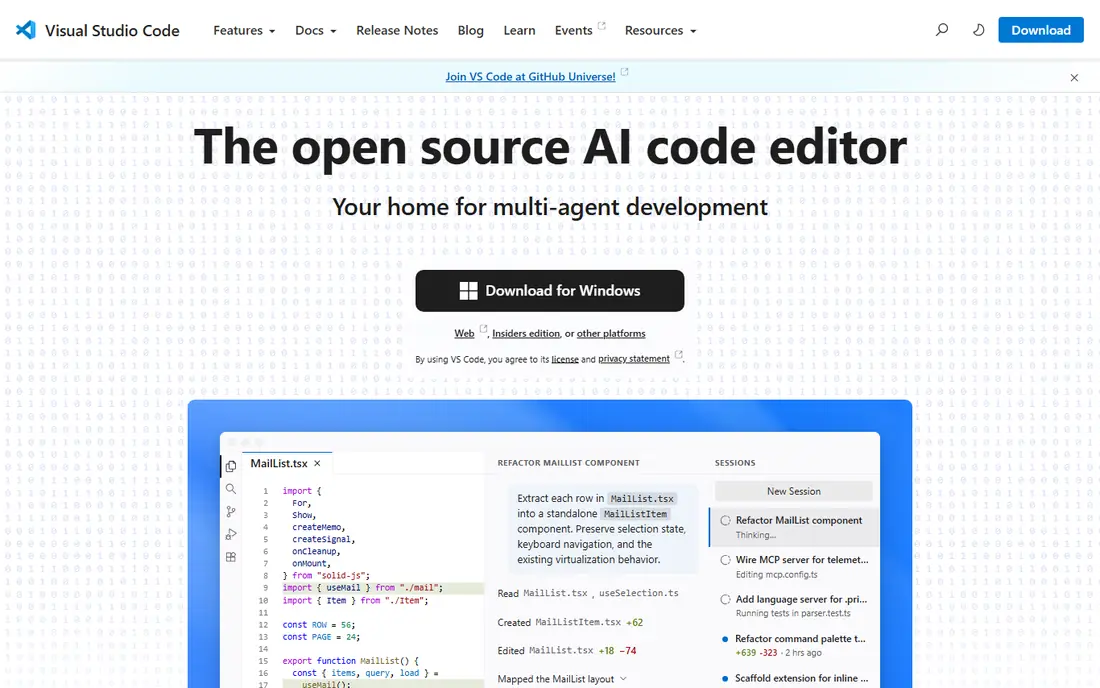
Visual Studio Code, often called VS Code, is the baseline most other editors are measured against, and for good reason. It is free, runs on Windows, Mac, and Linux, and supports almost every language through extensions. You can add the AI assistant you prefer, change models, and keep your existing settings, keybindings, and extensions, which makes switching AI tools far less painful than switching editors.
The catch is that AI is not one built-in product here. You need to choose and sometimes pay for an AI extension, and quality varies by provider and plan. VS Code itself can also feel heavier than a native editor on older hardware. For a developer who wants flexibility and the widest ecosystem, VS Code with a good AI extension remains the safest starting point.
- Free editor with a huge extension marketplace
- Works with many AI assistants including GitHub Copilot
- Strong debugging and remote development
- AI features depend on extensions and separate subscriptions
- Electron-based editor can feel heavier than native editors
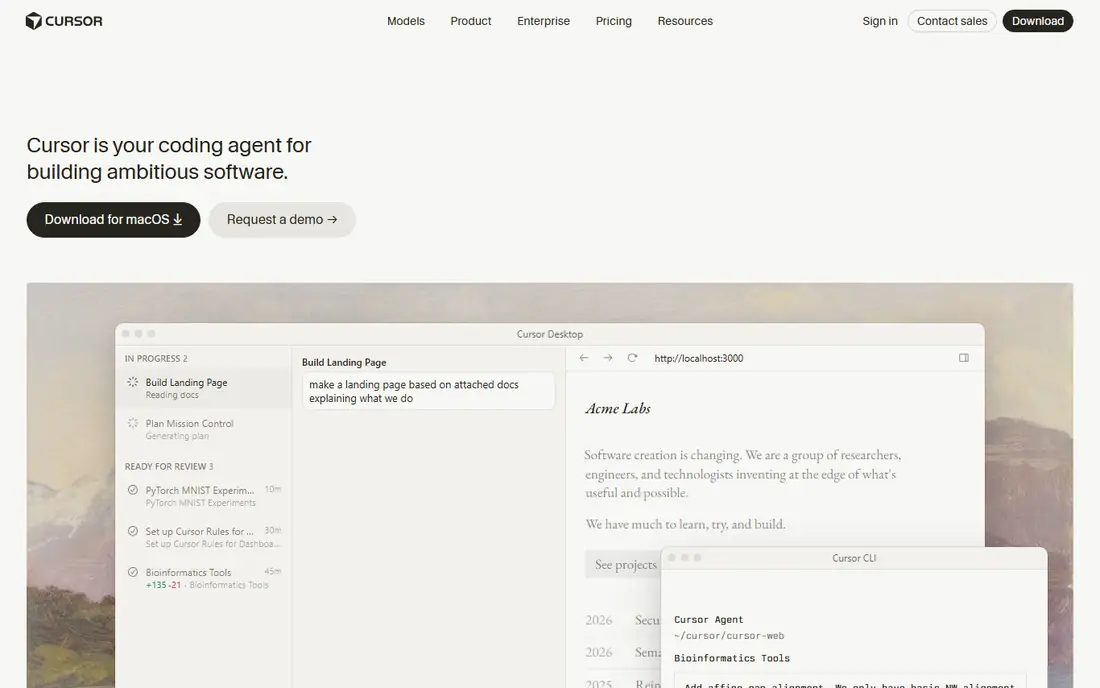
Cursor is built as a fork of VS Code with AI at the centre, not as an add-on. Its agent can read your codebase, plan a change, edit several files, and run checks, which goes well beyond the single-line completions that ChatGPT 4o offered in a chat window. Tab autocomplete, inline chat, and codebase search are tightly integrated, so the AI usually has the context it needs without manual pasting.
The main costs are price and control. Heavy agent use can push you toward the $20 per month Pro plan or higher tiers, and agent edits need review, especially on large or unfamiliar code. Cursor also inherits VS Code extension compatibility, which eases migration. If you want the AI to do multi-file work with minimal setup, Cursor is the leading pick.
- Native agent mode edits across many files
- Codebase-aware chat and autocomplete
- Familiar VS Code layout and extensions
- Paid Pro plan at $20 per month for higher usage
- As a VS Code fork, updates can lag behind VS Code itself

Windsurf, now linked to the Devin Desktop work under Cognition, focuses on guided agent workflows through its Cascade agent. Cascade tracks what you are doing across files, suggests next steps, and can carry out multi-step changes with your approval. That guided style suits developers who want agent help but also want to see the plan before large edits happen.
Pricing follows the familiar pattern: a free tier for light use and a $20 per month Pro plan for higher usage, with team and higher tiers above that. The product has been through ownership and naming changes, so confirm the current plan on the vendor site before buying. For developers who like an agent that explains its steps, Windsurf is a strong alternative to Cursor.
- Cascade agent handles multi-step tasks with context awareness
- Free tier for trying agent workflows
- VS Code extension compatibility
- Paid Pro plan at $20 per month for higher limits
- Branding and ownership have changed, so confirm the current product name and plan
Zed feels different the moment you open it. Built in Rust with a native interface, it starts fast, scrolls smoothly, and stays responsive on large files where Electron editors can lag. Collaboration is built in, with shared editing and voice, and AI features include edit predictions plus agent support that can use hosted models or your own provider keys.
The trade-off is ecosystem size. Zed has fewer extensions than VS Code, and some specialised workflows may lack an exact equivalent. Its free editor covers basic use, while the $10 per month Pro plan adds unlimited edit predictions and hosted model credits. If editor speed matters more to you than extension depth, Zed is the standout pick.
- Native Rust editor with very low latency
- Multiplayer collaboration built in
- AI edit predictions and agent support through hosted or external models
- Smaller extension ecosystem than VS Code
- AI Pro plan at $10 per month adds hosted model credits on top of the free editor
WebStorm is a full integrated development environment for JavaScript and TypeScript, rather than a bare editor. It understands React, Angular, Vue, Node, and related frameworks deeply, which shows up in smarter refactoring, navigation, and error detection. JetBrains AI adds code completion, chat, and multi-file edits inside that same IDE, so AI help benefits from the IDE knowledge of your project.
WebStorm is heavier and more opinionated than VS Code or Zed, and it is sold as a subscription, so it suits developers who spend most of their day in web projects and value IDE depth over minimalism. For quick edits across many languages, a lighter editor may feel faster. For serious JavaScript work with AI help, WebStorm is a polished and reliable choice.
- Deep code understanding, refactoring, and debugging for web projects
- JetBrains AI assistance with completions and multi-file edits
- Strong framework support
- Subscription pricing rather than a one-time purchase
- Heavier than a lightweight editor for quick file edits
Sublime Text is the pick for developers who found ChatGPT 4o useful for explanations but do not want an AI agent inside the editor. It opens instantly, handles very large files well, and stays out of the way with a clean, customisable interface. Package Control adds language support, linters, and tools, and the editor runs well on modest hardware.
The limit is clear: Sublime Text does not ship with an AI assistant, debugging, or integrated terminal in the way VS Code does. You can pair it with a separate AI chat tool or a package, but that split workflow is less smooth than Cursor or VS Code with Copilot. If speed and simplicity matter most and AI is an occasional helper, Sublime Text remains excellent.
- Extremely fast startup and file handling
- Stable, distraction-free editing
- Large package ecosystem for languages and tools
- No built-in AI assistant or debugger
- AI help needs third-party packages or a separate chat tool
Nova, from Panic, is a Mac-native editor that feels at home on Apple hardware. It combines editing, Git, debugging, and remote work in a clean interface, and it runs efficiently on Mac laptops. Extensions add language support and tools, and the overall experience is more cohesive than a cross-platform Electron app.
Nova is Mac only, so mixed-platform teams cannot standardise on it, and its extension library is smaller than VS Code. AI assistance comes through extensions and external tools rather than a built-in agent, so developers who want agent-first coding should look at Cursor or Windsurf. For a Mac developer who values native polish and speed, Nova is a pleasure to use daily.
- Native Mac app with a polished interface
- Built-in Git, debugging, and extension support
- Fast and energy-efficient on Apple hardware
- Mac only
- Smaller extension library than VS Code
- AI features depend on extensions rather than a built-in agent
Neovim is a modern fork of Vim, built for developers who live in the terminal and prefer keyboard-driven editing. It is free, open source, and extremely customisable through Lua configuration and plugins, including several AI completion and chat plugins that can connect to major models. Once configured, it is fast, lightweight, and consistent across servers and local machines.
The learning curve is real. New users face modal editing, configuration files, and plugin management before they get a smooth workflow, and AI plugin quality varies. Neovim suits developers who already enjoy that style or are willing to invest setup time. For that audience, it offers AI help without giving up terminal speed or control.
- Free and open source with deep keyboard customisation
- Huge plugin ecosystem including AI assistants
- Runs in the terminal or as a GUI
- Steep learning curve
- Setup takes time and AI plugins vary in quality and maintenance
Trae AI is a newer AI-first editor that aims to offer agent-assisted coding at a lower price than the established agent editors. Its free tier lets you try agent workflows without paying, and paid plans start below the $20 per month level of Cursor and Windsurf Pro. The workflow will feel familiar to VS Code users, which lowers the switching cost.
As a newer product, Trae has a smaller community, fewer tutorials, and less long-term track record than its rivals. Model access, usage limits, and plan details should be checked on the vendor site, since they change as the product grows. For a developer on a budget who wants to try agent coding without a $20 monthly commitment, Trae is worth testing.
- Free tier with agent-assisted coding
- Lower-priced paid plans than Cursor or Windsurf Pro
- Familiar VS Code-style workflow
- Newer product with a smaller community than VS Code or Cursor
- Confirm model access and limits on your plan before relying on it
How we picked these
We compared official feature pages, pricing pages, and public documentation for code editors that are actively maintained in October 2026 and offer AI assistance comparable to the explanations, generation, and debugging help that ChatGPT 4o provided for coding. We favoured editors with real AI features, not just a chat sidebar with no project context, and we marked pricing as See website where plans vary by user type or region.
What to check before you switch
Start by deciding how much autonomy you want to give the AI. A completion tool suits developers who want suggestions while they stay in control, while an agent suits developers who want to hand over well-defined tasks and review the result. Check which models each editor supports, whether you can bring your own API key, and how usage is metered, since those details decide the real monthly cost.
Review every agent change
Agent edits can look plausible while breaking tests or changing behaviour in subtle ways. Run your test suite, review diffs file by file, and keep changes small enough to understand. An agent that saves typing time but creates debugging time is not saving you anything.
Keep your data rules in mind
AI editors may send code to model providers for processing. Check the privacy terms for your plan, especially for proprietary or client code, and prefer tools that offer privacy modes, local models, or enterprise terms when your work requires them.
FAQ
What is the best replacement for ChatGPT 4o for coding?
There is no single replacement, because ChatGPT 4o was a chat model and these tools are editors with AI built in. For most developers, VS Code with an AI extension or Cursor as an agent-first editor covers the explanations, generation, and debugging help that made ChatGPT 4o useful for coding.
Is Cursor better than VS Code with Copilot?
Cursor is better if you want agent-driven multi-file edits as the default workflow. VS Code with Copilot is better if you want the largest extension library, flexible model choices, and a free editor that you can pair with different AI providers over time.
Can I use these editors for free?
Yes, in most cases. VS Code, Zed, Neovim, and the free tiers of Cursor, Windsurf, and Trae AI let you start without paying. Paid plans mainly raise AI usage limits, add hosted model credits, or add team features, so light users often manage on free tiers.
Do AI code editors send my code to the cloud?
Most hosted AI features do send code to a model provider for processing, though terms vary by vendor and plan. Check the privacy policy for your plan, use privacy or zero-retention modes where offered, and avoid pasting secrets or sensitive client code into any AI tool without approval.
Which editor is fastest?
Zed is the fastest in this list, thanks to its native Rust build and low-latency design. Sublime Text and Neovim are also very fast, while VS Code, Cursor, and Windsurf trade some speed for extension depth and agent features.
Should beginners start with an AI editor?
Beginners can benefit from explanations and completions, but they should still learn to read code and debug without AI help. Start with VS Code and a basic AI extension, review every suggestion, and practise explaining code in your own words before relying on an agent for full tasks.