Best Cloud Platform Services for Biz in 2026: 9 Platforms Compared
Need the best cloud platform services for biz? We compare 9 providers on pricing, regions, support, and fit for small and large businesses in 2026 now.
- Editor's choice
 Amazon Web Services
Widest service choice
Starts atPay as you goVisit aws.amazon.comFull review - Great alternative
 Microsoft Azure
Microsoft shops
Starts atPay as you goVisit azure.microsoft.comFull review - Also consider
 Google Cloud
Data and AI work
Starts atPay as you goVisit cloud.google.comFull review
TL;DR:
- AWS is our pick for most businesses that need the widest service choice and the most regions.
- Microsoft Azure fits companies already running Windows, Microsoft 365, or hybrid offices.
- Google Cloud suits data-heavy teams and companies building on AI and analytics.
- DigitalOcean and Vultr give small teams predictable monthly prices without a steep learning curve.
- Oracle Cloud offers an Always Free tier that is genuinely useful for testing and small workloads.
Quick comparison
| Tool | Best for | Starts at | Free plan? | |
|---|---|---|---|---|
| Amazon Web Services | Widest service choice | Pay as you go | Yes | Visit |
| Microsoft Azure | Microsoft shops | Pay as you go | Yes | Visit |
| Google Cloud | Data and AI work | Pay as you go | Yes | Visit |
 IBM Cloud | Regulated industries | Pay as you go | Yes | Visit |
 Oracle Cloud | Databases and free tier | Pay as you go | Yes | Visit |
 DigitalOcean | Simple pricing | $4 per month | Yes | Visit |
 Vultr | Low-cost compute | $2.50 per month | No | Visit |
 Akamai Connected Cloud | Simple virtual machines | $5 per month | No | Visit |
 Alibaba Cloud | Asia-Pacific reach | Pay as you go | Yes | Visit |
The best cloud platform services for business
A cloud platform gives your business compute, storage, databases, and networking without buying servers. We compared official pricing pages, regions, service depth, and support to pick these nine.
AWS remains the largest cloud provider, and breadth is its main advantage. It offers compute, storage, databases, analytics, AI, and industry tools in more regions than any rival, so a business can usually find a managed service for a given job rather than building it. The free tier covers a year of limited use for many services, which helps new teams test ideas cheaply.
The downside is complexity. With hundreds of services and many pricing dimensions, a bill can surprise a team that does not set budgets and alerts. AWS suits businesses that want maximum choice and can invest in someone who understands cloud costs, or that use a partner to manage the account.
- Largest service catalog
- Most regions
- Deep compliance coverage
- Pricing can be hard to predict
- Support costs extra at higher tiers

Azure is the natural cloud for businesses already running Windows Server, Active Directory, or Microsoft 365. Identity, device management, and Office apps tie together, and hybrid tools let a company keep some systems on site while moving others to the cloud. A $200 credit for the first 30 days plus 12 months of selected free services helps new accounts get started.
The portal packs in a great deal, so newcomers should expect a learning curve. Pricing also varies by region and service, so check the calculator for your exact workload. For a Microsoft-centered business, the integration usually outweighs those frictions.
- Strong hybrid and identity tools
- Fits Microsoft 365
- Wide compliance coverage
- Portal can feel crowded
- Pricing varies by service and region
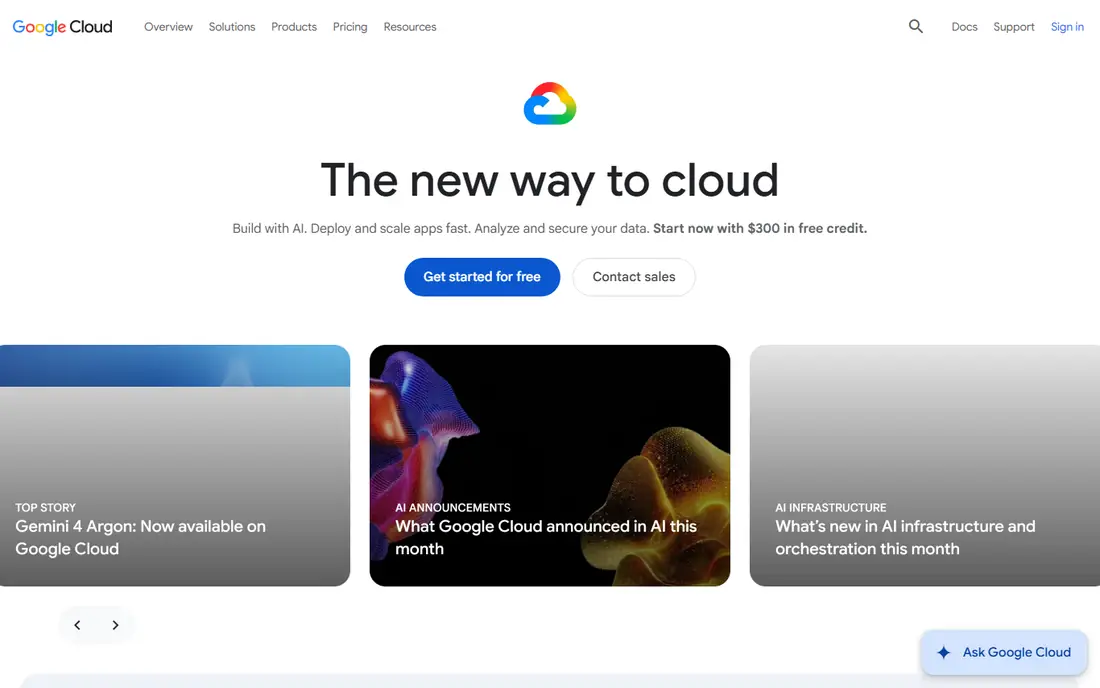
Google Cloud stands out for data and AI workloads. BigQuery handles large analytics queries without managing clusters, and Vertex AI covers model building and deployment. The global network is a real asset for apps serving users in many countries, and new accounts receive a $300 credit valid for 90 days plus an Always Free tier for selected services.
Google Cloud has fewer regions than AWS in some areas, and its enterprise support structure differs from the other hyperscalers. For a business whose edge is data, search, or AI features, those tradeoffs are easy to accept. For a company that needs a managed service for every niche, AWS may still win.
- Strong analytics and AI tools
- Global private network
- $300 credit for new accounts
- Smaller enterprise sales footprint than AWS or Azure
- Some services differ by region
IBM Cloud targets regulated and hybrid businesses, including banks, insurers, and public bodies. Its OpenShift-based hybrid approach lets teams run the same container platform on site and in the cloud, and bare metal servers suit workloads that need dedicated hardware. Security and compliance tooling is a central selling point rather than an add-on.
Entry prices run higher than DigitalOcean or Vultr, and the developer community is smaller than the big three. IBM Cloud fits a business with strict compliance duties or legacy IBM systems, rather than a startup looking for the cheapest virtual machine.
- Strong hybrid story with OpenShift
- Focus on security and compliance
- Bare metal options
- Higher entry prices than simpler rivals
- Smaller developer community
Oracle Cloud Infrastructure, or OCI, is strongest for businesses running Oracle Database or enterprise apps such as E-Business Suite and PeopleSoft. Database performance and flat networking prices are genuine advantages, and egress pricing is lower than many rivals. The Always Free tier includes two small virtual machines and 200 GB of storage, which is useful for testing and small sites.
The ecosystem of third-party tools is smaller than AWS or Azure, and some newer services arrive later. For an Oracle-centered business, OCI is often the cheapest and fastest home. For others, the free tier still makes it worth a test drive.
- Always Free tier with VMs and storage
- Strong Oracle Database performance
- Flat networking pricing
- Smaller third-party ecosystem
- Some services trail the big three in depth
DigitalOcean is built for small teams that want cloud power without cloud complexity. Droplets start at $4 a month, App Platform hosts apps from $5 a month, and managed databases, Kubernetes, and storage cover the common needs. The dashboard is plain, pricing is flat, and docs are written for developers rather than cloud architects.
The catalog is narrower than AWS or Azure, so a business that needs a specialized managed service may hit a gap. For a startup, agency, or small business running websites, apps, and APIs, DigitalOcean gives most of what is needed at a price that is easy to forecast.
- Predictable Droplet pricing from $4 a month
- Plain dashboard
- Managed Kubernetes and databases
- Fewer services than hyperscalers
- Fewer regions
Vultr competes on price and reach. Shared virtual machines start at $2.50 a month, high-frequency plans suit latency-sensitive apps, and GPU instances cover AI inference on a budget. With locations across many countries, it is a solid choice for businesses that need a server near their customers without paying hyperscaler rates.
There is no free tier, and managed services such as databases and Kubernetes are thinner than the big clouds offer. Vultr fits a team comfortable managing its own servers, or a business that wants cheap, fast compute in many places. Support is ticket-based, so plan accordingly.
- Low starting prices
- Many global locations
- Bare metal and GPU options
- No free tier
- Managed services are thinner than hyperscalers
Akamai Connected Cloud, formerly Linode, offers simple virtual machines, storage, Kubernetes, and databases at flat monthly prices starting at $5 a month. New accounts often receive a credit to test the platform, and support has a good reputation among small teams. The Akamai edge network is a plus for content delivery and global apps.
The catalog is smaller than the hyperscalers, and there is no permanent free tier. For a business that wants a dependable virtual server, a managed database, and a bill it can predict, Akamai is a calm, capable choice.
- Flat pricing from $5 a month
- Good support reputation
- Global edge network
- Smaller service catalog
- Credits rather than a permanent free tier
Alibaba Cloud is the leading cloud provider in China and a strong choice across Asia-Pacific. It offers compute, databases, AI, and e-commerce tools, with regions in mainland China, Singapore, and other Asian markets that matter for businesses selling there. A free tier for new accounts helps teams test before committing.
English documentation and support can be uneven compared with AWS or Azure, and coverage in the US and Europe is thinner. For a business expanding into Asia, Alibaba Cloud is often the practical choice. For a US-only business, one of the other providers here will be simpler.
- Strong Asia-Pacific coverage
- Competitive database and AI services
- Free tier for new accounts
- Documentation can be uneven in English
- Fewer US and EU regions than rivals
How we picked these
We compared official pricing pages, free tiers, region lists, service catalogs, and compliance pages for providers that serve businesses in 2026. We favored providers with published pricing, a live free tier or trial where claimed, and a distinct strength, from hyperscale breadth to low-cost simplicity. We did not run hands-on performance tests, so treat speed and price claims as starting points to verify with your own workload.
What to check before you choose
Start with your workload, not the brand. A website, an internal app, and a data platform have different needs, and the cheapest virtual machine is not always the cheapest total system once storage, backups, and data transfer are added. List your must-have services, your regions, and your compliance duties, then shortlist two providers and price the same setup on both.
Pricing traps to watch
Egress fees, storage growth, and support plans are where bills surprise teams. Hyperscalers charge for data leaving the cloud, sometimes at $0.09 per GB or more, while simpler providers often include generous transfer. Backups, snapshots, and logs also grow quietly. Set a budget alert, review the bill monthly for the first quarter, and use reserved or committed pricing only once usage is stable.
Support and exit options
Check what support your plan includes, and how fast you can reach a person when a site is down. Also check how you would leave: open formats, standard databases, and container-based apps make a future move far easier than proprietary services. A provider that is easy to leave is usually a safer provider to join.
FAQ
What is the best cloud platform for a small business?
DigitalOcean or Akamai Connected Cloud suit most small businesses, with flat pricing from $4 or $5 a month and simple dashboards. A business already on Microsoft 365 may prefer Azure, while one running Oracle apps may prefer Oracle Cloud. Start small, set a budget alert, and grow into a larger provider only when you need its services.
How much does cloud hosting cost per month?
A small virtual server costs $4 to $5 a month on DigitalOcean, Vultr, or Akamai, while hyperscaler pricing is pay as you go and depends on compute, storage, and transfer. A typical small business site with backups often lands between $10 and $50 a month. Larger apps with databases and traffic can run into hundreds of dollars, so price your exact setup.
Is AWS or Azure better for business?
AWS offers the widest service choice and most regions, while Azure fits businesses already using Microsoft tools, identity, and hybrid setups. Neither is better in every case. If your team knows one platform well, that familiarity often matters more than a small price gap.
Do cloud platforms offer free tiers?
Yes. AWS, Azure, Google Cloud, IBM Cloud, Oracle Cloud, and Alibaba Cloud all offer free tiers or new-account credits, and DigitalOcean offers trial credit. Free tiers have limits and expiry rules, so read the terms and set an alert before the free period ends.
What is the difference between IaaS, PaaS, and SaaS?
IaaS rents raw infrastructure such as virtual machines and storage, PaaS adds a managed runtime so you deploy code without managing servers, and SaaS delivers a finished app such as email or accounting. Most businesses mix all three, using SaaS for standard tools and IaaS or PaaS for custom apps.
How do I move my business to the cloud safely?
Start with a non-critical workload, back up everything first, and test the new setup before switching traffic. Use the provider migration tools, keep the old system running until the new one proves stable, and train staff on the new dashboard and billing alerts. A staged move beats a single big cutover.
Sources
- https://aws.amazon.com/pricing/
- https://azure.microsoft.com/en-us/pricing/
- https://cloud.google.com/pricing
- https://www.ibm.com/cloud/pricing
- https://www.oracle.com/cloud/pricing/
- https://www.digitalocean.com/pricing
- https://www.vultr.com/pricing/
- https://www.linode.com/pricing/
- https://www.alibabacloud.com/pricing