Best Cloud AI Services for Startups in 2026: 8 Services Compared
We compare the best cloud ai services for startups in 2026, covering model choice, pay-as-you-go pricing, speed, fine-tuning and startup-friendly free tiers.
- Editor's choice
 Google Cloud Vertex AI
Startups already using Google Cloud
Starts atSee websiteVisit cloud.google.comFull review - Great alternative
 AWS Bedrock
Startups already using AWS
Starts atSee websiteVisit aws.amazon.comFull review - Also consider
 Azure OpenAI Service
Startups already using Microsoft tools
Starts atSee websiteVisit azure.microsoft.comFull review
TL;DR:
- Startups should favour pay-as-you-go inference first, and only commit to reserved capacity once usage is predictable.
- Open-model hosts such as Together AI, Fireworks AI and Groq give startups model choice without the cost of training a foundation model.
- The large clouds win when you need managed data, security controls and a wide service catalogue in one account.
- Token pricing varies by model size and by method, so compare cost on the exact models you will run, not on headline rates.
- A free tier or signup credit is useful for prototypes, but rate limits and model availability matter more for a launch.
Quick comparison
| Tool | Best for | Starts at | Free plan? | |
|---|---|---|---|---|
| Google Cloud Vertex AI | Startups already using Google Cloud | See website | Free trial | Visit |
| AWS Bedrock | Startups already using AWS | See website | No | Visit |
| Azure OpenAI Service | Startups already using Microsoft tools | See website | Free trial | Visit |
 Together AI | Open-model choice and fine-tuning | See website | Yes | Visit |
 Fireworks AI | Fast open-model inference | See website | Yes | Visit |
 Groq | Very fast inference for chat and agents | See website | Yes | Visit |
 Replicate | Running many community models quickly | See website | No | Visit |
 Modal | Running custom Python AI workloads | See website | Yes | Visit |
The best cloud ai services for startups
A startup does not need its own data centre to ship AI features. The services below range from large cloud platforms to focused inference hosts, and each one suits a different stage of growth.
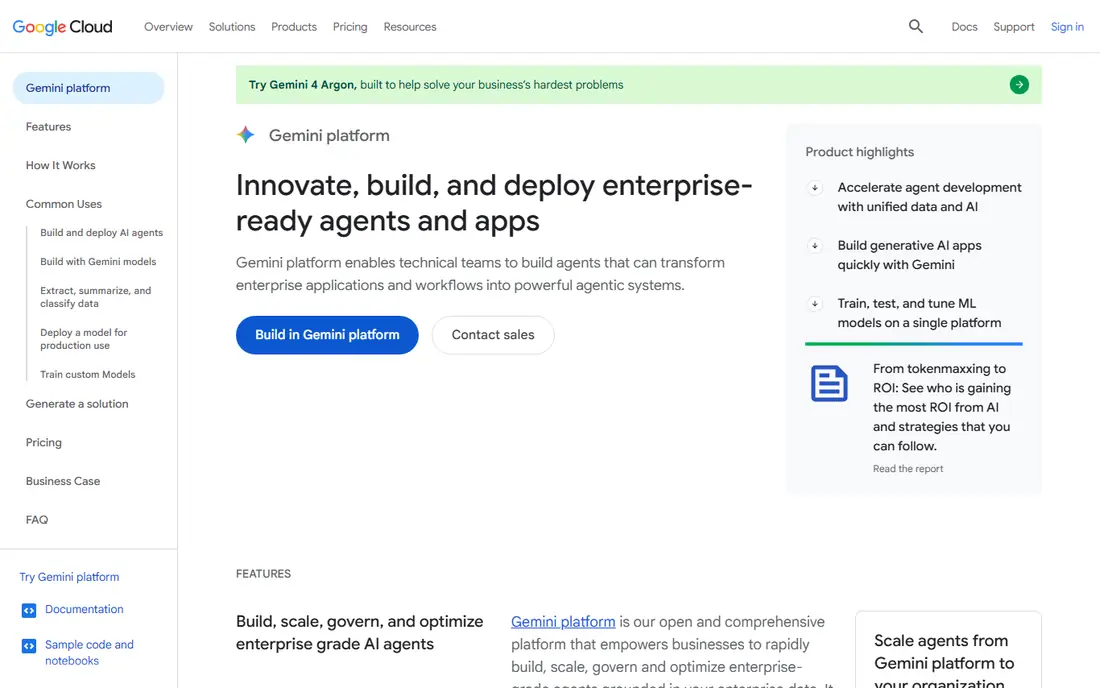
Vertex AI is the natural pick for a startup already running on Google Cloud. It brings model access, prompt tuning, retrieval tools and deployment under one platform, so a team can move from a prototype to a managed endpoint without rebuilding its data pipeline. Gemini models sit alongside partner and open models, which gives product teams room to test different approaches in one place.
The weakness is complexity. Usage-based billing across models, endpoints and storage means early estimates can drift, and the range of options can slow a team that just needs a simple API call. Set billing alerts early, start with serverless endpoints, and only move to dedicated capacity when traffic is steady. For Google Cloud shops, the integration value usually outweighs that learning curve.
- Wide model catalogue including Gemini and open models
- Managed training, tuning and deployment tools
- Strong data and security controls
- Pricing is usage based and can be hard to forecast at first
- The console has a learning curve for a tiny team
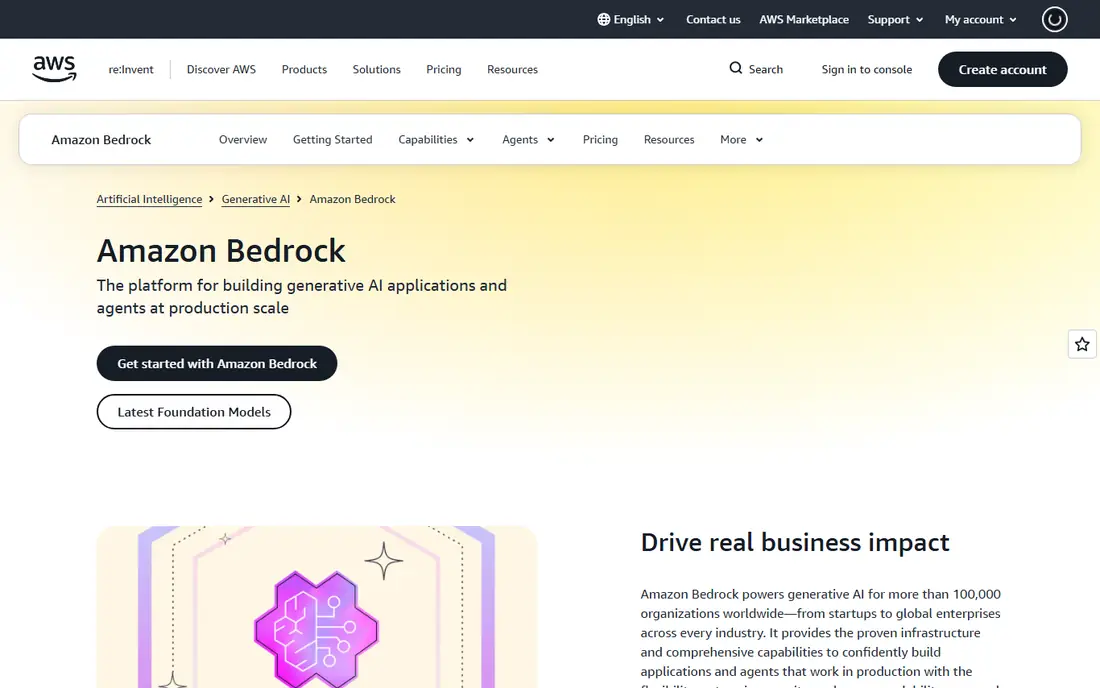
Bedrock suits startups that already live in AWS and want model choice without managing model servers. It offers models from several providers through a common API, plus tools for retrieval, agents and guardrails, and it keeps prompts and data inside the AWS account controls a team already uses. That makes security reviews easier than adding a separate vendor for each model.
The trade-off is that Bedrock is not a single simple price list. Model prices differ, regions differ, and a full product may also need storage, search and observability services. Small teams should prototype with on-demand models, measure cost per user request, and check region availability before promising a launch date. For AWS-native startups, Bedrock is a practical default.
- Access to many foundation model providers in one API
- Private data handling options
- Fits existing AWS security and billing
- Model availability and pricing vary by region
- Some features need extra AWS services to complete the stack

Azure OpenAI Service is the straightforward choice for startups building on Microsoft 365, Teams or Azure data tools. It provides managed OpenAI models with Azure security controls, content filters and private networking, which helps when customers ask about data handling. Teams can also connect it to Azure search and storage for retrieval-based features without a separate stack.
The limits are quota and process. Capacity for popular models can be constrained, and new accounts may need quota requests before scaling. Pricing also varies by model, so a team should test with the exact model it plans to ship. If your startup is already on Azure, this service keeps billing, identity and compliance in one place, which saves time during customer security reviews.
- Managed OpenAI models inside Azure
- Enterprise security, compliance and private networking options
- Strong Microsoft 365 integration path
- Access and quotas are managed by Microsoft
- Pricing is usage based and varies by model and region
Together AI is a favourite for startups that want open models without running GPUs. Its catalogue covers many text, image and embedding models, and serverless inference means you pay per token rather than renting servers around the clock. Signup credits help with early testing, and fine-tuning lets a team adapt a model to its own data when prompting is not enough.
The catch is the pricing surface. With many models and tiers, two models that look similar can cost very different amounts per million tokens, and batch or dedicated options change the math again. Track cost by model from the first week, and standardise on one or two models for production. For startups that value choice and low startup cost, Together AI is hard to beat.
- Large open-model catalogue
- Pay-as-you-go serverless inference
- Fine-tuning and dedicated deployments available
- Per-token prices vary widely by model
- Billing can surprise teams that do not track model mix
Fireworks AI focuses on serving open models quickly, with an emphasis on low latency and reliable function calling for agents. That makes it a good fit for chat products, copilots and multi-step agent workflows where response time shapes the user experience. Serverless pricing starts low for small models, and cached input and batch options can reduce costs for repeated prompts.
The downside is that not every model is the cheapest here, so teams should compare the exact models they plan to use rather than assuming one host wins on all of them. Fine-tuned model hosting also adds cost, so budget for that separately. If speed and agent performance matter more than having the largest catalogue, Fireworks AI deserves a place in the trial list.
- Fast serverless inference for open models
- Fine-tuning and function calling strengths
- Pay-as-you-go billing with signup credits
- Some models cost more than on rival hosts
- Dedicated GPU pricing needs a sales conversation for larger setups
Groq stands out on speed. Its specialised hardware delivers very fast output for supported models, which makes chat, summarisation and agent loops feel instant. Developers can start on a free tier and test real products before paying, and the API is familiar to teams that have used OpenAI-style endpoints. For demos and interactive products, that speed is a genuine product advantage.
The limits are scope and stability. The catalogue is curated rather than vast, so a team that needs a niche model may need a second provider. Free tier rate limits also mean a launch needs a paid plan and a fallback plan. Use Groq where latency matters most, and keep another host as a backup for models Groq does not carry.
- Very high token throughput on supported models
- Generous developer free tier with rate limits
- Simple API for chat products
- Catalogue is narrower than open-model hosts
- Rate limits and model changes can affect production planning
Replicate is the fastest way to test a new model idea. Its library includes tens of thousands of community models, so a startup can try image generation, transcription, upscaling or a new language model with a single API call. Billing by active GPU time means idle time does not cost the same as a rented server, which suits experiments and bursty workloads.
For production, the model changes. GPU-second billing can be expensive for always-on chat, and teams that need strict uptime, compliance reporting or private deployments may need a larger platform. Replicate still earns its place for prototypes, creative tools and features where model variety matters more than steady-state cost. Many startups use it to validate an idea, then move the winning model to a dedicated host.
- Huge community model library across text, image, audio and video
- Pay only for active compute time
- Easy API for prototypes
- Costs are billed by GPU time, so long jobs add up
- Production controls are lighter than on large cloud platforms
Modal is different from a model API. It runs your own Python code, models and jobs on serverless infrastructure, scaling up when work arrives and to zero when it stops. That makes it a strong fit for startups with custom pipelines, batch processing, fine-tuning jobs or inference code that does not fit a standard hosted model. Developers define functions and dependencies in code, and Modal handles machines, scaling and scheduling.
The trade-off is that it is a developer platform, not a plug-and-play model catalogue. Non-technical founders will need engineering help, and cost depends on GPU time and configuration. For a technical team that wants control without managing servers, Modal can cut infrastructure work sharply. Pair it with a hosted model API for standard chat, and use Modal for the custom work that sets your product apart.
- Serverless Python infrastructure for custom models and jobs
- Scales to zero when idle
- Good for batch, fine-tuning and inference code
- Requires Python and engineering skill
- Not a simple model API for non-technical teams
How we picked these
We compared official pricing pages, model catalogues, free tiers, fine-tuning options and startup-relevant controls such as billing alerts and data handling. We favoured services that a small team can start without a large upfront commitment, and we wrote See website where pricing is usage based or varies by model and region. We did not claim hands-on testing, and we checked that each service is operating in October 2026.
How to choose without overspending
Start by naming the job the model must do. A support chatbot, a document summariser and an image generator have different latency, quality and cost profiles, and the cheapest host for one may be costly for another. Prototype with two providers on the same prompts, measure quality, latency and cost per completed task, and only then pick a primary provider. Keep a fallback provider configured, because model deprecations and rate limits happen.
Costs, limits and data handling
Watch three cost drivers: input tokens, output tokens and GPU time. Long prompts, chat history and verbose outputs all raise token bills, so trim context and set output limits where quality allows. Check rate limits, model availability in your region, and what happens when a model is retired. On data, confirm whether prompts are used for training, what retention controls exist, and whether a business agreement is available. Customer questions about data handling arrive early for AI startups, so keep the vendor answers in writing.
FAQ
Which cloud AI service is cheapest for a startup?
There is no single cheapest service, because cost depends on the model, the token mix and the traffic pattern. Small open models on pay-as-you-go hosts are usually cheapest for prototypes, while large frontier models cost more on every platform. Compare cost per user task on your exact prompts, and use caching and batch options where the provider offers them.
Do I need the large clouds to launch an AI startup?
No, many startups launch on focused hosts such as Together AI, Fireworks AI or Groq, and only move to a large cloud when they need managed data, compliance controls or a wider service stack. The large clouds help with security reviews and integration, but they add complexity. Start simple, and migrate when a customer or scale requirement forces the move.
What is the difference between serverless inference and dedicated GPUs?
Serverless inference bills per token or per request and scales automatically, which suits variable traffic. Dedicated GPUs bill per hour and suit steady, high-volume traffic or custom models that need constant capacity. Startups usually save money on serverless until traffic is predictable, then compare dedicated pricing at their actual volume.
Can I fine-tune a model on these services?
Yes, Together AI, Fireworks AI, Vertex AI, Bedrock and Azure offer tuning or customisation paths, though methods and pricing differ. Fine-tuning helps when your product needs a specific tone, format or domain knowledge, but it adds hosting and evaluation costs. Test prompting and retrieval first, and fine-tune only when those approaches fall short.
How do free tiers work for AI startups?
Free tiers usually mean signup credits, limited rate limits or a small free allowance, not unlimited production use. They are ideal for prototypes and demos, but a launch needs a paid plan and billing alerts. Read the rate limits and expiry terms before you build a launch plan around a free tier.
Should I use one provider or several?
Use one primary provider for production simplicity, and keep a second provider as a fallback for key models. Multi-provider routing adds complexity, but it protects you from outages, rate limits and model retirements. Start with one, add a fallback once you have paying users, and only build full routing when uptime demands it.