Best Cleaning Schedule App in 2026: 8 Apps Compared
We compared the best cleaning schedule app options for homes, checking routines, reminders, sharing, rewards and price to help you keep a tidy home today.
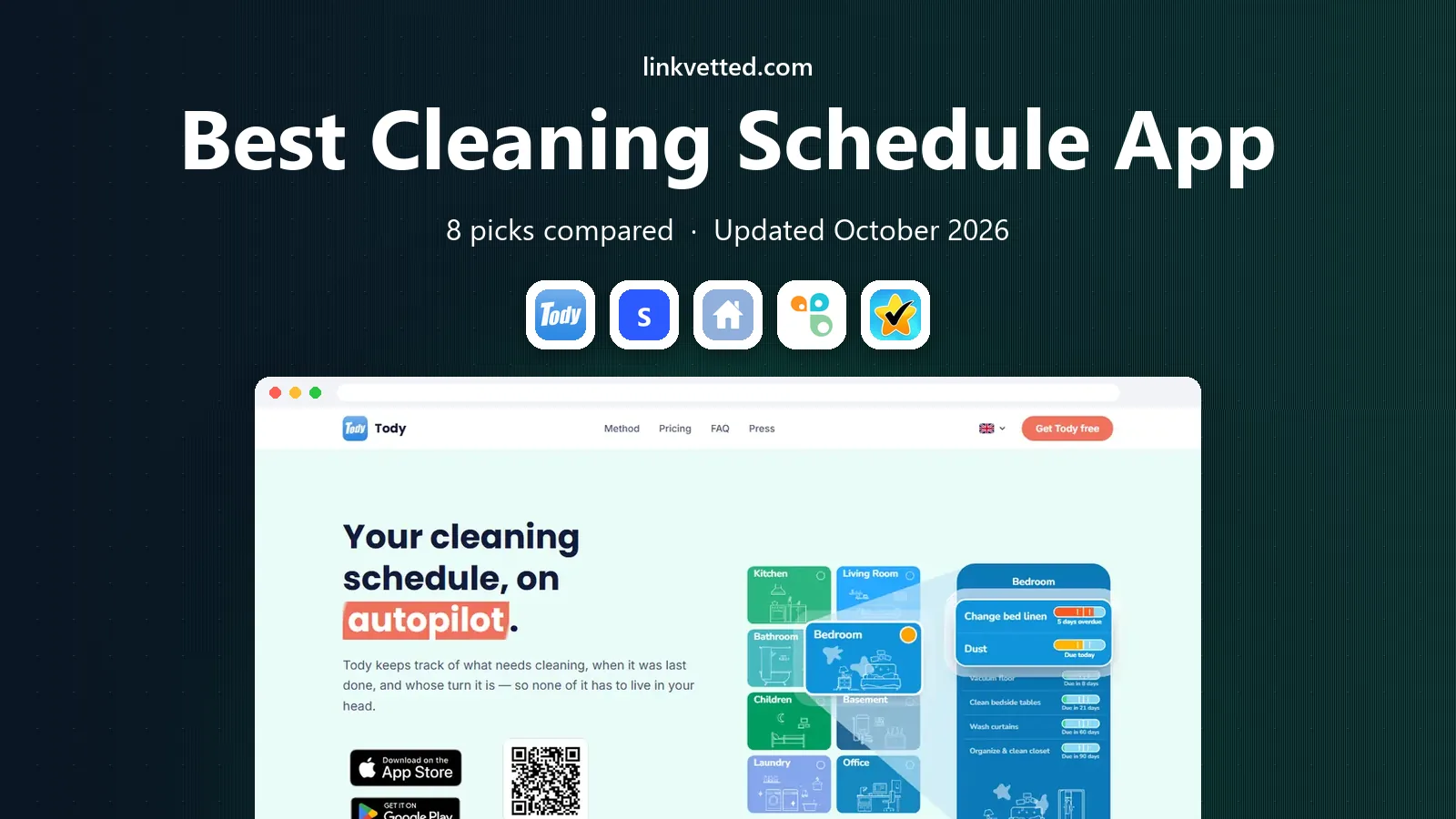
- Editor's choice
 Tody
Flexible cleaning schedules based on real need
Starts atFreeVisit todyapp.comFull review - Great alternative
 Sweepy
Gamified family cleaning with points and leaderboards
Starts atFreeVisit sweepy.appFull review - Also consider
 OurHome
Motivating kids with points, rewards and grocery lists
Starts atFreeVisit ourhomeapp.comFull review
TL;DR:
- Tody is the best cleaning app for most homes, since it schedules by how dirty a task gets, not only by a fixed weekday.
- Sweepy suits families who need motivation, with points, leaderboards and a shared household plan.
- OurHome and Cozi suit families who want chores plus a shared calendar, lists and rewards in one place.
- Home Routines and Todoist suit people who prefer simple daily rhythms or flexible task lists over a dedicated cleaning game.
Quick comparison
| Tool | Best for | Starts at | Free plan? | |
|---|---|---|---|---|
| Tody | Flexible cleaning schedules based on real need | Free | Yes | Visit |
| Sweepy | Gamified family cleaning with points and leaderboards | Free | Yes | Visit |
| OurHome | Motivating kids with points, rewards and grocery lists | Free | Yes | Visit |
 Cozi | Whole-family calendar, lists and chores in one app | Free | Yes | Visit |
 Home Routines | Low-pressure daily and weekly cleaning rhythms | Free | Yes | Visit |
 FamilyWall | Whole-family organizer with calendar, chat and chores | Free | Yes | Visit |
 Todoist | Flexible recurring tasks for cleaning and everything else | Free | Yes | Visit |
 Spotless | Simple, clean cleaning lists without extra clutter | Free | Yes | Visit |
The best cleaning schedule app options
We compared the best cleaning apps for homes, families and roommates, looking at how each app schedules tasks, reminds you, shares work, and keeps motivation up. The best house cleaning apps are not all the same. Some track dirt levels, some turn chores into a game, and some fold cleaning into a wider family organizer. Pick the style that fits your household, since the best app is the one everyone will actually open.
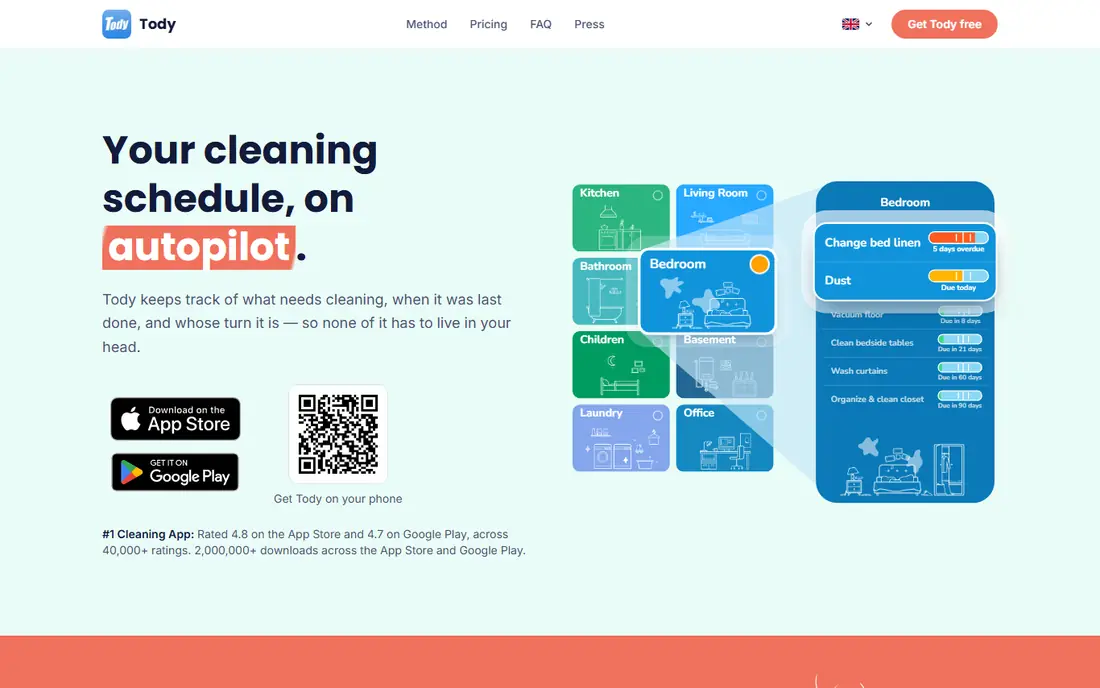
Tody is our pick for most homes, and it is the best cleaning schedule app for people who hate rigid weekday lists. Each task has its own interval, such as every three days for a bathroom sink or every month for a deep clean, and a visual indicator shows how dirty that task has become since you last did it. Green means it can wait, red means it is overdue, so you clean what needs attention, not what a calendar says is due on a Tuesday. That approach fits real life, where a busy week or a guest visit changes priorities.
The free plan covers the core cleaning plan for one person, with chore assignment and automatic rotation, and it has no ads. Premium, at $9.99 per year, adds multiple homes and a focus timer, while household sync and fair-share tracking sit on Premium Plus tiers priced by household size. Setup takes a little time, since you need to add rooms and tasks, but that upfront work pays off in a plan that feels realistic. For a home that wants a calm, visual cleaning plan, Tody leads.
- Visual dirt indicators
- Flexible intervals per task
- Chore rotation
- Free core plan with no ads
- Household sync needs a paid tier
- Setup takes time
- Fewer family calendar features than Cozi
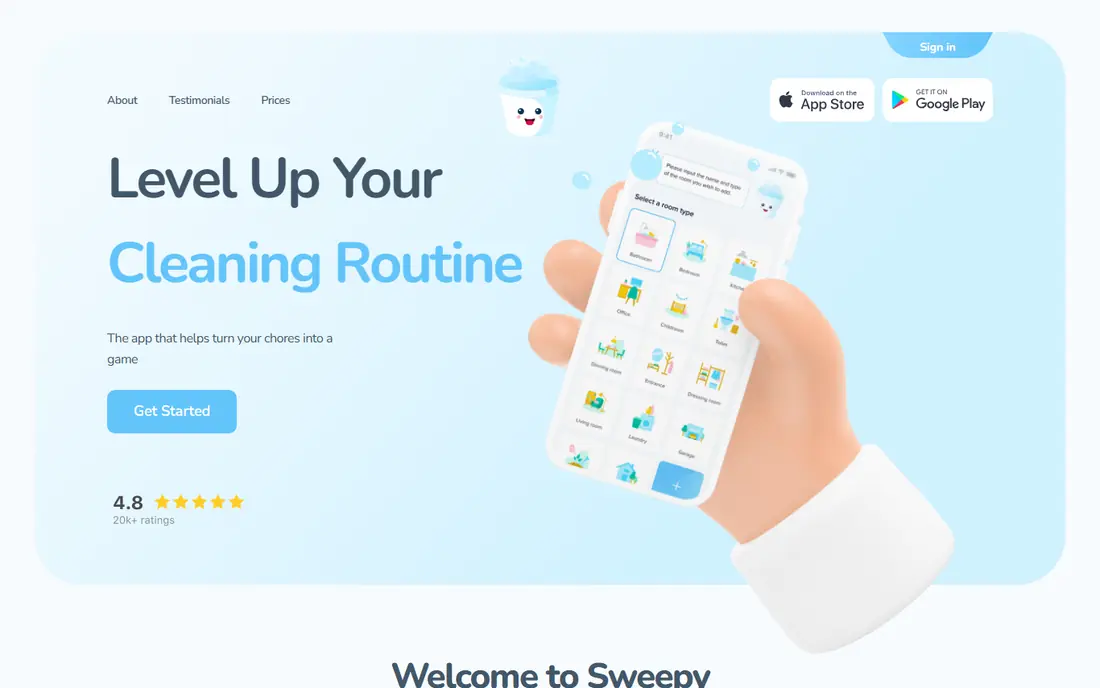
Sweepy is the pick for a household that needs a push to get started. It turns cleaning into a shared game, with a household plan, points for completed tasks, and a leaderboard that shows who did what. That competition suits families with children, roommates, or partners who respond to a visible score, and it makes Sunday cleaning feel less like a chore list and more like a team effort. Room-based schedules show what needs doing in each space, and reminders help a busy household stay on track without one person nagging everyone else.
The game style is not for everyone. A person who prefers a quiet list may find points and leaderboards distracting, and Sweepy is less useful than Cozi or FamilyWall as a wider family calendar. Paid options vary by app store, so check the in-app price before upgrading. For a family that needs motivation and a shared plan, Sweepy is one of the best cleaning apps, and it is worth trying free with the whole household for a week.
- Points and leaderboards motivate families
- Shared household plan
- Visual room schedules
- Easy task tracking
- Paid features vary by store
- Game style does not suit everyone
- Less useful as a wider family calendar

OurHome is the pick for parents who want children to take part in cleaning without constant reminders. Kids earn points for completed chores, and parents can link points to rewards, allowances or privileges, which gives a child a clear reason to help. The app also includes grocery lists, shared tasks and a family calendar, so cleaning sits inside a wider household plan rather than in a separate tool. That mix suits a family that wants one free app for chores, shopping and schedules.
Cleaning depth is thinner than on Tody, since OurHome focuses on tasks and rewards rather than dirt levels or detailed room plans. Parents also need to set up rewards and points with care, or children may focus only on high-point tasks. For a family with young children, OurHome is a strong, free pick, and it is one of the best house cleaning apps for getting kids involved in a fair, visible way.
- Free to use
- Points and rewards for kids
- Grocery lists
- Shared family tasks and calendar
- Interface is simpler than Tody
- Cleaning depth is thinner
- Rewards need parent setup
Cozi is the pick for a family that wants cleaning inside a full household organizer, not as a standalone app. The free app includes a shared family calendar, shopping lists, to-do lists and a family journal, so a cleaning task can sit next to school events, appointments and meals. That context helps a busy family plan cleaning around real life, and everyone can see the same calendar on their own phone. Gold, at $39 per year, removes ads and adds extra features, but the free app covers the core family plan.
Cleaning itself is basic compared with Tody or Sweepy. Cozi does not track dirt levels or run a chore game, so a family that needs motivation may still want Sweepy or OurHome for chores. Cozi suits a family that already needs a shared calendar and lists, and wants to add simple cleaning tasks to that plan without another app. For whole-family organization with cleaning included, Cozi is a dependable pick.
- Free shared calendar
- Shopping and to-do lists
- Family journal
- Gold tier removes ads
- Cleaning features are basic
- Gold costs extra per year
- Design feels dated to some users
Home Routines suits a person who wants a gentle daily rhythm rather than a long task list or a game. It uses zone cleaning, where you focus on one area each day or week, plus morning and evening routines that break cleaning into small, doable steps. That structure helps someone who feels overwhelmed by a full house clean, since the app asks for a short focused session, not a whole weekend. Focus timers and simple checklists keep the habit going without pressure.
Sharing features are thinner than on Tody or Sweepy, so Home Routines suits a single person or a household where one person mainly manages the plan. Paid upgrades vary by app store, so check the price in your store before buying. For a calm, habit-based approach to the best home cleaning apps, Home Routines is a strong pick, especially for someone starting a cleaning routine from scratch.
- Zone cleaning and daily rhythms
- Simple, calm design
- Focus timers
- Useful for habit building
- Paid upgrade varies by store
- Fewer sharing features than Tody
- Less gamification than Sweepy
FamilyWall is the pick for a family that wants one app for almost everything, including cleaning. It combines a shared calendar, chat, lists, meal planning, location sharing and budget tools, with chores and tasks inside that wider plan. That breadth suits a family that already juggles school, work, meals and activities, and wants cleaning to appear in the same place as everything else. A shared chore list lets parents assign tasks and see progress without a separate cleaning app.
The trade-off is focus. Cleaning is one feature among many, so it lacks the dirt tracking of Tody and the game design of Sweepy. Premium, needed for full features, adds cost, and setup takes time when a large family adds every member and tool. For a family that wants a single organizer and is happy with simple chore lists, FamilyWall is a good pick, and it pairs well with Tody for a household that wants deeper cleaning tracking.
- Calendar, chat, lists and budget in one app
- Shared chores
- Location and meal planning tools
- Cleaning is one feature among many
- Premium needed for full features
- Setup takes time for a large family
Todoist is the pick for a person who already uses task lists and wants cleaning to live in the same system as work and personal tasks. Recurring tasks handle weekly bathroom cleans, monthly deep cleans and seasonal jobs, while projects, labels and priorities let you sort cleaning by room, person or urgency. The app works on phones, computers and the web, and reminders help you stay on track. For a person who dislikes single-purpose apps, Todoist is a flexible, proven choice.
Todoist is not a dedicated cleaning app. It has no dirt indicators, no chore rotation by fairness, and no family game, so a household that needs motivation or sharing may prefer Tody or Sweepy. Paid plans add reminders, filters and other features, though the free plan covers core recurring tasks. For a solo user who wants the best apps for cleaning inside a wider task system, Todoist is a smart, low-friction pick.
- Powerful recurring tasks
- Projects and labels
- Works on every device
- Useful beyond cleaning
- Not cleaning-specific
- No dirt tracking or chore game
- Best features need a paid plan
Spotless suits a person who wants a clean, simple cleaning list without a game, a calendar, or a full family organizer. You can set up rooms, add tasks, set reminders, and check off work as you go, with a clear view of what is due. That simplicity suits a small home, a studio flat, or a solo user who finds larger apps overwhelming. The interface stays focused on cleaning, which helps a new user start in minutes rather than spending an evening on setup.
The limits are in sharing and depth. Spotless has fewer household sharing, rotation and motivation features than Tody or Sweepy, and its feature set is smaller than a full family app. Pricing and paid options vary by app store, so check the store listing before upgrading. For a simple, tidy cleaning plan, Spotless is a good pick, and it is one of the best cleaning service app alternatives for people who clean their own home and only need a clear list.
- Simple interface
- Easy room and task lists
- Reminders
- Good for small homes and solo users
- Fewer sharing and gamification features
- Smaller feature set than Tody
- Pricing varies by store
How we picked these
We compared official app pages, app store listings and public feature descriptions for each app, and we checked that each app is still available in October 2026. We favored apps with a clear cleaning schedule feature, such as recurring tasks, reminders, room plans or chore sharing, rather than general task apps with no cleaning focus, except Todoist, which we included for its strong recurring task system. We also weighed honest limits, such as paid tiers for sharing, thin cleaning depth in family organizers, and store-varying prices. We did not claim hands-on testing, and we based our notes on published features and public reviews.
How to build a cleaning schedule that sticks
Start small, with a list you can actually finish in a week. Add daily tasks, such as dishes and a quick tidy, weekly tasks, such as bathrooms and vacuuming, and monthly tasks, such as deep cleaning a fridge or washing windows. Assign each task an interval that matches your home, not a generic template, since a home with pets or children needs more frequent cleaning than a quiet flat. Put the plan in the app, set reminders, and review it after two weeks, cutting tasks that never get done and adding tasks you keep forgetting.
Share the work fairly if you live with others. Use rotation or a fair-share view where the app offers it, and agree on a simple standard for done, such as a wiped sink or a vacuumed floor, so no one argues about quality. Keep sessions short, such as 15 to 30 minutes, and pair cleaning with music or a podcast to make it easier. Finally, do not chase perfection. A plan that keeps a home mostly tidy and reduces weekend panic beats a perfect plan that no one follows, and the best cleaning app is the one your household will still use next month.
FAQ
What is the best cleaning app for a family?
Tody and Sweepy lead for families, with Tody best for flexible schedules and Sweepy best for motivation through points and leaderboards. OurHome suits families with young children, since it links chores to points and rewards. Pick Tody for a fair, need-based plan, Sweepy for a game-led plan, and OurHome for a simple, kid-friendly plan, and try the free tier with the whole household first.
What are the best house cleaning apps for a solo user?
Tody, Home Routines, Todoist and Spotless suit solo users best. Tody tracks dirt levels, Home Routines builds daily rhythms, Todoist folds cleaning into a wider task list, and Spotless offers a simple list. Choose Tody if you want visual tracking, Home Routines if you want gentle rhythms, and Todoist if you already manage work tasks in the same app.
What is the best home cleaning app for roommates?
Sweepy and Tody suit roommates, since both offer shared plans, task assignment and rotation. Sweepy adds points and a leaderboard, which can motivate a shared house, while Tody adds fair-share tracking on paid tiers. Agree on tasks, standards and rotation before you start, and use the app to make contributions visible, so no one feels they do all the work.
What is the best cleaning service app for booking a cleaner?
This list focuses on schedule apps for cleaning your own home, not booking services, so check a local cleaning service app or marketplace if you want to hire help. A schedule app still helps after a booking, since you can plan daily tidying between professional visits. If you hire a cleaner, use the app to track tasks the cleaner does not cover, such as laundry, dishes and daily tidying.
Are cleaning schedule apps free?
Many cleaning apps offer a free tier, including Tody, Sweepy, OurHome, Cozi, Home Routines, FamilyWall, Todoist and Spotless. Paid tiers usually add household sync, extra homes, advanced reminders or ad removal, and prices vary by app and store. Start free, test the app for two weeks, and pay only for a feature you actually need, such as household sync for a family.