Best Citizen Engagement Software in 2026: 9 Tools Compared
Compare the best citizen engagement software for local government, with surveys, forums, 311 requests, and public meeting tools explained. We compare plans,.
- Editor's choice
 Granicus
Agencies that want a broad civic platform
Starts atSee websiteVisit granicus.comFull review - Great alternative
 CivicPlus
Local governments that want websites with engagement tools
Starts atSee websiteVisit civicplus.comFull review - Also consider
 SeeClickFix
Cities that want resident-reported service requests
Starts atSee websiteVisit seeclickfix.comFull review
TL;DR:
- Public engagement needs more than a survey form, because residents also need clear project pages and feedback loops.
- Accessibility and language support matter, because a tool that excludes residents gives a skewed result.
- 311 request tools and engagement tools solve different jobs, so check which one a product actually covers.
- Quote-based pricing is normal here, so ask about setup, training, and support in the total cost.
Quick comparison
| Tool | Best for | Starts at | Free plan? | |
|---|---|---|---|---|
| Granicus | Agencies that want a broad civic platform | See website | No | Visit |
| CivicPlus | Local governments that want websites with engagement tools | See website | No | Visit |
| SeeClickFix | Cities that want resident-reported service requests | See website | No | Visit |
 CitizenLab | Cities that want structured participation projects | See website | Free trial | Visit |
 PublicInput | Agencies that want surveys, meetings, and outreach in one place | See website | No | Visit |
 Zencity | Cities that want resident feedback plus public sentiment data | See website | No | Visit |
 Social Pinpoint | Planners who need map-based consultation | See website | Free trial | Visit |
 QScend Technologies | Towns that want 311 and citizen request management | See website | No | Visit |
 ClearGov | Local governments that want budget transparency with engagement | See website | No | Visit |
The best citizen engagement software
The best tool is the one residents will actually use, and that usually means clear project pages, mobile access, and a visible answer to the feedback they gave. We focused on fit for ordinary buyers, not only on feature counts.
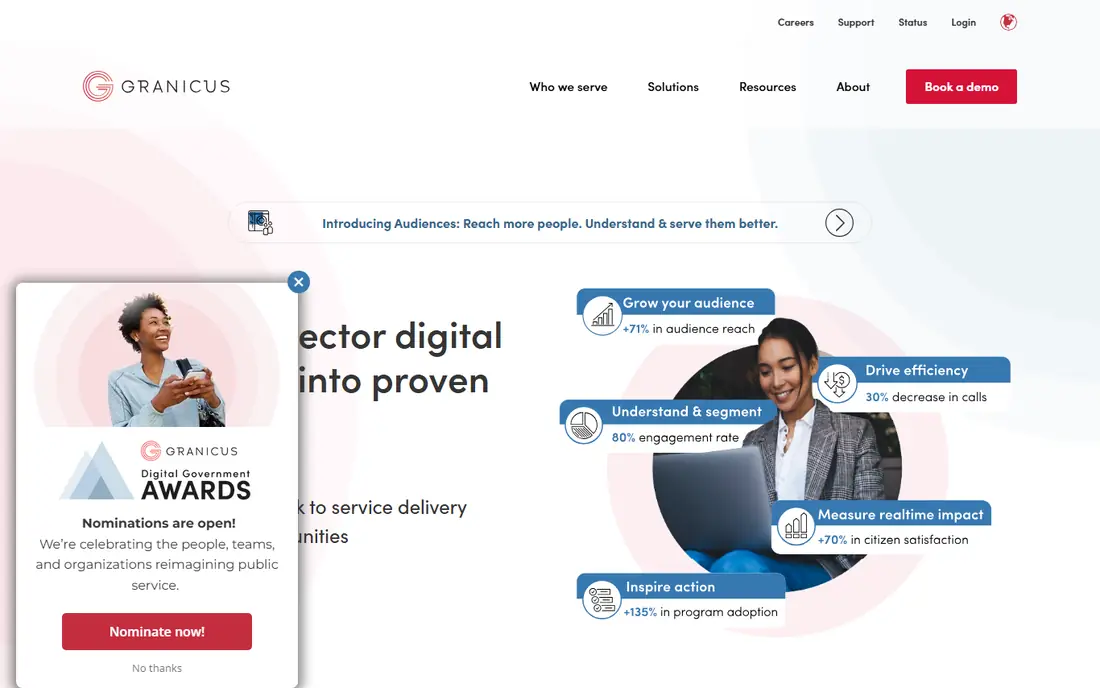
This is the pick to shortlist first when fit matters more than a long feature list. Granicus is aimed at agencies that want a broad civic platform. Its clearest strength is broad platform covering communications, meetings, and services. It also offers constituent relationship tools across channels, and strong fit for larger agencies with many departments.
The trade-off is pricing is quote-based and setup can be large, and smaller towns may not need the full platform. Before you commit, check the plan that matches your size, confirm what support is included, and test the core workflow with a real example from your own work. That short test will tell you more than a feature list, and it will show whether the limits matter for your team.
- Broad platform covering communications, meetings, and services
- Constituent relationship tools across channels
- Strong fit for larger agencies with many departments
- Pricing is quote-based and setup can be large
- Smaller towns may not need the full platform
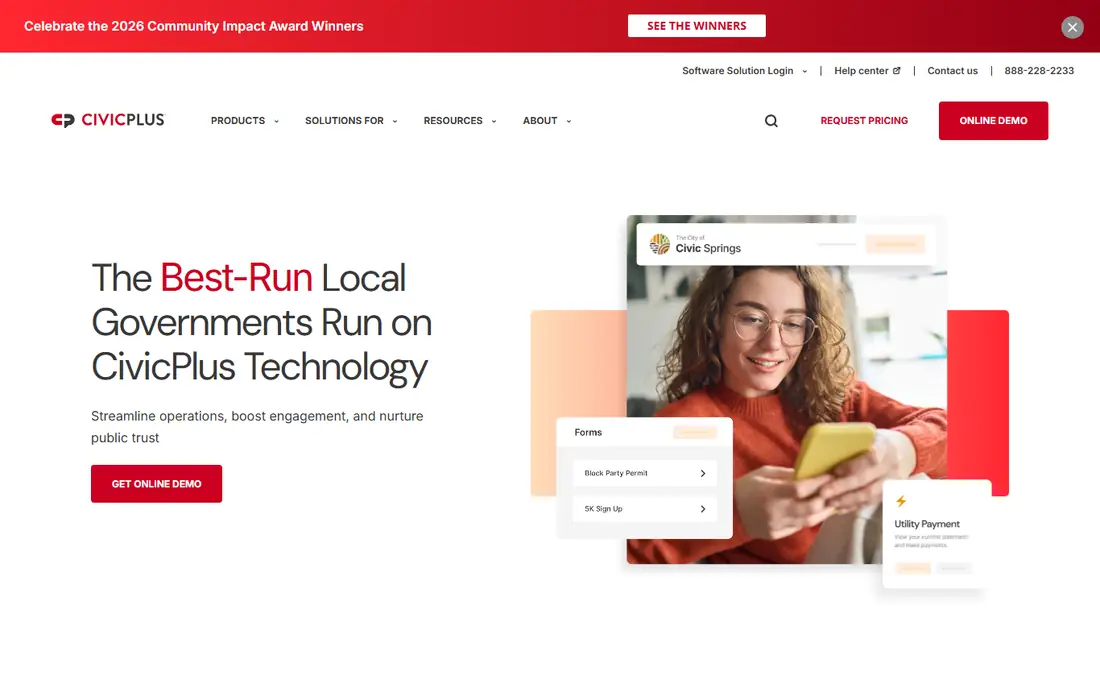
A different kind of buyer will get more from this next option. CivicPlus is aimed at local governments that want websites with engagement tools. Its clearest strength is municipal websites built for government needs. It also offers agenda, 311, and engagement modules in one family, and department-level content control.
The trade-off is pricing is quote-based, and full value needs several modules, which adds cost. Before you commit, check the plan that matches your size, confirm what support is included, and test the core workflow with a real example from your own work. That short test will tell you more than a feature list, and it will show whether the limits matter for your team.
- Municipal websites built for government needs
- Agenda, 311, and engagement modules in one family
- Department-level content control
- Pricing is quote-based
- Full value needs several modules, which adds cost
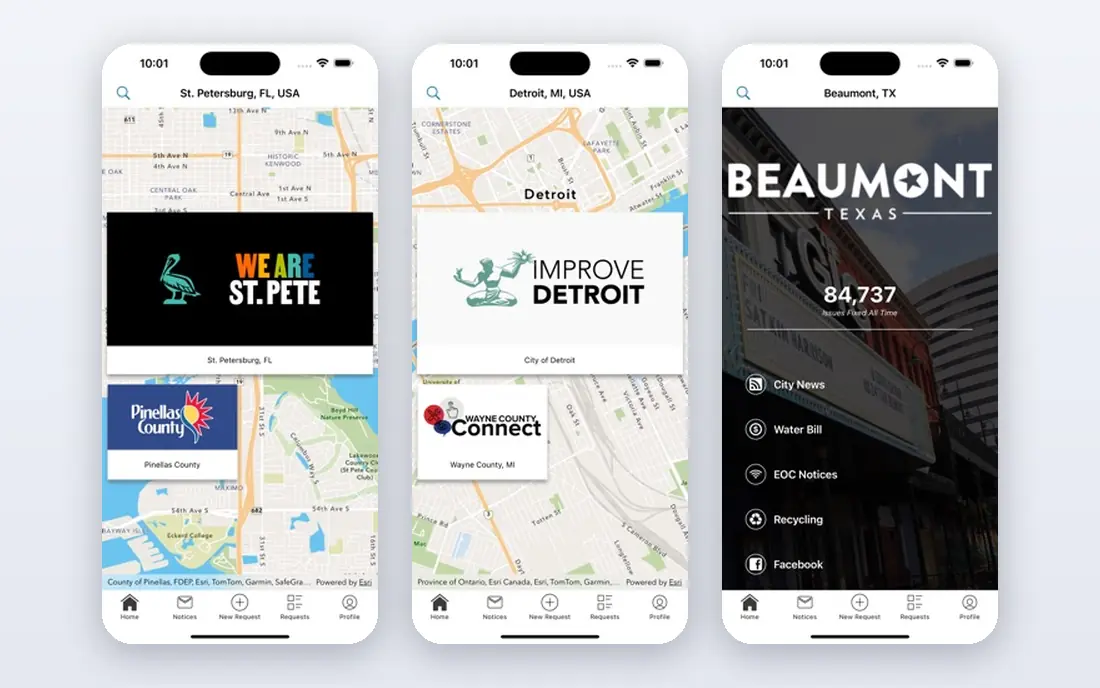
If your main worry is day-to-day workload, this option deserves a close look. SeeClickFix is aimed at cities that want resident-reported service requests. Its clearest strength is simple resident reporting for potholes and similar issues. It also offers request tracking with status updates for residents, and mobile-first reporting for everyday problems.
The trade-off is it is mainly a request tool, not a full engagement platform, and smaller towns may need extra tools for surveys and forums. Before you commit, check the plan that matches your size, confirm what support is included, and test the core workflow with a real example from your own work. That short test will tell you more than a feature list, and it will show whether the limits matter for your team.
- Simple resident reporting for potholes and similar issues
- Request tracking with status updates for residents
- Mobile-first reporting for everyday problems
- It is mainly a request tool, not a full engagement platform
- Smaller towns may need extra tools for surveys and forums
Some buyers need depth in one area rather than breadth across many, and that is where this option fits. CitizenLab is aimed at cities that want structured participation projects. Its clearest strength is project pages with surveys, ideas, and discussions. It also offers participatory budgeting and proposal tools, and analytics on participation by project.
The trade-off is pricing is quote-based for larger cities, and setup and moderation still need staff time. Before you commit, check the plan that matches your size, confirm what support is included, and test the core workflow with a real example from your own work. That short test will tell you more than a feature list, and it will show whether the limits matter for your team.
- Project pages with surveys, ideas, and discussions
- Participatory budgeting and proposal tools
- Analytics on participation by project
- Pricing is quote-based for larger cities
- Setup and moderation still need staff time
PublicInput
Best for: Agencies that want surveys, meetings, and outreach in one place
For a smaller budget or a smaller team, this option keeps the scope workable. PublicInput is aimed at agencies that want surveys, meetings, and outreach in one place. Its clearest strength is engagement sites with surveys and text outreach. It also offers live polling and online town hall tools, and mapping to spot underrepresented areas.
The trade-off is pricing is quote-based, and some features need training to use well. Before you commit, check the plan that matches your size, confirm what support is included, and test the core workflow with a real example from your own work. That short test will tell you more than a feature list, and it will show whether the limits matter for your team.
- Engagement sites with surveys and text outreach
- Live polling and online town hall tools
- Mapping to spot underrepresented areas
- Pricing is quote-based
- Some features need training to use well
This option suits buyers who want a familiar, widely used platform and plenty of outside help. Zencity is aimed at cities that want resident feedback plus public sentiment data. Its clearest strength is feedback tools combined with public sentiment analysis. It also offers surveys and outreach for specific projects, and data to compare feedback across neighborhoods.
The trade-off is pricing is quote-based, and sentiment data needs careful interpretation by staff. Before you commit, check the plan that matches your size, confirm what support is included, and test the core workflow with a real example from your own work. That short test will tell you more than a feature list, and it will show whether the limits matter for your team.
- Feedback tools combined with public sentiment analysis
- Surveys and outreach for specific projects
- Data to compare feedback across neighborhoods
- Pricing is quote-based
- Sentiment data needs careful interpretation by staff
A practical, less flashy choice can be the right call, and this option plays that role well. QScend Technologies is aimed at towns that want 311 and citizen request management. Its clearest strength is 311 request intake across phone, web, and mobile. It also offers workflow routing to the right department, and status tracking for residents and staff.
The trade-off is engagement features are lighter than specialist platforms, and setup needs a clear list of request types and departments. Before you commit, check the plan that matches your size, confirm what support is included, and test the core workflow with a real example from your own work. That short test will tell you more than a feature list, and it will show whether the limits matter for your team.
- 311 request intake across phone, web, and mobile
- Workflow routing to the right department
- Status tracking for residents and staff
- Engagement features are lighter than specialist platforms
- Setup needs a clear list of request types and departments
ClearGov
Best for: Local governments that want budget transparency with engagement
Close the shortlist with an option that fills a gap the others leave open. ClearGov is aimed at local governments that want budget transparency with engagement. Its clearest strength is clear budget visuals that residents can understand. It also offers tools to explain spending and invite comment, and good fit for budget season and annual reports.
The trade-off is it is budget-led, not a full survey platform, and smaller budgets may limit the module range. Before you commit, check the plan that matches your size, confirm what support is included, and test the core workflow with a real example from your own work. That short test will tell you more than a feature list, and it will show whether the limits matter for your team.
- Clear budget visuals that residents can understand
- Tools to explain spending and invite comment
- Good fit for budget season and annual reports
- It is budget-led, not a full survey platform
- Smaller budgets may limit the module range
How we picked these
We compared official feature pages, pricing pages, and app store listings, and we checked privacy policies and public reviews where they helped explain support, limits, and real-world use. We favored products that exist and work today, that fit the topic closely, and that offer a clear audience and a clear trade-off.
We did not claim hands-on testing that did not happen, and we did not add products that only partly fit the topic. Where a price varies by address, plan, or quote, we wrote See website rather than inventing a number, so you can verify the current figure on the vendor page before you buy.
How to choose citizen engagement software
Start with the decision, not the tool
Name the decision residents will influence, such as a budget, a park design, or a transport plan, and choose tools that fit that decision. A survey suits a simple choice, while a map tool suits a location question and a forum suits an open debate. Starting with the tool often leads to feedback that cannot be used.
Test access from a resident view
Try the tool on a phone, with a screen reader check where possible, and in the languages your community uses. If sign-up is hard, if pages load slowly, or if language support is missing, participation will skew toward a small group. Accessibility is a quality issue, not only a compliance box.
Plan the feedback loop before launch
Decide who will read responses, how often results will be shared, and what will change because of the feedback. Publish a short summary after each project, even when the answer is that a suggestion could not be adopted. Residents engage again when they see that earlier input mattered.
FAQ
What is citizen engagement software?
It is software that helps governments collect resident input, share project updates, and track service requests. Tools range from survey and forum platforms to 311 request systems and budget transparency sites, and many agencies use more than one.
Which tool is best for small towns?
Small towns often do well with a focused tool such as SeeClickFix for requests, plus a simple survey or project tool for consultations. A broad platform can work too, but only if staff time for setup and moderation is available.
How much does citizen engagement software cost?
Most vendors price by population, modules, and support level, and most require a quote. Small towns may pay a modest annual fee for one module, while larger cities pay far more for a full platform with training and support.
How do you get more residents to take part?
Use clear project pages, mobile access, short surveys, and outreach through email, text, and community groups. Share results quickly and explain what changed, because residents are more likely to take part again when they see a result.
Is citizen engagement software accessible?
Good tools support screen readers, keyboard use, and clear language, but accessibility varies by product and by how each project page is built. Test the resident view before launch, and ask vendors about accessibility standards and language support.
Social Pinpoint
Best for: Planners who need map-based consultation
When growth is the plan, this option is worth weighing early. Social Pinpoint is aimed at planners who need map-based consultation. Its clearest strength is map-based comments tied to exact locations. It also offers surveys and idea boards for planning projects, and good fit for transport and land-use consultations.
The trade-off is focus is narrower than a full civic platform, and pricing and setup need a vendor conversation. Before you commit, check the plan that matches your size, confirm what support is included, and test the core workflow with a real example from your own work. That short test will tell you more than a feature list, and it will show whether the limits matter for your team.