Best Catering Software in 2026: 8 Tools Compared
Compare the best catering software for proposals, BEOs, menus, and online ordering. We reviewed 8 real tools for caterers and venues in 2026. for caterers.
- Editor's choice
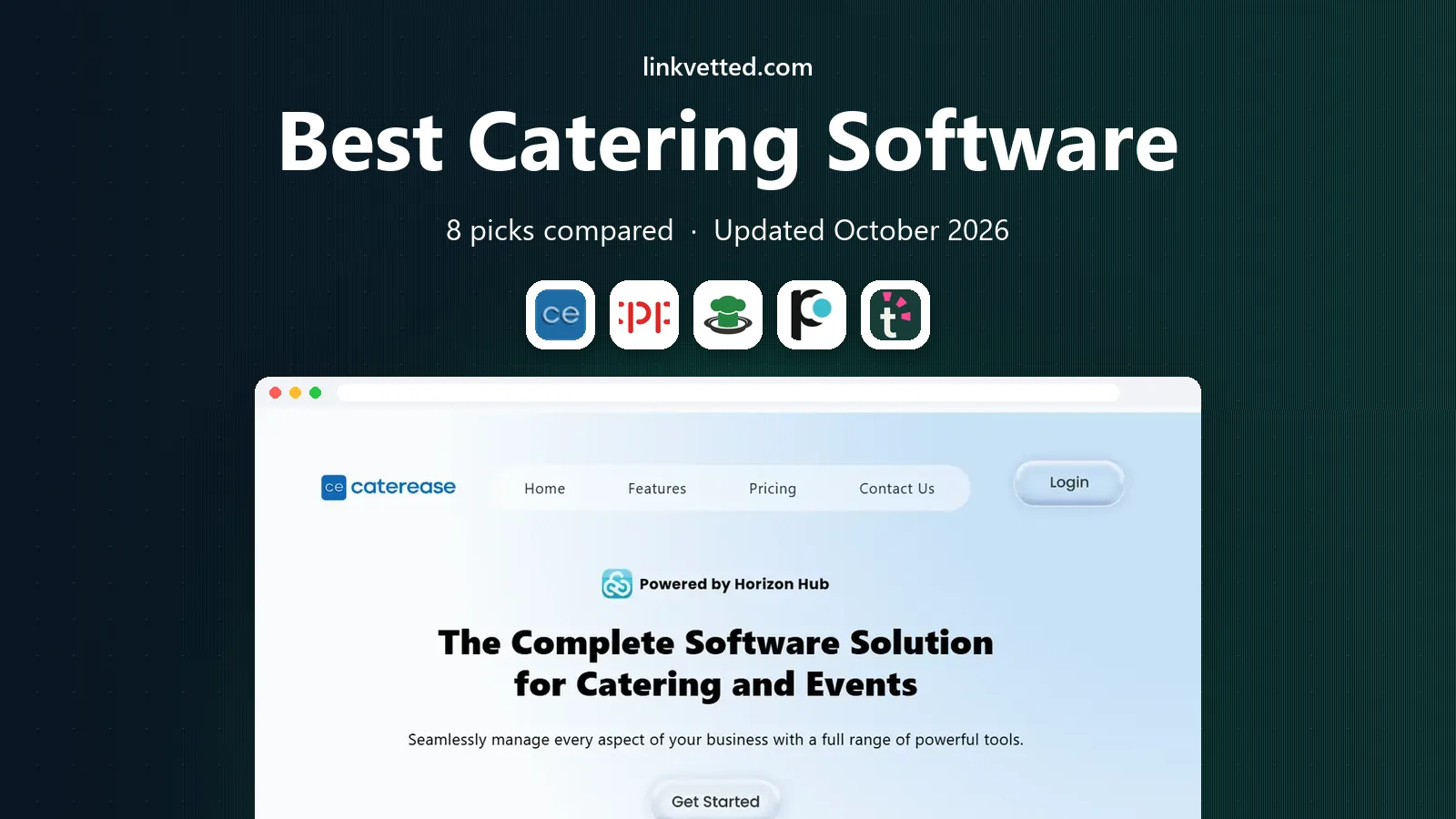
 Caterease
Complex full service events
Starts at$99 per monthVisit caterease.comFull review - Great alternative
 Total Party Planner
Kitchen focused catering
Starts at$119 per monthVisit totalpartyplanner.comFull review - Also consider
 Better Cater
Small catering teams
Starts at$83 per monthVisit bettercater.comFull review
TL;DR:
- The best catering software for most small teams is Better Cater for its published pricing and full feature set, or Total Party Planner for kitchen focused work.
- Full service caterers need proposals, BEOs, recipes, and staff scheduling, while drop off caterers need online ordering and dispatch most.
- Most catering platforms are priced by quote or per user, so always confirm user counts, add on modules, and setup fees in writing.
- Caterease remains the deep, established choice for complex events, but it costs more and takes longer to learn.
- Our pick for a small caterer starting out is Better Cater, with Planning Pod as a strong option for venues that also host weddings and banquets.
Quick comparison
| Tool | Best for | Starts at | Free plan? | |
|---|---|---|---|---|
| Caterease | Complex full service events | $99 per month | No | Visit |
| Total Party Planner | Kitchen focused catering | $119 per month | No | Visit |
| Better Cater | Small catering teams | $83 per month | No | Visit |
 Planning Pod | Venues and banquets | $199 per month | No | Visit |
 Tripleseat | Restaurant groups and venues | $375 per month | No | Visit |
 CaterZen | Online and corporate ordering | $179 per month | No | Visit |
 FoodStorm | Drop off and online ordering | See website | No | Visit |
 Spoonfed | Corporate drop off catering | See website | No | Visit |
The best catering software
Catering software is not one product: a full service caterer, a drop off lunch business, and a venue with a banquet hall need different tools. Full service work needs proposals, banquet event orders (BEOs), recipe costing, and staff plans. Drop off work needs online ordering, repeat corporate orders, and driver dispatch. The eight tools below are all active for US caterers and venues in October 2026.
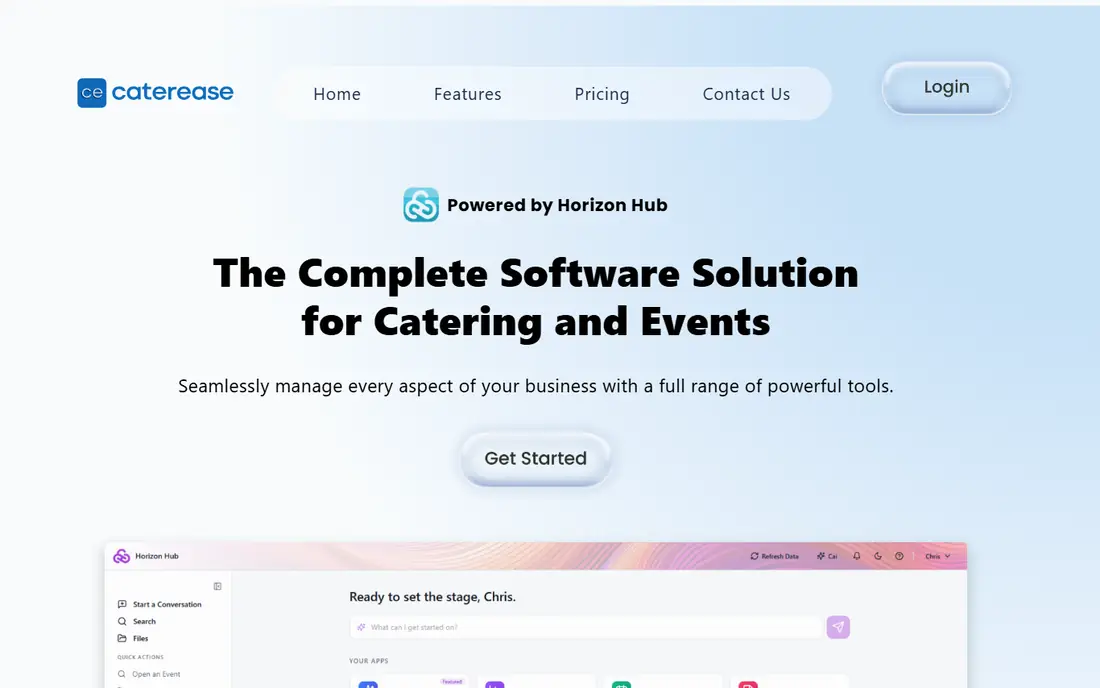
Caterease is the established name many large caterers and hotels still use, and its depth is the reason. You can build menus, scale recipes and sub recipes, generate BEOs and packing lists, schedule staff, and track client activity and revenue in one system. For complex events with many courses, rentals, and staff roles, that depth saves time once the system is set up well.
The cost and learning curve are the trade offs. Published plans in 2026 summaries run from $99 per month for Express, with higher tiers at $149 and $199 per month, plus $28 per month per extra user and a launch fee per user in some summaries. The interface also feels older than newer rivals. Caterease suits caterers with complex events and a team willing to invest in setup, rather than a solo caterer who wants to start this week.
- Deep catering features, including BEOs, scalable recipes, and staff tools
- Long track record since 1991
- Custom print and query tools for events
- Interface feels dated to many users
- Extra users and modules add cost
- Setup and learning time are higher than for simpler tools

Total Party Planner is a strong near all in one choice for small and mid size caterers, with a kitchen first focus. Recipe costing and profit analysis help you price events correctly, while proposals, BEOs, and invoicing keep the sales side organized. That link between kitchen cost and event price is where many caterers lose money, so a tool that shows both clearly is valuable.
Pricing starts at $119 per month for the Nibble plan with one user in the summaries we checked, with extra users adding cost. That per user model matters for a growing team, so count seats before you compare headline prices. If your work centers on food cost and production, Total Party Planner is a practical, proven pick.
- Recipe management and profit analysis
- Proposals, BEOs, and order tracking in one place
- Payment processing built in
- Entry plan covers one user, with extra users at $25 per month in summaries
- Interface is functional rather than modern
- Some features are plan dependent
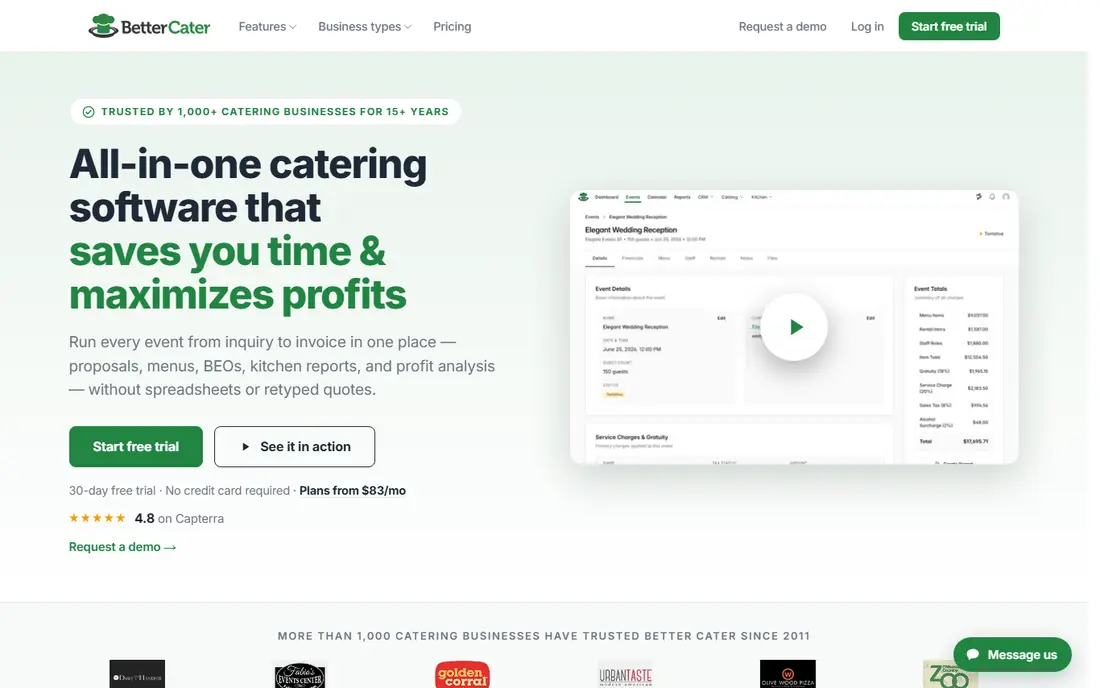
Better Cater is the most buyer friendly pick on this list for a small catering team. Pricing is published, starting at $83 per month billed annually or $99 month to month in the summaries we checked, and every feature is included in every plan, which avoids the module by module pricing that makes other tools hard to compare. Food costing, proposals, and BEO templates cover the core full service workflow without a large setup project.
The main thing to confirm is payments. Some 2026 summaries noted online payments as coming soon, so check the current Better Cater site for payment processing before you rely on it for deposits. The vendor is also smaller than the long established names, which may matter if you need deep integrations. For a small team that wants clear pricing and a fast start, Better Cater is our first recommendation.
- Published pricing from $83 per month billed annually
- Every feature in every plan in vendor summaries
- Food costing and BEO templates included
- Online payments were listed as coming soon in some summaries, so confirm current payment options
- Smaller vendor than Caterease or Tripleseat
- 30 day trial terms should be checked on the site
Planning Pod suits venues, banquet halls, and caterers who also host weddings and large events. It combines lead and booking management, contracts, payments, and event operations, with tour scheduling for venues that show space to prospective clients. Built in event insurance options are a useful extra for venues that need that coverage as part of booking.
Pricing runs from $199 to $319 per month for most single location venues in the summaries we checked, based on active events. That is more than a small caterer tool, but it can replace separate CRM, contract, and payment tools. If you run a venue or a high volume banquet business, Planning Pod is a strong all in one option. If you only do drop off lunches, a simpler ordering tool will cost less.
- Venue and catering management, CRM, and payments in one system
- Tour scheduling and event insurance features
- Plans based on active event volume
- Higher starting price than small caterer tools
- Pricing range up to $319 per month for many venues
- May be more than a drop off only business needs
Tripleseat is built for restaurants, hotels, and venue groups that sell private events, banquets, and buyouts. Its strength is the sales pipeline: inquiries, proposals, contracts, and payments flow in one system, with a shared events calendar across locations. Unlimited users per venue, in the summaries we checked, helps larger teams, since per user fees do not pile up as staff grows.
The price, $375 per month per venue plus add ons, puts Tripleseat out of reach for many solo caterers. It also leans more toward venue sales than toward kitchen production, so a pure caterer may still need a separate recipe and production tool. For an established restaurant group or venue team, Tripleseat is a polished, proven choice.
- Strong event sales workflow for restaurants and venues
- Unlimited users per venue in vendor summaries
- Optional add ons for floor plans, self serve booking, and ticketing
- High starting price at $375 per month per venue
- Add ons cost extra
- More venue focused than kitchen focused for pure caterers
CaterZen bridges full service and drop off catering, which suits businesses that do both. A corporate client can order through your branded portal, repeat a past order, and manage delivery details, while your team still handles full service events in the same system. Unlimited users, in the summaries we checked, helps teams where many staff need access.
Pricing starts at $179 per month, so it is not the cheapest start for a solo caterer. Branded online ordering may also sit on higher tiers, so confirm the exact plan before you buy if online ordering is your main need. For a caterer with steady corporate drop off business plus events, CaterZen is a strong single platform.
- Branded online ordering portals for corporate and repeat clients
- Unlimited users in vendor summaries
- Covers both full service and drop off work in one platform
- Starting price of $179 per month is high for a very small caterer
- Branded ordering is on higher tiers in some summaries
- Confirm which features are in your plan
FoodStorm focuses on the drop off and online ordering side of catering, which is exactly what a lunch delivery business needs. Customers can order online, repeat orders, and manage delivery, while your team handles production and dispatch from the same system. That ordering focus makes it a good fit for caterers whose main volume is corporate lunches and recurring deliveries rather than weddings.
The main drawback for comparison shopping is quote based pricing, so we list it as See website. Enterprise tools often cost significantly more than small caterer tools, and setup time varies. Ask FoodStorm for a written quote with user counts and ordering features specified, and compare it with CaterZen and Spoonfed before you commit.
- Strong online ordering and dispatch tools for drop off catering
- Repeat order features for corporate clients
- Enterprise focused, with scalability for larger caterers
- Pricing is quote based, so no published entry price to compare
- Enterprise focus may be more than a small caterer needs
- Implementation time should be discussed with the vendor
Spoonfed, like FoodStorm, is built around drop off catering at scale, especially for corporate clients who order regularly. Online ordering, delivery management, and repeat order tools help a caterer serve many offices without taking every order by phone or email. For a business that lives on weekday lunch volume, that workflow is a major time saver.
Spoonfed is less of a fit for full service weddings, where BEOs, rentals, and staff plans dominate. Pricing is also quote based, so you need a direct quote to compare it fairly. If your business is mainly drop off and corporate, Spoonfed deserves a demo alongside FoodStorm and CaterZen. If your business is mainly full service, start with Better Cater, Total Party Planner, or Caterease instead.
- Built for corporate drop off catering and online ordering
- Tools for repeat clients, delivery, and order management
- Used by larger catering operations
- Pricing is quote based
- Less suited to full service weddings and complex BEO work than Caterease or Total Party Planner
- Confirm feature fit for your event types
How we picked these
We compared official pricing pages, feature pages, and 2026 catering software guides for tools active in the United States in October 2026. We required real catering features, such as proposals, BEOs, recipe costing, online ordering, or venue event management, not just generic event ticketing. We weighed published pricing clarity, full service versus drop off fit, payment tools, and team size fit, and we left out tools that were only wedding planning apps or only restaurant reservation systems.
How to choose catering software for your business
Start with your event mix. Count how many events last month were full service, drop off, or venue only, and pick a tool that handles your largest group best. A full service caterer who buys a drop off ordering tool will still struggle with BEOs, and a drop off caterer who buys a complex BEO system will pay for features they rarely use. Write down your top five daily tasks, and test each shortlisted tool against those tasks in a demo, not against a feature list alone.
Next, get pricing in writing with all costs included. Ask for the monthly or annual price, number of users included, cost per extra user, cost per add on module, setup or launch fees, payment processing rates, and contract term. Caterease, for example, has per user and module costs that change the total, while Better Cater bundles features into one plan. A tool that looks cheaper on the headline price can cost more once your full team is added.
Finally, plan the switch carefully. Export your client list, menus, and recipes before you move, test BEO and proposal templates with a real past event, and train staff on the new workflow before a busy weekend. Run the old and new systems in parallel for one or two events if you can, so a template error does not affect a live client. Good software should reduce double entry, not create a second place to update the same event.
Questions to ask in a demo
Ask whether the tool generates BEOs from your proposal, how recipe costs update when ingredient prices change, and how deposits and final payments are tracked per event. Ask about online ordering, driver dispatch, and repeat corporate orders if you do drop off work. Ask about integrations with accounting tools such as QuickBooks, since manual re entry of invoices wastes time and creates errors.
Avoiding the most common mistake
The most common mistake is buying for a future business, not the current one. A solo caterer does not need an enterprise venue system, and a venue group does not need a solo tool that breaks at ten users. Buy for the next 12 months of volume, with a clear upgrade path, and revisit the choice when your event mix or team size changes materially.
FAQ
What is the best catering software for a small catering business?
Better Cater is the best catering software for many small catering businesses, thanks to published pricing from $83 per month billed annually and a full feature set in every plan. Total Party Planner is also strong for kitchen focused small caterers, at $119 per month. Try both with a real past event in a demo, and pick the one whose BEO and recipe tools feel clearer to your team.
What are the best catering apps for drop off catering?
FoodStorm, Spoonfed, and CaterZen are the strongest catering apps for drop off and corporate ordering, because they focus on online ordering, repeat orders, and delivery. CaterZen also covers full service events, while FoodStorm and Spoonfed lean more toward drop off at scale. If you do both drop off and full service, CaterZen or a combination of a full service tool plus an ordering portal may work best.
How much does catering software cost?
Most catering software costs from about $83 per month for a small caterer tool to $375 per month per venue for a venue sales platform, with enterprise tools priced by quote. Always add per user fees, add on modules, setup fees, and payment processing rates to the headline price. Get a written quote with user counts specified, and check the contract term before you sign.
Do I need different software for drop off versus full service catering?
Often yes, or at least a tool that handles both well. Drop off catering needs online ordering, dispatch, and repeat order tools, while full service catering needs proposals, BEOs, recipe costing, and staff scheduling. CaterZen and some larger platforms cover both, but many caterers use a full service tool for events and a separate ordering tool for drop off volume. Match the tool to your largest event type first.
Can catering software handle online ordering and payments?
Many of these tools can, but not all in the same plan. CaterZen, FoodStorm, and Spoonfed include branded online ordering, while Caterease, Total Party Planner, and Planning Pod include payments and invoicing for events. Better Cater payment options should be confirmed on the current site. Before you buy, confirm whether ordering and payments are included or add ons, and what processing rates apply.