Best Campaign ROI Tracking Tools in 2026: 8 Tools Compared
Compare the best campaign roi tracking tools for attribution, revenue tracking and reporting, with pricing, updated for 2026 buyers in this full guide.

- Editor's choice
 Google Analytics 4
Free website and campaign analytics
Starts atFreeVisit analytics.google.comFull review - Great alternative
 HubSpot Marketing Hub
CRM-tied campaign reporting
Starts at$20 per monthVisit hubspot.comFull review - Also consider
 Attribution
Multi-touch attribution for HubSpot teams
Starts at$49 per monthVisit attributionapp.comFull review
TL;DR:
- Google Analytics 4 is the best free starting point for website and campaign traffic analysis.
- HubSpot Marketing Hub suits B2B teams that need campaign reporting tied directly to CRM pipeline and revenue.
- Attribution, Ruler Analytics and Dreamdata suit teams that need multi-touch or B2B attribution beyond last-click.
- Usermaven, Whatagraph and Databox suit teams that need simpler dashboards and client reporting.
- The best tool is the one that connects spend to revenue, not just to clicks or leads.
Quick comparison
| Tool | Best for | Starts at | Free plan? | |
|---|---|---|---|---|
| Google Analytics 4 | Free website and campaign analytics | Free | Yes | Visit |
| HubSpot Marketing Hub | CRM-tied campaign reporting | $20 per month | Yes | Visit |
| Attribution | Multi-touch attribution for HubSpot teams | $49 per month | No | Visit |
 Ruler Analytics | Revenue attribution for lead generation | See website | No | Visit |
 Dreamdata | B2B attribution and pipeline analytics | See website | Yes | Visit |
 Usermaven | Unified campaign analytics for SaaS | See website | Yes | Visit |
 Whatagraph | Agency reporting dashboards | See website | No | Visit |
 Databox | KPI dashboards and executive reporting | Free | Yes | Visit |
The best campaign ROI tracking tools
We compared the best campaign ROI tracking tools on attribution models, CRM and ad integrations, revenue reporting, dashboards and price. The best campaign ROI tracking software connects spend, leads, pipeline and revenue in one view.
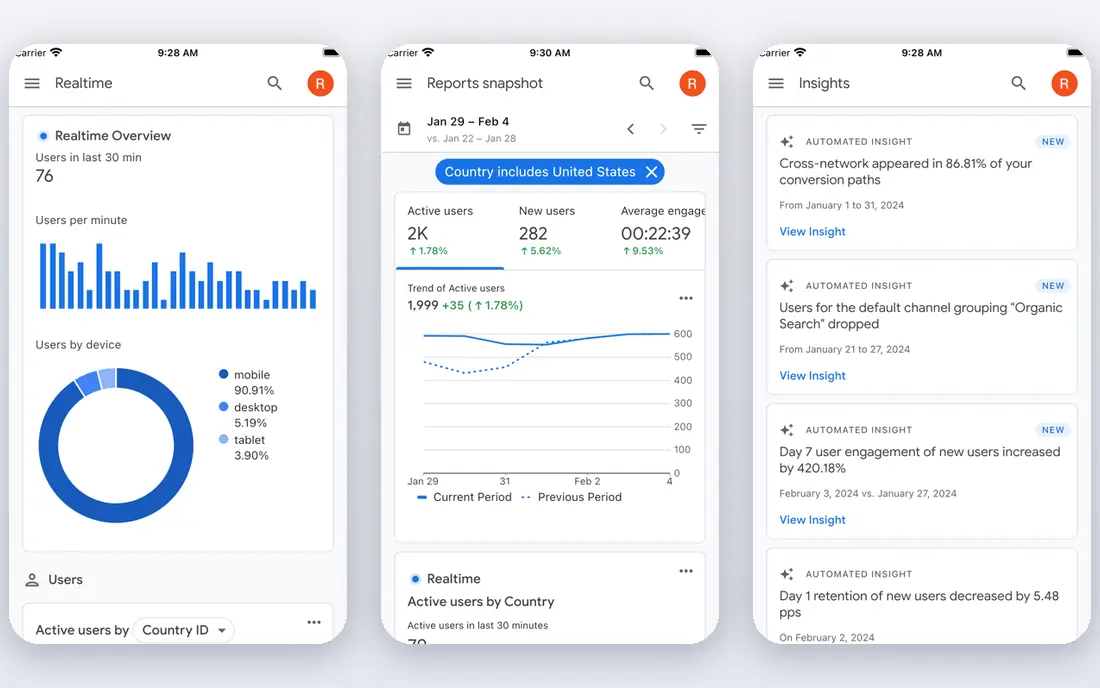
Google Analytics 4 suits almost any team as a starting point. It tracks website and app traffic, acquisition channels and campaign performance, and it costs nothing for most use. UTM tagging lets you compare campaigns, channels and landing pages in one place.
The limit is revenue depth. Without CRM or ad cost links, GA4 shows traffic and conversions, but not full pipeline ROI. Teams that need closed-loop revenue reporting should pair GA4 with HubSpot, Attribution or Ruler Analytics.
- Free for most teams
- Cross-device website and app analytics
- Traffic acquisition and campaign reporting
- Limited revenue attribution without CRM links
- Needs setup for clean campaign tagging
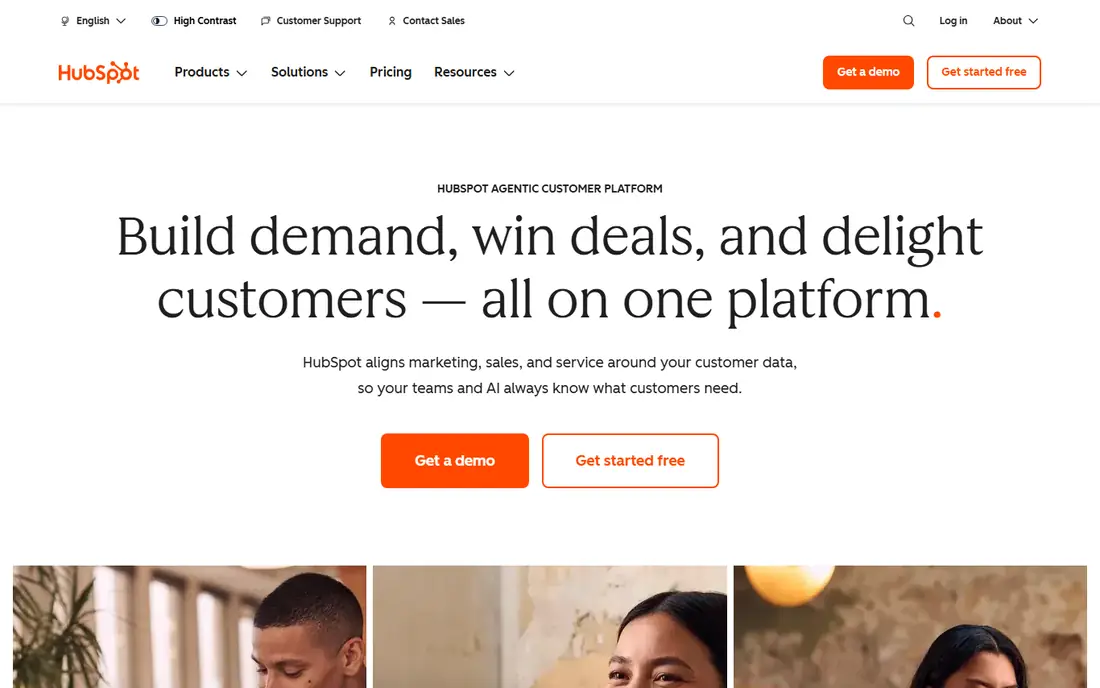
HubSpot Marketing Hub suits B2B teams that already use HubSpot CRM. Campaigns link to contacts, deals and revenue, so marketing can show pipeline and closed revenue by campaign, not just leads. Asset-level reporting helps teams see which pages, emails and ads contributed to a deal.
Entry pricing starts at $20 per month for some paid features, with a free edition available, but deeper attribution sits on higher tiers. Teams should price the tier that includes the attribution model they need, not just the entry tier.
- Campaign reporting tied to contacts and deals
- Asset-level reporting
- Free edition available
- Paid attribution features need higher tiers
- Cost rises with contacts and seats
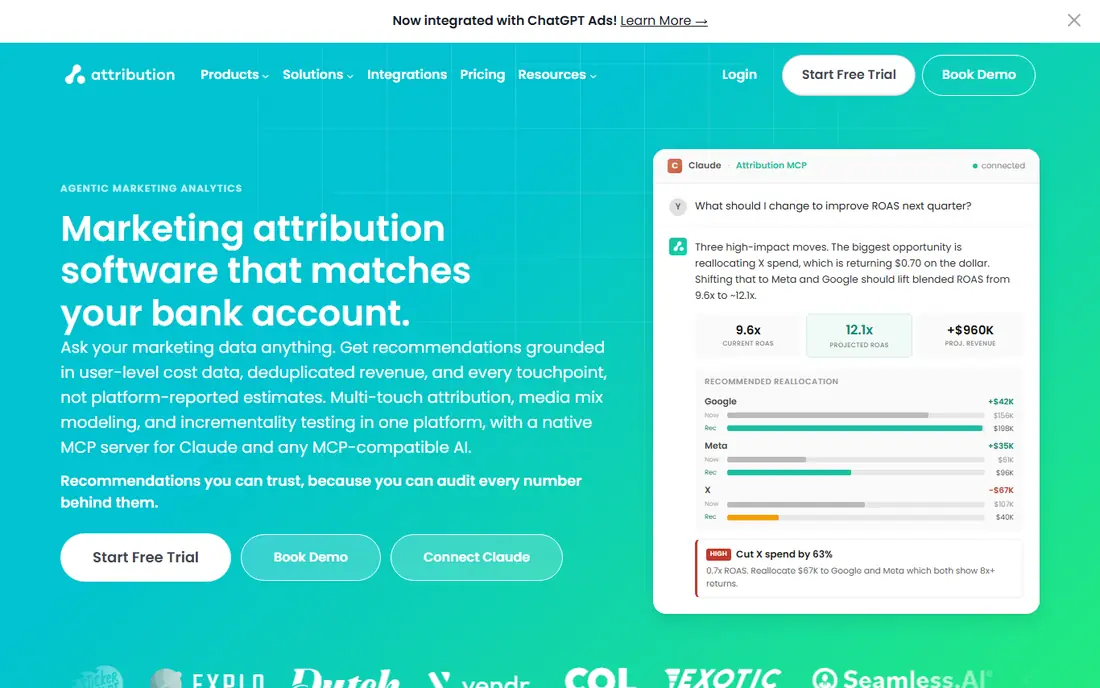
Attribution suits HubSpot teams that need multi-touch attribution without building a warehouse model. It syncs spend, revenue and identity data across campaigns, ads and deals, and reports CAC, ROAS and payback by campaign. Data export to warehouses helps finance validate results.
The main limit is ecosystem fit. Teams not on HubSpot will get less value, and the Starter plan at $49 per month covers early-stage needs, with Pro at $399 per month for fuller model customization. For HubSpot teams, it turns campaign data into a revenue story.
- Native HubSpot integration
- Multi-touch models and CAC reporting
- Auditable user-level data export
- Best value inside HubSpot
- Starter plan covers limited channels
Ruler Analytics suits lead-generation teams that need to link marketing touches to closed revenue, including phone calls and offline conversions. It tracks the full visitor journey, attributes revenue to source and campaign, and syncs with CRMs for closed-loop reporting.
Pricing is by quote and setup needs care, especially for call tracking and CRM mapping. For B2B and service firms where calls drive revenue, that setup pays off, because last-click web reports alone miss a large share of results.
- Revenue-focused tracking
- Offline and phone call attribution
- Lead-level journey data
- Pricing by quote
- Setup takes time for full CRM sync
Dreamdata suits B2B revenue teams that need to see how campaigns influence pipeline and deals across accounts. It supports account-based reporting, so a campaign that touches several contacts at one company is credited at account level, not just to one lead. A free entry point helps teams test the model.
Dreamdata is less suited to simple ecommerce ROI, where product and order data matter more. B2B teams should test its attribution models against their sales cycle length, since long cycles change which model looks fair.
- B2B attribution and pipeline views
- Account-based reporting
- Free entry point
- Enterprise features are priced by quote
- Best for B2B, not ecommerce
Usermaven suits SaaS, ecommerce and growth teams that want unified campaign analytics without an enterprise platform. It combines attribution with campaign reporting, so teams can compare channels, campaigns and funnels in one dashboard. Tiered plans with annual discounts help smaller teams budget.
The trade-off is depth. Large B2B teams with complex account structures may need Dreamdata or HubSpot for fuller pipeline logic. For growth teams that need clear campaign ROI fast, Usermaven is a practical middle ground.
- Unified campaign and attribution analytics
- SaaS and ecommerce focus
- Tiered monthly plans
- Less enterprise depth than HubSpot or Dreamdata
- Pricing varies by plan
Whatagraph suits agencies and in-house teams that report campaign ROI to clients or leaders. It pulls data from ad, social and analytics sources into dashboards, so a monthly report does not require manual spreadsheet work. Multi-client views help agencies manage many accounts.
Whatagraph is primarily a reporting layer, not a deep attribution model. Teams that need multi-touch modeling should pair it with Attribution, Ruler or Dreamdata, and use Whatagraph to present the results clearly.
- Marketing reporting dashboards
- Agency and multi-client views
- Source credit pricing
- Reporting tool, not a full attribution engine
- Pricing depends on sources
Databox suits teams focused on executive reporting and KPI tracking. It connects many sources into dashboards that show campaign spend, leads, pipeline and revenue trends at a glance. A free plan helps small teams start, with paid tiers for more data sources and features.
Databox does not replace an attribution engine on its own. Use it to monitor KPIs and share results, and use a dedicated attribution tool when you need to decide how to split credit across touches.
- Free plan for basic dashboards
- Many integrations
- Executive KPI views
- Dashboard depth varies by source
- Advanced features need paid tiers
How we picked these
We compared official feature and pricing pages, plus public reviews, for tools that track campaign ROI in October 2026. We favored tools that connect spend to leads, pipeline or revenue, not tools that only count clicks. We kept a mix of free, mid-market and enterprise options.
How to choose an ROI tracking tool
Start with your revenue model. Ecommerce teams need order and ad cost data, B2B teams need CRM pipeline data, and lead-generation teams need call and offline data. A tool that fits one model may miss the key conversion in another.
Fix tagging before buying
No attribution tool fixes bad UTM tags, duplicate leads or missing CRM stages. Clean campaign naming, consistent UTM parameters and a clear lead-to-deal process will improve any tool on this list. Test tagging for two weeks before judging a new platform.
Choose one attribution model to start
Multi-touch models sound fair, but they confuse teams when models change each month. Start with one model, such as first-touch, last-touch or a simple multi-touch model, and keep it stable for a quarter. Compare campaigns on the same model, and review the model only when your sales cycle changes.
Report ROI in a way finance trusts
Marketing reports lose credibility when revenue numbers cannot be traced to deals. Share the attribution model, the date range, the included costs and the CRM stages behind each ROI figure, and keep those definitions stable from month to month. When finance can trace a campaign figure to closed deals in the CRM, budget talks become easier. A clear, repeatable report beats a complex dashboard that no one can explain or reproduce.
FAQ
What is the best campaign ROI tracking software?
Google Analytics 4 is the best free starting point, HubSpot Marketing Hub suits CRM-tied B2B reporting, and Attribution, Ruler Analytics or Dreamdata suit deeper attribution needs. The best campaign ROI tracking software for agencies is often Whatagraph or Databox for reporting, paired with an attribution tool.
How do I calculate campaign ROI?
Campaign ROI compares revenue or profit from a campaign with its cost. A simple formula is revenue minus cost, divided by cost, expressed as a percentage. Use revenue that is actually tied to the campaign in your CRM or analytics, not just leads or clicks, and include ad spend, tool costs and staff time where possible.
What is multi-touch attribution?
Multi-touch attribution gives credit to more than one marketing touch in a customer journey, instead of giving all credit to the first or last touch. Models vary in how they split credit, so teams should pick one model, document it, and compare campaigns on the same basis.
Can Google Analytics track campaign ROI?
Yes, for website campaigns, especially when linked to ad platforms and ecommerce or lead data. GA4 alone has limits for B2B pipeline ROI, so teams often pair it with a CRM or attribution tool for closed-loop revenue reporting.
Do I need a paid ROI tool if I use Google Analytics?
Not always. Small teams with simple funnels can start with GA4 and spreadsheets. Paid tools help when you need multi-touch attribution, offline conversion tracking, CRM pipeline reporting or client dashboards at scale.