Best Calorie Counter App in 2026: 9 Apps Compared
Compare the best calorie counter app options for 2026, from free food tracking to detailed macro and nutrition tracking for everyday use and budgets today.

- Editor's choice
 MyFitnessPal
Largest food database
Starts at$19.99 per monthVisit myfitnesspal.comFull review - Great alternative
 Lose It
Simple daily calorie budget
Starts at$79.99 per yearVisit loseit.comFull review - Also consider
 Cronometer
Detailed micronutrient tracking
Starts at$10.99 per monthVisit cronometer.comFull review
TL;DR:
- The best free calorie tracking app for most people is the one whose free tier covers daily logging, not just a short trial.
- MyNetDiary and Cronometer stand out for free barcode scanning and deep nutrient detail, while MyFitnessPal has the largest food database.
- MacroFactor and Carbon Diet Coach suit people who want weekly target adjustments rather than a fixed daily target.
- Prices vary widely, so check what is free before you pay for scanning, photo logging, or meal planning.
Quick comparison
| Tool | Best for | Starts at | Free plan? | |
|---|---|---|---|---|
| MyFitnessPal | Largest food database | $19.99 per month | Yes | Visit |
| Lose It | Simple daily calorie budget | $79.99 per year | Yes | Visit |
| Cronometer | Detailed micronutrient tracking | $10.99 per month | Yes | Visit |
 MyNetDiary | Generous free tracking | $59.99 per year | Yes | Visit |
 Lifesum | Guided meal plans | See website | Yes | Visit |
 Yazio | Fasting plus calorie tracking | $47.90 per year | Yes | Visit |
 MacroFactor | Adaptive macro coaching | $11.99 per month | Free trial (7 days) | Visit |
 Carbon Diet Coach | Weekly coaching check-ins | $11.99 per month | Free trial | Visit |
 FatSecret | Free tracking with community | See website | Yes | Visit |
The best calorie counter apps
We compared official feature pages, pricing pages, and app store listings for apps that help you log food, track calories, and follow macros. This guide covers the best calorie tracking app choices for beginners, for people focused on macros, and for people who want nutrition detail.

MyFitnessPal remains the default choice for many people because its database covers restaurant dishes, branded foods, and home recipes that smaller apps may miss. That breadth makes daily logging faster when you eat varied foods, travel, or eat out often. The free tier still covers basic food and exercise logging, so you can test the diary before paying.
The trade-off in 2026 is the paywall around fast logging tools. If scanning barcodes or photographing meals matters to you every day, the Premium price is part of the real cost, not an optional extra. We think MyFitnessPal fits best when you already have years of saved meals here, or when database coverage matters more than a generous free tier.
- Very large food database
- Broad device and app connections
- Clear daily calorie and macro totals
- Barcode scanning and meal scanning are paid features
- Free tier includes ads

Lose It gives you a personal calorie budget and keeps the daily view focused on that number. For beginners, that simplicity helps, because you do not need to learn a dense nutrition dashboard before your first week. The app also offers photo logging and voice entry, which can shorten the time spent on each meal.
The catch is depth. People who want detailed micronutrient tracking or highly custom macro plans may find Lose It thinner than Cronometer or MyNetDiary. We recommend it for people who want a calm, consistent diary and who value a simple budget over detailed nutrient charts.
- Clear daily budget and simple interface
- Photo and voice logging options
- Weight and pattern reports
- Advanced macro controls are paid
- Newer free users may find scanning limited
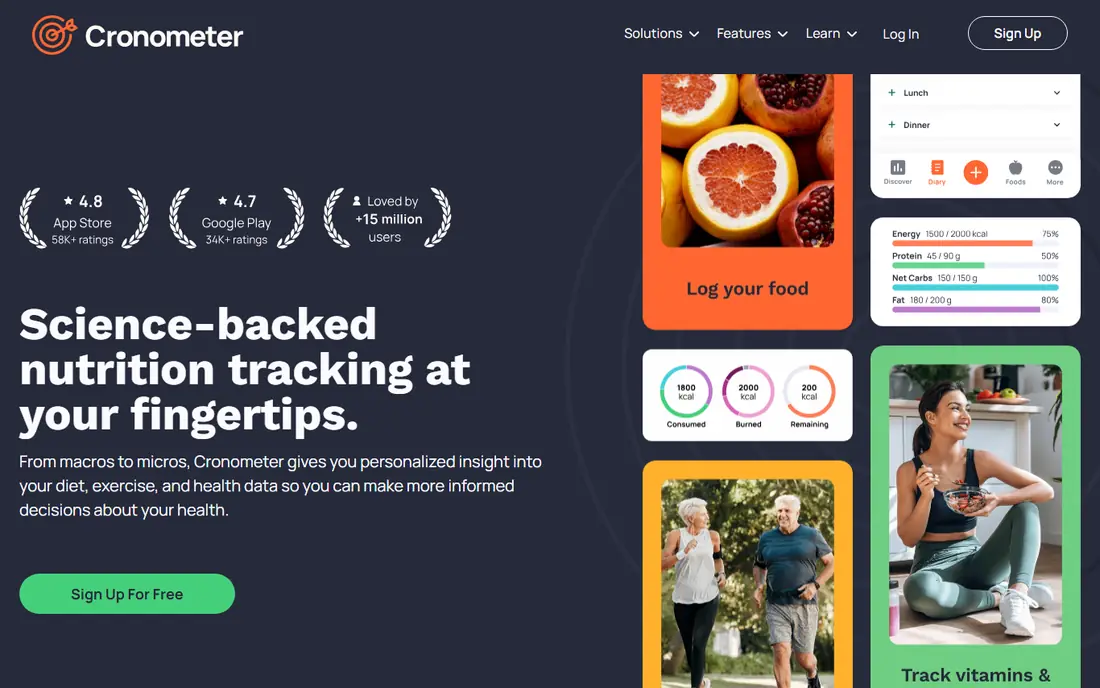
Cronometer is our pick when accuracy and nutrient detail matter more than a polished, minimal design. Its database is curated from lab and research sources, so entries tend to be consistent rather than duplicated with conflicting values. The free tier already tracks many nutrients, which is rare in this category.
Gold adds photo and voice logging, custom charts, longer reports, and an ad-free view. That upgrade makes sense if you track health markers alongside food, or if you want to study patterns over months. New users should expect a learning curve, but the payoff is a clearer picture of vitamins, minerals, and overall diet quality.
- Verified food data and up to 95 nutrients on Gold
- Free barcode scanning
- Wide device connections
- Interface is dense for beginners
- Free history is limited to a shorter window
MyNetDiary has one of the strongest free tiers we found. You can scan barcodes, track macros, log water, and see detailed nutrient information without paying and without ads. That matters because the features you use daily should not disappear after a trial ends. The database is staff-verified, which reduces the duplicate and incorrect entries that slow down logging in crowdsourced databases.
Premium adds meal scanning, advanced autopilot targets, and richer reports, while Premium Plus adds AI coaching and menu scanning. For most people, we suggest starting free and upgrading only if you want those planning tools. This is a strong best free calorie counter app choice, and also a solid best nutrition tracker app for people who care about nutrient depth.
- Free barcode scanner and no ads in the free tier
- Staff-verified database
- Up to 108 nutrients
- Meal planning and AI coaching sit in paid tiers
- Design feels more practical than playful
Lifesum feels more like a guided eating program than a plain diary. It offers diet templates, meal plans, and weekly feedback that help people who want direction, not just a blank log. The design is clean, and the tracking view keeps protein, carbohydrate, and fat totals easy to read at a glance.
The free tier is limited compared with MyNetDiary and Cronometer, so check the Premium features before you commit. We think Lifesum fits people who want meal ideas and structure, and who are willing to pay for that guidance. If you mainly want free tracking, start with a more generous free app first.
- Structured diet plans and meal ideas
- Clean design
- Photo, voice, and barcode logging options
- Many useful features are paid
- Pricing varies by offer and platform
Yazio works well if you want calorie tracking and intermittent fasting in one place. The free diary covers basic logging, water tracking, and weight logging, while Pro adds the barcode scanner, photo logging, fasting plans, and recipes. That combination saves you from running two separate apps for food and fasting windows.
The main caution is price variation. Promotional offers can lower the annual cost, so the price you see at sign-up may differ from the standard list price. We recommend Yazio for people who already follow a fasting pattern and want their food log and fasting timer in the same daily view.
- Combines calorie tracking with fasting tools
- Large recipe library in Pro
- Simple daily diary
- Barcode scanning and fasting plans are paid
- Promotional prices can differ from list prices
MacroFactor is built for people in a focused fat loss or muscle gain phase who log food and weigh themselves regularly. Its algorithm estimates your actual energy expenditure from your intake and weight trend, then adjusts calories and macros each week. That adaptive approach is more useful than a fixed target that never changes when your weight stalls.
There is no free tier, only a short trial, so this is a paid commitment from the start. It also lacks a full web app, which may matter if you prefer logging on a computer. We think it is the best macro tracking app for serious lifters and athletes, provided you will log most days and use the weekly check-ins.
- Weekly expenditure estimates and target adjustments
- Verified food database
- Flexible coaching modes
- No permanent free tier
- No web app for desktop logging
Carbon Diet Coach takes a coaching approach rather than leaving you with a fixed target. You set a goal, log food, log weight, and check in each week so the app can adjust your macros. That structure helps when progress slows, because the plan changes with your results instead of asking you to guess what to change.
The app is less suited to casual logging, since its value comes from regular check-ins and consistent data. People who want a coach-like rhythm without hiring a human coach may find it worth the subscription. If you only want a simple free diary, a free tracker will serve you better.
- Weekly check-ins adjust macros based on progress
- Supports fat loss, gain, maintenance, and reverse dieting
- Clear coaching structure
- No permanent free tier
- Food database is smaller than the largest trackers
FatSecret is a useful best free food tracking app option because core tracking does not require a subscription. You can log food, track macros, follow a food diary, and use community features without paying. That makes it a practical starting point for people who want to test calorie counting before spending money.
The design is simpler than newer apps, and some advanced features sit behind Premium. Still, for budget-conscious users, the free tier covers the daily job well. We suggest FatSecret when cost is the main barrier and you want scanning and macro totals included at no charge.
- Free barcode scanning and macro tracking
- Community and food diary tools
- Simple interface
- Paid features and pricing vary by platform
- Interface is less modern than newer apps
How we picked these
We compared official feature pages, pricing pages, and app store listings, and we looked at what each free tier actually includes for daily use. We favored apps that exist and work today, cover the main keyword topics, and offer a clear way to log food by search, scan, photo, or voice. We also weighed database quality, macro and nutrient depth, device connections, and whether paid features matched the price.
This guide is for general information only and is not medical advice. Calorie needs vary by age, activity, health conditions, and medication, so talk with a clinician or registered dietitian before starting a major diet change, especially if you have a medical condition or a history of disordered eating.
What to check before you pay
Start with the free tier for at least a week. Log your usual meals, test barcode scanning, and see whether the database finds your regular foods without extra searching. If you eat many packaged foods, free scanning matters more than a large recipe library. If you cook from scratch, custom foods and recipe tools matter more.
Next, match the app to your goal. A simple budget app suits general weight management, while an adaptive app suits a structured training phase. Check whether fasting, meal planning, or nutrient tracking is included free or paid, and check the renewal price, not just the first offer. Finally, confirm device sync with your watch or scale, and confirm you can export your data if you switch later.
Questions to ask yourself
Ask how often you will log, whether you need photo or voice entry, and whether you want coaching or just a diary. A feature you will not use should not decide your choice, even if it sounds advanced. The best app is the one you will still open in week four.
FAQ
What is the best calorie counter app for beginners?
Start with MyNetDiary or Lose It if you want a simple diary, and choose MyNetDiary if free barcode scanning matters to you. Both keep daily logging clear, and you can upgrade later if you want meal plans or deeper reports.
What is the best free calorie tracking app?
MyNetDiary and FatSecret offer strong free tiers, while Cronometer offers deep nutrient tracking free with ads. The best free choice depends on whether you value scanning, nutrient depth, or community features most.
What is the best macro tracking app?
MacroFactor and Carbon Diet Coach lead for adaptive macro coaching, while Cronometer and MyNetDiary lead for detailed macro and nutrient tracking at a lower cost. Choose adaptive coaching for a training phase, and choose detailed tracking for daily nutrition insight.
Is a best calorie tracker app enough on its own?
A tracker helps you see intake and patterns, but it does not replace sleep, activity, medical care, or a balanced diet. Use it as a record and a guide, and adjust targets with a clinician if you have health concerns.
Do I need to pay for a best nutrition tracker app?
Not always. Free tiers from MyNetDiary, Cronometer, and FatSecret cover core logging well. Pay only when a paid feature, such as photo logging, meal planning, or adaptive coaching, solves a problem you face every week.