Best Call and Contact Center Software in 2026: 8 Tools Compared
Compare the best call & contact center software for phone, chat, email and SMS support, with per-agent pricing, routing and honest trade-offs in 2026.
- Editor's choice
 Genesys Cloud CX
Large omnichannel teams
Starts at$75 per user per monthVisit genesys.comFull review - Great alternative
 NICE CXone
Enterprise AI and compliance
Starts at$110 per agent per monthVisit nice.comFull review - Also consider
 Five9
High-volume calling
Starts at$119 per seat per monthVisit five9.comFull review
TL;DR:
- Genesys Cloud CX is our pick for large teams that need phone plus digital channels, workforce tools and AI in one platform.
- Small teams should start with CloudTalk or Aircall, which offer published prices, fast setup and a free trial.
- Five9 and NICE CXone suit high-volume and enterprise operations, but seat minimums and quote-based add-ons can raise the total cost.
- Always compare the full per-agent cost, including minutes, numbers, AI features and workforce tools, not just the headline seat price.
Quick comparison
| Tool | Best for | Starts at | Free plan? | |
|---|---|---|---|---|
| Genesys Cloud CX | Large omnichannel teams | $75 per user per month | No | Visit |
| NICE CXone | Enterprise AI and compliance | $110 per agent per month | No | Visit |
| Five9 | High-volume calling | $119 per seat per month | No | Visit |
 Talkdesk | Growing support teams | See website | No | Visit |
 RingCX | RingCentral users | $65 per user per month | No | Visit |
 CloudTalk | Small and global teams | $25 per user per month | Free trial | Visit |
 Aircall | Call monitoring and coaching | $30 per user per month | Free trial | Visit |
 Nextiva | All-round small business support | $75 per user per month | No | Visit |
The best call and contact center software
A call center handles phone calls. A contact center handles phone calls plus chat, email, SMS and social messages, with routing and reporting across all of them. The tools below are contact center platforms, so they can grow with your team as customers move between channels. We compared official pricing pages, feature pages and public reviews to build this list.

Genesys Cloud CX is the broadest platform on this list, and it fits teams that run complex queues across voice, chat, email and messaging. Skills-based routing, interactive voice response, quality management and workforce management sit in one system, so managers can see the whole operation instead of stitching reports together. The AI and automation options on higher tiers add self-service and agent assistance for teams ready to use them.
The catch is scope. A five-person team will pay for depth it may never use, and the jump from the entry tier to the AI-heavy tiers is large. Genesys also works best when someone owns the setup and reporting. Choose it when your contact center is a core operation with multiple channels, complex routing and a real need for workforce planning.
- Phone plus digital channels in one platform
- Strong routing, analytics and workforce tools
- Wide integration options
- Higher tiers climb steeply in price
- Smaller teams may not use its full depth

NICE CXone is an enterprise platform that combines voice and digital channels with analytics, workforce management and AI. It suits regulated or large-scale operations that need detailed reporting, quality controls and compliance features alongside everyday routing. The platform is built to handle high volumes without forcing teams to bolt on a separate workforce or analytics tool.
Price and packaging are the honest drawbacks. The starting price is already high, and the most talked-about AI agent features sit in the top tier, so the headline price is not the whole story. Smaller teams should get a full quote for the features they actually need. Pick NICE CXone when compliance, scale and AI-assisted service matter more than keeping the seat price low.
- Strong AI and automation on higher tiers
- Deep security and compliance options
- Large integration ecosystem
- Entry price is high
- AI agents are bundled mainly into the top tier
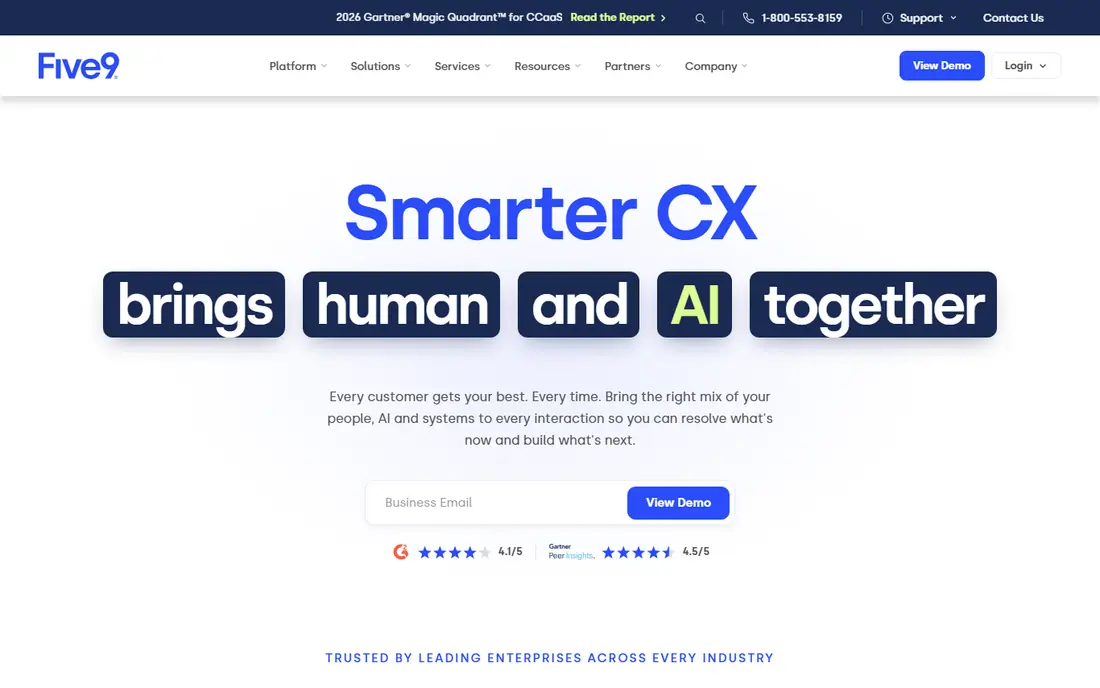
Five9 is a strong choice for teams that live on the phone, especially outbound and blended operations that need dialers, campaign tools and detailed call reporting. It handles high call volumes well, and its workforce and analytics options help managers plan around peaks. For a large sales or support floor, that calling depth is the main reason to choose it.
The trade-off is access. Five9 is aimed at larger operations, and seat minimums and contract terms can put it out of reach for a small team. Confirm the minimum seat count, minute costs and any AI or analytics add-ons before budgeting. If your team makes or takes a high volume of calls every day, Five9 is worth a demo. If you need only a few seats, a smaller tool will be cheaper and faster to run.
- Strong inbound and outbound calling
- Predictive and power dialers
- Good fit for large concurrent-seat operations
- Seat minimums can exclude small teams
- Pricing rises with add-ons
Talkdesk is a cloud contact center platform that covers voice, chat, email and messaging with routing, analytics and AI assistance. It fits growing support teams that want a modern interface and solid integrations with common CRM and helpdesk tools. The platform can scale from a mid-size team to a larger operation without a move to new software.
The main frustration is pricing clarity. Talkdesk does not publish a single simple starting price across all plans, so you will need a sales conversation to get a firm number. That is normal for this category, but it slows comparison. Ask for a quote that includes minutes, numbers and any AI features you plan to use. Choose Talkdesk when you want a full contact center that can grow with you and you are comfortable with a sales-led purchase.
- Cloud contact center with voice and digital channels
- AI and automation options
- Good CRM integrations
- Pricing is not clearly published for all tiers
- Advanced features raise the cost
RingCX, from RingCentral, gives teams voice plus more than 20 digital channels at a starting price below the enterprise platforms on this list. That channel range matters if customers contact you on chat, SMS, email and social as well as by phone. Routing, analytics and supervisor tools are included, and the platform fits naturally alongside RingCentral phone and video tools.
The catch is tiering. The lowest price covers the basics, and richer AI, analytics and workforce features require higher plans. The published price also assumes annual billing, so monthly billing will cost more. Pick RingCX when you want broad omnichannel coverage at a mid-range price, especially if your team already uses RingCentral for phone service.
- Wide digital channel coverage
- Lower starting price than enterprise rivals
- Fits teams already on RingCentral
- Some advanced features sit on higher tiers
- Annual billing applies to the lowest published price
CloudTalk is our pick for small teams that need a real call center without an enterprise budget. It offers inbound and outbound calling, queues, interactive voice response and integrations with common CRM tools, with a free trial that lets you test call quality before you pay. Global numbers and international calling make it a good fit for distributed teams.
The limits are about depth rather than quality. Queue callback, advanced analytics and richer automation sit on higher tiers, so check which tier covers your must-have features. Calling costs also vary by country and plan, so confirm the rate for your main markets. For a small team that needs solid calling, fair pricing and a fast start, CloudTalk is the easiest first trial on this list.
- Low published starting price
- Global numbers and calling
- 14-day free trial
- Advanced contact center features need higher tiers
- Per-minute costs vary by region
Aircall is a cloud phone and contact center tool that small and mid-size teams can set up quickly. Its call monitoring, whispering and barging features make it a good choice for managers who coach agents live, and its integrations with CRM and helpdesk tools keep call notes and customer records in one place. The interface is clean, which helps new agents get started without long training.
The trade-off is that Aircall is a phone-first tool. Full contact center routing, advanced queues and deeper analytics require higher tiers, so the entry price is not the full contact center price. Test the trial with your real call flows and check which tier includes the routing you need. Choose Aircall when coaching, ease of use and CRM links matter most to your team.
- Easy setup and clean interface
- Strong call monitoring, whispering and coaching
- Good CRM integrations
- Queue and advanced routing features need higher tiers
- Pricing rises with the features most contact centers need
Nextiva offers both business phone service and dedicated contact center plans, which makes it a practical choice for a small business that wants to grow from simple phone support into a fuller contact center. The contact center plans add queues, routing and reporting across channels, while the wider Nextiva system covers SMS, video and email support in one place.
The honest catch is that the contact center price is well above Nextiva's basic phone price, so do not compare the two as if they were the same product. Confirm which plan includes the channels and reporting your team needs. Pick Nextiva when you want one vendor for phone and contact center support, with room to grow without changing platforms.
- Phone, SMS, video and email support in one system
- Contact center plans for growing teams
- US-based support reputation
- Contact center pricing is higher than basic phone plans
- Advanced features need higher tiers
How we picked these
We compared official pricing and feature pages, plus public reviews and category comparisons, and we kept only platforms that offer real contact center routing, queues and reporting rather than a basic phone line. We favored tools with published prices where possible, and we wrote See website where pricing was not published. We also weighed channel coverage, since a true contact center must handle more than voice alone.
What to check before you buy
Start with your channels and volumes. List how many calls, chats, emails and texts your team handles each day, and how those volumes change at peak times. A phone-only tool will look cheap until customers start asking for chat and SMS, while an enterprise platform will look impressive until you realize your team uses only a fraction of it. Match the platform to the channels you actually run.
Next, test routing and reporting with a real scenario. Set up a queue, route by skill, handle a callback, and pull a report on wait times and agent performance. Check CRM integration, call recording rules, and how hard it is to add a new agent or change a queue. Also confirm minute costs, number fees, contract length and seat minimums, since those items often change the total cost more than the seat price itself.
Finally, run a pilot with a small group before a full rollout. Watch call quality, agent adoption and supervisor reporting for two weeks, and ask agents what slows them down. A platform that looks strong in a sales demo can still frustrate a team if its interface is slow or its reporting is hard to read. Choose the tool your agents can run every day, not just the one with the longest feature list.
FAQ
What is the best call and contact center software?
The best call and contact center software depends on your team size and channels. Genesys Cloud CX and NICE CXone lead for large omnichannel teams, while CloudTalk and Aircall are easier starts for small teams. RingCX sits in the middle, with broad channel coverage at a mid-range price.
What is the difference between call center and contact center software?
Call center software handles phone calls, while contact center software handles phone calls plus chat, email, SMS and social messages in one system. Contact center tools also route and report across those channels, so a customer can switch from chat to phone without losing context. If your customers use more than one channel, choose a contact center platform.
How much does contact center software cost?
Published seat prices on this list range from $25 per user per month for CloudTalk to $119 per seat per month for Five9, with Genesys at $75 and NICE at $110. Minutes, numbers, AI features and workforce tools can add to that total, and some vendors require annual billing or seat minimums. Always ask for a full quote before you decide.
Do I need a contact center platform for a small team?
Not always. A small team with low call volume and one channel may do well with a business phone system or a helpdesk with voice. A contact center platform becomes worth it when you handle multiple channels, need queues and routing, or want reporting on wait times and agent performance. Start small and upgrade when those needs appear.
What features matter most in contact center software?
Routing, queues, interactive voice response, call recording, analytics and CRM integration matter most for everyday work. Workforce management and AI assistance matter more as teams grow. Check compliance and data handling too, especially if you record calls or serve regulated customers.