Best Call Center Software in 2026: 8 Platforms Compared
We compared the best call center software for small teams and large contact centers, covering pricing, channels, AI tools and setup trade-offs for 2026.

- Editor's choice
 Genesys Cloud CX
Large multi-channel teams
Starts at$75 per user per monthVisit genesys.comFull review - Great alternative
 Talkdesk
Mid-market and industry-specific teams
Starts at$85 per user per monthVisit talkdesk.comFull review - Also consider
 Five9
High-volume outbound and blended teams
Starts at$119 per concurrent seat per monthVisit five9.comFull review
TL;DR:
- Genesys and NICE suit large, multi-channel teams, while Aircall and CloudTalk suit smaller teams that mainly need voice and messaging.
- Published starting prices range from about $25 to $119 per user or seat per month, so the cheapest entry point is not always the cheapest at scale.
- Concurrent-seat pricing can help shift-based teams, while named-user pricing is simpler to forecast for a fixed team.
- Check seat minimums, contract length and which AI features sit in higher tiers before you shortlist a platform.
Quick comparison
| Tool | Best for | Starts at | Free plan? | |
|---|---|---|---|---|
| Genesys Cloud CX | Large multi-channel teams | $75 per user per month | No | Visit |
| Talkdesk | Mid-market and industry-specific teams | $85 per user per month | Free trial | Visit |
| Five9 | High-volume outbound and blended teams | $119 per concurrent seat per month | Free trial | Visit |
 NICE CXone | Large and regulated enterprises | $110 per agent per month | Free trial | Visit |
 RingCentral RingCX | Teams already using RingCentral | $65 per user per month | Free trial | Visit |
 Dialpad | Support teams that want built-in AI | $80 per user per month | Free trial | Visit |
 Aircall | Small teams with CRM-heavy work | $30 per user per month | Free trial | Visit |
 CloudTalk | International sales and support teams | $25 per user per month | Free trial | Visit |
The best call center software
We compared widely used call center platforms on channels, routing, AI help for agents, pricing clarity and how much setup they need.
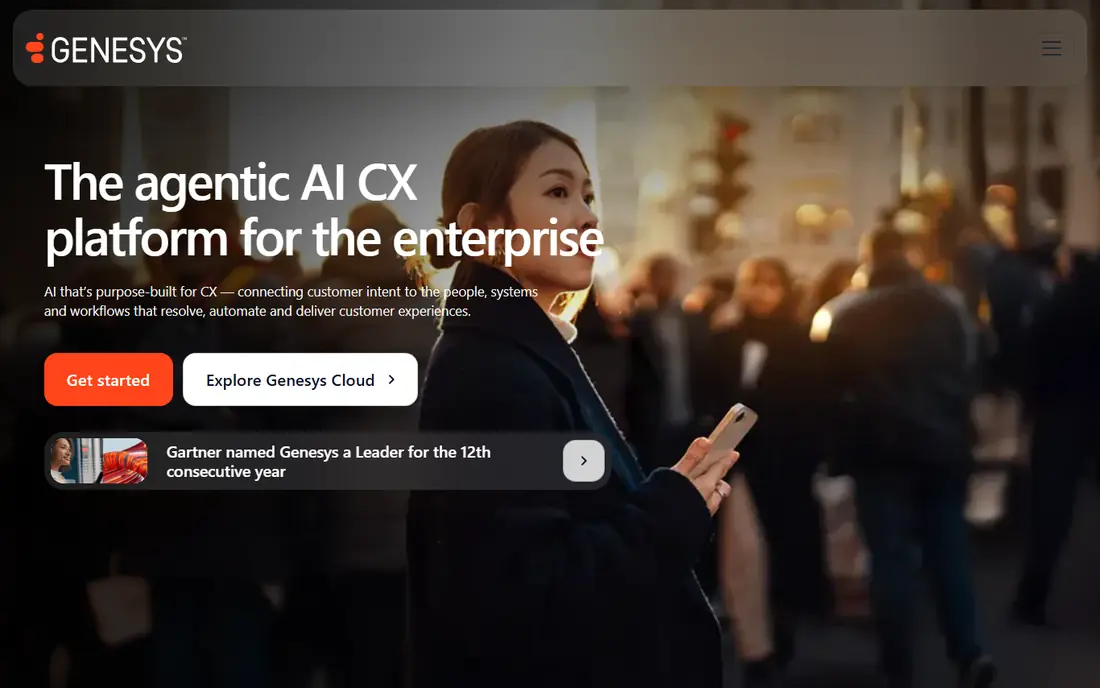
Genesys Cloud CX fits large teams that handle voice plus chat, email, SMS and social messaging from one queue system. Its strength is breadth, since routing, analytics and workforce engagement tools sit in the same platform rather than in separate add-ons. Higher tiers add quality management, forecasting and scheduling, which matter once agent counts and shift patterns grow complex.
The catch is scope, since smaller teams may pay for tools they never open, and the entry tier does not cover every channel. Our view is that Genesys is a solid shortlist pick for large teams that want one platform to grow into, provided the team can handle a careful rollout.
- Voice and digital channels in one platform
- Published tiered pricing
- Workforce tools on higher tiers
- Entry tier is voice focused
- Setup can be involved for large teams
Talkdesk fits mid-market teams that want a structured contact center without building everything from scratch. Its industry editions appeal to teams in areas such as health care, finance and retail, where workflows and compliance needs differ. Routing, reporting and AI coaching tools help supervisors spot problems early and coach agents with call evidence rather than guesswork.
The catch is that the most useful AI and workforce features are not all in the entry plan, so the price can climb as needs grow. Our view is that Talkdesk is worth a trial for mid-market teams that want a balance of structure, AI help and industry fit.
- Industry-specific editions
- Strong routing and reporting
- AI coaching and automation options
- Some advanced features sit in higher tiers
- Pricing rises with industry editions

Five9 fits teams with high call volume, especially blended teams that mix outbound sales calls with inbound support. Its dialer options cover predictive, progressive, power and preview dialing, which gives managers control over pace and compliance. AI summaries and agent assist can cut after-call work, which matters when agents handle back-to-back calls all day.
The catch is the 50-seat minimum on published plans, which puts it out of reach for many small teams. Our view is that Five9 is a strong pick for larger outbound and blended operations, but small teams should look at lighter options first.
- Strong outbound dialers
- Voice, chat, email and messaging
- AI summaries and agent assist
- 50-seat minimum on published plans
- Higher bundles are quote only
NICE CXone fits large enterprises that need many channels, strict quality checks and detailed workforce planning. Its platform brings voice, digital channels, AI routing and copilot support together, with quality tools that help managers review calls at scale. For regulated teams, audit trails, recording controls and workforce tools can matter as much as call handling itself.
The catch is price and complexity, since the most complete AI bundle sits in the highest tier and setup is not a quick weekend job. Our view is that NICE suits enterprises that will use its depth, while smaller teams may find a simpler platform easier to run.
- Wide channel coverage
- AI routing and copilot tools
- Quality and workforce management
- Top AI features sit in the highest tier
- Enterprise setup can take time
RingCentral RingCX fits teams that already use RingCentral for phone or video and want contact center tools in the same family. Its lower published starting price makes it easier to justify than several enterprise suites, especially for mid-sized teams. Shared admin, user management and familiar tools can cut training time when staff already know the RingCentral environment.
The catch is that teams outside that ecosystem may not get the same benefit, and some features still require higher tiers. Our view is that RingCX is a practical pick for RingCentral customers, and a reasonable value option for other mid-sized teams too.
- Lower published starting price
- Voice and digital channels
- Links to RingCentral phone and video tools
- Best value depends on existing RingCentral use
- Some features need higher tiers
Dialpad fits support teams that want AI help built into everyday calls, rather than added through a separate tool. Its transcription, summaries and coaching features help managers review conversations and help new agents learn faster. Because voice, messaging and meetings sit in one app, agents spend less time switching tools during a shift.
The catch is that the support-focused pricing starts higher than a basic business phone plan, so the AI value needs to be real for your team. Our view is that Dialpad is a good pick for support teams that will actually use AI summaries and coaching every week.
- AI transcription and summaries
- Voice, messaging and meetings in one app
- Coaching tools for managers
- Support pricing starts higher than basic phone tools
- Some AI depth varies by plan
Aircall fits small sales and support teams that live in a CRM and want calls logged without manual work. Its integration list covers common CRMs and help desks, so call notes, recordings and outcomes can flow into the record your team already uses. Setup is usually faster than an enterprise suite, which helps small teams that do not have a dedicated telecom admin.
The catch is the license minimum and the fact that deeper AI tools sit in higher plans, so check the plan that matches your workflow. Our view is that Aircall is one of the easiest starting points for a small, CRM-focused team.
- Quick setup
- Wide CRM and help desk integrations
- Call routing and analytics for small teams
- 3-license minimum on published plans
- Advanced AI features cost more
CloudTalk fits sales and support teams that call across countries and need local numbers plus clear CRM logging. Its dialer range and international coverage help teams that make many outbound calls without juggling several phone tools. Call routing, analytics and CRM sync keep managers informed about volume, outcomes and agent workload across regions.
The catch is that regional pricing and feature availability can vary, so confirm the exact plan terms for each country you serve. Our view is that CloudTalk is a strong value pick for international small and mid-sized teams, especially sales-led ones.
- Coverage in many countries
- Multiple dialer types
- CRM logging and call analytics
- Some pricing varies by region and plan
- Advanced features need higher tiers
How we picked these
We compared official pricing pages, channel lists, routing and AI feature descriptions, and integration pages for each platform. We favoured platforms with published starting prices, a clear fit for a stated team size, and a track record in voice support. We did not claim hands-on testing, and we treated vendor claims about quality and speed as claims to check in a trial, not as verified results.
What to check before you buy
Start with channels and volume
List the channels your customers actually use, such as phone, chat, email and SMS, and estimate daily volume per channel. A voice-only team can waste money on a full omnichannel suite, while a team that already handles chat and email will feel the limits of a voice-only plan fast. Ask how routing, queues and callbacks work on the plan you would buy, not only on the top plan.
Price the whole team, not one seat
Multiply the per-user price by your agent count, then add any minimum seat count, implementation fees and charges for AI minutes or extra channels. Concurrent pricing can look cheaper for shift work, but it can also confuse forecasting if your peak and off-peak staffing differ a lot. Get the renewal price in writing, and ask what happens when you add or remove seats mid-contract.
Test setup, reporting and integrations
Run a short trial with real call flows, your CRM and your help desk, and check reporting for wait time, first-contact resolution and agent workload. Confirm how call recording, quality checks and workforce tools are handled, and who owns setup and training. A platform that fits your existing tools will usually go live faster than a stronger platform that needs heavy custom work.
FAQ
What is the best call center software for a small team?
For a small team, Aircall or CloudTalk are often the simplest starting points, since they focus on voice, messaging and CRM logging with lower starting prices. Larger suites such as Genesys or NICE add more channels and workforce tools, but they can be more than a small team needs. Start with your channel list and agent count, then trial one or two options.
What is the best virtual call center software?
A virtual call center platform should let agents work from any location with a stable internet connection, with browser-based calling, shared queues and supervisor tools. Most cloud platforms on this list support remote work, but check call quality, security controls and time-zone reporting before you commit. A short trial with remote agents will show gaps faster than a feature list.
What is the best software for a call center that handles sales and support?
Blended teams need dialers for outbound work plus queues, chat and CRM logging for inbound support. Five9 and Talkdesk are strong candidates for that mix, while CloudTalk suits smaller blended teams. Check dialer types, call recording rules and how outbound and inbound reports are kept separate.
Do I need a full contact center platform or just a phone system?
A phone system covers calls and basic routing, while a contact center platform adds queues, omnichannel routing, analytics, quality tools and AI help. Choose the phone system route if calls are simple and volume is low. Choose a contact center platform if you manage queues, multiple channels or a larger agent team.
How much does call center software cost per month?
Published starting prices on this list range from about $25 to $119 per user or seat per month, with several enterprise options priced by quote. The final bill depends on seat count, contract length, channels and AI usage. Always price the full team and ask about minimums before comparing headline prices.