Best Call Center QA Software in 2026: 8 Tools Compared
Compare the best call center qa software in 2026, with scorecards, AI call scoring, coaching tools, and analytics for support, sales, and service teams.
- Editor's choice
 MaestroQA
Scorecards and coaching
Starts atSee websiteVisit maestroqa.comFull review - Great alternative
 EvaluAgent
Human-led QA workflows
Starts atSee websiteVisit evaluagent.comFull review - Also consider
 Playvox
Focused QA and coaching
Starts atSee websiteVisit playvox.comFull review
TL;DR:
- MaestroQA and EvaluAgent suit teams that want clear scorecards, coaching and human-led quality reviews.
- Observe.AI and Level AI suit teams that want AI scoring across all calls, not just a small sample.
- Playvox and Scorebuddy suit teams that want a focused QA tool without a full contact centre suite.
- CallMiner suits large enterprises that want deep speech analytics and compliance monitoring.
- Always check consent, recording and privacy rules before analysing calls, since rules vary by state and country.
Quick comparison
| Tool | Best for | Starts at | Free plan? | |
|---|---|---|---|---|
| MaestroQA | Scorecards and coaching | See website | No | Visit |
| EvaluAgent | Human-led QA workflows | See website | No | Visit |
| Playvox | Focused QA and coaching | See website | No | Visit |
 Scorebuddy | Simple QA scorecards | See website | No | Visit |
 Observe.AI | AI call scoring | See website | No | Visit |
 Level AI | AI quality and analytics | See website | No | Visit |
 Balto | Real-time agent guidance | See website | No | Visit |
 CallMiner | Enterprise speech analytics | See website | No | Visit |
The best call center QA software
We compared official feature pages, scoring models and analytics options to find the best QA tool for call centers and the top call center QA software for support, sales and service teams.
MaestroQA suits quality teams that want human review done well. Managers can build scorecards for different call types, grade calls, share feedback and track coaching actions in one place. That structure helps teams improve consistently, rather than grading in isolation.
The trade-off is that full AI scoring may cost extra, and pricing needs a quote. For teams that value coaching and clear scorecards over full automation, MaestroQA is a strong choice.
- Flexible scorecards
- Coaching workflows tied to scores
- Good reporting for managers
- Pricing is quote-based
- AI scoring is an add-on for many plans

EvaluAgent focuses on making human QA fair and consistent. Calibration sessions let reviewers align scores, agents can review their own calls, and managers can track trends by team and topic. That focus suits regulated teams where human judgement matters.
Teams that want AI to score every call may prefer Observe.AI or Level AI. For a team building a solid QA process with human reviewers, EvaluAgent offers a clear and practical workflow.
- Clear evaluation workflows
- Calibration tools
- Agent self-review options
- AI features are less central than Observe.AI
- Pricing is quote-based
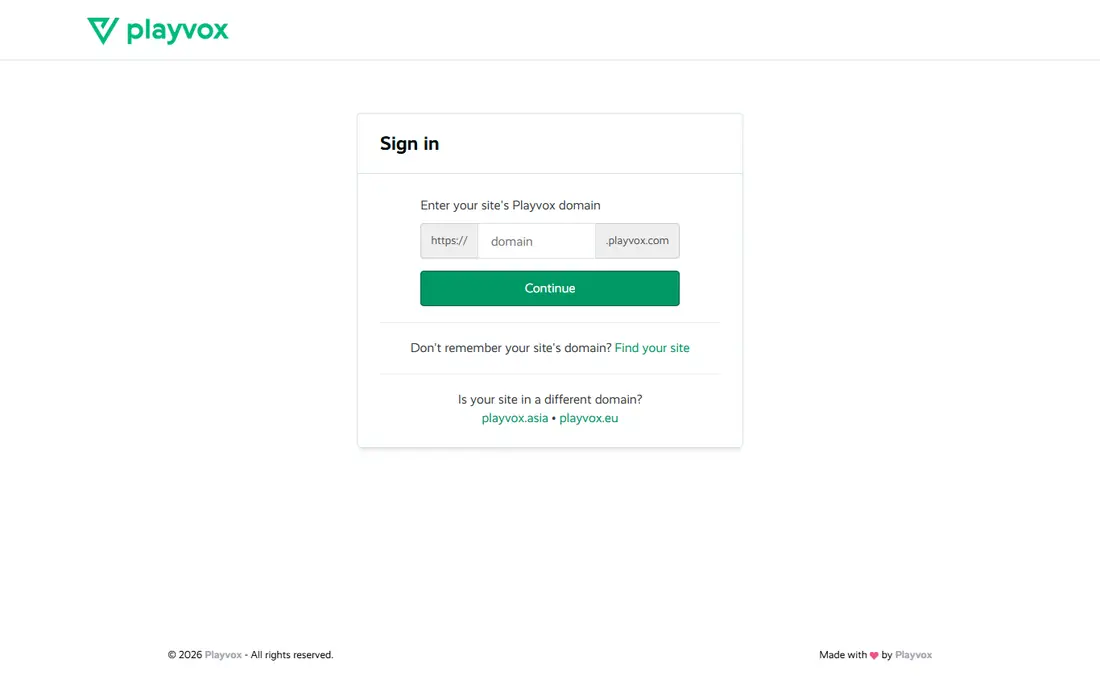
Playvox combines quality scoring, coaching and workforce management for contact centres that do not want a full enterprise suite. Managers can score calls, set coaching goals and track agent progress without switching tools. That breadth suits mid-size teams.
Larger enterprises with deep speech analytics needs may prefer CallMiner. For a focused QA and coaching system, Playvox offers a good balance of features and usability.
- QA, coaching and workforce tools in one place
- Good for mid-size contact centres
- Clear dashboards
- Pricing is quote-based
- Smaller vendor than Nice or CallMiner
Scorebuddy suits teams starting formal QA for the first time. Its scorecard builder is straightforward, reports are easy to read, and managers can start grading without a long implementation. That simplicity helps small and mid-size centres adopt QA quickly.
The catch is depth. AI scoring and advanced analytics are lighter than in Observe.AI or Level AI. For a first QA tool focused on consistent human scoring, Scorebuddy is a sensible pick.
- Simple scorecard builder
- Easy reporting
- Good for teams new to formal QA
- AI analytics are lighter than rivals
- Integrations vary by contact centre platform
Observe.AI uses AI to analyse every call for quality, compliance and coaching opportunities, rather than relying on a small manual sample. That coverage helps managers spot trends, missed steps and compliance risks that sampling would miss. Coaching can then use real examples from actual calls.
The trade-off is cost and setup. Pricing needs a quote, and teams must tune AI models to their scripts and policies. For centres that want full-call insight, Observe.AI is a leading option.
- AI scores all calls, not just samples
- Conversation analytics
- Coaching insights from real calls
- Pricing is quote-based
- Implementation needs call data access and tuning
Level AI covers voice and chat quality with AI scoring, intent detection and sentiment analysis. Managers can see why customers contact support, where calls go wrong and which agents need coaching. Agent assist features can also guide staff during live calls.
Smaller centres with low volumes may not justify the cost, since AI value grows with data. For larger centres handling many calls and chats, Level AI offers a broad and modern QA platform.
- AI quality scoring across calls and chats
- Intent and sentiment analytics
- Agent assist tools
- Pricing is quote-based
- Best value needs high call volumes
Balto takes a different angle: it guides agents during the call, rather than only scoring afterwards. Real-time prompts remind agents of key steps, compliance lines and next best actions, while post-call summaries help coaching. That live help suits sales and service teams with complex scripts.
Teams that need formal QA scorecards as the main tool may prefer MaestroQA or EvaluAgent alongside Balto. For live guidance and consistency, Balto is a strong and distinct choice.
- Real-time prompts during calls
- Playbook guidance
- Post-call summaries for coaching
- Focused on live guidance more than formal QA scorecards
- Pricing is quote-based
CallMiner suits large enterprises that need deep analysis of calls, chats and other interactions. Its speech analytics can track compliance phrases, customer sentiment, silence and topic trends across huge volumes. That depth helps risk, compliance and insight teams, not just QA managers.
The honest catch is scale. Implementation and pricing suit enterprises more than small centres. For a large contact centre with compliance and insight needs, CallMiner is one of the most capable tools available.
- Deep speech and text analytics
- Compliance monitoring
- Large enterprise scale
- Enterprise pricing and implementation
- Smaller teams may find it heavy
How we picked these
We compared official feature pages, scoring approaches and analytics depth for QA tools sold to contact centres in 2026. We did not claim hands-on testing, and we used See website for prices, since QA vendors price by agents, call volume and modules.
How to choose call center QA software
Start with how many calls you need to review. Manual scorecard tools suit teams that review a sample, while AI tools suit teams that want every call analysed. Then check your contact centre platform, since integrations with phone, chat and CRM systems affect setup time.
Scorecards, calibration and coaching
A good QA tool should support scorecards for different call types, calibration so reviewers score consistently, and coaching tied to scores. Without calibration, scores vary by reviewer and agents lose trust in the process. Without coaching, scoring becomes paperwork with no improvement.
Privacy and consent
Check recording consent rules in every state and country where you operate, and confirm how the vendor stores, redacts and retains call data. Sensitive data such as payment details should be redacted, and access should be limited to authorised staff. Review the vendor privacy and security pages before signing.
Calibration and agent trust
Calibration is the habit that makes QA scores fair. Reviewers should grade the same calls independently, then discuss differences until they agree on how each scorecard item applies. Hold calibration sessions monthly at first, then quarterly once scores stabilise, and include examples of borderline calls that caused disagreement.
Share scorecards with agents before grading starts, so no one is judged on a hidden standard. Give agents a chance to comment on scores and to request a second review, and track appeals to spot scorecard items that need clearer wording. When agents trust the process, coaching conversations focus on improvement rather than on arguing about scores.
Use QA data to fix processes, not only to coach individuals. If many agents miss the same step, the script, training or tool may be at fault. That shift from blaming agents to fixing systems is what turns QA from a grading exercise into a real quality improvement programme.
Using QA results in team meetings
Bring one strong call and one call with a clear improvement point to each team meeting, rather than reading out scores alone. Play short clips where consent and policy allow, and ask the team what the agent did well and what could change next time. That discussion teaches more than a score sheet, and it normalises coaching as a regular habit.
Track whether coaching actions actually happen, and follow up in the next review cycle. A coaching note without follow-up is easy to forget, while a checked action shows agents that quality work is taken seriously.
FAQ
What is the best QA tool for call centers?
MaestroQA and EvaluAgent suit human-led QA and coaching, while Observe.AI and Level AI suit AI scoring across all calls. Playvox and Scorebuddy suit focused QA tools. The best choice depends on call volume, budget and whether you want human or AI-led scoring.
What are the best QA tools for call centers on a budget?
Scorebuddy and Playvox offer focused QA at lower complexity than enterprise suites, though pricing is quote-based. Small centres should also check whether their existing contact centre platform includes basic QA, before buying a separate tool.
How does AI call scoring work?
AI tools transcribe calls, check for script steps, compliance phrases and sentiment, then score against your scorecard rules. Human reviewers should still audit a sample, since AI can miss context, sarcasm or unusual cases. Use AI to expand coverage, not to replace human judgement entirely.
How many calls should QA review each month?
Traditional QA often reviews a small sample per agent, such as a few calls per month, while AI tools can review all calls. A good starting point is a human sample plus AI coverage for trends, then adjust based on error rates and coaching needs.
Do I need consent to record and analyse calls?
Yes, recording and analysis rules vary by state and country, and many places require notice or consent. Tell customers that calls may be recorded for quality, follow your legal advice, and check vendor data handling. Never analyse calls without a clear legal basis.