Best Brand Reputation Management Tools in 2026: 8 Tools Compared
Compare the best brand reputation management tools for reviews, mentions, and sentiment, with pricing, free plans, and strengths for each team in 2026.

- Editor's choice
 Brand24
Mention monitoring and early crisis signals
Starts at$199 per monthVisit brand24.comFull review - Great alternative
 Birdeye
Multi-location review and listing management
Starts atSee websiteVisit birdeye.comFull review - Also consider
 Mention
Broad monitoring for PR and agency teams
Starts atSee websiteVisit mention.comFull review
TL;DR:
- Brand24 suits mention monitoring and early warning, while Birdeye and Podium suit review generation for multi-location businesses.
- Reputation work has two jobs, listening for mentions and acting on reviews, and few tools do both jobs equally well.
- Sentiment scores help with triage, but they still need human review before a public reply or a crisis decision.
- Check how many keywords, locations, and users a plan includes, because those limits often drive the real price.
- A tool that no one checks daily will not protect a brand, so assign ownership and a response routine before you buy.
Quick comparison
| Tool | Best for | Starts at | Free plan? | |
|---|---|---|---|---|
| Brand24 | Mention monitoring and early crisis signals | $199 per month | Free trial | Visit |
| Birdeye | Multi-location review and listing management | See website | No | Visit |
| Mention | Broad monitoring for PR and agency teams | See website | Free trial | Visit |
 Reputation.com | Enterprise feedback and location insight | See website | No | Visit |
 Podium | Text-based review requests for service businesses | See website | No | Visit |
 Sprout Social | Social listening plus team engagement | $199 per user per month | Free trial | Visit |
 Yext | Listings accuracy and local visibility | See website | No | Visit |
 ReviewTrackers | Central review tracking and competitor comparison | See website | Free trial | Visit |
The best brand reputation management tools
Reputation tools collect what people say in reviews, on social channels, and in news and forums, then help a team respond and spot patterns. The right pick depends on whether reviews, social mentions, or local listings cause most of your risk.
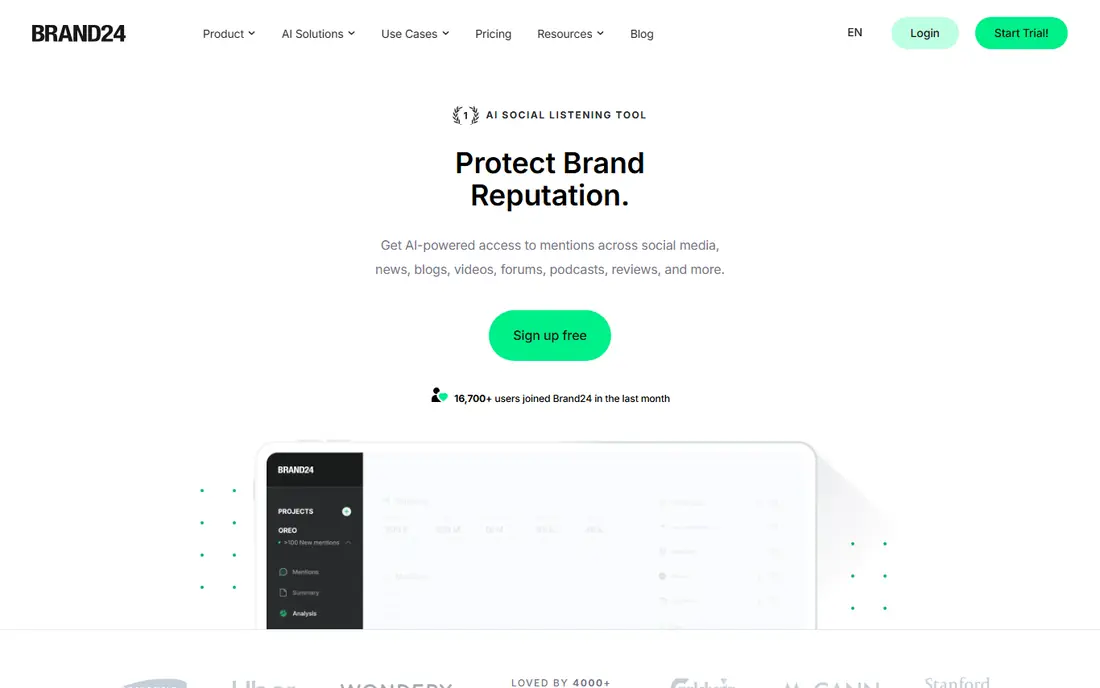
Brand24 tracks mentions across social media, news, blogs, forums, and podcasts, and it flags sudden changes in volume or sentiment. That early signal is useful when a complaint, article, or video starts to spread, because the team can investigate before the story grows. Reports also show which sources and authors drive the conversation, which helps with outreach and follow-up.
It is primarily a listening tool, so teams that need deep review generation or local listing management will need another product alongside it. Mention limits also matter, since a brand with many product names can use its allowance quickly. Brand24 fits best when monitoring and speed of awareness are the main goals.
- Wide mention coverage
- Sentiment and spike alerts
- Influencer and source detail
- Review management is not its main strength
- Higher plans needed for larger mention volumes

Birdeye centralises review requests, responses, listings, and social activity for businesses with many locations. A head office can see which sites are falling behind on ratings or response times, while local managers handle their own replies. That split helps larger teams keep standards consistent without removing local control.
The platform covers a lot, which can make pricing and setup harder to judge from a short trial. Smaller single-location businesses may find the breadth more than they need. Birdeye is strongest when review volume, location count, and reporting needs are all high.
- Review requests and AI-assisted replies
- Listings across many locations
- Benchmarking by location
- Pricing is quote-based
- Smaller teams may not need the full suite

Mention is built for teams that need to watch a brand, competitors, and industry topics in one feed. Alerts arrive as mentions appear, and filters help separate useful coverage from noise. Agencies often use it to prepare client reports and to catch press or social items that need a quick response.
Its strength is listening rather than review operations, so a business that lives or dies by Google or Yelp ratings will still need a review tool. Pricing also needs checking, since plans are shaped by mention volume and users. Mention suits PR-led teams more than location-led service businesses.
- Real-time monitoring across many sources
- Sentiment tagging
- Competitor tracking
- Entry pricing can be high for small brands
- Review workflow is limited
Reputation.com gathers reviews and survey feedback, then applies analysis to show themes by location, department, or product. Leaders can compare sites, spot recurring complaints, and track whether changes improve scores over time. That depth matters in regulated or service-heavy sectors, where feedback patterns affect operations as well as marketing.
The trade-off is scale and cost. Implementation and pricing fit larger networks better than a one-site business. Teams should also confirm which review sites and survey tools are covered, since coverage can vary by plan and region.
- Review and survey data in one view
- Location-level dashboards
- Strong reporting for large networks
- Enterprise pricing and setup
- Less suited to a single small shop
Podium helps service businesses ask for reviews by text shortly after a visit or job, when the experience is still fresh. That timing often lifts review volume, and a shared inbox lets staff reply to messages and reviews without switching tools. For dental, auto, home services, and similar businesses, that simple loop is the main value.
Podium is not a broad social listening tool, so it will not replace mention monitoring for a brand facing press or social risk. Pricing is also quote-based, which makes direct comparison harder. It fits best when the priority is more reviews and faster customer replies, not wider media tracking.
- Simple SMS review requests
- Unified inbox for messages
- AI-suggested replies on some plans
- Quote-based pricing
- Focus is narrower than a full listening suite
Sprout Social combines social listening, publishing, engagement, and reporting, so a social team can spot a mention, assign it, and reply from the same system. Sentiment-aware tagging and task automation help larger teams handle high message volume without losing track of cases. That workflow value is often more important than any single listening metric.
The per-user price means costs grow as the team grows, and higher tiers are needed for advanced listening. Sprout also does not replace a dedicated review or listings platform for multi-location businesses. It is a strong pick when social channels are the main reputation risk.
- Social listening and publishing in one place
- Team workflows and approvals
- Useful reporting
- Price rises quickly with users
- Review and listing tools are limited
Yext helps businesses keep names, addresses, hours, and services consistent across directories and maps. That accuracy matters because wrong details can send customers elsewhere and can feed incorrect answers in search results. The platform also brings review and local performance data into view, which helps teams see where listings need attention.
Yext is not mainly a crisis listening tool, and its cost depends on locations and features. A brand with one location may get less value than a chain with hundreds. Yext fits when local search accuracy and consistent listings are a clear reputation risk.
- Central listing control
- Local search and review visibility
- Knowledge graph structure
- Pricing varies by location count
- Mention monitoring is not the core job
ReviewTrackers pulls reviews from many sites into one dashboard, so a team can reply, tag themes, and compare performance with competitors. That central view helps managers spot repeated issues, such as wait times or billing confusion, without opening each review site separately. Reporting also makes it easier to show progress to owners or clients.
It is more focused on monitoring and analysis than on broad social listening or listing management. Teams should check which sites are covered for their industry and region, and whether review requests are included on the chosen plan. ReviewTrackers suits teams that want a clear review picture without a full enterprise suite.
- Reviews from many sites in one dashboard
- Theme and sentiment reporting
- Competitor benchmarks
- Request and response features vary by plan
- Enterprise needs may require a larger suite
How we picked these
We reviewed official product pages, pricing pages, and public feature documentation, and we compared coverage across reviews, mentions, listings, and social channels. We included tools with distinct strengths, so the list covers listening, review generation, and local visibility rather than repeating one approach. Public reviews helped us check recurring limits, such as plan caps and setup effort, without treating any one review as a final verdict.
We did not claim hands-on testing, and we used See website where pricing was quote-based or varied by locations and users. Reputation claims in this article describe tool features, not promises about ratings outcomes, since customer experience still drives what people write.
What to look for when you compare
Start by naming the reputation risk you face most often. A restaurant chain may need review volume and listing accuracy, while a consumer brand may need fast mention alerts and competitor tracking. Buying for the wrong risk leads to a dashboard that looks busy but changes little.
Coverage and alert quality
Check which review sites, social networks, news sources, and forums are included, and test alerts with your brand name, common misspellings, and product names. Look at how the tool filters noise, groups duplicates, and handles sentiment for sarcasm or mixed reviews. An alert that arrives late or floods the inbox will be ignored, so alert quality matters more than source count alone.
Response workflow and ownership
Confirm who can reply, approve, and escalate, and whether replies can be drafted with templates without sounding copied. Check response time reporting by location and team member, and decide who owns reviews, social mentions, and listings each day. A clear owner and a short response guide will do more than a larger feature list.
Cost, limits, and reporting
Add up keywords, mentions, locations, users, and review request volume, and ask what happens when a limit is reached. Check whether reports can be shared with owners, clients, or franchisees, and whether data can be exported. A tool should make it easy to prove progress over months, not just to show a busy dashboard for one week.
FAQ
What is the difference between reputation management and social listening?
Social listening tracks mentions and sentiment across the web, while reputation management also covers reviews, listings, responses, and reporting. Many teams need both, but the balance depends on where customers form opinions. A local business may care more about reviews, while a national brand may care more about press and social mentions.
How quickly should a business reply to a negative review?
A prompt, calm reply is usually better than a delayed one, but speed should not replace accuracy. Acknowledge the issue, avoid arguing in public, and move detailed resolution to a private channel where possible. A consistent reply routine matters more than replying within a fixed number of minutes.
Can a tool remove negative reviews?
No legitimate tool can remove honest reviews simply because a business dislikes them, and any vendor that promises removal should be treated with care. Tools can help flag reviews that break a platform policy, such as fake or abusive content, for that platform to review. The durable fix is to improve the experience that caused the complaint and to invite more genuine reviews.
Do sentiment scores replace human review?
No, sentiment tools give a useful first sort, but they can miss sarcasm, mixed feedback, and context. A human should review high-impact mentions, complaints about safety or billing, and anything that could become a wider story. Use sentiment for triage and trends, and use people for decisions and public replies.
How many keywords or locations do I need?
Start with your brand name, main product names, common misspellings, and key competitors, then add locations as separate tracked entities if you have many sites. Too many broad keywords create noise, while too few miss relevant mentions. Review the keyword list each quarter and remove terms that only produce irrelevant results.
Is a free trial enough to judge a reputation tool?
A trial can show the interface and basic coverage, but reputation patterns take weeks to appear. Use the trial to test alerts, reply workflow, reporting, and data exports with real brand terms. Ask for a demo with your own locations or keywords if the trial data looks thin, and check contract terms before committing.