Best Booking Software in 2026: 9 Tools Compared
Compare the best booking software for small business in 2026, from Calendly and Acuity to Square Appointments, with pricing, free plans and features today.

- Editor's choice
 Calendly
Booking calls and meetings
Starts at$10 per monthVisit calendly.comFull review - Great alternative
 Acuity Scheduling
Service appointments with packages
Starts at$16 per monthVisit acuityscheduling.comFull review - Also consider
 Square Appointments
Salons and services with payments
Starts atFreeVisit squareup.comFull review
TL;DR:
- Calendly is our pick for most people who mainly book calls and meetings, while Square Appointments suits service businesses that also take payments.
- Free plans are genuinely useful from Calendly, Square Appointments, Setmore, SimplyBook.me and Zoho Bookings, but limits on staff, bookings or features matter.
- Acuity Scheduling and SimplyBook.me give the most control over intake forms, packages and deposits for service businesses.
- Price per seat, per location and per calendar can change the total fast, so compare the plan for the team size you expect next year, not just today.
Quick comparison
| Tool | Best for | Starts at | Free plan? | |
|---|---|---|---|---|
| Calendly | Booking calls and meetings | $10 per month | Yes | Visit |
| Acuity Scheduling | Service appointments with packages | $16 per month | Free trial (7 days) | Visit |
| Square Appointments | Salons and services with payments | Free | Yes | Visit |
 Setmore | Small teams on a tight budget | $5 per month | Yes | Visit |
 SimplyBook.me | Feature-rich booking websites | $11.90 per month | Yes | Visit |
 Zoho Bookings | Simple scheduling on a budget | $6 per month | Yes | Visit |
 Booksy | Salons and barbershops | $29.99 per month | Free trial (14 days) | Visit |
 Fresha | Beauty and wellness marketplace | See website | No | Visit |
 Cal.com | Open scheduling with team routing | Free | Yes | Visit |
The best booking software
Booking software should remove back and forth messages, show real availability and let clients pay or confirm without extra steps. The nine tools below cover solo consultants, salons, clinics and growing teams, and each one fits a different kind of booking.
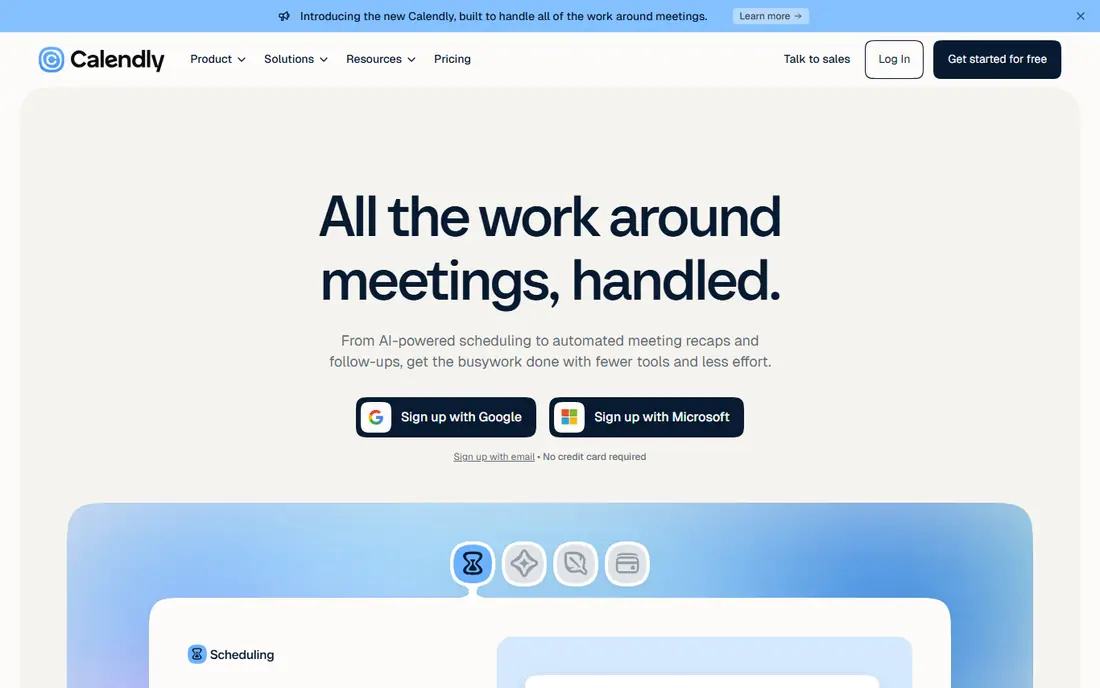
Calendly is the simplest choice when most of your bookings are calls, demos or consultations. A client picks a time from your page, the event goes straight into your calendar, and reminders cut down on no-shows. The free plan covers one event type and one connected calendar, which is enough for many solo operators to start.
The trade-off is that Calendly is not built as a full front desk tool. It lacks the service menus, staff rotas and client visit history that a salon or clinic may need. If your work is mostly conversations, that simplicity is a strength. If you sell timed services in person, look at Square Appointments or Acuity Scheduling first.
- Clean booking pages
- Strong calendar sync
- Easy team routing on paid plans
- Limited service business features
- Payments and advanced routing sit on higher plans

Acuity Scheduling suits businesses that need more than a time slot. You can ask clients detailed questions before they arrive, sell a package of sessions, offer memberships and take a deposit at booking. That control helps massage therapists, photographers, tutors and coaches who want bookings to arrive with context and payment already handled.
The cost rises with calendars rather than individual users, which can help a small team with several services. The catch is the absence of a free plan, so you need a trial to judge the setup. Businesses that only need a basic link may find Calendly or Setmore cheaper and faster.
- Detailed intake forms
- Packages, memberships and gift certificates
- Deposit and payment options
- No free plan
- Higher plans needed for more calendars and text reminders

Square Appointments is a strong starting point for a business that already takes card payments with Square. The free plan includes online booking, reminders and staff calendars, and clients can pay when they book. That combination covers a lot of salon, spa, fitness and repair businesses without a monthly subscription.
Payment processing fees still apply, and paid plans are priced per location, so multi-location businesses should check the total. The product also works best inside the Square system. If you use another payment provider and want to keep it, a standalone scheduler may fit better.
- Free booking site and staff calendars
- Payments built in
- Point of sale link for in-person sales
- Tied to Square payments
- Advanced features such as no-show fees sit on paid plans
Setmore gives small teams a generous free starting point. Up to four users can take unlimited bookings, which is rare at this price. Setup is quick, the booking page is easy to share, and payment options cover the main providers most small businesses already use.
The limit to watch is how Pro counts users. Every staff calendar counts, even without a separate login, so a growing team can see the bill rise faster than expected. Free reminders are also more limited than on Pro. For a solo operator or a team of three or four, Setmore is hard to beat on value.
- Free plan for up to four users
- Simple setup
- Payments through Stripe, Square or PayPal
- Each staff calendar counts as a paid user on Pro
- Deposits and video appointments need Pro
SimplyBook.me suits a business that wants to shape its booking site in detail. You can add deposits, coupons, memberships, intake forms and many other features, and build a booking website that looks like part of your brand. The free plan includes 50 bookings per month, which works as a trial for a small business.
The size of the feature library is both the appeal and the risk. It takes time to choose what you need and hide what you do not. Lower plans also cap bookings, so a busy business should price the plan that matches its monthly volume rather than the cheapest headline price.
- Large library of add-on features
- Coupons, memberships and deposits
- Custom booking website
- Booking limits on lower plans
- The range of features can feel busy at first
Zoho Bookings is a straightforward scheduler at a low price. One person can offer several meeting types, sync calendars and share a booking link without a long setup. The free plan covers a single staff member, which is enough for many freelancers and consultants.
It does not try to be a full salon or clinic platform, so businesses that need packages, complex staff rotas or point of sale tools should look elsewhere. If you already use Zoho products, the shared account and data handling add convenience. If you do not, the low price alone still makes it worth a short trial.
- Low starting price
- Clean booking pages
- Works well for one person teams
- Fewer service business features than Acuity or SimplyBook.me
- Paid plans are per user
Booksy is built around salons, barbershops and beauty services, and that focus shows in its tools. Clients can find you through the Booksy marketplace, book a specific stylist, leave a review and rebook a past service. For a new salon, that discovery channel can matter as much as the calendar itself.
The price starts higher than general schedulers, and team members add to the bill. A business outside beauty will get less value from the marketplace and industry tools. For barbers and stylists, though, the combination of booking, client records and new client discovery is a clear fit.
- Marketplace exposure to new clients
- Salon and barber focused tools
- Client management and reviews
- Higher starting price
- Extra team members add cost
- Best for beauty businesses
Fresha combines a booking platform with a marketplace for salons, spas, barbershops and wellness studios. Clients can search for services near them, book online and pay through the platform, while the business manages appointments, staff and client notes. That discovery element helps businesses that want new clients, not just a booking link for existing ones.
Pricing terms vary, so check the current terms for your country before you commit. Fresha is also firmly aimed at beauty and wellness. A consultant, tutor or trades business will find a general scheduler more direct and less tied to a marketplace model.
- Marketplace for beauty and wellness clients
- Booking, payments and client records in one place
- No monthly fee on some marketplace plans in some regions
- Pricing and plan terms vary by region
- Less suited to businesses outside beauty and wellness
Cal.com is an open source alternative to Calendly with strong team scheduling. You can set up round robin routing, collective events where several people must attend, and booking pages for a whole team. The free plan covers individual scheduling, and paid plans add team features.
The open approach appeals to teams that want control over their data and the option to self host. It is less of a ready made salon platform, with fewer built in tools for packages, deposits and client histories. For remote teams and agencies that mainly book meetings, Cal.com is a flexible and low cost choice.
- Open source scheduling
- Team round robin and collective events
- Self hosting option for technical teams
- Service business features are lighter than Acuity
- Setup can need more technical confidence
How we picked these
We compared official feature pages, pricing pages, free plan limits and app store listings, plus public reviews about setup and day to day use. We favored tools that are still actively sold in October 2026, that offer a real booking page for clients, and that fit small business use rather than enterprise only scheduling. We checked whether each product covers appointments, meetings or both, and we noted where pricing is per seat, per location or per calendar because that changes the real cost.
What to check before you pay
Start with the booking type, not the brand. A meeting scheduler is best for calls, while a service platform is best for timed, in-person services with staff choice. Next, count staff, locations and monthly bookings, then price that exact shape. A free plan for one person can become expensive for six staff, and a per location plan can suit a salon with many staff at one site.
Test the client view before you buy. Book a test appointment on your phone, check how reminders look, and confirm that time zones, cancellations and rescheduling work the way your clients expect. Also check payment handling, deposit rules and cancellation policies. A tool that takes payment at booking can cut no-shows, but it must also handle refunds cleanly.
Finally, check integrations. Calendar sync, email marketing, accounting and point of sale links save manual work every week. If a tool needs a workaround for a system you use daily, that friction will cost more than a small price difference over a year.
FAQ
What is the best booking software for a small business?
It depends on the booking type. Calendly suits calls and meetings, Square Appointments suits service businesses that take payments, and Acuity Scheduling suits services that need intake forms and packages. Start with the booking type, then compare free plans and the price for your team size.
Is there a free booking app for small business?
Yes. Calendly, Square Appointments, Setmore, SimplyBook.me, Zoho Bookings and Cal.com all offer free plans or a free tier with limits. Check staff limits, booking limits and whether reminders, payments or team routing are included before you rely on the free plan.
What is the best appointment scheduling app for a salon?
Square Appointments, Booksy and Fresha are strong salon choices. Square Appointments links booking to payments, Booksy adds marketplace discovery for salons and barbershops, and Fresha combines booking with a beauty and wellness marketplace. The best choice depends on whether you want new clients from a marketplace or mainly need booking for existing clients.
Can clients pay when they book?
Many of these tools support payment at booking, including Square Appointments, Acuity Scheduling, SimplyBook.me and Booksy. Check whether deposits, full payment, packages and refunds are supported on the plan you choose, and confirm processing fees.
Does booking software work with Google Calendar and Outlook?
Most schedulers in this list sync with Google Calendar and Outlook, and several support other calendars too. Confirm two way sync on your plan, so a booking blocks your calendar and a calendar event blocks booking availability.