Best Booking Software for Salons in 2026: 8 Tools Compared
Best booking software for salons compared for 2026, with pricing, free plans and salon features to help small salons pick the right booking tool and more.
- Editor's choice
 Fresha
Salons that want new clients from a marketplace
Starts at$19.95 per monthVisit fresha.comFull review - Great alternative
 Booksy
Stylists and barbers with an established book
Starts at$29.99 per monthVisit booksy.comFull review - Also consider
 Square Appointments
Salons already using Square for payments
Starts atFreeVisit squareup.comFull review
TL;DR:
- Square Appointments is the only genuine free tier here, while most salon tools start near $20 to $30 per month for a solo operator.
- Marketplace tools such as Fresha and Booksy can bring new clients, but marketplace fees and per-staff pricing change the real cost.
- Processing fees matter as much as the subscription, so compare the card rate and per-transaction fee at your volume.
- Larger salons should price the whole team and every location, not just the advertised starting plan.
Quick comparison
| Tool | Best for | Starts at | Free plan? | |
|---|---|---|---|---|
| Fresha | Salons that want new clients from a marketplace | $19.95 per month | Free trial | Visit |
| Booksy | Stylists and barbers with an established book | $29.99 per month | Free trial | Visit |
| Square Appointments | Salons already using Square for payments | Free | Yes | Visit |
 GlossGenius | Solo stylists and small salon teams | $24 per month | Free trial | Visit |
 Vagaro | Small salons that want an all-in-one platform | $30 per month | Free trial | Visit |
 Mangomint | Growing salons that need front-desk automation | $120 per month | Free trial | Visit |
 Boulevard | Upscale salons focused on client experience | See website | No | Visit |
 Zenoti | Salon and spa groups with many locations | See website | No | Visit |
The best booking software for salons
We compared official feature pages, pricing pages, app store listings and public reviews for this guide. The options below cover different budgets and team sizes, so start with the shortlist that matches how you actually work, then check the details before you commit.
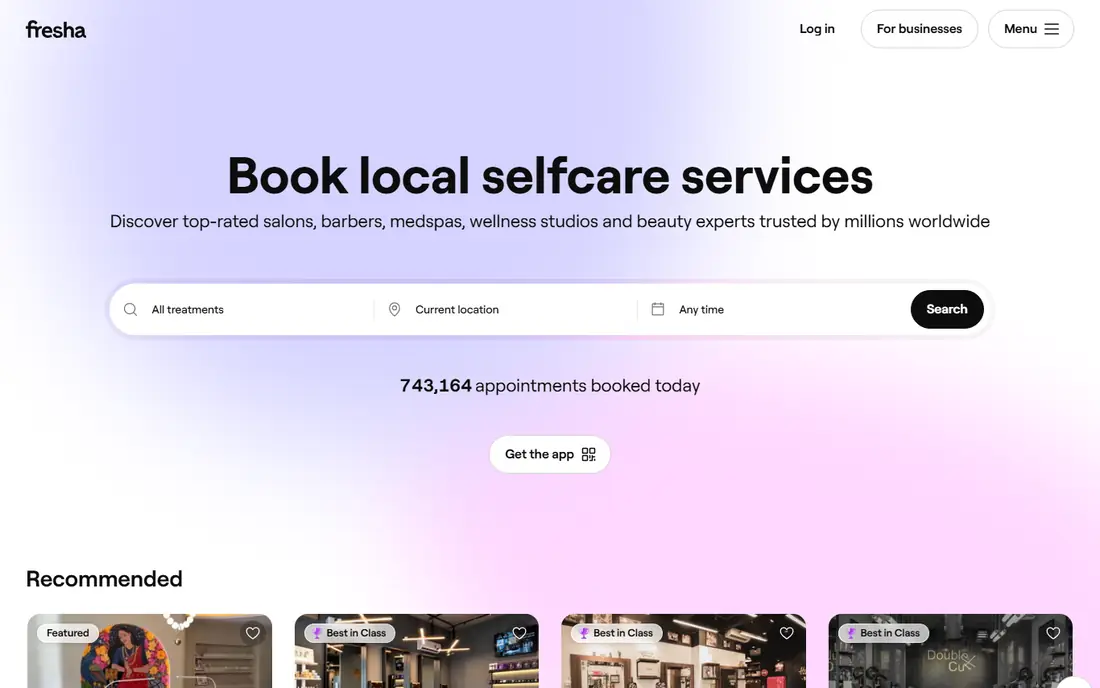
Fresha pairs online booking with a large client marketplace, so it suits a salon that still needs to fill chairs rather than only manage an existing book. Clients can find the salon, book a service and pay in one place, and the salon gets a calendar, client records and reminders. The trade-off is the marketplace fee on new clients found through Fresha, so owners should work out what that costs at their volume before they rely on it for growth. Cost also deserves a second look, because the headline price rarely tells the full story. Add-ons, extra seats, payment fees and higher tiers for a feature you need can change the monthly total a lot. Check what is included at the starting price, what moves you to the next tier, and how easy it is to cancel or step down. That check takes ten minutes and can save a year of paying for the wrong plan.
- Marketplace discovery
- Online booking
- Built-in payments
- Commission on new marketplace clients
- Paid plans needed for full features
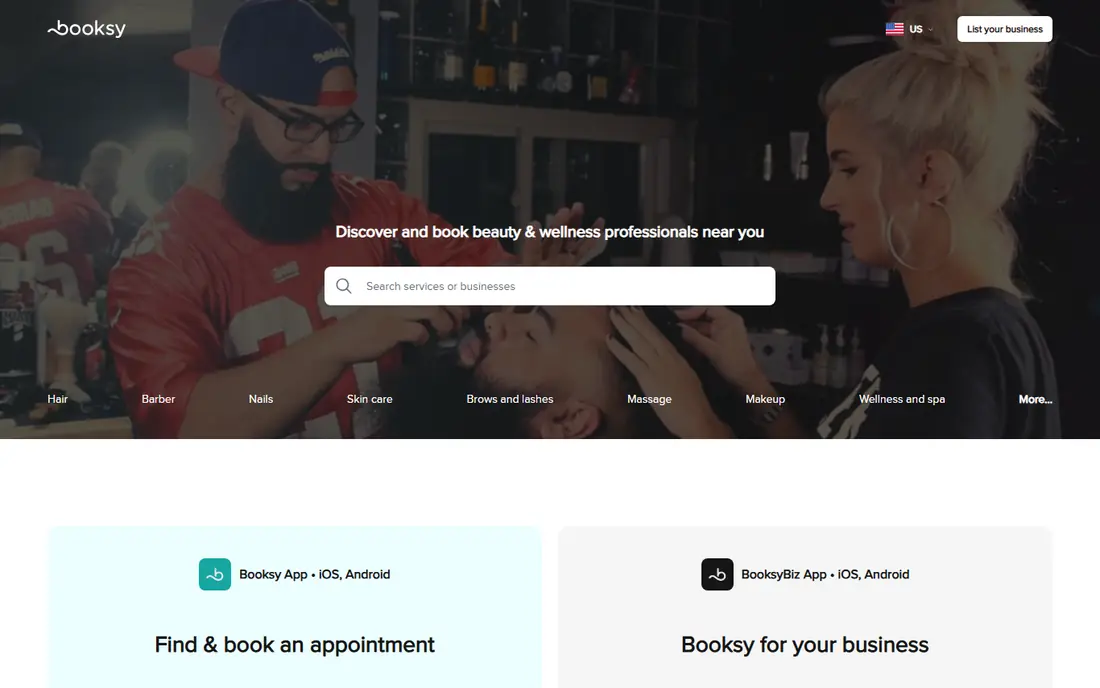
Booksy is built around the way stylists and barbers actually work, with individual staff calendars, service menus and a client app that many customers already know. It fits an independent stylist or a small team that wants bookings to arrive without phone calls. The per-team-member pricing means a growing team should price the whole team, not just the first seat, before signing up. Support and setup time matter as much as features, especially when you are switching from another tool. Look for clear help pages, a setup guide that matches your case, and a way to import your existing records without retyping them. If migration looks painful, ask the vendor what help they offer and how long it usually takes. A smooth move protects your data and keeps your work running while you change systems.
- Strong client app
- Online booking
- Staff calendars
- Per-staff pricing adds up
- Marketing tools vary by plan
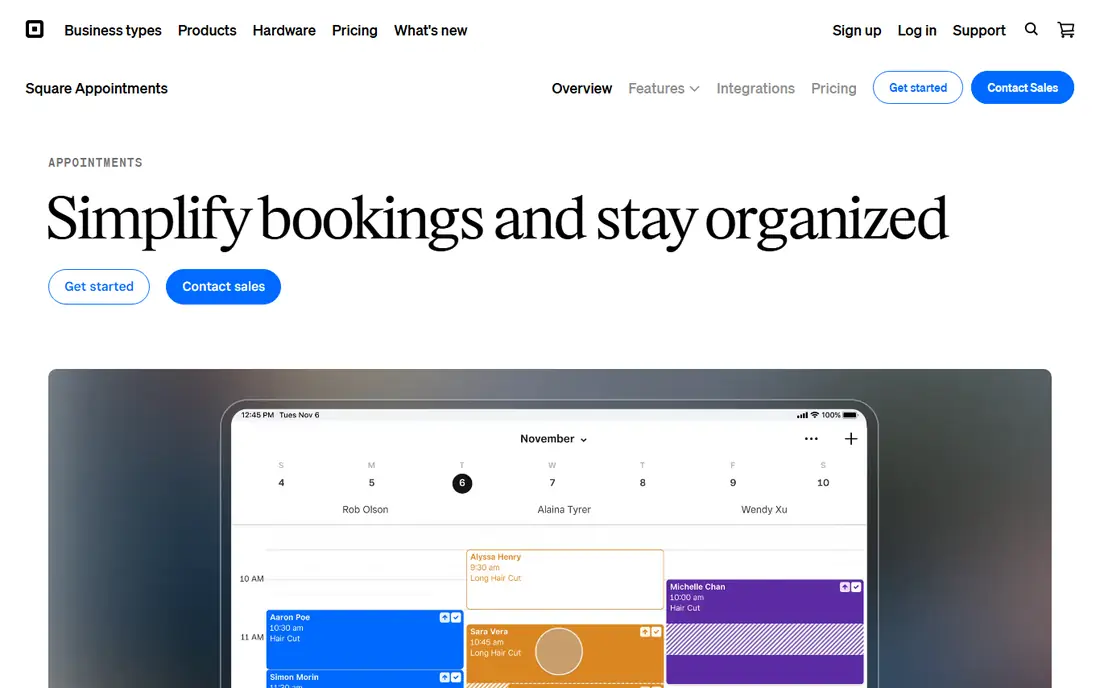
Square Appointments is the low-risk starting point for a salon that already takes card payments through Square. The free tier covers online booking, calendar sync and email reminders for a single staff member, and paid plans add team features. It is less salon-specific than some rivals, so owners who want deep salon marketing or membership tools may need add-ons or a different platform. In daily use, the details that matter are the ones you hit every week, such as how easy it is to add a new person, change a setting, or find a past record. We suggest you run a short trial with real work, not a demo task, and ask the team who will use it daily what slowed them down. A tool that looks strong on a feature page can still feel awkward when it meets your routine, so give that trial a fair test before you pay for a year.
- Free tier for individuals
- Integrated payments
- Point of sale options
- No-show tools need a paid plan
- Fewer salon-specific marketing tools
GlossGenius keeps the bill and the setup simple, which is why many solo stylists pick it first. It covers booking, payments, client notes and a booking site in one place, with a flat card processing rate that makes costs easy to predict. Small teams get a clear team-size structure, while larger multi-location salons may find the depth of reporting and controls thinner than enterprise salon platforms. Cost also deserves a second look, because the headline price rarely tells the full story. Add-ons, extra seats, payment fees and higher tiers for a feature you need can change the monthly total a lot. Check what is included at the starting price, what moves you to the next tier, and how easy it is to cancel or step down. That check takes ten minutes and can save a year of paying for the wrong plan.
- Simple setup
- Flat card rate
- Booking site included
- Higher tiers needed for some features
- Limited multi-location depth
Vagaro covers a wide range of beauty and wellness services, so it fits a salon that also offers spa treatments, classes or retail. Booking, a marketplace listing, client records and marketing tools sit in one account, and payroll can be added. The catch is that each bookable calendar adds cost, so a salon with several providers should add up every calendar and add-on before comparing the headline price with rivals. Support and setup time matter as much as features, especially when you are switching from another tool. Look for clear help pages, a setup guide that matches your case, and a way to import your existing records without retyping them. If migration looks painful, ask the vendor what help they offer and how long it usually takes. A smooth move protects your data and keeps your work running while you change systems.
- Booking plus marketplace
- Payroll add-on
- Wide service options
- Per-calendar pricing
- Add-ons raise the total
Mangomint is aimed at salons where the front desk is the bottleneck, with scheduling, automated reminders, intake forms and messaging designed to cut phone work. The interface is clean and the automations save real time for a busy team. The starting price is high for a solo operator, so it makes most sense once the salon has enough volume and staff for the time savings to pay for themselves. In daily use, the details that matter are the ones you hit every week, such as how easy it is to add a new person, change a setting, or find a past record. We suggest you run a short trial with real work, not a demo task, and ask the team who will use it daily what slowed them down. A tool that looks strong on a feature page can still feel awkward when it meets your routine, so give that trial a fair test before you pay for a year.
- Clean scheduling
- Smart automations
- Client messaging
- High starting price
- Overkill for a solo stylist
Boulevard is built for salons where the client experience is part of the brand, with a refined booking flow, detailed client profiles and tools for multi-location groups. It suits a boutique or upscale salon that wants a polished front end and strong controls behind it. Pricing is quote-based rather than published, so owners should expect a sales conversation and should confirm contract length and total cost before committing. Cost also deserves a second look, because the headline price rarely tells the full story. Add-ons, extra seats, payment fees and higher tiers for a feature you need can change the monthly total a lot. Check what is included at the starting price, what moves you to the next tier, and how easy it is to cancel or step down. That check takes ten minutes and can save a year of paying for the wrong plan.
- Refined booking flow
- Client profiles
- Multi-location tools
- Quote-only pricing
- Longer contracts reported
Zenoti is the enterprise end of this list, made for salon, spa and medspa groups that need central reporting, membership management and controls across locations. It can handle complexity that smaller tools cannot, including multi-brand and multi-location setups. For a single small salon it is usually too much, both in price and in setup time, so it fits best when growth across sites is already part of the plan. Support and setup time matter as much as features, especially when you are switching from another tool. Look for clear help pages, a setup guide that matches your case, and a way to import your existing records without retyping them. If migration looks painful, ask the vendor what help they offer and how long it usually takes. A smooth move protects your data and keeps your work running while you change systems.
- Enterprise controls
- Multi-location reporting
- Membership tools
- Custom pricing
- Heavy setup for a small salon
How we picked these
We compared official pricing and feature pages, app store listings and public user reviews, and we kept only tools that are live, salon-focused and able to take online bookings with payments in the United States. We checked starting prices, free trials, per-staff or per-calendar pricing and card processing notes, and we noted where pricing is quote-only. We did not claim hands-on testing, and prices should be confirmed on the vendor site before purchase because promotions change.
How to choose salon booking software
Start with your team size
Count bookable staff, not just employees, because several tools charge per calendar or per seat. A solo stylist and a seven-chair salon face very different bills on the same platform.
Check deposits and no-shows
Deposits, cancellation policies and no-show fees protect revenue, but they sit on different tiers. Confirm they are included before you rely on them.
Test the client booking path
Book an appointment yourself on a phone, change it, and cancel it. If that path feels clumsy, clients will drop off, no matter how strong the back office looks.
FAQ
What is the best booking software for salons for a small salon?
For most small salons, GlossGenius, Vagaro or Square Appointments are strong starting points, depending on budget. Square Appointments costs least to start, GlossGenius is simple for solo and small teams, and Vagaro adds breadth for mixed beauty and wellness services. Compare the full team price, not just the headline plan.
Is there free salon booking software?
Square Appointments offers a free tier for a single staff member with online booking and payments. Most other salon platforms offer a free trial instead of a free plan, so a salon that needs team features should expect a monthly fee.
What is the best salon POS software for a small salon?
Square Appointments is a natural fit if the salon already uses Square hardware, because booking and point of sale share the same system. Vagaro and GlossGenius also combine booking with payments, while Fresha and Booksy add a marketplace for finding new clients.
Do salon booking tools charge for payment processing?
Yes, in addition to the subscription. Card rates vary by vendor and plan, typically around 2.4 to 2.7 percent for in-person payments, plus a small per-transaction fee on some plans. Check the rate for your plan before you compare subscriptions.
Can clients book online without calling the salon?
Yes, every tool here offers an online booking page or app that clients can use at any hour. The salon sets services, prices, staff availability and cancellation rules, and bookings land directly on the staff calendar with reminders sent automatically.