Best Backtesting Software in 2026: 9 Platforms Compared
Compare the best backtesting software in 2026. We review 9 backtesting platforms for stocks, forex, and crypto, with pricing and key features. See details.

- Editor's choice
 TradingView
Chart based retail traders
Starts atSee websiteVisit tradingview.comFull review - Great alternative
 QuantConnect
Coders building systematic strategies
Starts atFreeVisit quantconnect.comFull review - Also consider
 MetaTrader 5
Forex and CFD traders
Starts atFreeVisit metatrader5.comFull review
TL;DR:
- TradingView suits most retail traders for chart based backtesting, while QuantConnect suits coders who want a full research platform.
- The best forex backtesting software needs realistic spreads, commissions, and slippage settings, or results will look better than live trading.
- A high backtest return does not prove a strategy works: overfitting to past data is the most common trap.
- This is not financial advice; trading carries risk, and you can lose money, so test with small size and never trade money you cannot afford to lose.
- Start with a simple strategy, test it out of sample, and paper trade before you risk real capital.
Quick comparison
| Tool | Best for | Starts at | Free plan? | |
|---|---|---|---|---|
| TradingView | Chart based retail traders | See website | Yes | Visit |
| QuantConnect | Coders building systematic strategies | Free | Yes | Visit |
| MetaTrader 5 | Forex and CFD traders | Free | Yes | Visit |
 NinjaTrader | Futures and active traders | Free | Yes | Visit |
 TradeStation | US stock and futures traders | See website | Free trial | Visit |
 AmiBroker | Technical traders wanting fast tests | See website | Free trial | Visit |
 Forex Tester | Forex traders practising manually | See website | Free trial | Visit |
 Backtrader | Python traders wanting open source | Free | Yes | Visit |
 TrendSpider | Technical traders wanting automation | See website | Free trial | Visit |
The best backtesting software
We compared official pricing, feature pages, and public documentation for the best backtesting platforms, focusing on tools that traders can actually use in 2026. The best platform for backtesting in this guide covers chart based testing, code based research, and forex specific simulation, so you can match the tool to your market and your skill level. This is not financial advice; trading carries risk, and past performance does not guarantee future results.

TradingView is a strong option for chart based retail traders. Its main strength is excellent charts with Pine Script for strategy testing. That matters because it saves time on the work you do every day, rather than adding another tool you have to manage. We compared its official feature pages, pricing, and public reviews, and it holds up as a real option for the buyers described here, not just a well known name.
We also noted a large community sharing ideas and scripts. The main catch is the fullest backtesting features need a paid plan. Try the free tier or trial first and check that the limits match your volume before you pay.
- Excellent charts
- Pine Script backtesting
- Large community
- Advanced backtesting needs paid plans
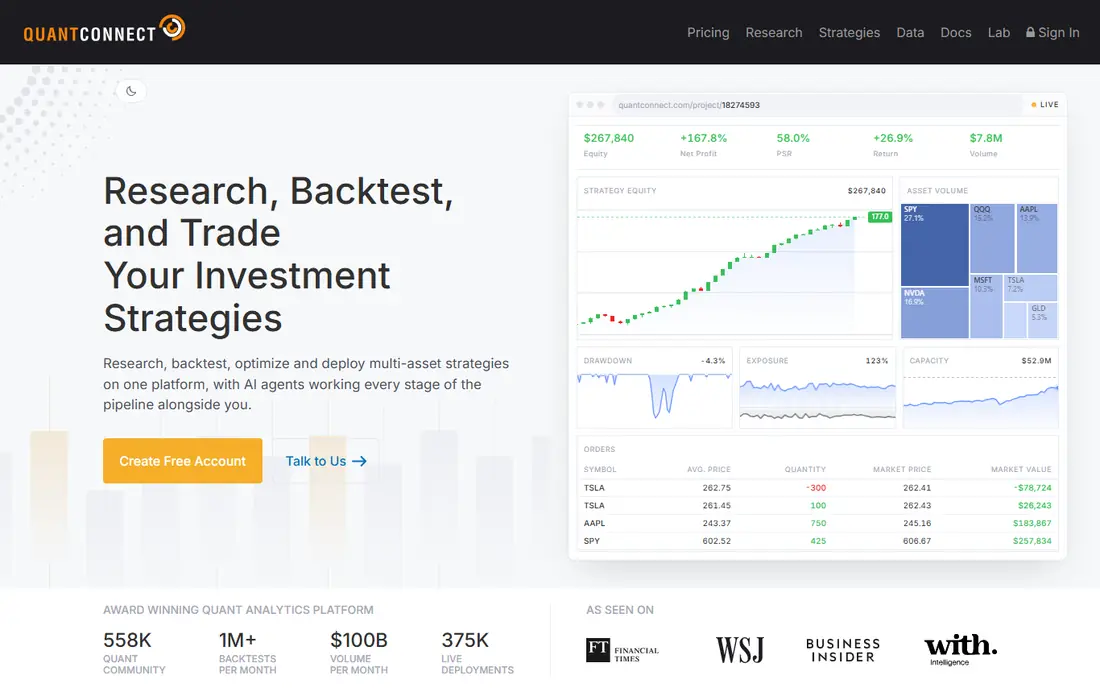
For coders building systematic strategies, QuantConnect deserves a close look. Its main strength is a cloud platform for research, backtesting, and live trading. That matters because it saves time on the work you do every day, rather than adding another tool you have to manage. We compared its official feature pages, pricing, and public reviews, and it holds up as a real option for the buyers described here, not just a well known name.
On the plus side, support for stocks, forex, futures, and crypto in one place. The trade-off is the learning curve is steep for traders who do not code. That balance suits many teams, but it is worth testing with your real workload first.
- Cloud research platform
- Many asset classes
- Python and C#
- Learning curve for beginners
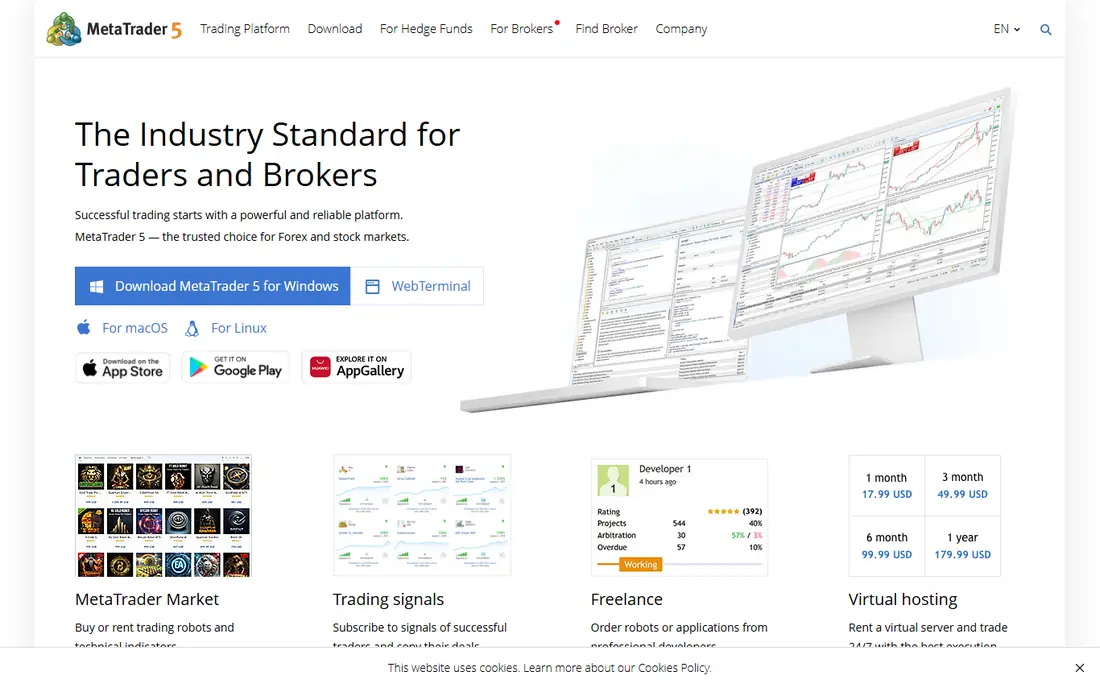
MetaTrader 5 works well when you need forex and CFD traders handled without a lot of setup. Its main strength is a strategy tester widely supported by brokers. That matters because it saves time on the work you do every day, rather than adding another tool you have to manage. We compared its official feature pages, pricing, and public reviews, and it holds up as a real option for the buyers described here, not just a well known name.
Another point in its favour is Expert Advisors that can run automated strategies. Still, the interface feels dated and features vary by broker. A short trial with your own data will tell you more than any feature list can.
- Widely supported by brokers
- Strategy tester
- Expert Advisors
- Interface feels dated
- Broker dependent features
If your team fits futures and active traders, NinjaTrader is worth shortlisting. Its main strength is strong futures support with a detailed strategy analyser. That matters because it saves time on the work you do every day, rather than adding another tool you have to manage. We compared its official feature pages, pricing, and public reviews, and it holds up as a real option for the buyers described here, not just a well known name.
We found simulated trading that lets you practise without risk useful in practice. The downside is the full platform can cost more and takes time to learn. If that limit is not a problem for you, it is a sensible choice.
- Strong futures support
- Strategy analyser
- Simulated trading
- Full platform features can cost more
- Learning curve
TradeStation stands out for US stock and futures traders thanks to a focused feature set. Its main strength is EasyLanguage for building and testing strategies. That matters because it saves time on the work you do every day, rather than adding another tool you have to manage. We compared its official feature pages, pricing, and public reviews, and it holds up as a real option for the buyers described here, not just a well known name.
It also offers broker integration that links testing to live orders. The catch to watch is the US focus and account based pricing suit some traders more than others. Compare that limit against your busiest week, not an average week.
- Powerful EasyLanguage
- Good data
- Broker integration
- US focus
- Pricing varies by account
Teams dealing with technical traders wanting fast backtests often land on AmiBroker for good reason. Its main strength is very fast backtests, even on large datasets. That matters because it saves time on the work you do every day, rather than adding another tool you have to manage. We compared its official feature pages, pricing, and public reviews, and it holds up as a real option for the buyers described here, not just a well known name.
Beyond the headline features, a flexible formula language for custom indicators. The drawback is the Windows focus and learning curve may put some users off. For many buyers that is acceptable, but check it before signing up.
- Very fast backtests
- Flexible formula language
- Good charts
- Windows focused
- Learning curve
Forex Tester is built with forex traders practising manual strategies in mind, and that focus shows in daily use. Its main strength is tick data replay for realistic manual practice. That matters because it saves time on the work you do every day, rather than adding another tool you have to manage. We compared its official feature pages, pricing, and public reviews, and it holds up as a real option for the buyers described here, not just a well known name.
We also liked a simulation mode that feels close to live trading. The honest weakness is it is forex only and runs as desktop software. Run a small pilot first to see whether it matters for your use case.
- Tick data replay
- Manual practice
- Realistic simulation
- Forex only
- Desktop software
When Python traders wanting open source backtesting is the priority, Backtrader is a practical place to start. Its main strength is open source Python backtesting with full control. That matters because it saves time on the work you do every day, rather than adding another tool you have to manage. We compared its official feature pages, pricing, and public reviews, and it holds up as a real option for the buyers described here, not just a well known name.
In addition, flexibility to test almost any logic you can code. The limitation is you need to code and supply your own data feed. That may be fine at first, yet it can matter as you grow.
- Open source Python backtesting
- Flexible
- Free
- Needs coding
- No built in data feed
TrendSpider appeals to technical traders wanting automated chart analysis who want clear pricing and a fast start. Its main strength is automated trendline and pattern detection. That matters because it saves time on the work you do every day, rather than adding another tool you have to manage. We compared its official feature pages, pricing, and public reviews, and it holds up as a real option for the buyers described here, not just a well known name.
A further strength is a strategy tester linked to alerts. The catch is subscription cost and a US market focus may limit some users. Weigh that against the time it saves your team each week.
- Automated chart analysis
- Strategy tester
- Alerts
- Subscription cost
- US market focus
How we picked these
We checked asset coverage, data quality, commission and slippage settings, coding versus no code options, and whether results can be tested out of sample. We also looked at paper trading, broker links, and pricing clarity. Tools that promised guaranteed returns, or that could not be verified as current products, were left out, because backtesting already carries enough risk without unreliable software.
How to Choose Backtesting Software Without Fooling Yourself
Start with realistic costs. The best backtesting software forex traders use should let you set spreads, commissions, and slippage, because ignoring those costs makes almost any strategy look profitable. Add realistic fills for illiquid markets too, and compare net results, not gross returns, before you judge a strategy.
Guard against overfitting. If you tweak a strategy until it fits past data perfectly, it will often fail on new data. Keep part of your data aside for out of sample testing, and be suspicious of strategies with many parameters and perfect equity curves. Simple strategies that survive out of sample testing are usually more trustworthy.
Match the tool to your coding skill. Chart based tools such as TradingView suit traders who do not code, while QuantConnect and Backtrader suit coders who want full control. Picking a code heavy tool when you do not code will slow you down, and picking a simple tool when you need custom logic will limit you later.
Paper trade before you risk real money. A backtest shows what would have happened, not what will happen, and live markets add emotion, slippage, and outages. Run a strategy in simulation for several weeks, check that live fills match backtest assumptions, and only then consider small real size. Never trade money you cannot afford to lose.
FAQ
What is the best backtesting platform for beginners?
TradingView is a good starting point for beginners because it combines charts, Pine Script, and a community, without requiring heavy coding. NinjaTrader also offers simulated trading for practice. Start simple, learn one strategy well, and avoid platforms that promise guaranteed profits.
What is the best forex backtesting software?
MetaTrader 5 and Forex Tester are strong forex choices, with MetaTrader 5 offering broker linked testing and Forex Tester offering tick replay for manual practice. QuantConnect also covers forex for coders. Whichever you choose, set realistic spreads and commissions, since forex results are very sensitive to those costs.
Can backtesting guarantee profits?
No. Backtesting shows how a strategy would have performed on past data, which is not a guarantee of future results. Markets change, costs matter, and overfitting is common. Treat backtests as a filter to reject weak ideas, not as proof that a strategy will make money. This is not financial advice.
What is the difference between backtesting and paper trading?
Backtesting replays historical data, while paper trading runs a strategy live with fake money. Paper trading adds real time data, fills, and timing, which can reveal problems a backtest hides. Use both: backtest to screen ideas, then paper trade the survivors before any real capital is at risk.
How much does backtesting software cost?
Costs range from free open source tools and free tiers to paid subscriptions and broker linked platforms. Several entries here say See website because pricing depends on plan and broker. Check whether data, advanced testing, or live trading features cost extra before you compare headline prices.
Sources
- https://www.tradingview.com/pricing/
- https://www.quantconnect.com/pricing
- https://www.metatrader5.com/
- https://ninjatrader.com/pricing/
- https://www.tradestation.com/pricing/
- https://www.amibroker.com/order.html
- https://forextester.com/pricing
- https://www.backtrader.com/
- https://trendspider.com/pricing/