Best B2B Sales Tools in 2026: 9 Tools Compared
Compare the best B2B sales tools for 2026, from Salesforce and HubSpot to Apollo and Outreach, with pricing, free plans, and picks for small and large teams.
- Editor's choice
 Salesforce
Growing and enterprise sales teams
Starts at$25 per user per monthVisit salesforce.comFull review - Great alternative
 HubSpot Sales Hub
All in one sales and marketing
Starts atFreeVisit hubspot.comFull review - Also consider
 Pipedrive
Visual pipeline for small teams
Starts at$14 per user per monthVisit pipedrive.comFull review
TL;DR:
- Salesforce Starter Suite at $25 per user per month is the entry point for teams that need a CRM that can grow into complex sales operations.
- HubSpot Sales Hub is the easiest all in one starting point, with a free plan for up to two users.
- Pipedrive at $14 per user per month in published comparisons suits small teams that want a visual pipeline without enterprise overhead.
- Apollo.io and ZoomInfo solve prospecting, while Outreach and Salesloft solve sequences and follow up: most teams need one of each, not two of the same.
- Free B2B sales tools work for a solo rep, but paid plans pay for themselves once sequences, reporting, and CRM sync matter.
Quick comparison
| Tool | Best for | Starts at | Free plan? | |
|---|---|---|---|---|
| Salesforce | Growing and enterprise sales teams | $25 per user per month | Yes | Visit |
| HubSpot Sales Hub | All in one sales and marketing | Free | Yes | Visit |
| Pipedrive | Visual pipeline for small teams | $14 per user per month | Free trial | Visit |
 Apollo.io | Prospecting and outreach data | See website | Yes | Visit |
 Outreach | Sales engagement at scale | See website | No | Visit |
 Salesloft | Cadences and revenue workflows | See website | No | Visit |
 ZoomInfo | B2B contact and company data | See website | Free trial | Visit |
 LinkedIn Sales Navigator | Social selling on LinkedIn | See website | Free trial | Visit |
 Close | Fast inside sales calling and email | See website | Free trial | Visit |
The best B2B sales tools
B2B sales tools fall into three jobs: finding the right accounts, running follow up without dropping leads, and keeping the pipeline visible to managers. No single tool does all three perfectly, so the best stack usually pairs a CRM with a prospecting source and, for larger teams, a sales engagement platform.
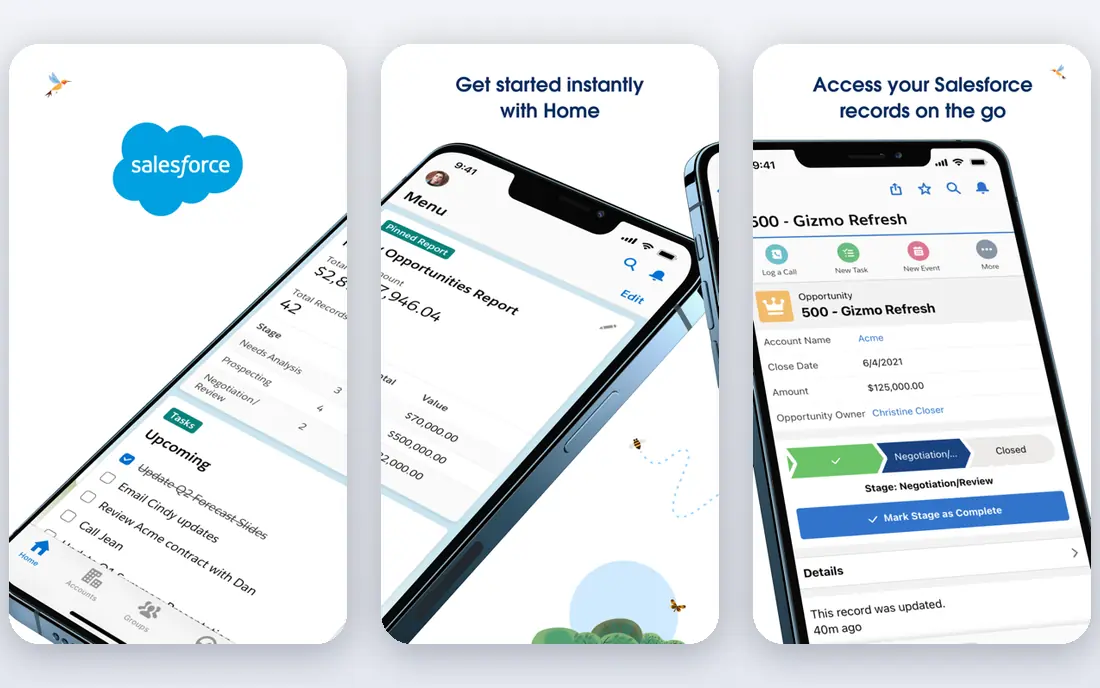
Salesforce Starter Suite costs $25 per user per month and covers core CRM, with a free suite for up to two users. Pro Suite costs $100 per user per month on an annual contract, while Core, Advanced, and Max tiers run from $195 to $550 per user per month in published 2026 comparisons. That ladder lets a team start small and add forecasting, quoting, and AI features as deal complexity grows.
Salesforce is the pick when sales process, approvals, and reporting matter as much as the pipeline itself. The trade off is setup. Without someone to own fields, stages, and automation, Salesforce can feel heavy for a five person team. If you have that owner, or plan to hire one, few tools match its depth.
- Deep customization and reporting
- Huge integration ecosystem
- Scales from small teams to global sales orgs
- Needs admin time to set up well
- Higher tiers rise fast in price

HubSpot Sales Hub starts free for up to two users, with Starter listed at $20 per seat per month and Professional at $90 per seat per month on annual billing in published comparisons. Professional adds sequences, forecasting, and playbooks, while Enterprise at $150 per seat per month adds advanced permissions and reporting. One time onboarding fees of $1,500 for Professional and $3,500 for Enterprise apply.
HubSpot wins on adoption. Reps can log emails, make calls, and track deals without leaving the CRM, and marketing data sits in the same system. The catch is total year one cost: add onboarding and any Marketing Hub seats before you compare HubSpot with Pipedrive or Salesforce Starter. For teams that want sales and marketing together, HubSpot is still often the simplest choice.
- Free plan for up to two users
- Email, calling, and sequences in one place
- Easy to learn
- Professional and Enterprise onboarding fees add to year one cost
- Advanced features sit on higher tiers

Pipedrive starts at $14 per user per month in published comparisons, with a free trial. It is built around a drag and drop pipeline, so a rep can see every deal, its stage, and its next activity at a glance. Email sync, calling, scheduling, and simple automation cover daily selling without a long implementation project.
Pipedrive suits teams that sell by phone and email and want a CRM reps will actually update. It is less suited to complex enterprise sales with multi level approvals and custom objects, where Salesforce fits better. If your team complains that its current CRM is too complicated, Pipedrive is the first tool to trial.
- Clear visual pipeline
- Fast setup
- Good value for small sales teams
- Marketing automation is lighter than HubSpot
- Enterprise reporting needs higher tiers
Apollo.io combines a B2B database with prospecting, sequences, and CRM sync. A free plan lets a solo rep test search filters, contact data, and basic outreach before paying. Paid plans raise monthly credit limits and add advanced sequences, dialer features, and reporting.
Apollo.io is the best value prospecting pick for small and mid size teams, because it covers both finding contacts and sending the first sequences. The honest limit is data quality: no database is perfect, so verify key contacts, clean bounces fast, and focus on well defined ideal customer profiles rather than buying the largest list possible.
- Large B2B contact database
- Built in sequences and email tools
- Free plan for testing prospecting
- Data accuracy varies by niche
- Best results need careful list building and verification
Outreach is a sales engagement platform: it runs multi step sequences across email, calls, and LinkedIn tasks, tracks replies and meetings, and gives managers visibility into activity and pipeline. It integrates with Salesforce, HubSpot, and other CRMs, so reps work in Outreach while data flows back to the system of record.
Outreach fits teams with dedicated prospecting reps and a repeatable outbound motion. It is overkill for a two person team that sends a handful of emails a week, and pricing is custom, so budget for implementation and training as well as licenses. When outbound volume is high and consistency matters, Outreach earns its place.
- Mature sequence and task workflows
- Strong analytics for managers
- Good for large SDR and AE teams
- Custom pricing
- Needs dedicated ownership to get full value
Salesloft, now part of the same group as Drift in some listings, offers cadences, dialer, email, and revenue orchestration for B2B teams. Managers can build playbooks, review call and email performance, and coach reps from real conversations. Integrations with major CRMs keep deal data in sync without manual entry.
Salesloft competes directly with Outreach, and the choice often comes down to existing CRM, dialer needs, and coaching style. Trial both with a real sequence and a real list if you can, because interface preference matters when reps live in the tool all day. For smaller teams, Apollo.io or HubSpot sequences may cover the same job at a lower cost.
- Strong cadence builder and coaching tools
- Good CRM sync
- Useful conversation and deal insights
- Custom pricing
- Learning curve for new sales engagement users
ZoomInfo is a data platform first. It provides verified style contact details, company firmographics, technographics, org charts, and buying intent signals that help teams prioritize accounts. Sales teams use it to build targeted lists, enrich CRM records, and trigger outreach when an account shows research activity.
ZoomInfo is best for teams that sell to defined account lists and can act on intent data quickly. It is priced for companies, not solo reps, and contracts often include seat and credit terms that need review. If your main problem is finding the right person at the right account, ZoomInfo is a strong pick. If your main problem is follow up, pair it with Outreach, Salesloft, or HubSpot sequences.
- Deep company and contact data
- Intent signals and org charts
- Strong for account based prospecting
- Enterprise style pricing
- Contract terms need careful review
LinkedIn Sales Navigator gives sales teams advanced search filters, saved leads and accounts, alerts on job changes and company news, and InMail messaging. For B2B sellers whose buyers live on LinkedIn, it is often the first prospecting tool after a CRM, because it shows who changed roles, who engaged with content, and who fits a target account.
Sales Navigator does not replace a CRM or a sequence tool. It finds and warms up prospects, while the CRM tracks the deal and the engagement tool runs follow up. A free trial lets a rep test whether their market is active on LinkedIn before paying. If buyers rarely use LinkedIn, Apollo.io or ZoomInfo data may give better coverage.
- Advanced lead and account search on LinkedIn
- Lead recommendations and alerts
- InMail for outreach
- Works best alongside a CRM, not as a replacement
- Pricing varies by plan and team size
Close is a CRM built for inside sales teams that live on the phone and email. It includes a power dialer, call recording, SMS, and email sequences in the same interface, so reps can work a lead list without switching tools. Leads move through a simple pipeline, and managers can see call activity and follow up at a glance.
Close fits startups and SMB teams that need speed more than enterprise customization. If you need deep Salesforce style objects, approvals, and custom reporting, Salesforce or HubSpot will fit better. If your team measures success in calls made and follow ups completed each day, Close removes friction that slows reps down in a general CRM.
- Built in calling, SMS, and email in one CRM
- Fast lead workflow
- Good for high volume inside sales
- Less suited to complex enterprise CRM customization
- Reporting depth varies by plan
How we picked these
We compared official pricing pages, feature pages, and published 2026 pricing comparisons for tools used by B2B sales teams. We favored tools that are still sold and supported in October 2026, cover a clear sales job such as CRM, prospecting, or engagement, and integrate with the CRMs most teams already use. We excluded consumer lead lists and tools with no B2B sales workflow.
What to check before you choose
Start with the bottleneck. If reps cannot find good accounts, buy data first. If they find accounts but drop follow ups, buy engagement or CRM discipline first. If managers cannot see the pipeline, fix the CRM and stages before adding more tools.
CRM first, then prospecting, then engagement
A CRM is the system of record. Add Apollo.io or ZoomInfo for data, then Outreach or Salesloft when sequence volume justifies it. Buying engagement before the CRM is clean creates fast outreach on bad data, which hurts reply rates and sender reputation.
Data quality and sender reputation
Verify contact data, warm up email domains, and keep bounce rates low. A large list with poor data will damage deliverability for the whole team. Set daily send limits, use separate domains for cold outreach where appropriate, and honor opt outs and do not contact lists without exception.
Total cost per rep
Add CRM seats, data credits, engagement licenses, dialer minutes, and onboarding fees. A stack that looks cheap per tool can cost $200 or more per rep per month once all layers are included. Compare that total with expected pipeline per rep before expanding the stack.
FAQ
What are the best B2B sales tools for small businesses?
Pipedrive, HubSpot Sales Hub, and Apollo.io are strong small business picks. Pipedrive covers the pipeline, HubSpot covers sales and marketing together, and Apollo.io covers prospecting. Start with one CRM and one data source, then add engagement tools only when volume grows.
What is the best free B2B sales tool?
HubSpot Sales Hub free plan and Apollo.io free plan are the most useful free starting points. HubSpot covers CRM basics for up to two users, while Apollo.io covers basic prospecting and outreach. Free plans have seat, credit, and feature limits, so expect to upgrade as the team grows.
Is Salesforce or HubSpot better for B2B sales?
HubSpot is easier to adopt for small and mid size teams that want sales and marketing in one system. Salesforce fits larger teams with complex sales processes, custom reporting, and dedicated admin support. Both are strong, so choose based on admin capacity and process complexity, not brand alone.
What is the best B2B sales tool for prospecting?
Apollo.io is the best value prospecting tool for most teams, while ZoomInfo suits account based teams that need deeper company data and intent signals. LinkedIn Sales Navigator is the best add on when buyers are active on LinkedIn.
Do I need a sales engagement platform?
You need one when reps run many multi step sequences and managers need consistent follow up and reporting. Small teams can use HubSpot or Pipedrive sequences first. Outreach and Salesloft pay off when outbound volume, team size, and coaching needs grow.
How do B2B sales tools integrate with each other?
Most tools sync with Salesforce and HubSpot through native integrations or APIs. Apollo.io, ZoomInfo, Outreach, and Salesloft can push contacts, activities, and deal updates to the CRM. Confirm sync direction and field mapping before buying, since a one way sync can create duplicate or stale records.