Best Automated Bookkeeping Software in 2026: 8 Tools Compared
We compared the best automated bookkeeping software, covering bank feeds, auto-categorization, invoicing, and pricing, to help businesses keep clean books.
- Editor's choice
 QuickBooks Online
US small businesses
Starts at$38 per monthVisit quickbooks.intuit.comFull review - Great alternative
 Xero
Clean cloud accounting
Starts at$25 per monthVisit xero.comFull review - Also consider
 Wave
Free freelancer books
Starts atFreeVisit waveapps.comFull review
TL;DR:
- QuickBooks Online and Xero remain the safest defaults, since most accountants already know them.
- Wave and Zoho Books offer genuinely free starting points for freelancers and very small firms.
- FreshBooks suits service businesses where invoicing and time tracking drive revenue.
- Bench suits owners who want a human bookkeeper to handle the books, not just software.
- Automated categorization still needs review, so check rules and reports monthly even with the best tool.
- This guide compares software features and prices only, and it is not tax or accounting advice.
Quick comparison
| Tool | Best for | Starts at | Free plan? | |
|---|---|---|---|---|
| QuickBooks Online | US small businesses | $38 per month | Free trial | Visit |
| Xero | Clean cloud accounting | $25 per month | Free trial | Visit |
| Wave | Free freelancer books | Free | Yes | Visit |
 FreshBooks | Service invoicing | $23 per month | Free trial | Visit |
 Zoho Books | Low-cost accounting | Free | Yes | Visit |
 Bench | Done-for-you bookkeeping | $199 per month | No | Visit |
 Sage Accounting | Simple small business books | See website | Free trial | Visit |
 Puzzle | Startup real-time books | $30 per month | Free trial | Visit |
The best automated bookkeeping software
We focused on tools that pull bank transactions automatically, categorize them, match receipts, and produce reports without manual entry for every line. Each option below automates at least bank feeds and categorization.

QuickBooks Online is the default for many US small businesses because accountants, lenders, and tax preparers know it well. Bank and card feeds import transactions, rules categorize repeat items, and receipt capture matches documents to entries. Invoicing, expense tracking, and tax-ready reports sit in the same system.
Cost is the main drawback, since higher tiers and payroll add-ons lift the monthly bill. Very small firms may not need the full feature set. If your accountant already works in QuickBooks, though, the familiarity often saves more time than a cheaper unfamiliar tool costs.
- Bank feeds with auto-categorization and rules
- Widest accountant familiarity in the US
- Invoicing, payroll add-ons, and reporting included by plan
- Price rises with plan tier and add-ons
- Interface can feel busy for very small firms
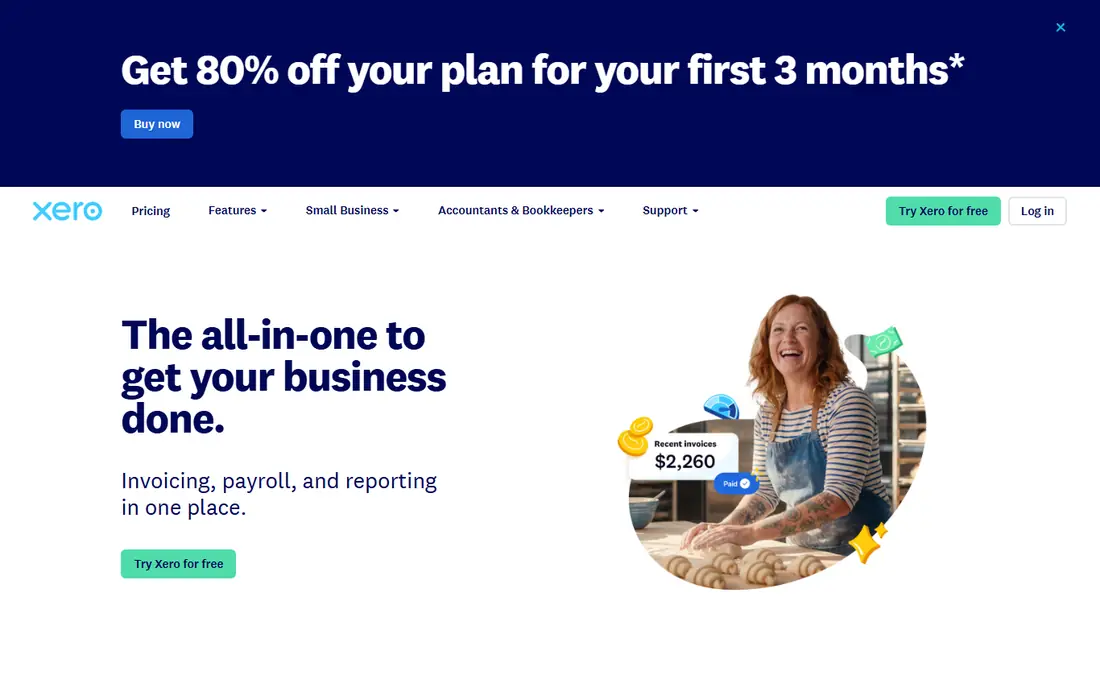
Xero suits businesses that want clean cloud accounting without per-user pricing pressure. Bank feeds, categorization rules, and reconciliation are straightforward, and the dashboard gives a clear view of cash, invoices, and bills. Its app marketplace adds payroll, inventory, and payment tools where needed.
US payroll support differs from other regions, so check coverage before you rely on it. Xero also assumes a basic comfort with accounting terms, though its guides help. For growing firms with several users and an accountant who supports Xero, it is a strong QuickBooks alternative.
- Clean interface with strong bank rules
- Unlimited users on many plans
- Large app ecosystem for payroll, inventory, and payments
- Payroll features vary by country
- US users should check local payroll support

Wave is the best zero-cost starting point for freelancers and side businesses. Accounting and invoicing are free, bank connections import transactions, and receipt scanning helps match documents. Setup is quick, and the interface stays simple for owners who are not accountants.
Paid payroll and Pro plans add features, and larger firms may outgrow Wave reporting and inventory tools. For pre-revenue work, freelancing, or a first business, Wave lets you build clean habits without a monthly bill. Move to QuickBooks or Xero when complexity or accountant needs demand it.
- Free accounting and invoicing
- Bank connections and receipt scanning
- Simple setup for freelancers
- Payroll and Pro features are paid
- Fewer advanced inventory and project tools
FreshBooks fits service businesses where invoicing is the center of daily work. Estimates, invoices, payment reminders, and time tracking flow together, and clients can pay through a simple portal. Expense capture and bank imports support bookkeeping, though the focus stays on billing.
Lower tiers limit billable clients, so growing agencies should check tier thresholds. Firms with inventory, complex payroll, or multi-entity books may need a fuller accounting platform. For consultants, designers, and agencies, FreshBooks keeps billing and books closely linked.
- Strong invoicing and client billing
- Time tracking and expense capture
- Easy client portal for payments
- Client limits on lower tiers
- Full accounting depth is lighter than QuickBooks or Xero
Zoho Books gives cost-conscious firms capable accounting for free or a low monthly price. The free plan suits small firms under its revenue limit, while paid plans add users, automation, and integrations. Bank rules, invoicing, and client portal tools cover everyday bookkeeping well.
Zoho ecosystem users gain the most, since CRM, inventory, and expense apps connect cleanly. Firms outside Zoho can still use it, but should test bank connections for their country. For a capable low-cost ledger, Zoho Books is hard to ignore.
- Free plan for firms under set revenue limits
- Bank feeds, rules, and invoicing
- Integrates with Zoho CRM, inventory, and payroll apps
- Free plan has revenue and user limits
- US payroll support depends on region and plan
Bench is a service, not just software, and that distinction matters. Automated bank feeds categorize transactions, then a dedicated bookkeeper reviews them monthly and delivers finished books. Owners who hate bookkeeping get reports without doing the work themselves.
The price reflects human labor, and accrual-basis firms should confirm fit before signing. Bench also runs on its own platform, so data portability deserves a check. If you want books handled rather than software to learn, Bench is the most direct option on this list.
- Dedicated human bookkeeper reviews transactions
- Monthly books and reports delivered
- Bank feeds and receipt matching included
- Highest starting price here
- Cash-basis focus may not suit every firm
Sage Accounting serves small businesses that want dependable bookkeeping without a complex suite. Bank feeds, rules, invoicing, and cash flow views cover daily needs, and reporting supports tax preparation. Sage has served small firms for years, which helps with accountant familiarity in several markets.
Plan names and prices vary by country, so confirm your local pricing page. Some users find the interface less modern than Xero or FreshBooks. For firms that value stability and core accounting over design polish, Sage remains a solid choice.
- Bank feeds with categorization rules
- Invoicing, cash flow, and tax reports
- Long history in small business accounting
- Pricing and plan details vary by country
- Interface feels dated to some users
Puzzle targets startups that want real-time financials without hiring a finance team early. Its ledger updates as transactions arrive, categorization and reconciliation run automatically, and reports speak the language of founders and investors. That focus suits venture-backed and fast-growing tech firms.
The accountant network is smaller than QuickBooks or Xero, so check whether your advisor supports it. Free tier limits by transaction volume also matter as you scale. For startups that value live numbers and modern tooling, Puzzle is worth a trial beside the established defaults.
- Real-time ledger designed for startups
- Automated categorization and reconciliation
- Investor-ready reports and metrics
- Newer platform with a smaller accountant network
- Free tier limits apply by transaction volume
How we picked these
We compared official feature pages, pricing pages, and public buyer guides for automated bookkeeping tools. We favored tools with bank feeds, categorization rules, receipt matching, invoicing, and reporting, plus clear pricing or a free plan. We did not claim hands-on testing, and we did not invent ratings, awards, or prices.
Prices change with promotions and plan changes, so confirm the current monthly rate and trial terms on the vendor site. Where pricing varied by country or source, we listed See website rather than repeating a conflicting figure as fact. Bookkeeping needs also vary by tax jurisdiction, so check local compliance features for your country.
How to automate bookkeeping safely
Automation saves time only when rules are right and reports get reviewed. Set up carefully, then check monthly.
Set rules before volume grows
Connect bank and card feeds, then build rules for repeat vendors, subscriptions, and owner transfers. Separate business and personal spending from day one, and photograph receipts promptly so matching works. Good rules early prevent a large cleanup at tax time, when errors are hardest to fix.
Review categorization every month
Automation miscategorizes sometimes, especially for mixed purchases or new vendors. Spend thirty minutes monthly reviewing uncategorized items, large transactions, and rule matches. Reconcile bank accounts, check profit and loss against expectations, and ask your accountant about unclear items before year end.
Keep tax and payroll separate in your mind
Bookkeeping software tracks transactions, but tax rules, deductions, and payroll law need professional judgment. Use reports to support tax filing, not to replace advice. If you hire staff, run payroll through a supported tool or provider, and confirm filing duties for your location. A clean ledger helps an accountant, but it does not make you compliant on its own.
FAQ
What is automated bookkeeping software?
It is accounting software that imports bank transactions, categorizes them with rules, matches receipts, and produces reports with less manual entry. Automation handles repeat work, while owners or bookkeepers still review, reconcile, and correct entries. The goal is accurate books with far less typing.
Which automated bookkeeping software is best for small businesses?
QuickBooks Online and Xero are the safest defaults for most small businesses, due to accountant familiarity and feature depth. Wave and Zoho Books suit very small firms on a tight budget. Service businesses should also compare FreshBooks, and owners who want help should compare Bench.
Is Wave really free?
Yes, Wave accounting and invoicing are free, with paid options for payroll and Pro features. Payment processing fees still apply when clients pay by card, as with other tools. Wave suits freelancers and small firms, but larger firms may need deeper reporting or inventory tools.
Do I still need an accountant if I use automated bookkeeping?
For most firms, yes, at least for tax filing, year-end review, and complex questions. Software keeps daily books tidy, but an accountant checks compliance, deductions, and reporting. Even Bench users benefit from a tax preparer for filing, unless tax services are included in their plan.
How does auto-categorization work?
The software matches transactions to categories using vendor names, amounts, and rules you set. It learns from corrections over time, and human-reviewed services add a second check. Rules work best for repeat transactions, while one-off or mixed purchases still need manual review.
Can automated bookkeeping handle payroll and tax?
Many tools offer payroll add-ons or integrations, and all produce reports for tax preparation. Payroll coverage, filing, and tax features vary by country and plan. Confirm local payroll support, filing duties, and whether tax filing itself is included before you rely on one tool for everything.