Best Auto Repair Software in 2026: 8 Options Compared
Compare the best auto repair software for shops, from repair orders and inspections to estimates, parts, scheduling, and payments, plus genuine free options.
- Editor's choice
 Tekmetric
Independent shops wanting an all rounder
Starts at$199 per monthVisit tekmetric.comFull review - Great alternative
 Shop-Ware
Shops focused on customer experience
Starts at$279 per monthVisit shop-ware.comFull review - Also consider
 Shopmonkey
Modern cloud shops
Starts at$239 per monthVisit shopmonkey.ioFull review
TL;DR:
- The best shop system covers repair orders, digital inspections, estimates, parts, and payments in one workflow.
- Entry prices hide add ons for texting, marketing, and multi shop features, so get a written total before signing.
- Unlimited users and unlimited repair orders matter for growing shops, because per user fees add up fast.
- Truly free full shop systems are rare, so check free tiers and trials carefully before choosing on price alone.
Quick comparison
| Tool | Best for | Starts at | Free plan? | |
|---|---|---|---|---|
| Tekmetric | Independent shops wanting an all rounder | $199 per month | No | Visit |
| Shop-Ware | Shops focused on customer experience | $279 per month | No | Visit |
| Shopmonkey | Modern cloud shops | $239 per month | No | Visit |
 AutoLeap | Tech forward shops wanting automation | $199 per month | No | Visit |
 Mitchell 1 Manager SE | Shops wanting deep repair data | See website | No | Visit |
 ARI | Budget shops wanting mobile use | $39.99 per month | Free trial | Visit |
 AutoFluent | Shops wanting inventory and accounting depth | $109 per month | Free trial | Visit |
 RepairShopr | Small shops wanting a low cost start | Free | Yes | Visit |
The best auto repair software
Auto repair software helps shops write repair orders, inspect vehicles, estimate jobs, order parts, and collect payment. These eight tools suit different shop sizes and budgets.
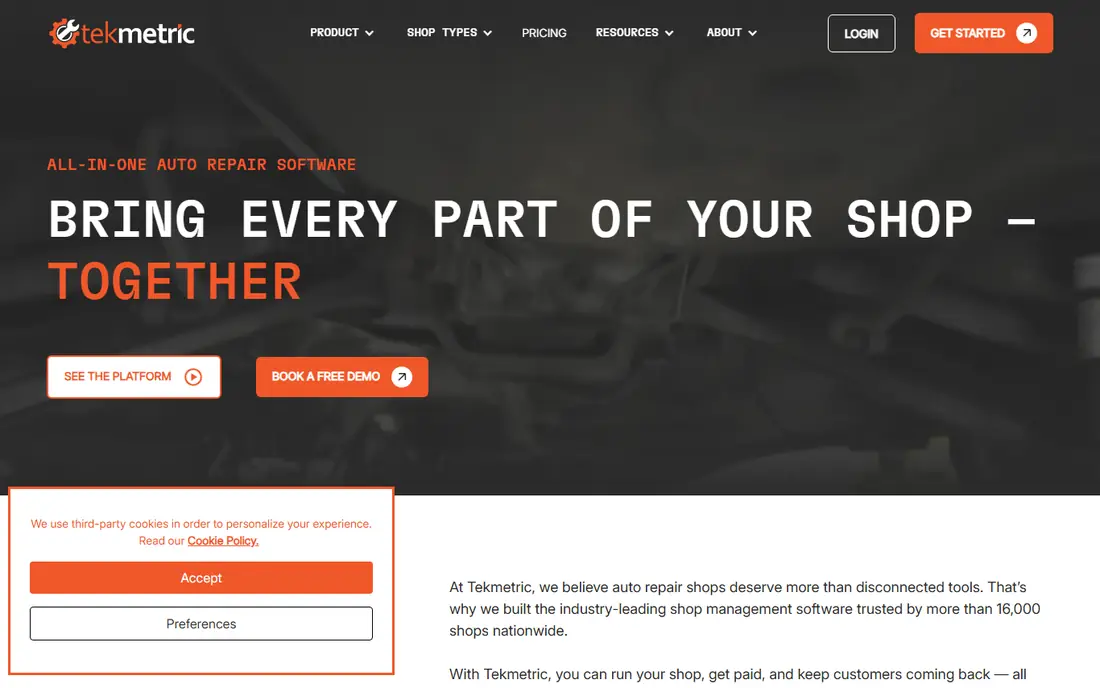
Tekmetric is a popular cloud system for independent shops, with repair orders, scheduling, digital vehicle inspections, estimates, invoicing, and reporting in one place. Its Start tier includes unlimited users and unlimited repair orders, which helps a shop add advisors and technicians without paying per seat. Digital inspections with photos and video also help customers approve work from their phones.
The main watch point is accounting integration. Tekmetric connects to QuickBooks through a third party connector, which some users say needs monitoring, so test the sync with your accountant before committing. Marketing, tire, and other add ons also raise the monthly total. For a growing independent shop, Tekmetric offers a balanced and proven workflow.
- Unlimited users and repair orders
- Digital inspections
- Many integrations
- QuickBooks link uses a third party connector
- Add ons raise the total
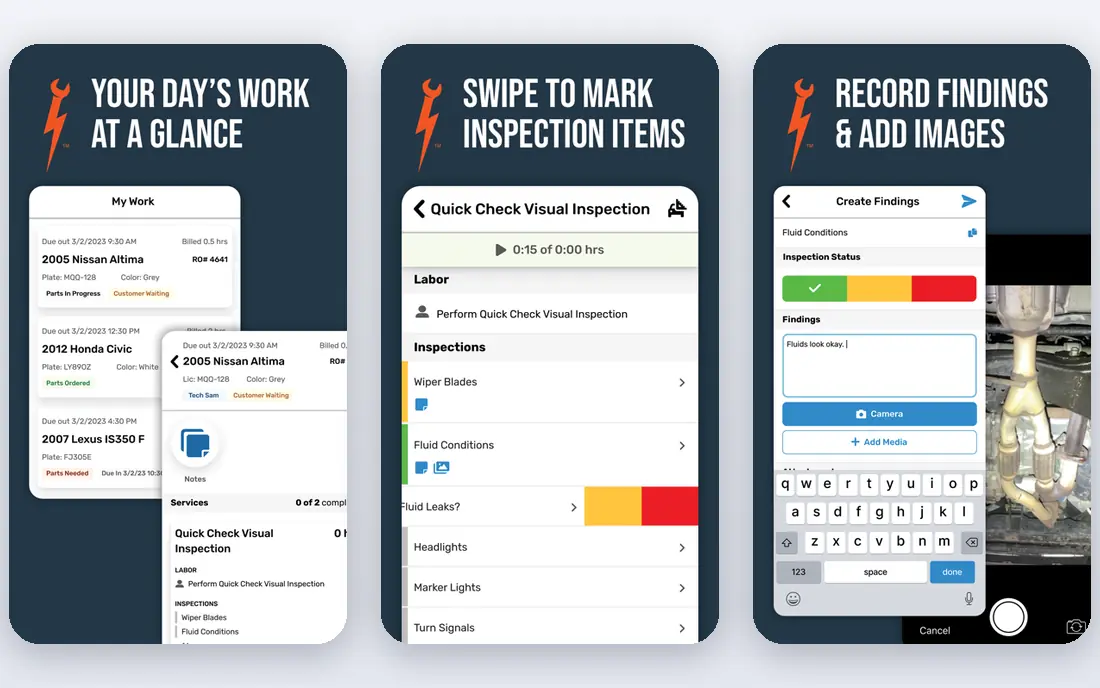
Shop-Ware is a cloud shop management system known for a polished customer experience, especially for digital inspections and communication. Advisors can build inspections on a tablet, share photos and video with customers, and collect approvals and payments through a clear online flow. That transparency often lifts approval rates, because customers see the problem instead of taking a verbal description on trust.
Shop-Ware starts higher than budget tools, and higher tiers for marketing, websites, and multi location work climb steeply. Small shops should confirm what the entry tier includes and what requires an upgrade. For a shop that competes on trust and customer experience, Shop-Ware is a strong premium pick.
- Polished customer facing inspections
- Cloud workflow
- Strong communication tools
- Higher starting price
- Higher tiers reach four figures for multi shop use
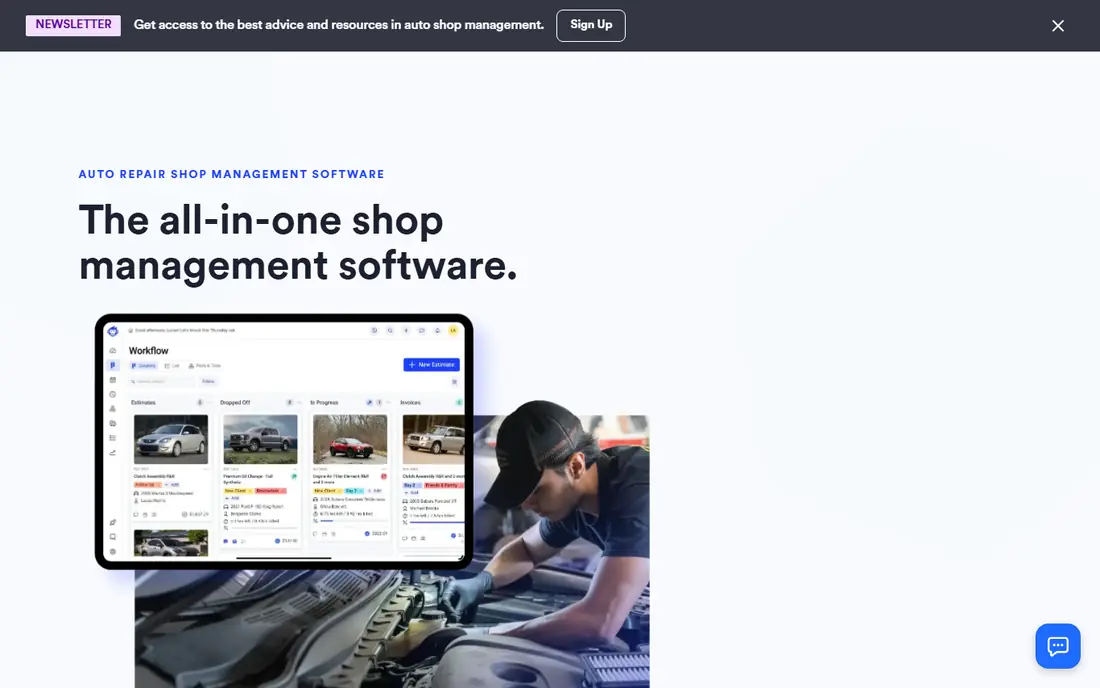
Shopmonkey is a modern cloud platform for repair orders, estimates, scheduling, inspections, inventory, and payments, with two way SMS and email built in. Its QuickBooks Online integration is widely praised, which helps shops keep invoicing and accounting in step without double entry. The workflow is designed for advisors who move between the front desk, the shop floor, and customer messages all day.
Pricing needs care, because the entry plan includes a set number of users, with extra users billed per month, and data migration may carry a fee. Shops should total users, add ons, and payment processing before comparing Shopmonkey to a flat per shop tool. For a modern shop that values communication and accounting links, Shopmonkey is a solid choice.
- Modern cloud interface
- Two way messaging
- QuickBooks Online integration
- Per user fees beyond included users
- Data migration fee on some plans
AutoLeap combines shop management with automation, CRM, and customer communication, aimed at shops that want more of the follow up handled by software. It covers repair orders, scheduling, inspections, estimates, and payments, with tools for reminders, reviews, and repeat customer outreach. Newer AI features, such as an AI receptionist on higher tiers, appeal to tech forward owners.
The entry tier includes a limited number of accounts, with extra accounts costing more, and setup fees and contract terms need checking. Shops should confirm the full first year cost, including setup and any AI add ons. For a shop that wants automation to reduce front desk work, AutoLeap offers a modern and growing feature set.
- Automation and CRM tools
- Digital inspections
- AI features on higher tiers
- Setup fee on some plans
- Annual contract on some tiers
- User limits on entry tier
Mitchell 1 Manager SE is a long established shop management system, often paired with ProDemand repair information. Manager SE handles repair orders, estimates, scheduling, inventory, and customer history, while ProDemand adds repair procedures, diagrams, labor times, and technical data. That pairing suits shops that already rely on Mitchell 1 data and want management and repair information from one vendor family.
The main complexity is modular pricing. Shop management and repair information are separate subscriptions, so the working bundle costs more than either part alone. Shops should get a written bundle quote and check contract length, seat fees, and data transfer. For a shop that values proven repair data depth, Mitchell 1 remains a trusted name.
- Long industry history
- Deep repair information options
- Shop management plus data
- Modules are billed separately
- Total bundle cost needs a quote
ARI, also known as Auto Repair Software, is a budget friendly shop management tool with repair orders, estimates, inspections, inventory, and customer tracking at a much lower entry price than premium rivals. It is mobile friendly, which helps small shops and mobile mechanics manage jobs from a phone or tablet. Month to month options on some plans also reduce commitment risk for a new shop.
ARI does not match the depth, automation, or integration range of Tekmetric, Shop-Ware, or Shopmonkey, so larger shops may outgrow it. Teams should test inspections, parts ordering, and reporting during the trial to confirm it covers their daily jobs. For a small shop or a solo operator that needs core shop tools at a low price, ARI is the clear budget pick.
- Low entry price
- Mobile friendly
- No long contract on some plans
- Less depth than premium shop systems
- Integrations are more limited
AutoFluent is a shop management system with a strong focus on inventory, parts, and accounting, alongside repair orders, estimates, and customer history. It integrates with QuickBooks and supports detailed inventory control, which helps shops that carry many parts or track costs closely. Month to month options also give small shops flexibility.
The interface is less modern than Shopmonkey or Shop-Ware, which may matter for advisors who value a polished customer facing flow. Marketing and AI features are also less central than in newer rivals. For a shop where parts control and accounting accuracy matter most, AutoFluent offers depth at a mid range price.
- Strong inventory and accounting tools
- QuickBooks integration
- Month to month options
- Interface feels older than newer cloud rivals
- Marketing tools are less central
RepairShopr is a repair shop platform with a free starting tier that covers basic tickets, invoices, and customer tracking, which makes it a useful low cost start for a very small shop. Paid plans add more users, integrations, and features, so a shop can start free and upgrade as volume grows. The setup is simpler than a full specialist shop system, which helps a new shop get running quickly.
The free tier is limited, and RepairShopr is a general repair platform, not a dedicated auto shop system with the same inspection and parts depth as Tekmetric or Shopmonkey. Small auto shops should test whether its workflow fits vehicle jobs, parts, and inspections before relying on it. For a tiny shop on a tight budget, it is the closest thing in this list to a free start, with a clear upgrade path.
- Free starting tier
- Tickets, invoices, and customer tracking
- Easy small shop setup
- Free tier is limited
- Auto repair depth is less than specialist shop systems
How we picked these
We compared official feature pages, pricing pages, and public documentation for auto repair software in October 2026. We looked for repair orders, digital inspections, estimates, parts, scheduling, payments, and accounting links, plus entry prices and contract terms. We marked prices as See website where vendors do not publish a single starting price, and we favored tools with current vendor pages and real shop use.
What to check before you buy
Start with your daily job flow. Follow one car from check in to inspection, estimate, approval, parts order, repair, invoice, and payment, and ask each vendor to show that exact flow with your own example. Check how inspections look to customers, how approvals are recorded, and how parts and labor are priced. A tool that looks good in a sales demo but slows down advisors during a busy morning will hurt the shop.
Next, total the real cost. Add users beyond included seats, texting, marketing, multi location fees, payment processing, setup, and data migration, and confirm contract length and cancellation notice in writing. Test accounting sync with your accountant, and confirm how your old repair orders and customer history will move. A trial with real jobs, not sample data, will reveal gaps before you commit.
Questions for a vendor demo
Ask how digital inspections work on a tablet, how customers approve and pay, and how declined work is tracked for follow up. Ask about parts catalogs, labor guides, and repair data, and whether those are included or billed separately. Ask about support hours, training, and what happens to your data if you cancel.
FAQ
What is the best auto repair software for a small shop?
For most small shops, Tekmetric offers a balanced all rounder with unlimited users, while ARI suits a tight budget and RepairShopr offers a low cost start. Shopmonkey and Shop-Ware suit shops that prioritize customer communication and a modern experience. The best pick depends on shop size, budget, and whether repair data depth matters most.
What is the best free auto repair software?
Truly free full auto repair software is rare. RepairShopr offers a free starting tier with basic tickets and invoicing, but it is limited and less specialized than paid auto shop systems. ARI and AutoFluent offer free trials, not free plans, and most specialist tools start at paid tiers. A very small shop can start free with RepairShopr, then move to a specialist tool as volume grows, or use a free trial to test a paid system before committing.
How much does auto repair software cost?
Entry tiers for specialist tools in this list run from about $40 per month for ARI to about $279 per month for Shop-Ware, with most independents landing between $199 and $279 per month before add ons. Higher tiers reach $400 to $999 per month for larger or multi shop use. Add ons for texting, marketing, and payment processing can raise the total by a large margin, so get a written year one total.
Do I need repair data like Mitchell 1 or ALLDATA separately?
Some shop systems include basic repair data, while others need a separate subscription for full procedures, diagrams, and labor times. Mitchell 1 pairs Manager SE with ProDemand, and other shops use ALLDATA alongside a management tool. Check what repair data your chosen system includes, and price the bundle, not just the management tier.
Can auto repair software integrate with QuickBooks?
Most tools in this list integrate with QuickBooks, but the method varies. Shopmonkey and AutoFluent offer direct QuickBooks links, while Tekmetric uses a third party connector. Test invoice, payment, and parts sync with your accountant during a trial, because a broken accounting link creates double entry and month end headaches.
Should I choose month to month or an annual contract?
Month to month suits a new shop that wants flexibility, while annual billing often saves about ten percent. Annual contracts also lock you in, so only commit after a trial with real jobs. Always get term length, auto renewal, and cancellation notice in writing, and confirm setup and migration fees before signing.