Best Attendance Tracking Software in 2026: 8 Tools Compared
Best attendance tracking software, compared across 8 tools for time clocks, schedules, leave tracking, payroll links, and team size fit for teams of any size.

- Editor's choice
 Homebase
Shift teams
Starts atFreeVisit homebase.comFull review - Great alternative
 Deputy
Scheduling and clocks
Starts atSee websiteVisit deputy.comFull review - Also consider
 BambooHR
HR and attendance
Starts atSee websiteVisit bamboohr.comFull review
TL;DR:
- Homebase and Deputy suit shift based teams, with scheduling, time clocks, and team messaging in one place.
- BambooHR and Rippling suit companies that want attendance tied to HR, payroll, and leave records.
- Clockify and TimeCamp suit smaller teams that mainly need simple time and attendance logs.
- Hubstaff adds activity and location tools for remote and field teams, with privacy settings to review.
- Zoho People fits businesses already using Zoho apps, with leave, shifts, and attendance in one system.
Quick comparison
| Tool | Best for | Starts at | Free plan? | |
|---|---|---|---|---|
| Homebase | Shift teams | Free | Yes | Visit |
| Deputy | Scheduling and clocks | See website | Free trial | Visit |
| BambooHR | HR and attendance | See website | Free trial | Visit |
 Rippling | HR and payroll | See website | No | Visit |
 Clockify | Simple time tracking | Free | Yes | Visit |
 Hubstaff | Remote and field teams | See website | Free trial | Visit |
 TimeCamp | Time and attendance logs | Free | Yes | Visit |
 Zoho People | Zoho users | Free | Yes | Visit |
The best attendance tracking software
Attendance tracking has moved past paper sheets. Modern tools record clock ins, manage shifts, track leave, and feed payroll, which cuts manual errors. We compared official feature pages, pricing, time clock options, and payroll links to find tools for hourly teams, office staff, and remote workers.
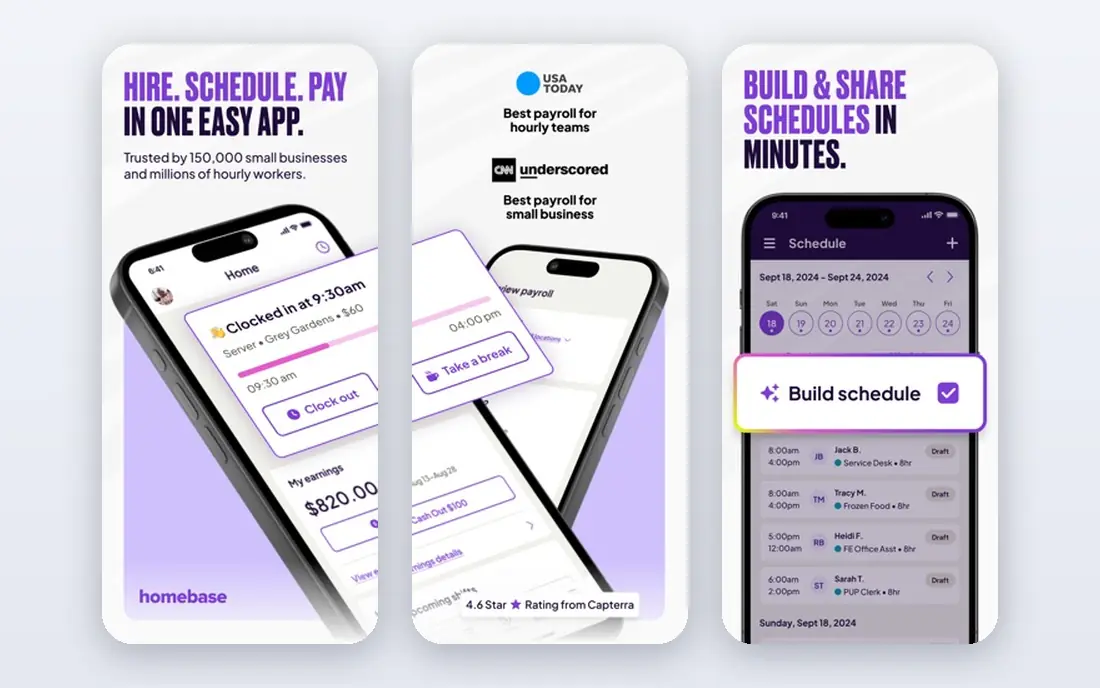
Homebase is built for hourly teams in retail, food service, and local services. Managers build schedules, staff clock in from a tablet or phone, and hours flow into timesheets. Team messaging helps cover shifts without separate group chats.
The free tier covers core scheduling and time tracking, which suits small teams. Payroll, advanced labor cost tools, and deeper reporting sit on paid plans. For a small shift team starting with digital attendance, Homebase is a practical first step.
- Free basic scheduling and time clock
- Team messaging
- Hiring tools on higher plans
- Payroll is a paid add-on
- Advanced reporting needs a paid plan
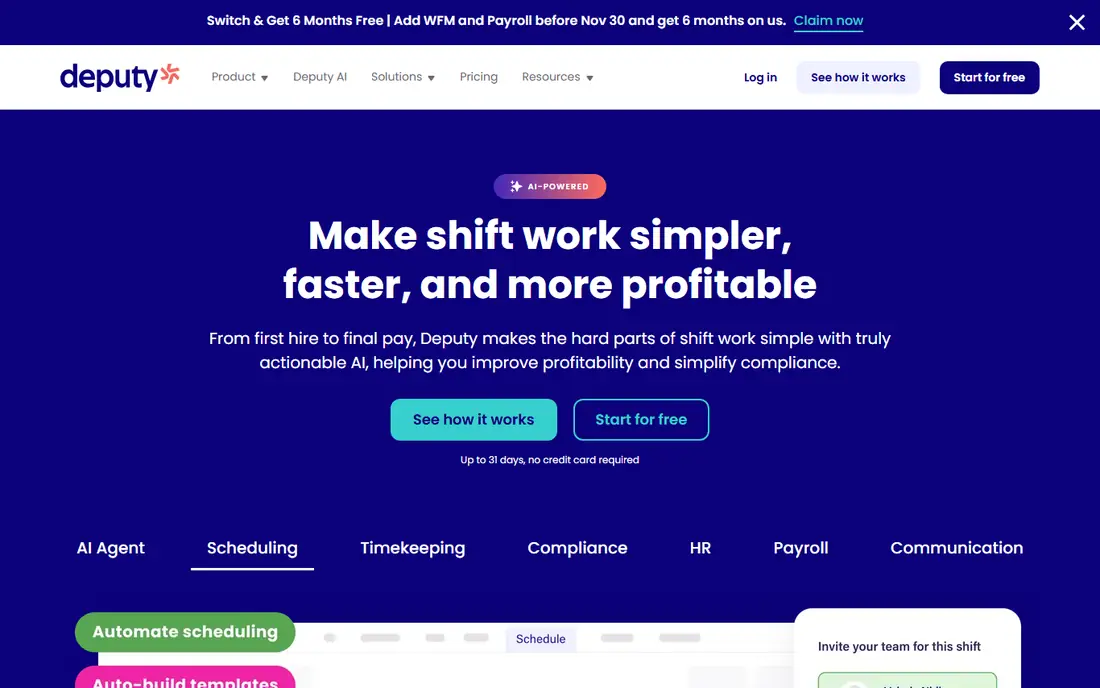
Deputy combines scheduling, time clocks, and leave in one system. Managers can build schedules around availability and labor costs, while staff clock in with location or photo checks where enabled. Timesheets can be reviewed and exported for payroll.
Pricing is per user, so costs grow with team size. Check current plans for scheduling, time clock, and leave features, since they vary by tier. For multi-location shift teams, Deputy offers more control than a basic clock app.
- Scheduling with labor cost views
- Time clock with photo and location options
- Leave management
- Pricing is per user per month
- Setup takes time for larger teams
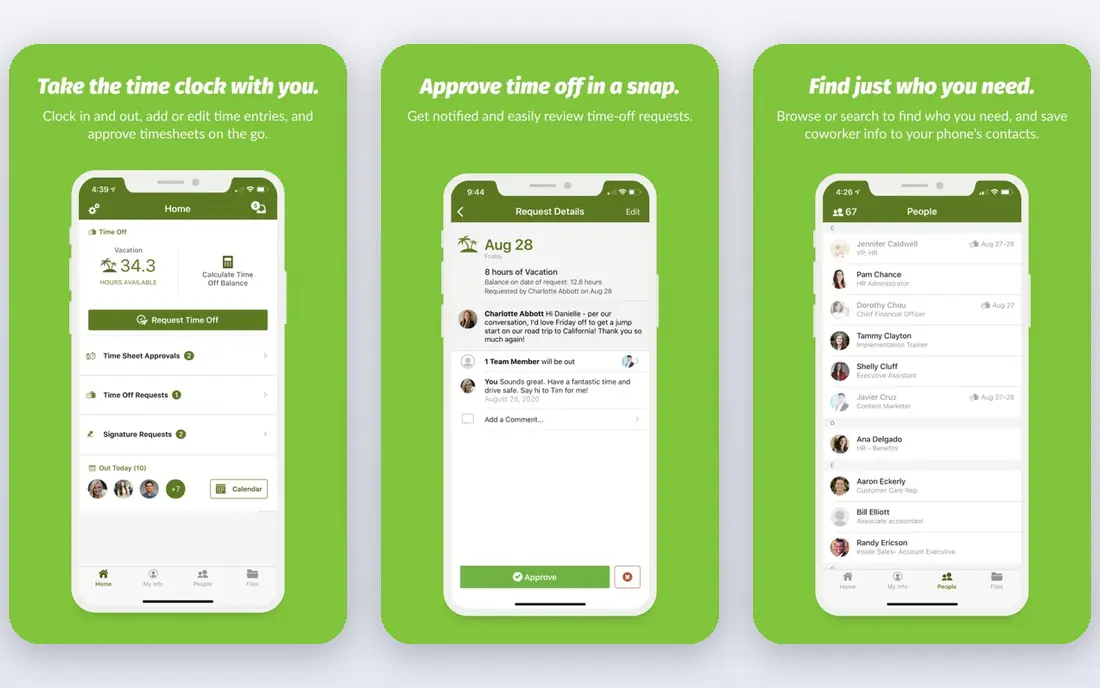
BambooHR suits companies that want attendance inside a wider HR system. Employee records, time off requests, approvals, and attendance data live together, which helps managers see leave balances and history without separate tools. Reporting can show patterns by team or period.
Pricing is quoted rather than listed as a simple monthly rate, so request a quote for team size and features. Small hourly teams may find Homebase or Deputy simpler. For office and mixed teams with HR needs, BambooHR is a strong fit.
- Employee records and time off in one place
- Reporting tools
- Payroll add-on available
- Pricing is quoted, not listed plainly
- May be more than small teams need
Rippling brings HR, payroll, benefits, and time tracking into one platform. Attendance data can feed payroll, and onboarding, offboarding, and access controls sit in the same system. Automation reduces duplicate entry across HR tasks.
That breadth comes with quoted pricing and a setup process. Very small teams may not need the full suite. For growing companies that want attendance, payroll, and HR in one place, Rippling is worth a demo and quote.
- HR, payroll, and time tracking in one system
- Device and app management
- Strong automation
- Pricing is quoted
- Setup and cost suit larger or growing companies
Clockify is best known as a time tracker, but it also works for basic attendance. Team members log hours with a timer or manual entry, managers review timesheets, and reports export for payroll. The free plan allows unlimited users, which is rare.
It lacks the scheduling depth of Deputy or Homebase, and it has no built-in leave approval flow like a full HR tool. For small office or remote teams that mainly need reliable hour logs, Clockify is a low cost, easy choice.
- Free unlimited users on basic plan
- Simple timer and timesheets
- Reports and exports
- No built-in scheduling for shift teams
- Attendance features are basic
Hubstaff suits remote and field teams that need location aware attendance. Staff can clock in from a phone, GPS and geofence options can confirm job site presence, and managers see hours, activity summaries, and timesheets. Payroll and invoicing tools help turn hours into pay.
Activity monitoring features should be used with clear, written policies. Tell staff what is tracked, why, and how data is used, and check local labor rules. Used openly, Hubstaff gives useful visibility for distributed teams.
- Time tracking with GPS and geofencing for field teams
- Activity summaries
- Payroll and invoicing tools
- Activity monitoring needs clear team policies
- Pricing grows with features
TimeCamp offers a free starter plan for basic time tracking and timesheets. Team members can track time automatically or manually, and managers can review hours and generate reports. Invoicing features on higher plans help freelancers and agencies bill from tracked time.
Shift scheduling and leave management are thinner than in Deputy or BambooHR. For small teams that need attendance logs without a full HR system, TimeCamp is a low cost option that is easy to try.
- Free starter plan
- Automatic and manual time tracking
- Timesheets and reports
- Scheduling is limited
- Interface is simpler than full HR suites
Zoho People covers attendance, leave, shifts, and employee records in one HR platform. Staff can check in from web or mobile, request leave, and view balances, while managers approve requests and review attendance reports. Links to Zoho payroll and other Zoho apps help larger Zoho users.
The system has many settings, so setup takes care. Businesses already using Zoho for email, CRM, or books will get the most value. For a standalone attendance need, a simpler tool may be faster to launch.
- Leave, shifts, and attendance in one HR tool
- Free plan for small teams
- Links to other Zoho apps
- Setup can feel complex
- Best value inside the Zoho system
How we picked these
We compared official feature pages, pricing, time clock options, scheduling, leave management, and payroll links. We favored tools active in 2026 with clear pricing or a real free tier, and with attendance features that work for hourly, office, or remote teams. Tools with only a simple timer and no team attendance view were left out.
How to choose attendance software for your team
Start with how your team works. Shift teams need scheduling, clock ins, and coverage tools. Office teams need leave tracking and simple hour logs. Field teams need mobile clocks and location options. Picking a tool built for your work pattern matters more than a long feature list.
Payroll links save the most time. If attendance data must be retyped into payroll, errors creep in. Check whether the tool exports clean timesheets or connects directly to your payroll system. Also check overtime rules, break tracking, and approval flows for your location.
Privacy and fairness
Attendance data affects pay, so accuracy and fairness matter. Give staff a simple way to correct a missed clock in, keep audit trails for edits, and apply rules consistently. For location or activity tracking, write a clear policy, limit data to work hours, and follow local labor and privacy rules.
Trial tips
Run a trial with one team before rolling out company wide. Test clock ins on the devices staff actually use, check timesheet exports, and ask managers to approve a full pay period. A tool that looks good in a demo can still fail on a busy shift change, so a real trial is worth the time.
FAQ
What is the best app for tracking attendance for small businesses?
Homebase suits small shift teams with a free tier, while Clockify suits small office teams that need simple hour logs. Zoho People offers a free plan for small teams that want leave and attendance together. Try the free tier with one team first.
What is the best attendance tracking software for remote teams?
Hubstaff and Clockify both suit remote teams, with Hubstaff adding location and activity tools for field work. Clockify is simpler and free to start. Choose Hubstaff when job site presence matters, and Clockify when simple hour logs are enough.
Do attendance tools integrate with payroll?
Many do, either through direct links or clean timesheet exports. Homebase, Deputy, Rippling, and Hubstaff offer payroll tools or exports, while BambooHR and Zoho People link attendance to HR and payroll features. Confirm the exact link for your payroll provider before buying.
Can staff clock in from a phone?
Yes, most tools here offer mobile clock ins, and some offer tablet kiosks for shared workplaces. Deputy and Hubstaff add location or photo checks where enabled. Check device support and offline behavior if staff work in areas with weak signal.
How do I handle missed clock ins and corrections?
Choose a tool with manager approval for edits and an audit trail. Staff should be able to request a correction, and managers should approve it with a note. Consistent rules and clear records protect both staff and the business during payroll disputes.
Is free attendance software enough for a small team?
Often yes, for basic scheduling and hour logs. Homebase, Clockify, TimeCamp, and Zoho People have free tiers that cover small teams. Paid plans become useful when you need payroll links, advanced reporting, labor cost controls, or multi-location management.