Best ATS Software for Small Business in 2026: 8 Tools Compared
Best ATS software for small business compared in 2026, with pricing, free plans, job posting, pipelines, screening and interview tools for small hiring teams.
- Editor's choice
 Workable
All-in-one hiring for growing teams
Starts at$299 per monthVisit workable.comFull review - Great alternative
 Breezy HR
Visual pipeline with a free plan
Starts at$157 per monthVisit breezy.hrFull review - Also consider
 JazzHR
Budget hiring with flat pricing
Starts at$83 per monthVisit jazzhr.comFull review
TL;DR:
- Breezy and Zoho Recruit both offer a free plan for one open job, which is enough to test a pipeline before paying.
- Workable starts at $299 per month for small teams, so it suits firms hiring often rather than once a year.
- Flat pricing helps when many managers need access, while per-user pricing stays cheaper for a single recruiter.
- Check job board posting, resume parsing and interview scheduling on a real requisition before you buy.
Quick comparison
| Tool | Best for | Starts at | Free plan? | |
|---|---|---|---|---|
| Workable | All-in-one hiring for growing teams | $299 per month | Free trial | Visit |
| Breezy HR | Visual pipeline with a free plan | $157 per month | Yes | Visit |
| JazzHR | Budget hiring with flat pricing | $83 per month | Free trial | Visit |
 Zoho Recruit | Low-cost hiring inside Zoho | Free | Yes | Visit |
 Manatal | Low per-user price with AI sourcing | $15 per user per month | Free trial | Visit |
 Recruitee | Collaborative hiring across locations | See website | Free trial | Visit |
 Teamtailor | Employer branding and career sites | See website | No | Visit |
 Homerun | Simple hiring pages for small firms | See website | Free trial | Visit |
The best ATS software for small business
We compared official pricing pages, feature lists and public reviews to shortlist these options for best ats software for small business. Each pick below fits a different budget, team size or workflow, so use the comparison table to narrow the list before you read the full reviews.
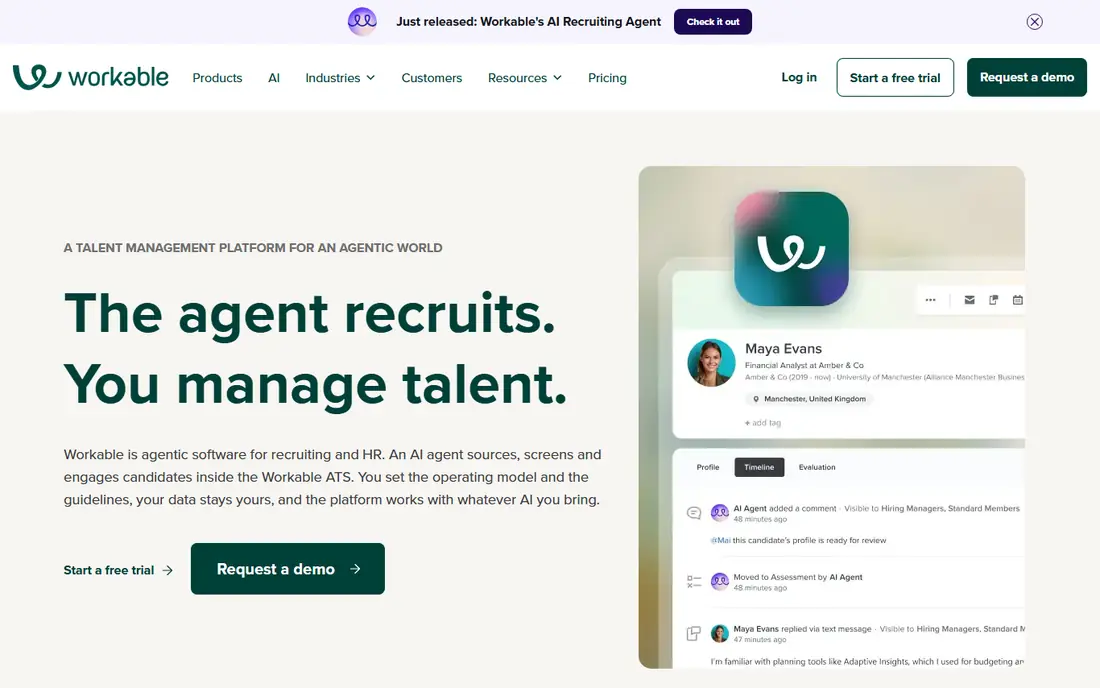
Workable covers posting, screening, scheduling and offers in one system, with a large job board reach and tools that help small teams move faster. Its hiring pages and candidate pipeline are clear, and managers can leave feedback without learning a complex HR suite.
It fits firms hiring several roles a year. The trade-off is price: at $299 per month for the entry tier, a firm with rare hiring may get better value from a free plan elsewhere.
- Posts to many job boards
- AI sourcing
- Interview scheduling and scorecards
- Entry price is high for a firm hiring one role a year

Breezy HR uses a visual, drag-and-drop pipeline that makes it easy to see where each candidate sits. The free Bootstrap plan covers one open job, and paid plans keep users unlimited, so every hiring manager can log in without adding seat costs.
It fits small teams where several managers interview. The trade-off is the free cap: once you open a second role, you need a paid plan, so budget for that step.
- Free Bootstrap plan for one job
- Unlimited users on paid plans
- Drag-and-drop pipeline
- Free plan is limited to one open position

JazzHR is a straightforward ATS for small firms that hire again and again without a full-time recruiter. It posts to free job boards, parses resumes into a pipeline and keeps pricing flat, which makes annual budgeting simple.
It fits budget-conscious firms with steady hiring. The trade-off is depth: the entry tier covers the basics well, but teams wanting advanced matching or reporting will need a higher plan.
- Flat yearly pricing
- Resume parsing
- One-click posting to free boards
- Advanced features such as AI matching sit on higher tiers
Zoho Recruit offers a free plan for one active job and one recruiter, with paid plans priced per recruiter. Firms already using Zoho apps get a natural fit, since contacts, mail and hiring data can sit in the same ecosystem.
It fits startups and firms already on Zoho. The trade-off is caps: active job limits per license mean a hiring surge may need extra licenses or a different tool.
- Free plan for one job
- Low per-recruiter paid pricing
- Zoho app links
- Job caps per license can limit larger hiring pushes
Manatal prices per user, starting low, and adds AI recommendations and sourcing from social channels. For a lean team, that model keeps the entry bill small while still giving a modern pipeline and candidate search.
It fits lean recruiting teams with one or two users. The trade-off is scale: once five or six people need access, a flat-priced tool may cost less overall.
- Low per-user price
- AI candidate recommendations
- Social sourcing
- Per-user cost grows as the hiring team grows
Recruitee is built for teams hiring across locations, with a polished career site and collaboration tools that let managers comment and rate candidates in one place. Its reporting helps hiring leads see bottlenecks by stage and source.
It fits growing firms with several hiring managers. The trade-off is pricing clarity: you may need a demo and quote before you know the full cost, which slows a quick shortlist.
- Strong collaboration tools
- Polished career pages
- Good reporting
- Pricing is quote-based for many teams, so comparison takes a demo
Teamtailor puts employer branding first, with a career site builder, candidate chat and tools that show company culture well. That helps firms competing for talent in tight markets, where the application experience itself affects who applies.
It fits firms that care about brand and candidate experience. The trade-off is that firms wanting only a simple tracker may pay for branding features they do not use.
- Career site builder
- Candidate chat
- Employer branding tools
- Quote-only pricing and a focus on branding over bare-bones tracking
Homerun keeps hiring simple, with clean job pages and a pipeline that small teams can learn in an afternoon. Candidates get a clear application flow, which helps small firms look professional without a large HR system.
It fits small firms hiring a few roles with a small team. The trade-off is depth: firms needing advanced reporting, assessments or heavy integrations may outgrow it faster.
- Clean hiring pages
- Simple pipeline
- Good candidate experience
- Smaller feature set than larger ATS suites
How we picked these
We started from the main keyword, best ats software for small business, and checked official vendor pages for pricing, plans and core features, plus app store listings and public reviews where they added useful detail. We kept only products that exist and work today, that truly fit the topic, and that offer a clear route to buy, trial or contact the vendor.
We did not claim hands-on testing we did not do. Instead, we compared what each vendor publishes, how pricing works in practice, and where each product has an honest limit. A product that fits one team well may be a poor fit for another, so the reviews above note the trade-off for each pick.
How to choose an ATS for a small business
Count users, jobs and hiring volume first. A free plan for one job is enough for a single hire, while flat pricing wins when many managers need access. Test posting, screening and scheduling with a real role.
Start with the job, not the feature list
Write down the one job this tool must do in the first month, then check that job on a trial or demo before you look at extra features. If the core job feels slow or confusing, extra features will not fix it. Ask who will own the tool day to day, since an unowned tool is rarely used well.
Check total cost, not only the headline price
Add seats, usage limits, setup help and any percentage fees to the headline price. A cheap entry tier can cost more once your team grows, while a quote-based tool can be good value if it replaces two other subscriptions. Get the full cost in writing before you sign a yearly plan.
Trial with real work before you commit
Run a real task, a real list or a real campaign in the trial, not only a guided demo. Invite the people who will use the tool daily, and ask them to note friction in the first week. That short trial usually reveals more than a long feature comparison.
A short trial checklist
Use the same checklist for every option you trial, so the comparison stays fair. Note setup time, how long support takes to reply, whether exports work cleanly, and whether the price changes when you add a second user or a second location. Write down any feature that only appears on a higher tier, since that detail often decides the final cost.
Keep notes from the people who will use the tool each day, not only from the person who chose it. Ask them which step felt slow, which report they actually opened, and whether they would keep using the tool after the first month. If the answer is unclear, run a second short trial with a different option before you sign a yearly contract, since switching later usually costs more time than a careful trial now.
FAQ
What is the best ATS for small companies?
For best ats software for small business, the right choice depends on your budget, team size and main job. Shortlist two or three options from the list above, trial them with real work, and pick the one your team will actually use each week.
Is there a free ATS for small business?
It depends on your situation and on the product you choose. Check the free plan or trial terms, read the privacy and contract terms, and test the tool with a small job before you commit to a larger plan.
How much does ATS software cost for a small business?
Prices vary widely in this category, from free plans to quote-based enterprise tiers. Use the comparison table for starting prices, then ask each vendor for an all-in quote that covers seats, usage and support.
Do small businesses need an ATS or a spreadsheet?
It depends on your situation and on the product you choose. Check the free plan or trial terms, read the privacy and contract terms, and test the tool with a small job before you commit to a larger plan.
Which ATS is easiest for a first-time hiring manager?
There is no single winner for every team. Match the product to your main job, your budget and your current tools, then use the pros and cons above to rule out options that do not fit.