Best App to Catch a Cheater in 2026: 8 Apps Compared
We list only consent based apps for trust and transparency, covering location sharing with permission, family safety, and relationship help for readers.
- Editor's choice
 Life360
Family circles and driving safety
Starts atFreeVisit life360.comFull review - Great alternative
 Google Maps
Simple consented sharing
Starts atFreeVisit maps.google.comFull review - Also consider
 Apple Find My
Apple device sharing
Starts atFreeVisit apple.comFull review
TL;DR:
- We do not list spyware or secret monitoring tools, since secretly monitoring an adult without consent can break the law and harm trust.
- The legitimate options here are consent based: location sharing both partners agree to, family safety tools, and relationship support apps.
- Life360, Google Maps, Apple Find My, Glympse, and iSharing differ mainly on how long sharing lasts and how easy it is to stop.
- Paired and Lasting focus on communication and relationship work, which is often more useful than location data alone.
- Bark is a parental safety tool for a parent own devices and dependents, not a tool for monitoring another adult in secret.
Quick comparison
| Tool | Best for | Starts at | Free plan? | |
|---|---|---|---|---|
| Life360 | Family circles and driving safety | Free | Yes | Visit |
| Google Maps | Simple consented sharing | Free | Yes | Visit |
| Apple Find My | Apple device sharing | Free | Yes | Visit |
 Glympse | Temporary trip sharing | Free | Yes | Visit |
 iSharing | Family location circles | Free | Yes | Visit |
 Paired | Couples communication | See website | Yes | Visit |
 Lasting | Relationship guidance | See website | Yes | Visit |
 Bark | Parental device safety | See website | Free trial | Visit |
The best consent based apps for trust and transparency
This article answers a difficult search in a lawful way. We will not recommend apps that secretly monitor a partner phone, account, or messages. Secret monitoring of an adult without consent can break the law in many places, and it can also destroy trust even when it finds nothing. Honest conversation, agreed transparency, or counselling is the safer first step. The apps below only work when everyone involved agrees, can see what is shared, and can stop sharing.
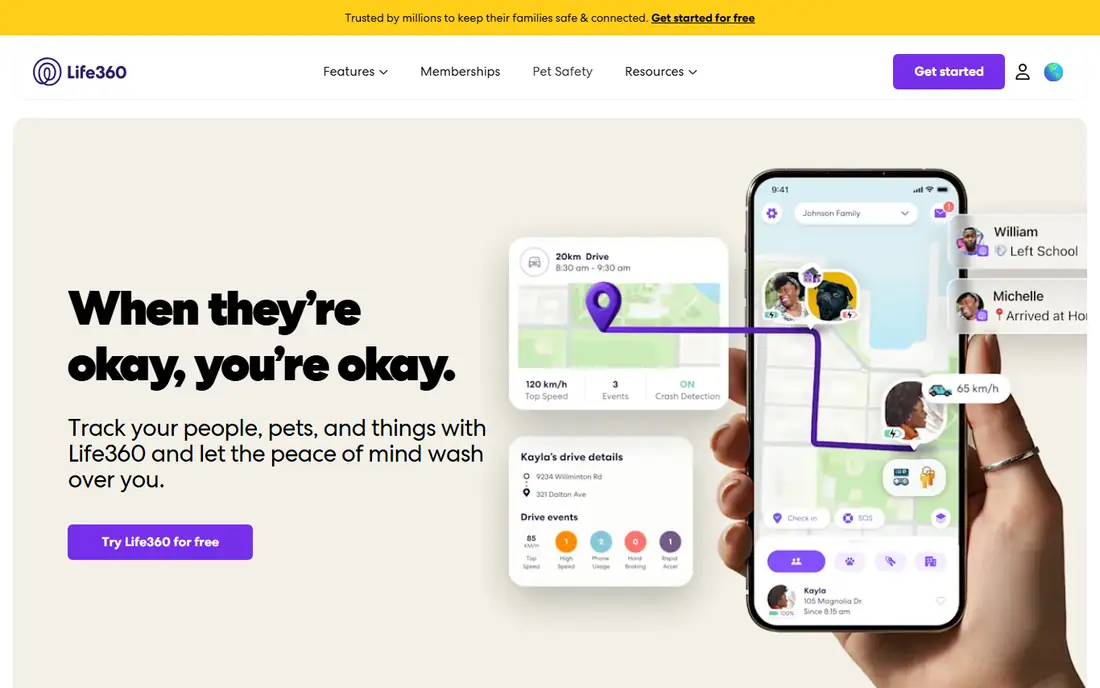
Life360 suits families and couples who agree to share location openly. Each person joins a Circle, can see who is in it, and can pause sharing, with other members notified in many cases. Place alerts for home, work, or school, and driving reports, make it more useful for family safety than for checking up on one person.
The honest catch is consent in practice. If one partner feels pressured to share all the time, the app will not fix the underlying trust problem, and it may make it worse. Agree on when sharing is on, when it is off, and what alerts are actually needed, before either person installs it.
- Circles show agreed location sharing in one map
- Place alerts and driving reports suit families
- Crash detection on some paid plans
- Always on sharing can feel intrusive if both partners do not truly agree
- Some safety features sit behind paid plans
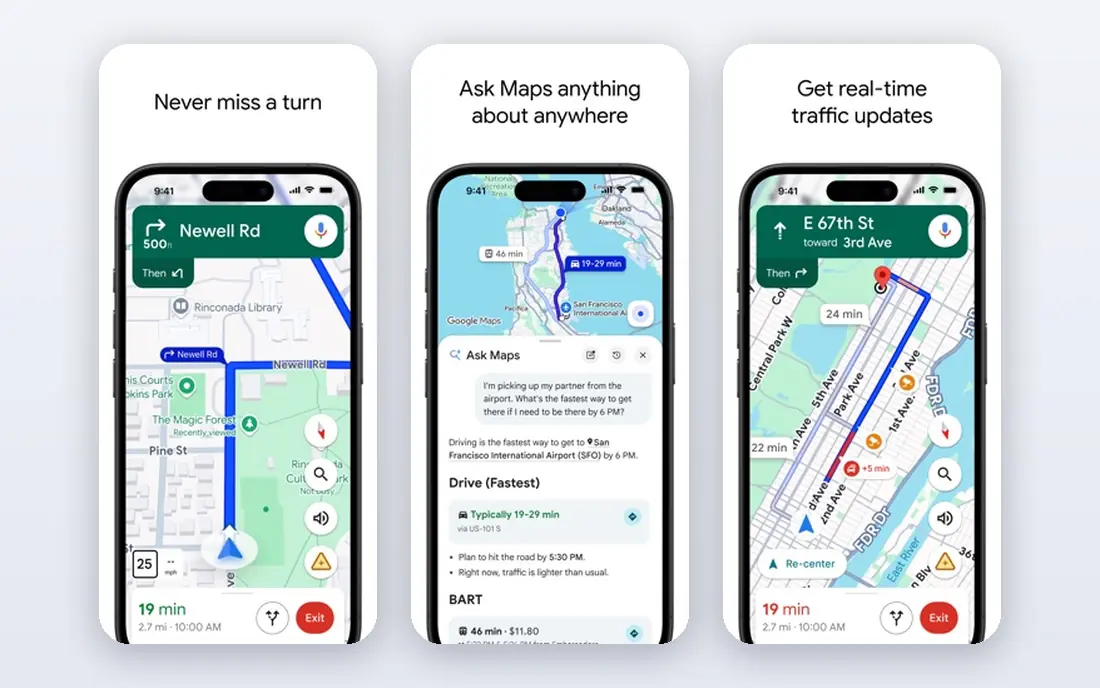
Google Maps is the simplest consented option for mixed iPhone and Android couples. One person shares location for a set time or until turned off, and the other sees it on a map. Because it is already installed on many phones, there is no new app to learn and no extra account to manage for basic sharing.
The limit is scope. Google Maps does not add driving reports, SOS tools, or family dashboards, and it is best for short term needs such as a trip, a late journey home, or meeting up. For ongoing family safety, a dedicated circle app may fit better.
- Location sharing is built into an app most people already use
- Sharing can be time limited
- Easy to stop from the same menu
- Sharing is tied to a Google account, so setup varies by phone
- It does not include family safety extras like crash alerts
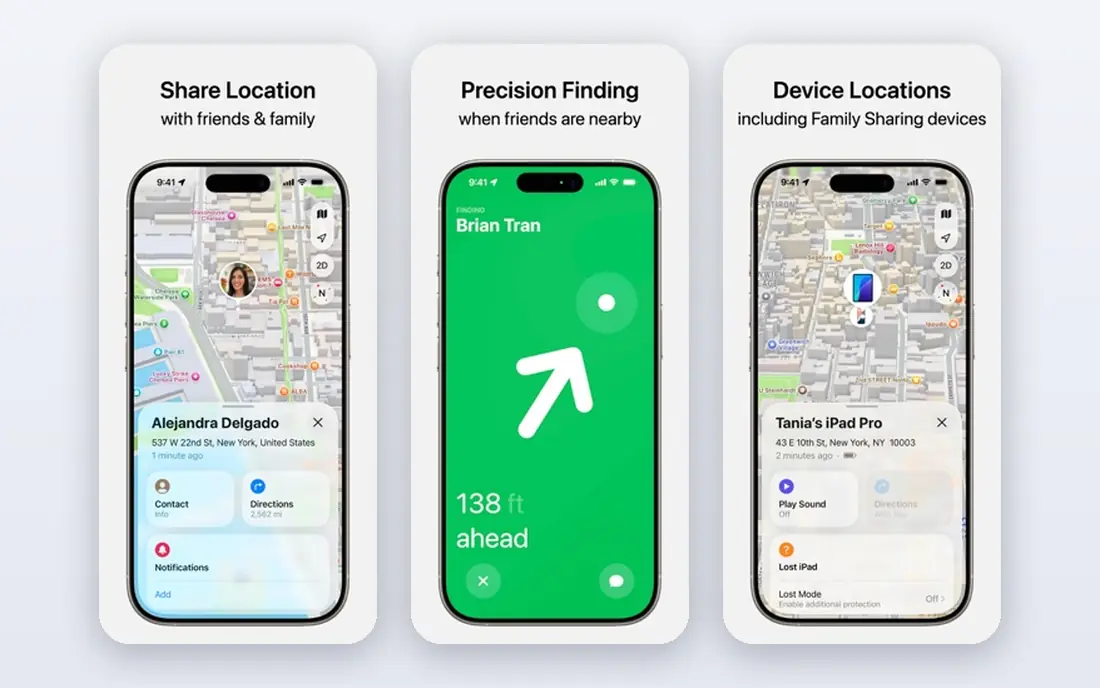
Apple Find My suits couples and families who both use iPhones, iPads, or Macs. You share your location from the Find My app or Messages, choose how long it lasts, and stop it at any time. The other person sees a clear sharing state, not a hidden feed, which keeps the arrangement open.
The trade off is platform. An Android partner cannot join Find My in the same way, so mixed device couples should use Google Maps or Glympse instead. Check that location permissions and sharing settings are set as you intend, and review them together from time to time.
- Built into Apple devices with no extra app needed
- Sharing can be set for one hour, until end of day, or indefinitely
- Easy to stop
- Works best when both people use Apple devices
- Location sharing needs an Apple account and device settings to be correct
Glympse is the least intrusive option on this list, and that is the point. You send a temporary share for a journey or a meetup, and it ends on its own. The recipient does not need an account to view it, which makes it useful for a one off trip home, a run, or a festival meetup.
It will not help if you want ongoing place alerts or driving history, since it is not built for that. For couples who want transparency for a specific trip without always on tracking, Glympse is a good middle ground. Agree the duration in advance, and let the share expire as planned.
- Shares expire automatically after a set time
- Recipients can view in a browser without an app
- Good for trips and meetups
- No ongoing family dashboard or place alerts
- Best for short term sharing, not long term family safety
iSharing suits families who want a circle style app across iPhone and Android. Members join by agreement, see each other on a map, and can use place alerts and panic features in an emergency. That makes it useful for parents, caregivers, and couples who travel separately and want a safety net.
As with any circle app, agreement matters more than features. Set clear rules on who is in the circle, what alerts are on, and when sharing pauses. If the goal is to check a partner secretly, this app is not the right tool, and no consent based app will do that job lawfully.
- Real time sharing in family circles with place alerts
- SOS and walkie talkie features on some plans
- Works on iPhone and Android
- Some advanced features sit behind paid plans
- Always on circles need clear agreement to avoid feeling like surveillance
Paired takes a different approach. Instead of location data, it gives couples daily questions, quizzes, and short exercises designed to improve communication. That can surface concerns early, in a structured way, and give both partners a chance to talk about trust, time, and boundaries.
It will not confirm or deny cheating, and it should not be sold as proof. Its value is in conversation. If suspicion is already high, a few app questions will not resolve it, and a counsellor or a direct conversation may be more useful. For couples who want to rebuild communication, Paired is a practical, low conflict start.
- Daily questions and quizzes encourage honest conversation
- Exercises cover trust, communication, and intimacy
- Works as a shared habit
- It does not track location or provide proof about a partner behaviour
- Paid features are needed for full access
Lasting offers guided relationship sessions that couples can work through together or alone. Sessions cover communication, conflict, trust, and emotional connection, with exercises that are meant to be discussed, not just read. That structure helps couples who find open ended talks difficult.
The limit is clear. Lasting does not monitor a partner, check messages, or provide evidence. If you need help deciding whether a relationship can recover after broken trust, professional counselling is a stronger step than an app alone. Lasting can support that work, but it does not replace it.
- Guided sessions based on relationship research
- Personalised plans for communication and trust
- Private, self paced format
- It is guidance, not monitoring or investigation
- Full programmes sit behind paid plans
Bark belongs here only in its lawful parental role. A parent can use it on devices and accounts they are responsible for, to get alerts about risks to a child, such as bullying or harmful content. That is a different job from monitoring a partner, and the distinction matters legally and ethically.
Do not use Bark, or any parental tool, on another adult device or account without that adult clear consent and legal authority. If you are a parent, read Bark device and account coverage before buying, since not every app or device is covered in the same way. If you are worried about a partner, use conversation, agreed transparency, or counselling instead.
- Monitoring and alerts for a parent own child devices and accounts, used lawfully by parents
- Alerts for bullying, self harm, and other risks
- Web filtering on some plans
- Not for monitoring another adult, and not for secret use
- Setup and coverage vary by device and account type
How we picked these
We excluded spyware, secret monitoring apps, and tools that claim to read a partner messages or location without consent. We compared official feature and pricing pages for consent based location sharing, family safety, parental safety, and relationship support apps. We kept only products that work openly, where sharing or monitoring is visible to the person involved or is lawfully done by a parent for a dependent. We did not claim hands on testing.
What to do instead of secret monitoring
Talk first, and be specific
Say what you noticed, what worries you, and what you need, without accusing based on a single message or late night. A specific, calm conversation gives a partner a chance to explain, and it gives you a clearer picture than a location dot ever will. If conversation feels unsafe, seek support from a trusted person or professional service first.
Agree transparency, or do not use it
If you use location sharing, agree it together, set a time limit, and make it easy to stop. Both partners should be able to see what is shared and change it. One sided, hidden, or pressured sharing is not transparency, and it can break the law in some places. Check local law if you are unsure, and do not install monitoring software on a device you do not own or control lawfully.
Consider counselling
A couples counsellor can help with trust, communication, and decisions about a relationship, without taking sides. Many counsellors offer online sessions, and some relationship apps can support that work between sessions. If trust has broken badly, counselling or a clean break may both be healthier than months of checking.
Protect yourself and your data
Change passwords on your own accounts if you think they have been accessed, turn on two factor authentication, and review device sharing settings. Keep records of any behaviour that worries you, in a safe place only you control. If you feel unsafe, contact a local support service or emergency service as needed.
FAQ
What is the best app to catch a cheater?
There is no lawful app that secretly catches a partner, and we do not recommend spyware for that purpose. The lawful options are consent based sharing apps both partners agree to, plus relationship apps and counselling for trust problems.
What are the best apps to catch cheaters that are free?
Google Maps and Glympse offer free, consent based location sharing, with Glympse shares expiring automatically. Paired and Lasting offer free tiers for relationship work, while Life360 and iSharing offer free family circle tiers.
Is it legal to track my partner phone without permission?
Secretly monitoring an adult without consent can break the law in many places, including laws on unauthorised access, stalking, and privacy. Do not install monitoring software on a partner device, and check local law or seek legal advice if you are unsure.
Can location sharing prove cheating?
Location sharing shows where a device was, not what a person did, and it can be wrong, delayed, or shared from a device left elsewhere. It should not be treated as proof on its own, and it works best as an agreed safety tool, not as evidence gathering.
What should I do if I think my partner is cheating?
Start with a direct conversation about what you noticed and what you need, and consider couples counselling if trust needs repair. Protect your own accounts, keep records safely if needed, and seek support if you feel unsafe or overwhelmed.