Best API Generation Software in 2026: 9 Tools Compared
We compared the best api generation software for designing, generating, testing, and documenting APIs, from OpenAPI tools to database to API platforms.
- Editor's choice
 Postman
Full API lifecycle in one workspace
Starts at$9 per user per monthVisit postman.comFull review - Great alternative
 SwaggerHub
OpenAPI design and standardisation
Starts atSee websiteVisit swagger.ioFull review - Also consider
 Stoplight
Visual API design and mocking
Starts atSee websiteVisit stoplight.ioFull review
TL;DR:
- API generation means different things: generating an API from a database, generating code and docs from a spec, and generating docs from code.
- SwaggerHub, Postman, and Stoplight suit spec first design, while DreamFactory, Hasura, and Xano suit generating an API from data or a no code backend.
- Apidog suits small teams that want design, mocking, testing, and docs in one tool at a low per user price.
- Check which protocols you need, including REST, GraphQL, SOAP, and WebSocket, since not every tool covers all of them well.
- Start from a real endpoint or database table, generate the result, and test it with a real client before committing to a platform.
Quick comparison
| Tool | Best for | Starts at | Free plan? | |
|---|---|---|---|---|
| Postman | Full API lifecycle in one workspace | $9 per user per month | Yes | Visit |
| SwaggerHub | OpenAPI design and standardisation | See website | Yes | Visit |
| Stoplight | Visual API design and mocking | See website | Yes | Visit |
 Apidog | Design, mock, test, and document in one tool | $9 per user per month | Yes | Visit |
 DreamFactory | Database to REST API with governance | See website | Free trial | Visit |
 Hasura | GraphQL and data access over databases | See website | Yes | Visit |
 Xano | No code backend and API builder | $85 per month | Yes | Visit |
 Redocly | Polished OpenAPI documentation | See website | Yes | Visit |
 ReadMe | Interactive API docs with analytics | See website | Yes | Visit |
The best api generation software
API generation software creates APIs from databases, specifications, or code, and often generates documentation, SDKs, and mock servers alongside. The tools below cover spec driven, database driven, and documentation driven approaches.
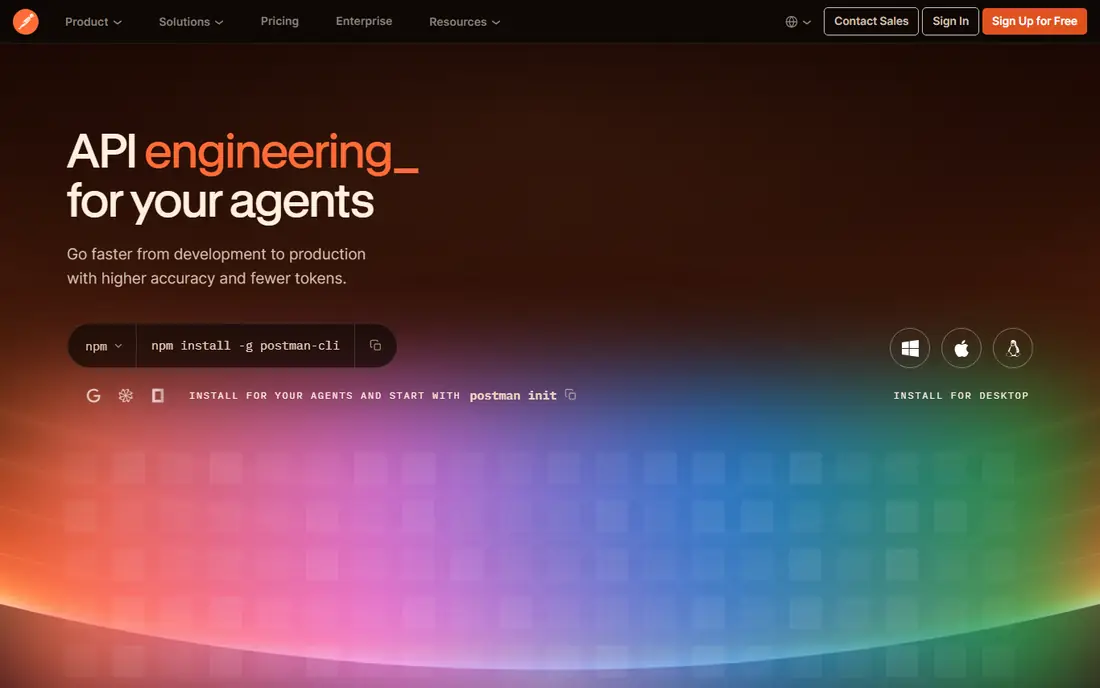
Postman is the most widely used API platform here, covering design, testing, documentation, mocking, and monitoring in one workspace. Developers can define an API from a spec, generate documentation automatically, test endpoints with collections, and share workspaces with a team. Its community, public API network, and integrations make it a practical default for many teams.
Pricing changed in 2026, with a free solo plan and paid team plans from $9 per user per month for Solo and $19 for Team in annual billing, according to recent vendor comparisons. Teams should confirm the current plan structure, since Postman has restructured tiers before. For a team that wants one tool for the whole API lifecycle, Postman remains a strong and familiar choice.
- Design, test, document, and monitor in one place
- Huge community and integrations
- Free tier for solo use
- Team pricing rises with seats
- Interface can feel heavy for simple APIs
- Some features need higher tiers
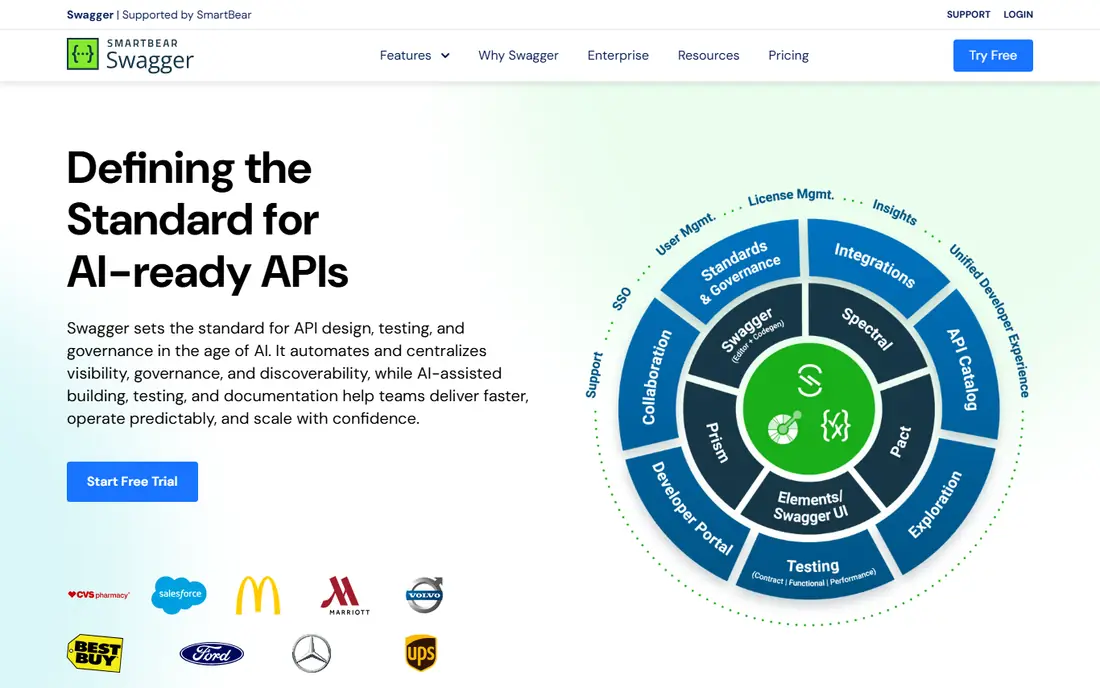
SwaggerHub is the hosted platform for designing APIs with OpenAPI, built around the Swagger toolset. Teams can design specs collaboratively, enforce style rules, generate documentation and code, and manage API versions in one place. For organisations that standardise on OpenAPI, SwaggerHub offers governance that a general testing tool does not.
SwaggerHub is less suited to GraphQL first or database driven generation, and its pricing is often quoted for teams. Beginners may also find the spec first workflow strict at first. For an organisation that treats the OpenAPI spec as the contract for its APIs, SwaggerHub is a natural and well supported choice.
- Strong OpenAPI and AsyncAPI support
- Standardisation and governance tools
- Integrates with Swagger UI and Codegen
- Focused mainly on REST
- Can feel complex for beginners
- Paid pricing is quote based for many teams
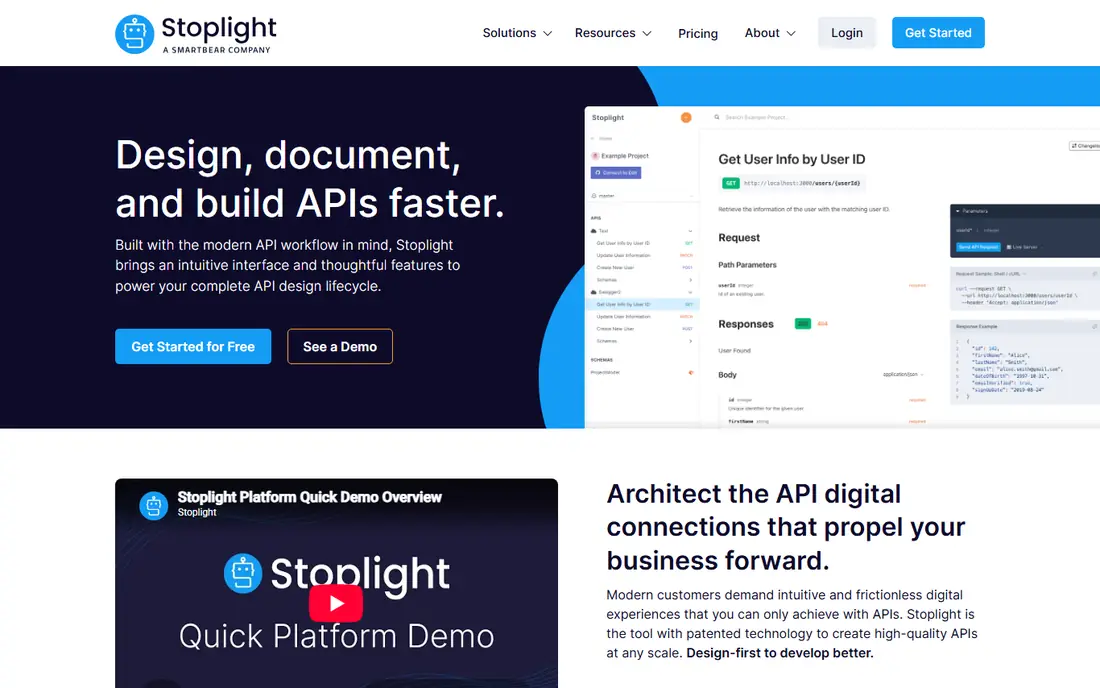
Stoplight offers visual API design, with editors, mock servers, and documentation that help teams design an API before writing code. Designers can model endpoints, schemas, and examples in a visual interface, generate a mock server for front end work, and publish docs from the same spec. That design first flow helps product and engineering teams agree on an API early.
Stoplight pricing has varied across plans, so teams should request a current quote and check what mocking, governance, and collaboration features are included. It is also more design focused than a full testing platform. For a team that wants to design, mock, and document APIs visually, Stoplight is a strong spec first option.
- Visual design without writing raw YAML
- Mock servers built in
- Good documentation output
- Paid pricing varies and can be high
- Smaller community than Postman
- Learning curve for advanced governance
Apidog combines API design, debugging, mocking, automated testing, and documentation in one tool, with support for REST, SOAP, GraphQL, and WebSocket. Its free plan covers up to four users with collaboration, and paid plans start at $9 per user per month for Basic, which makes it attractive for small teams paying for multiple Postman seats. Apidog also offers self hosted runners and on premise options on higher tiers.
Apidog is newer than Postman, so its integration ecosystem and community are smaller, and its monitoring features are more limited than dedicated monitoring tools. For a small team that wants spec first design plus testing and docs at a low price, Apidog offers a compelling all in one alternative.
- Low per user price
- Free plan covers up to four users
- Design, mock, test, and docs in one project
- Newer than Postman with a smaller ecosystem
- Monitoring is more limited
- Some enterprise features need higher tiers
DreamFactory generates REST APIs from databases, files, and other data sources, with governance, authentication, and access controls built in. Instead of hand coding CRUD endpoints for each table, a team can expose a database as a documented REST API, with role based access, rate limits, and logging. That database to API model suits internal tools, integrations, and legacy modernisation.
DreamFactory commercial pricing starts higher than design tools, with listings showing from about $1,500 per month, so it is aimed at organisations with real integration needs rather than a single hobby API. Teams should also plan data modelling and security rules carefully, since generated APIs expose whatever the rules allow. For a data driven API programme, DreamFactory is a strong governed choice.
- Generates governed REST APIs from many data sources
- Self hosted option
- Strong access control
- Higher entry pricing for commercial use
- Setup needs data and security planning
- Less suited to hand designed APIs
Hasura generates a GraphQL API over existing databases, with metadata driven configuration, permissions, and subscriptions for real time data. Developers can expose tables, views, and custom logic as a GraphQL API without writing resolvers for every field, and connect authentication and authorisation from their existing systems. That makes it popular for product teams that want fast data access for web and mobile apps.
Hasura is GraphQL first, so teams that need a pure REST API should check how Hasura fits their contract and tooling. Pricing includes a free tier, with professional pricing based on usage, so teams should model cost for their query volume. For a GraphQL team with an existing database, Hasura can save weeks of boilerplate.
- Instant GraphQL over existing databases
- Metadata driven configuration
- Strong performance and auth integration
- GraphQL focused, so REST needs extra work
- Pricing is usage based on higher tiers
- Learning curve for auth and permissions
Xano is a no code backend platform that lets product teams build a database, business logic, authentication, and a REST API without writing backend code. It includes a managed runtime, so a team can launch an API backed product, connect a front end, and scale without managing servers. That makes it suited to startups and internal tools where backend capacity is limited.
Xano pricing starts at $85 per month for Essential, with a free tier for learning and small projects. Teams should weigh runtime lock in, since moving a Xano backend elsewhere takes work, and complex logic still needs careful design. For a team that needs a working API and backend quickly, Xano is one of the most complete no code options here.
- No code API builder with database and auth
- Managed runtime
- Good for product teams without backend staff
- Higher entry price than design tools
- Vendor runtime lock in
- Complex logic still needs learning
Redocly turns an OpenAPI spec into polished, interactive documentation, with CLI tools for linting, bundling, and previewing specs. Teams that already have a spec can publish docs that developers actually enjoy reading, with search, code samples, and custom branding. Redocly also helps enforce spec quality through lint rules before docs are published.
Redocly is not a full API generation platform in the database sense. It assumes you have, or will write, an OpenAPI spec, and it does not generate an API from a database on its own. For a team that cares most about documentation quality and spec governance, Redocly is a focused and well regarded choice.
- Clean interactive OpenAPI docs
- CLI and linting tools
- Customisable themes
- Focused on docs rather than full API generation
- Setup needs OpenAPI knowledge
- Paid pricing varies by plan
ReadMe publishes interactive API documentation with a built in API explorer, code samples, and analytics on how developers use your docs. Product teams can add guides, tutorials, and changelogs alongside reference docs, which helps onboarding for external developers. Its analytics show which endpoints are viewed and where developers struggle, which is useful for improving an API.
ReadMe is a documentation platform first, not a database to API generator, and its pricing rises with usage and features. Teams that only need internal docs may find a simpler tool enough. For a company with a public API that needs polished, measurable documentation, ReadMe is a strong choice.
- Interactive API explorer
- Custom branding
- Usage analytics and metrics
- Higher price for larger use
- Docs focused rather than API generation
- Some features sit behind paywalls
How we picked these
We compared official pricing and feature pages, public reviews, and API tool comparisons in October 2026. We favoured tools with current support, a clear generation model, and real use for either spec driven, database driven, or documentation driven APIs. We did not claim hands-on testing, and we used See website where pricing was quote based or varied by plan, and reported published starting prices where vendors or reputable comparisons listed them.
How to choose API generation software
Start by naming your generation model. If you have a database and need an API quickly, test DreamFactory, Hasura, or Xano with a real table and permission rules. If you have a contract first team, test SwaggerHub, Stoplight, or Apidog with a real spec, including error cases and versioning. If you already have an API and need better docs, test Redocly or ReadMe with your existing spec.
Spec quality, security, and SDKs
Check how the tool handles authentication, rate limiting, and input validation, since generated APIs are only as safe as their rules. Ask whether it generates client SDKs, server stubs, or only documentation, and whether those outputs match your languages. Finally, test versioning and breaking change handling, since a generated API that cannot evolve cleanly will create support work later.
FAQ
What is the best api generation software?
It depends on your model. For spec first design, SwaggerHub, Stoplight, and Apidog are strong. For database to API work, DreamFactory and Hasura are strong. For a no code backend, Xano is strong. For documentation alone, Redocly and ReadMe are strong. Pick the model first, then the tool.
Can API generation software create a REST API from a database?
Yes. DreamFactory generates REST APIs from databases and other sources, Hasura generates GraphQL over databases, and Xano builds a no code backend with a REST API. Check permissions, authentication, and rate limits carefully, since generated endpoints expose data according to the rules you set.
Is Postman an API generation tool?
Postman is mainly an API lifecycle platform, with design, testing, documentation, and mocking, rather than a database to API generator. It can generate documentation and code snippets from a spec or collection, and it fits teams that design APIs first. For database driven generation, pair it with a tool such as DreamFactory or Hasura.
Do I still need to write code with API generation tools?
Usually yes, for business logic, validation, authentication, and integrations. Generation tools remove boilerplate for CRUD endpoints, docs, and SDKs, but they do not replace product logic or security design. Budget time for custom logic, testing, and review even when generation handles the basics.
What is OpenAPI, and why does it matter?
OpenAPI is a standard format for describing REST APIs, including endpoints, parameters, schemas, and responses. A good OpenAPI spec lets tools generate docs, SDKs, mocks, and tests consistently. If your team standardises on OpenAPI, spec first tools such as SwaggerHub and Stoplight become much more valuable.