Best Anti Virus Software in 2026: 9 Suites Compared
Find the best anti virus software for PC in 2026. We compare Norton, Bitdefender, McAfee, Avast and more on protection, price, device limits and extras.
- Editor's choice
 Bitdefender Total Security
Best overall protection
Starts at$24.99 per yearVisit bitdefender.comFull review - Great alternative
 Norton 360 Deluxe
Families wanting extras
Starts at$49.99 per yearVisit us.norton.comFull review - Also consider
 McAfee+
Households with many devices
Starts at$39.99 per yearVisit mcafee.comFull review
TL;DR:
- Bitdefender and Norton 360 lead for most home users, with strong lab scores and a full set of extras in one subscription.
- McAfee is the simplest choice for a household with many devices, because some plans cover an unlimited number of devices.
- Free options from Avast and Kaspersky cover basic protection, but VPN limits, backup and parental controls usually need a paid plan.
- Always check the renewal price, not just the first year price, because introductory discounts often rise sharply in year two.
Quick comparison
| Tool | Best for | Starts at | Free plan? | |
|---|---|---|---|---|
| Bitdefender Total Security | Best overall protection | $24.99 per year | Yes | Visit |
| Norton 360 Deluxe | Families wanting extras | $49.99 per year | Free trial (60 days) | Visit |
| McAfee+ | Households with many devices | $39.99 per year | Free trial (30 days) | Visit |
 Avast One | Best free antivirus | Free | Yes | Visit |
 Malwarebytes Premium | Simple malware cleanup | See website | Yes | Visit |
 ESET Home Security Premium | Light protection for older PCs | See website | Free trial (30 days) | Visit |
 Trend Micro Maximum Security | Beginners wanting simplicity | $29.95 per year | Free trial (30 days) | Visit |
 Kaspersky Plus | Strong protection at a lower price | See website | Yes | Visit |
 TotalAV | Budget buyers | $19 per year | Yes | Visit |
The best anti virus software
Good antivirus software should block malware quietly, update often and avoid slowing your computer to a crawl. The nine suites below all cover Windows PCs, and most also cover Mac, Android and iOS, but they differ on device limits, extras and renewal pricing.
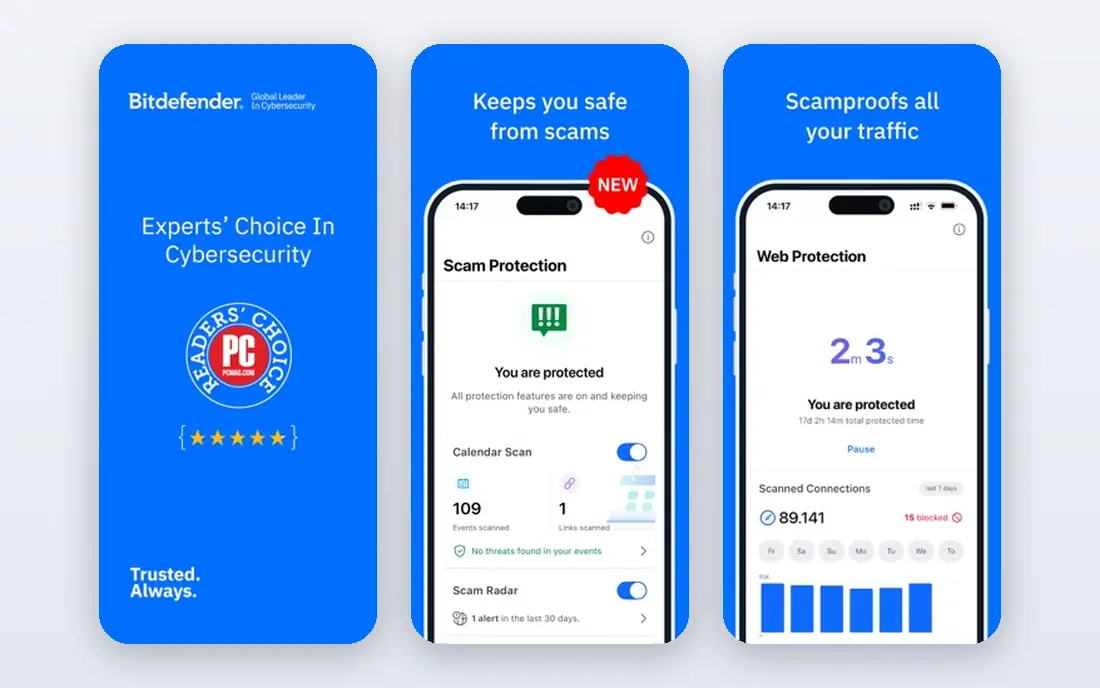
Bitdefender is our pick for most people because it pairs strong protection with a light footprint. Independent labs have given it high marks for blocking real world threats, and reviewers often note that scans and background protection have less effect on older machines than heavier suites. The Total Security plan covers up to five devices across Windows, Mac, Android and iOS.
The main catch is the bundled VPN, which is limited unless you pay for the full VPN plan. Some advanced features are also Windows only. If you want unlimited VPN or cloud backup in the same subscription, Norton may suit you better. For pure protection at a fair first year price, Bitdefender is hard to beat.
- Strong independent lab scores
- Light system load
- Covers five devices
- Bundled VPN is capped at 200 MB per day
- Renewal price is higher than the first year price

Norton 360 Deluxe is the most complete suite in this list. Alongside antivirus protection, it adds an unlimited VPN, 50 GB of cloud backup, a password manager, parental controls and dark web monitoring. The Deluxe plan covers up to five devices, which suits a family with a mix of computers and phones.
That breadth comes at a cost. The first year price is attractive, but renewal is much higher, so check the second year total before you commit. Norton can also feel heavier than Bitdefender on an older PC. If you will use the VPN and backup, the bundle still offers good value. If you only want antivirus, a lighter or cheaper option makes more sense.
- Unlimited VPN
- 50 GB cloud backup
- Parental controls and dark web monitoring
- Higher renewal price
- Can feel heavier on older PCs than Bitdefender
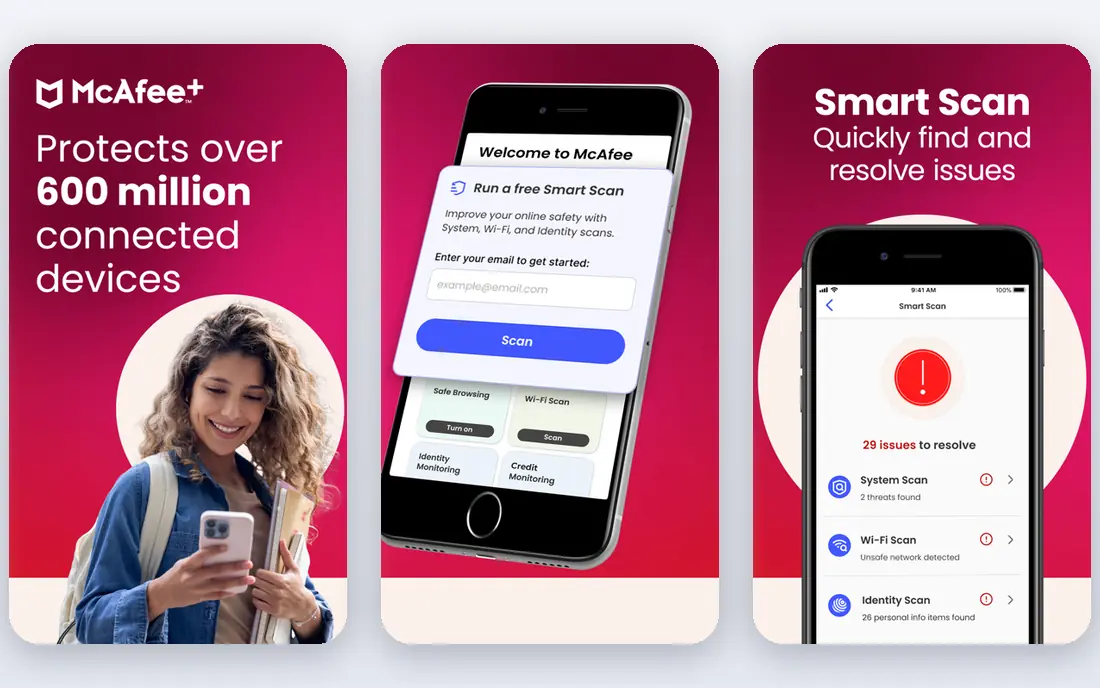
McAfee+ suits a household that has lost count of its devices. Some plans cover an unlimited number of devices, so you do not need to count phones, tablets and laptops when you buy. Mobile apps are a particular strength, with tools for Wi-Fi safety and identity checks on supported plans.
In lab and review tests, McAfee can use more system resources than Bitdefender or ESET during scans. The first year price is competitive, but renewal is higher, as with most suites here. If device count is your main problem, McAfee solves it cleanly. If you have only one or two devices, you may get better value elsewhere.
- Unlimited device coverage on higher plans
- Strong mobile apps
- Identity monitoring on some plans
- Heavier system load in some tests
- Renewal price rises after the first year
Avast One has one of the strongest free tiers in antivirus software. The free version uses the same core protection engine as the paid version, and adds a firewall, ransomware shield and scam detection on supported systems. That makes it a solid choice if you want protection without a subscription.
The paid version adds VPN, cleanup tools and more, and starts from around $49.99 for the first year on some plans. Free users will see upgrade prompts, which some people find annoying. For a single PC on a tight budget, Avast One Free is a sensible start, and you can upgrade only if you want the extras.
- Strong free tier with the same core engine
- Modular extras you can switch on
- Gamer friendly mode
- Paid extras add cost
- Free version includes prompts to upgrade
Malwarebytes is best known for cleaning up computers that are already infected, and Premium adds real time protection to that cleanup strength. The interface is simple, with few settings to learn, which suits people who want protection without a long list of tools. It works well alongside other security habits such as updated browsers and backups.
The trade-off is breadth. You do not get the same bundle of VPN, backup and parental controls that Norton offers. If you want a focused malware tool and are happy to handle VPN or backup separately, Malwarebytes is a clean choice. Check the current price for your device count on the vendor site, because plans vary.
- Simple interface
- Strong at removing existing infections
- Minimal extra clutter
- Fewer suite extras than Norton or Bitdefender
- Price varies by device count and region
ESET is a favorite for people who notice every slowdown. Its protection is light on system resources, which helps older PCs and gaming machines stay responsive during scans. Advanced users also like the detailed settings, which give more control than a one button suite.
That technical feel can put off beginners. The interface is less guided than Norton or Trend Micro, and the bundle has fewer family extras. If your PC is older or you play games and want protection that stays out of the way, ESET is worth a trial. If you want backup, VPN and parental controls in one place, look at Norton first.
- Very light system load
- Good for gamers and older machines
- Clear settings for advanced users
- Interface feels technical
- Fewer consumer extras than Norton
Trend Micro Maximum Security is a good pick for someone who wants to install protection and stop thinking about it. Setup is quick, the main screen is clear, and web protection helps block dangerous links and scam sites. It also includes tools for social media privacy checks on supported platforms.
It does not bundle as many extras as Norton, and some tools work best on Windows. For a household that wants straightforward protection across several devices without a steep learning curve, Trend Micro is a steady choice. Check device limits on the plan you choose, because they vary by tier.
- Simple setup
- Good web and social media protection
- Covers multiple devices
- Fewer advanced extras
- Some features are Windows focused
Kaspersky Plus offers strong protection, a password manager and a VPN in a single plan, often at a lower price than Norton or Bitdefender for similar device counts. Lab results have been strong, and the interface is clear enough for most home users to manage without help.
Some buyers have concerns about the vendor's background and regional availability, and some organizations restrict its use. That is a personal and policy decision, not a protection score, but it matters for some households and workplaces. If that concern does not apply to you, Kaspersky Plus is a strong value option. If it does, Bitdefender or Norton give similar protection without that question.
- Strong lab results
- Password manager and VPN included on Plus
- Good value on multi device plans
- Availability and trust concerns vary by region and buyer
- Some users prefer a US or EU based vendor
TotalAV attracts budget buyers with a low first year price and a simple dashboard. Core antivirus, web protection and system cleanup tools cover the basics for a home PC, and paid plans cover several devices. The free version lets you scan and judge the interface before you pay.
The catch is renewal pricing, which rises sharply after the first year, a pattern common in this market but most visible here. Some extras also sit on higher tiers. TotalAV can be a fair deal if you set a reminder before renewal and decide then whether to stay, switch or negotiate. Do not judge it on the first year price alone.
- Low first year price
- Simple dashboard
- Covers several devices on paid plans
- Renewal price is much higher
- VPN and extras need higher tiers
How we picked these
We compared independent lab results from AV-TEST and AV-Comparatives where available, official pricing pages, free plan limits and device coverage, plus public reviews on system load and ease of use. We included only products that are actively sold in October 2026 and that cover Windows PCs, and we favored suites with clear pricing and a real free tier or trial. We did not claim hands-on lab testing; our comparison rests on vendor pages, lab summaries and reviewer findings.
What to check before you buy
Start with device count and operating systems. A five device plan is wasted on one PC, while an unlimited plan saves a large household from counting devices. Next, check the renewal price and the total over two years. Introductory prices can hide a much higher second year cost, and that total is the fair comparison.
Also check performance on your machine. A heavy suite can slow an older PC, while a light suite may suit it better. Use the free tier or trial first, run a full scan, and notice how your computer feels during normal use. Finally, decide which extras you will actually use. VPN, backup, parental controls and identity monitoring add value only if you use them; otherwise a focused antivirus plan is cheaper and simpler.
FAQ
What is the best anti virus software for PC?
For most home users, Bitdefender Total Security offers the best mix of protection, light system load and price, while Norton 360 Deluxe is best if you want VPN, backup and parental controls in one bundle. McAfee+ is best for households with many devices.
Is free antivirus enough?
Free antivirus from Avast or Kaspersky can cover core malware protection on a single PC, especially alongside an updated operating system and browser. Paid plans add ransomware protection, VPN, backup, parental controls and support, which matter more for families and for banking on shared devices.
How much does antivirus cost per year?
First year prices in this list range from free to about $49.99 per year, but renewal prices are often higher. Always check the renewal price on the vendor pricing page and work out the two year total before you buy.
Does antivirus slow down my computer?
All antivirus software uses some resources during scans, but light suites such as Bitdefender and ESET have less effect than heavier ones in most tests. Try a free tier or trial on your own PC, because the effect depends on your hardware and how many background tools you run.
Do I need antivirus on Windows 11?
Windows includes Microsoft Defender, which scores well in labs, but a third party suite adds web protection, breach alerts, multi device coverage and extras such as VPN or backup. If you share a PC, bank online or own several devices, a paid suite closes more gaps than Defender alone.
Sources
- https://www.bitdefender.com/solutions/total-security.html
- https://us.norton.com/products/norton-360-deluxe
- https://www.mcafee.com/en-us/antivirus/mcafee-plus.html
- https://www.avast.com/one
- https://www.malwarebytes.com/premium
- https://www.eset.com/us/home/
- https://www.trendmicro.com/en_us/forHome/products/maximum-security.html
- https://www.kaspersky.com/plus
- https://www.totalav.com/pricing