Best Annotation Tools in 2026: 8 Tools Compared
Compare the best annotation tools for PDFs, web pages, images and video in 2026. We review 8 free and paid annotation apps for teams and students alike now.

- Editor's choice
 Hypothesis
Web and PDF annotation
Starts atFreeVisit web.hypothes.isFull review - Great alternative
 Kami
Classroom PDF annotation
Starts atSee websiteVisit kamiapp.comFull review - Also consider
 Adobe Acrobat
Professional PDF markup
Starts atSee websiteVisit adobe.comFull review
TL;DR:
- Hypothesis is the best free annotation tool for web pages and PDFs, with public and private groups for classes and teams.
- Kami is our pick for classrooms and Google Classroom users who annotate PDFs and documents every day.
- Adobe Acrobat remains the strongest choice for formal PDF markup, comments and approvals in business work.
- For images and design feedback, Markup Hero and Annotate, formerly Diigo style image tools, keep comments tied to the exact spot on the file.
- Video teams should look at Frame.io, which puts time coded comments directly on the timeline.
Quick comparison
| Tool | Best for | Starts at | Free plan? | |
|---|---|---|---|---|
| Hypothesis | Web and PDF annotation | Free | Yes | Visit |
| Kami | Classroom PDF annotation | See website | Yes | Visit |
| Adobe Acrobat | Professional PDF markup | See website | Free trial | Visit |
 Markup Hero | Image and screenshot markup | See website | Yes | Visit |
 Diigo | Web research annotation | See website | Yes | Visit |
 Notion | Notes with comments | Free | Yes | Visit |
 Frame.io | Video review comments | See website | Free trial | Visit |
 V7 Darwin | Image and data labelling | See website | Free trial | Visit |
The best annotation tools
Annotation tools let you highlight, comment and discuss a document, a web page, an image or a video without losing the context. The best tool depends on the file type you work with most. A PDF tool will frustrate a video team, and a video review tool will be overkill for a student marking up an article.
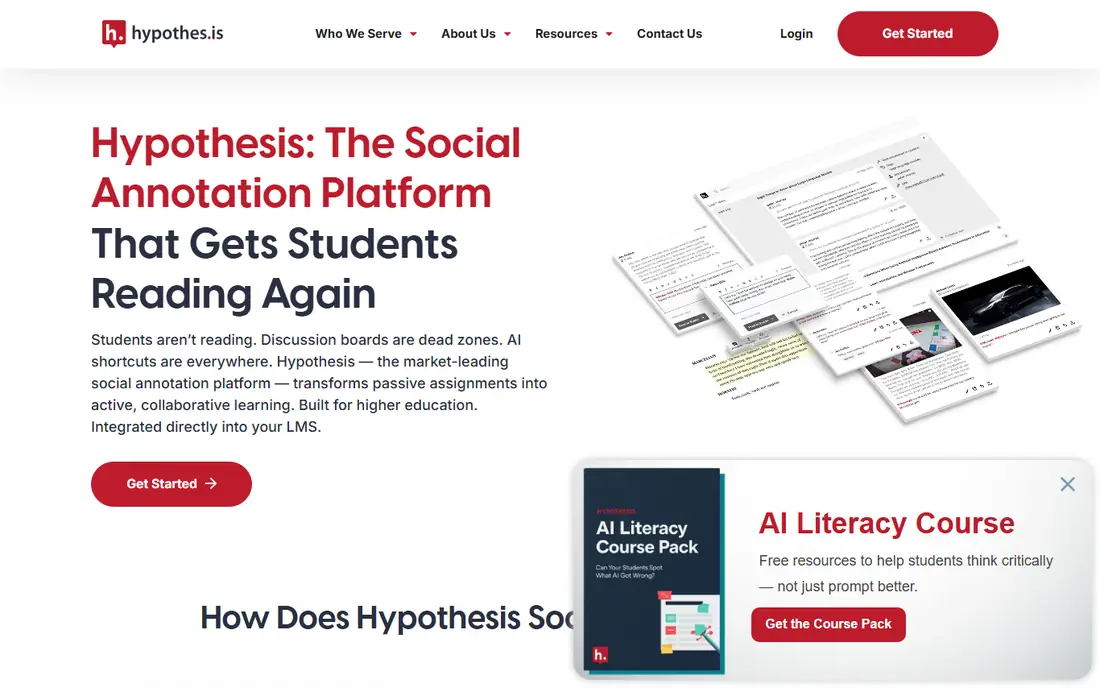
Hypothesis is a browser extension and web tool that lets you highlight and annotate almost any public web page or PDF. You can keep notes private, share them with a group, or publish them publicly. That range makes it useful for a student annotating a reading, a researcher sharing notes with colleagues, and a teacher running a class discussion on a single article.
The tool is free, open source in spirit, and light to set up. Teachers can create a private group, share a link, and see student annotations in one place. The limits are file types. Hypothesis does not annotate images or video, and it does not offer the approval workflows a business PDF tool provides. For text annotation, though, it is the best free starting point.
- Free for individuals and groups
- Works on web pages and PDFs
- Private groups for classes and teams
- No image or video annotation
- Organisation features are basic for large companies

Kami turns a PDF or document into a shared workspace where students and teachers can highlight, comment, draw and record voice notes. It integrates with Google Classroom, Schoology and Microsoft Teams, so assignments and feedback stay inside the system teachers already use. That integration is the main reason schools choose it over a generic PDF reader.
Students can work on the same file, teachers can leave voice feedback, and completed work can be returned without printing or emailing files. The free plan covers basic annotation, while school and district plans add grading, reporting and more integrations. If you are not in education, Kami still works for PDF markup, but Adobe Acrobat or Markup Hero may fit business workflows better.
- Built for Google Classroom and Microsoft Teams
- Text, voice and video comments
- Works on Chromebooks
- Paid plans needed for full classroom features
- Best in schools, less suited to video or design work

Adobe Acrobat is the default for formal PDF work, and for good reason. Comments, highlights, stamps, drawing tools and threaded replies are all tied to exact pages and text. Multiple reviewers can comment on one shared file, and the author can track which comments are resolved. That workflow matters for contracts, reports and design proofs that need a clear approval trail.
Acrobat also handles signing, redaction and form filling, so it replaces several tools for many offices. The cost is the catch. A subscription is needed for the full feature set, and casual users who only highlight a PDF occasionally will find free tools enough. For teams that approve PDFs every week, Acrobat pays for itself in fewer email threads and lost comments.
- Industry standard PDF comments and markup
- Shared review and approval workflows
- Strong redaction and signing tools
- Subscription cost
- Heavier than a simple annotator
- Some features need the Pro plan
Markup Hero is built for the common work problem of marking up a screenshot and sending it to a colleague. You capture or upload an image, add arrows, text, highlights and shapes, and share a link. Comments stay attached to the image, so the recipient sees exactly what you mean without a long email description.
Teams can organise markups into collections, track history, and keep a shared library of annotated images. The free plan is enough for occasional use, while paid plans raise storage and add team features. If your work is mainly PDFs or web articles, pick Hypothesis or Kami instead. If it is screenshots, mockups and photos, Markup Hero is faster and clearer.
- Fast screenshot and image annotation
- Shareable links with comments
- History and collections for teams
- Not a PDF text tool
- Free plan has storage limits
- Video annotation is out of scope
Diigo combines bookmarking with annotation, which suits researchers who collect sources over weeks or months. You can highlight text on a web page, add a sticky note, tag the page, and save it to a list or a group library. Later, you can search your highlights and notes across everything you saved, which turns a pile of links into a usable research base.
Groups let teams share a library and discuss sources in one place. The interface is not as modern as Hypothesis or Notion, and PDF annotation is not its strongest area. For web research, though, Diigo remains a practical choice, especially for people who want highlights, bookmarks and notes in a single account.
- Highlights and sticky notes on web pages
- Bookmarks and lists for research
- Group libraries for teams
- Design feels older than newer tools
- PDF support is less central
- Free plan has limits
Notion is not a dedicated annotation tool, but many teams use it as one because comments live where the work lives. You can comment on a page, reply in threads, mention colleagues, and resolve comments as work progresses. Docs, meeting notes, wikis and project trackers sit in the same workspace, so a comment rarely gets lost in email.
The limit is precision. Notion comments attach to blocks of a Notion page, not to words inside an uploaded PDF or an image region. If you need to mark up a PDF line by line, use Kami or Acrobat and link the file from Notion. If you need discussion around drafts, plans and notes, Notion is an excellent home for that conversation.
- Comments on pages, blocks and databases
- Flexible docs, wikis and task tracking
- Generous free plan
- Not a true PDF annotator
- Comments are page based, not tied to PDF text
- Can be heavy for simple markup
Frame.io, now part of Adobe, is the standard for video review. Reviewers watch a cut, pause at an exact moment, draw on the frame, and leave a comment tied to that timecode. Editors see those comments on the timeline in their editing software, which removes the guesswork of email notes such as fix the shot near the middle.
Version comparison, approvals and presentation links help agencies and production teams manage client feedback. The free trial lets small teams test it, but pricing is aimed at regular production work rather than occasional video comments. For a team that reviews video weekly, Frame.io saves hours of back and forth. For a single video, a shared document with timestamps may be enough.
- Time coded comments on video
- Drawing and annotation on frames
- Approval workflows for production teams
- Priced for production teams
- Overkill for simple video notes
- Storage costs rise with large projects
V7 Darwin, from V7 Labs, is an annotation platform for teams building image and video datasets. Labellers draw boxes, polygons and masks, reviewers check work, and automation tools suggest labels to speed up repetitive tasks. That workflow is very different from highlighting a PDF, but it is annotation in the strict sense, and it is the right tool for AI training data.
Small teams can trial the platform and test labelling workflows before committing. Larger use is priced by quote, and the feature set assumes a data pipeline rather than a classroom or office. If your goal is to label images for a model, Darwin is a serious contender. If your goal is to comment on a document, choose one of the tools above.
- Precise image and video labelling for AI data
- Automation tools speed up repetitive labelling
- Team review workflows
- Built for data teams, not general annotation
- Pricing by quote for larger use
- Learning curve for new labellers
How we picked these
We compared official feature pages, pricing pages and app listings for tools that let users highlight, comment or label content in context. We kept only tools that are actively maintained, available in the United States, and strong for at least one file type: web, PDF, image or video. Free tools were favoured where they genuinely cover the use case, and quote only tools were included only where they lead their niche.
Choosing the right annotation tool for your work
Start with the file type you annotate most. Web articles point to Hypothesis or Diigo. Classroom PDFs point to Kami. Business PDFs point to Acrobat. Screenshots point to Markup Hero. Video points to Frame.io. Data labelling points to Darwin. Choosing by file type first prevents the common mistake of buying a powerful tool that handles the wrong format well.
Test with a real file, not a demo
Upload a real document, image or video from your current project and invite one colleague to comment. Check whether comments are easy to find, whether resolved comments stay visible, and whether exports keep the context. A tool that looks clean in a demo can still hide comments in a way your team will hate after a week.
Decide who can see what
Private groups matter for classes, client work and unpublished research. Check whether annotations can be private by default, shared with a named group, or published publicly. Also check export and data retention, especially for student work or client files. A tool with clear permission settings will save awkward conversations later.
FAQ
What is the best free annotation software?
Hypothesis is the best free annotation software for web pages and PDFs, with private groups at no cost. Kami and Markup Hero also offer useful free plans, and Notion is free for personal use. The best free choice depends on whether you annotate web text, PDFs or images.
What is the best annotation app for students?
Kami is the best annotation app for many students, thanks to Google Classroom integration and voice comments. Hypothesis is a strong free alternative for web readings and class discussion. Check what your school already uses, since shared groups matter more than extra features.
What is the best annotation tool for PDFs?
Adobe Acrobat is the best annotation tool for formal PDF review and approvals in business. Kami is better for classrooms, and Hypothesis works well for free PDF and web annotation. Choose Acrobat when you need a clear approval trail and signing tools in the same file.
Can I annotate a web page and share it with a team?
Yes. Hypothesis lets you annotate a public web page and share notes with a private group or publicly. Diigo offers a similar workflow with bookmarks and group libraries. Both keep highlights tied to the original page, so colleagues see the context.
Is there a good annotation tool for video?
Frame.io is the best annotation tool for video review, with time coded comments and frame drawings. V7 Darwin also annotates video, but it is built for data labelling rather than creative review. For a single short video, timestamps in a shared document can work, but Frame.io is faster for regular review.
How do annotation tools handle privacy?
Most tools let you keep annotations private, share them with a named group, or publish them. Check the default setting before you annotate a sensitive document, and confirm whether the vendor stores a copy of the file. For student or client work, a private group and a clear retention policy are worth confirming in writing.