Best ALM Software in 2026: 9 Tools Compared
Compare the best ALM software for application lifecycle management, from Jira and Azure DevOps to Polarion and Codebeamer. See pricing and fit for 2026 buyers.
- Editor's choice
 Jira Software
Most agile teams
Starts at$7.75 per user per monthVisit atlassian.comFull review - Great alternative
 Azure DevOps
Microsoft-centered teams
Starts at$6 per user per monthVisit azure.microsoft.comFull review - Also consider
 GitLab
Code plus DevOps in one
Starts at$29 per user per monthVisit about.gitlab.comFull review
TL;DR:
- ALM means application lifecycle management, and this guide covers tools that manage requirements, code, tests, and releases together.
- Jira Software is our pick for most agile teams, thanks to boards, backlogs, and a huge integration ecosystem.
- Azure DevOps suits Microsoft-centered teams that want boards, repos, pipelines, and test plans in one service.
- Polarion ALM and Codebeamer suit regulated engineering teams that need strict traceability and approvals.
- Traceability from requirement to test to release is the feature that separates true ALM tools from simple task trackers.
Quick comparison
| Tool | Best for | Starts at | Free plan? | |
|---|---|---|---|---|
| Jira Software | Most agile teams | $7.75 per user per month | Yes | Visit |
| Azure DevOps | Microsoft-centered teams | $6 per user per month | Yes | Visit |
| GitLab | Code plus DevOps in one | $29 per user per month | Yes | Visit |
 Polarion ALM | Regulated traceability | See website | Free trial | Visit |
 Codebeamer | Complex engineering projects | See website | Free trial | Visit |
 SpiraTeam | Requirements plus testing | See website | Free trial | Visit |
 Tuleap | Open-source ALM | Free | Yes | Visit |
 Jama Connect | Requirements management | See website | Free trial | Visit |
 Helix ALM | Test and requirements control | See website | Free trial | Visit |
The best ALM software
ALM stands for application lifecycle management. It covers the full life of software, from requirements and design through coding, testing, release, and maintenance. The tools below link those stages, so a team can trace a requirement to code, tests, and a released version.

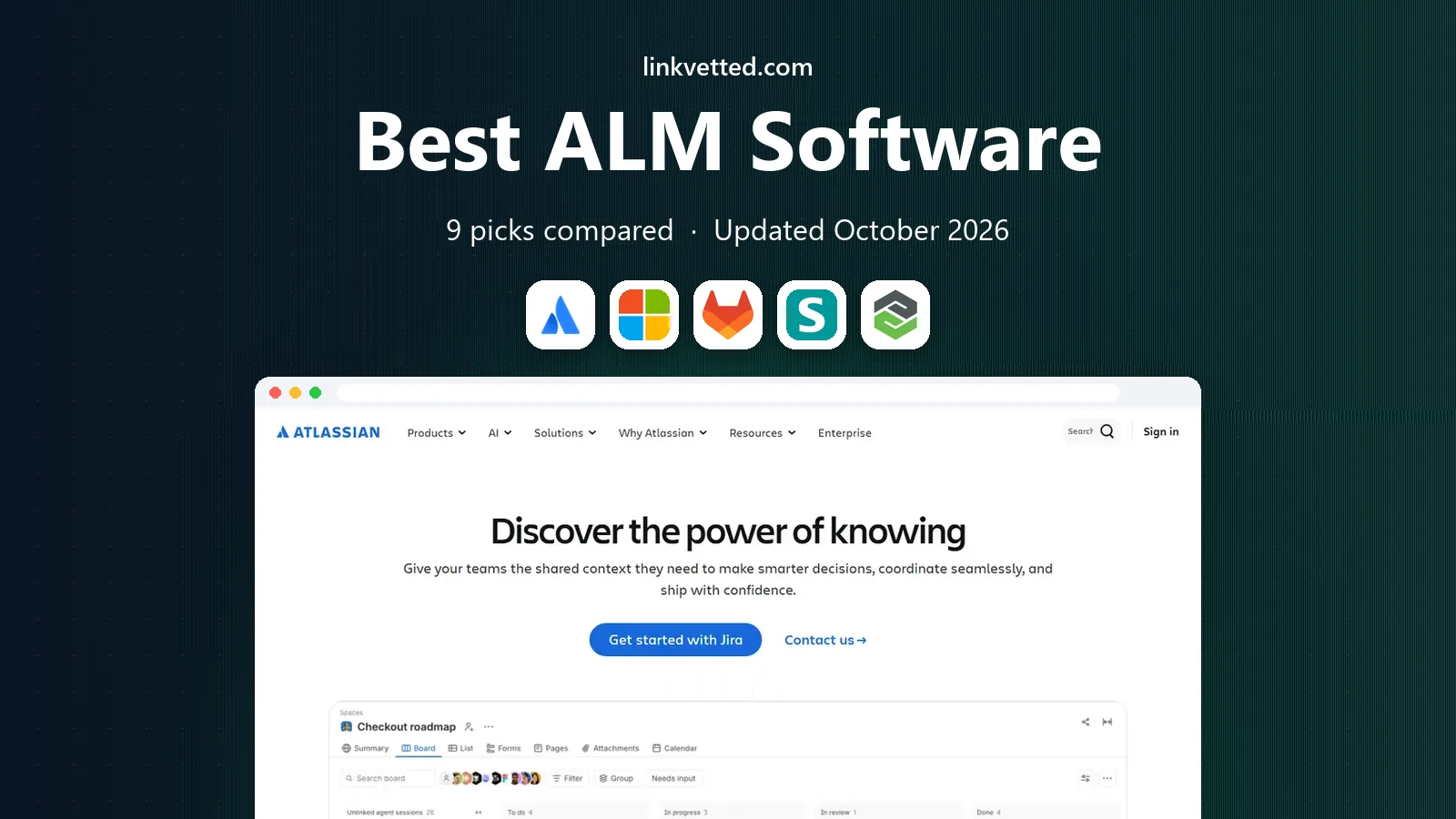
Jira Software, from Atlassian, is the most widely used agile project tool, with Scrum and Kanban boards, backlogs, roadmaps, and reporting. It tracks issues, stories, bugs, and tasks through sprints and releases, and its marketplace adds test management, requirements, and DevOps links. That ecosystem is why many teams start with Jira even when they need fuller ALM features.
Out of the box, Jira is a work tracker, not a strict ALM suite, so traceability from requirement to test to release often needs add-ons and disciplined linking. Configuration can grow messy without governance. For most agile software teams, Jira is our pick, with ALM add-ons added where traceability matters.
- Strong agile boards and backlogs
- Huge app marketplace
- Familiar to many teams
- True ALM traceability needs add-ons
- Config can grow messy
- Costs rise with apps
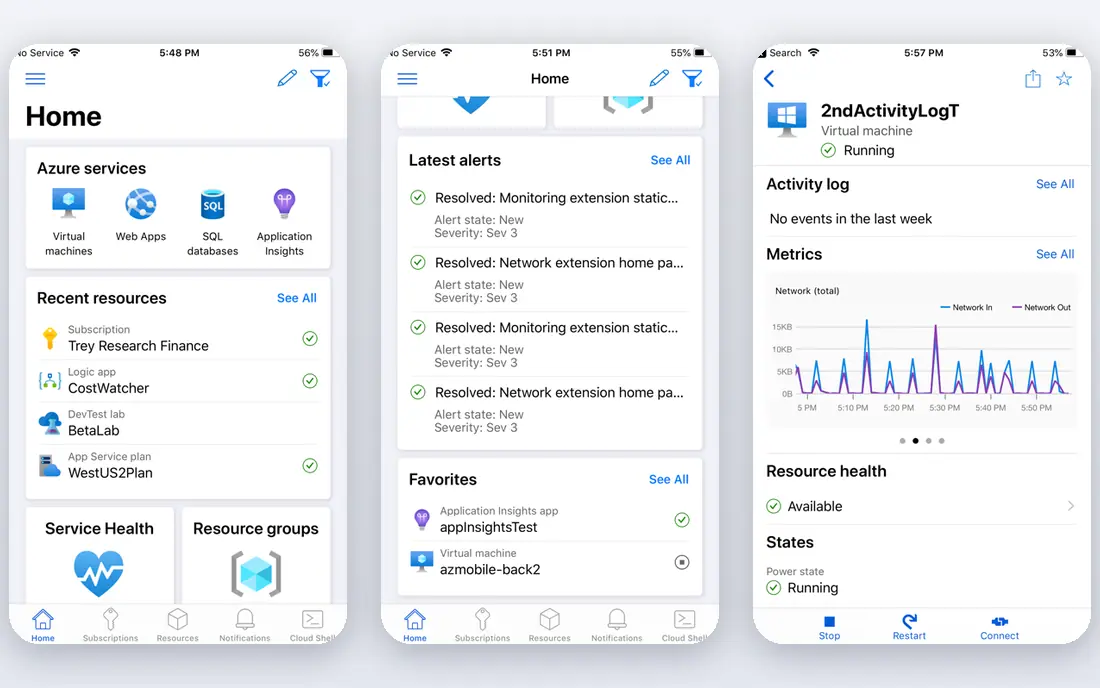
Azure DevOps, from Microsoft, combines Boards, Repos, Pipelines, Test Plans, and Artifacts in one service. Teams can plan work, store code in Git, build and release through pipelines, and manage manual and automated tests without stitching many tools together. Integration with Visual Studio, GitHub, and Microsoft 365 helps Microsoft-centered shops.
The breadth can feel overwhelming at first, and full test plan features sit on a higher per-user tier. The first few users are free, which helps small teams start. For a team already on Microsoft tools, Azure DevOps is the most complete ALM pick in one service.
- Boards, repos, pipelines, and tests in one
- Strong Microsoft integration
- Free for small teams
- Interface can feel broad
- Test plans cost more
- Best in Microsoft ecosystem

GitLab is a DevOps platform that covers planning, source control, CI and CD, security scanning, and releases in one product. Issues, epics, and milestones support planning, while pipelines and merge requests link code changes to work items. Self-hosting gives firms control over data and deployment, and the free tier covers basic use.
Paid tiers start higher than Jira or Azure DevOps, which can deter small teams. The platform is wide, so teams need time to learn its structure and set up useful ALM reporting. For a code-centered team that wants one platform from issue to production, GitLab is a strong choice.
- Single DevOps platform
- Strong CI and CD
- Self-hosting option
- Paid tiers are pricey for small teams
- Interface is wide
- ALM reporting needs setup
Polarion ALM, from Siemens, is built for teams that need controlled requirements, traceability, testing, and release evidence. Its document-centered approach links requirements to work items, test cases, defects, and approvals, with baselines and change impact analysis. That structure suits automotive, medical, aerospace, and other regulated engineering work.
Pricing is quote-based and implementation needs workflow design, permissions, and training. The interface is dense for casual users. For a regulated team that must prove what changed, what it affected, and whether tests passed, Polarion is a leading ALM pick.
- Strong traceability and baselines
- Document-centered requirements
- Compliance support
- Quote-based pricing
- Implementation needs planning
- Interface is dense
Codebeamer, from PTC, is an ALM platform for complex product and software engineering, with requirements, test management, risk, and release tracking. It supports both agile and waterfall work, and its traceability tools link requirements to tests, defects, and releases across hardware and software. That breadth helps firms building embedded or regulated products.
Setup is involved, and pricing is quote-based, so buyers should plan for implementation and training. New teams may find the range of options overwhelming at first. For complex engineering programs that need strict control, Codebeamer is a strong alternative to Polarion.
- Advanced traceability
- Agile and waterfall support
- Good for hardware plus software
- Quote-based pricing
- Setup is involved
- Learning curve for new teams
SpiraTeam, from Inflectra, combines requirements management, test management, bug tracking, and release planning in one ALM suite. It suits mid-sized development teams that want end-to-end lifecycle coverage without buying separate requirements and test tools. On-premise and cloud options give firms deployment choice.
The interface looks older than Jira or GitLab, and the third-party ecosystem is smaller. Pricing varies by edition and users, so confirm a quote. For a team that wants requirements and testing tightly linked at a moderate price, SpiraTeam is a practical pick.
- Requirements, tests, and bugs in one
- Good value for mid-sized teams
- On-premise option
- Interface feels older
- Pricing varies by edition
- Ecosystem is smaller
Tuleap is an open-source ALM platform with agile planning, trackers, Git integration, document management, and dashboards. It suits teams that want a free, self-hosted lifecycle tool and have the skills to run it. The tracker system is flexible, so teams can model requirements, bugs, and tasks to fit their process.
Community support is the default, with paid support available from the vendor. Setup and upgrades need technical skill, and the interface is functional rather than polished. For a cost-conscious team with in-house ops skills, Tuleap is the best free ALM option here.
- Free and open source
- Agile tools plus Git
- Self-hosting
- Support is community or paid
- Setup needs skill
- Interface is functional, not polished
Jama Connect focuses on requirements management and live traceability, helping teams define, review, approve, and trace requirements through design and testing. It suits product and systems teams in regulated industries, where requirement quality and impact analysis matter more than code hosting. Review workflows and baselines support audit-ready records.
It is not a full code, CI, or deployment platform, so teams pair it with Git, CI tools, and test runners. Pricing is quote-based. For a team whose main ALM pain is requirements chaos, Jama Connect is a focused, proven choice.
- Strong requirements focus
- Live traceability
- Review and approval workflows
- Quote-based pricing
- Not a full code and CI tool
- Needs companion tools for DevOps
Helix ALM, from Perforce, combines test case management, requirements management, and issue tracking, with traceability across those areas. It suits regulated software teams that need controlled test execution, defect tracking, and requirement links in one system. Links to Perforce version control help teams tie changes to tests and issues.
The interface feels dated next to newer tools, and the community is smaller than Jira's. Pricing is quote-based. For a team that needs solid test and requirements control, especially alongside Perforce, Helix ALM is a dependable option.
- Test case management plus requirements
- Strong for regulated teams
- Perforce ecosystem
- Quote-based pricing
- Interface is dated
- Smaller community than Jira
How we picked these
We compared vendor feature pages, lifecycle coverage, traceability tools, and pricing transparency, plus public reviews and ALM guides. We favored tools that link requirements, work, code, tests, and releases, rather than tools that only track tasks. We kept agile, DevOps, open-source, and regulated options, because ALM needs differ by industry and team size.
We did not run full lifecycle projects in each tool, and quote-based pricing varies by users, modules, and deployment. Test traceability with your own requirements and test cases in a trial before choosing.
How to choose ALM software
Start with traceability needs, then check code and test links.
Define how strict traceability must be
A consumer app team may only need links from stories to releases. A medical or automotive team may need baselines, approvals, and impact analysis for every change. That difference alone can rule out simple trackers and point to Polarion, Codebeamer, or Jama Connect.
Check code, CI, and test integration
ALM works when code commits, pull requests, builds, and test results link back to work items automatically. Confirm integrations with your Git host, CI system, and test tools, and test a full change from issue to merged code to passing test. Manual linking will break under deadline pressure.
Test requirements and review workflows
Create a requirement, send it for review, change it, and check impact on linked tests and releases. If that flow feels painful in a trial, it will feel worse at scale. Pay attention to baselines, version history, and approval records, since those are hard to add later.
Plan migration and governance
Moving requirements, tests, and history from old tools takes time and cleanup. Plan a phased migration, clean up old items first, and assign owners for traceability rules. Without governance, even the best ALM tool becomes a messy tracker within months.
FAQ
What does ALM mean?
ALM means application lifecycle management. It is the practice and tooling for managing software from requirements and design through coding, testing, release, and maintenance. This guide states that meaning plainly, since ALM can also appear in other fields with different meanings.
What is the best ALM software?
Jira Software is best for most agile teams, while Azure DevOps suits Microsoft-centered teams. GitLab suits code-centered DevOps teams. Polarion ALM and Codebeamer suit regulated teams that need strict traceability. The right pick depends on industry, compliance needs, and existing tools.
Is Jira an ALM tool?
Jira is primarily an agile work tracker, but many teams use it as an ALM tool with add-ons for requirements, test management, and DevOps links. Out of the box, its traceability is lighter than in Polarion or Codebeamer. If strict, audit-ready traceability is required, a dedicated ALM tool may fit better.
What is the difference between ALM and DevOps?
ALM covers the full lifecycle, including requirements, governance, and traceability. DevOps focuses on the delivery side, linking development and operations through CI, CD, automation, and monitoring. Modern platforms like Azure DevOps and GitLab cover both, with ALM breadth plus DevOps delivery tools.
Do small teams need ALM software?
Small teams can often start with a tracker like Jira, Azure DevOps, or Tuleap, plus Git and CI tools. Formal ALM tools become valuable when requirements, tests, and releases grow complex, or when regulators require traceability evidence. Start simple, and add ALM depth when traceability pain appears.
How much does ALM software cost?
Free and low-cost options include Tuleap and the free tiers of Jira, Azure DevOps, and GitLab. Paid team tools start around $6 to $29 per user per month, while regulated ALM platforms like Polarion and Codebeamer are quote-based. Confirm total cost, including add-ons and support, before budgeting.