Best AI Writing Tools Comparison in 2026: 9 Tools Compared
Our best ai writing tools comparison covers ChatGPT, Claude, Jasper, Copy.ai and more tools, with current pricing, free plans and who each tool suits best.
- Editor's choice
 ChatGPT
All-round writing and editing
Starts at$20 per monthVisit chatgpt.comFull review - Great alternative
 Claude
Long-form prose and editing
Starts at$20 per monthVisit claude.comFull review - Also consider
 Jasper
Marketing teams and brand voice
Starts at$69 per seat per monthVisit jasper.aiFull review
TL;DR:
- ChatGPT and Claude are the best general writing tools for most people, with Claude ahead on long-form prose and ChatGPT ahead on versatility.
- Jasper and Copy.ai earn their higher prices only for teams that need brand voice controls, templates and workflow automation.
- Rytr at $9 per month and QuillBot at $8.33 per month on annual billing are the best budget picks for short-form work and editing.
- Grammarly and QuillBot are editing tools, not drafting tools, so they pair well with a chatbot rather than replacing one.
- Our pick for most solo writers is a chatbot subscription plus Grammarly free, and for marketing teams it is Jasper or Copy.ai on top of that base.
Quick comparison
| Tool | Best for | Starts at | Free plan? | |
|---|---|---|---|---|
| ChatGPT | All-round writing and editing | $20 per month | Yes | Visit |
| Claude | Long-form prose and editing | $20 per month | Yes | Visit |
| Jasper | Marketing teams and brand voice | $69 per seat per month | Free trial | Visit |
 Copy.ai | Sales and marketing workflows | $29 per month | Yes | Visit |
 Writesonic | SEO articles and AI search visibility | $79 per month | Free trial | Visit |
 Rytr | Budget short-form copy | $9 per month | Yes | Visit |
 Sudowrite | Fiction and creative writing | $10 per month | Free trial | Visit |
 Grammarly | Grammar, tone and polish | $12 per month | Yes | Visit |
 QuillBot | Paraphrasing and summarizing | $8.33 per month | Yes | Visit |
The best ai writing tools comparison
This best ai writing tools comparison is built around a simple question: what job do you actually need the tool to do? Drafting a blog post, polishing a report, writing ad copy and finishing a novel are different jobs, and the best ai writing tool comparison changes with each one. We compared official feature pages, pricing pages and public reviews, and we only listed tools that are actively sold in October 2026.
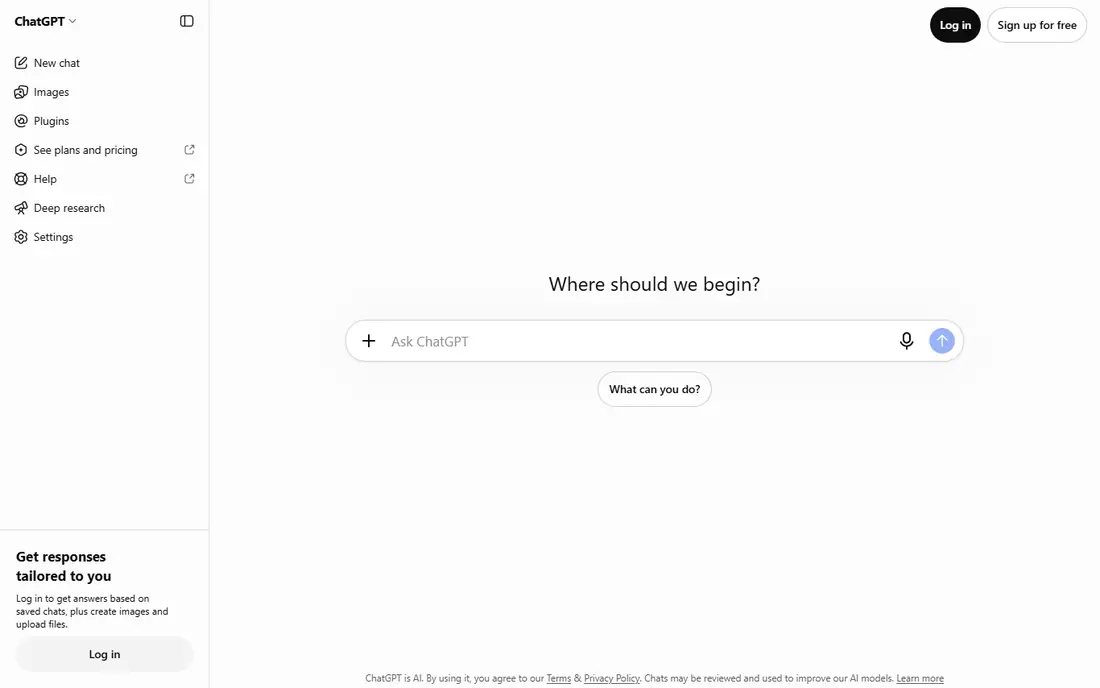
ChatGPT is the tool we suggest most people try first, because it handles the widest range of writing jobs. Outlines, first drafts, rewrites, summaries, emails and brainstorming all sit in one chat window, and the Canvas editor lets you highlight a paragraph and ask for a targeted rewrite without regenerating the whole document. A free tier covers casual use, while Plus at $20 per month opens stronger models for daily writers.
The limits show up on teams. ChatGPT has no brand voice controls, no team analytics and no SEO scoring, so a marketing team will still need another tool for those jobs. Fact-checking also stays on you, since the model can state wrong details with confidence. For a solo writer, though, ChatGPT plus a good editor is often all you need, and that is why it leads this comparison.
- Most versatile model range
- Canvas editor for targeted rewrites
- Huge ecosystem of guides and integrations
- No built-in brand voice enforcement
- No SEO tooling
- Free tier limits access to top models

Claude is the writer's chatbot on this list. Where ChatGPT is fast and broad, Claude tends to produce prose that reads more naturally over long passages, which matters for essays, reports, chapters and thought leadership. Projects let you keep style guides and background documents in context, and the document preview makes editing a long draft feel less like wrestling a chat log.
Pricing mirrors ChatGPT, with a free tier and Pro at $20 per month, or $17 per month on annual billing in recent comparisons. The ecosystem is smaller, so you will find fewer third-party integrations, and there is no SEO suite built in. If your main job is long-form writing and editing, Claude is our pick. If you want one tool for writing plus images, data and coding help, ChatGPT stays ahead.
- Natural long-form prose
- Strong editing and restructuring
- Projects keep context across documents
- Smaller ecosystem than ChatGPT
- No built-in SEO tools
- Top tiers get expensive for heavy use
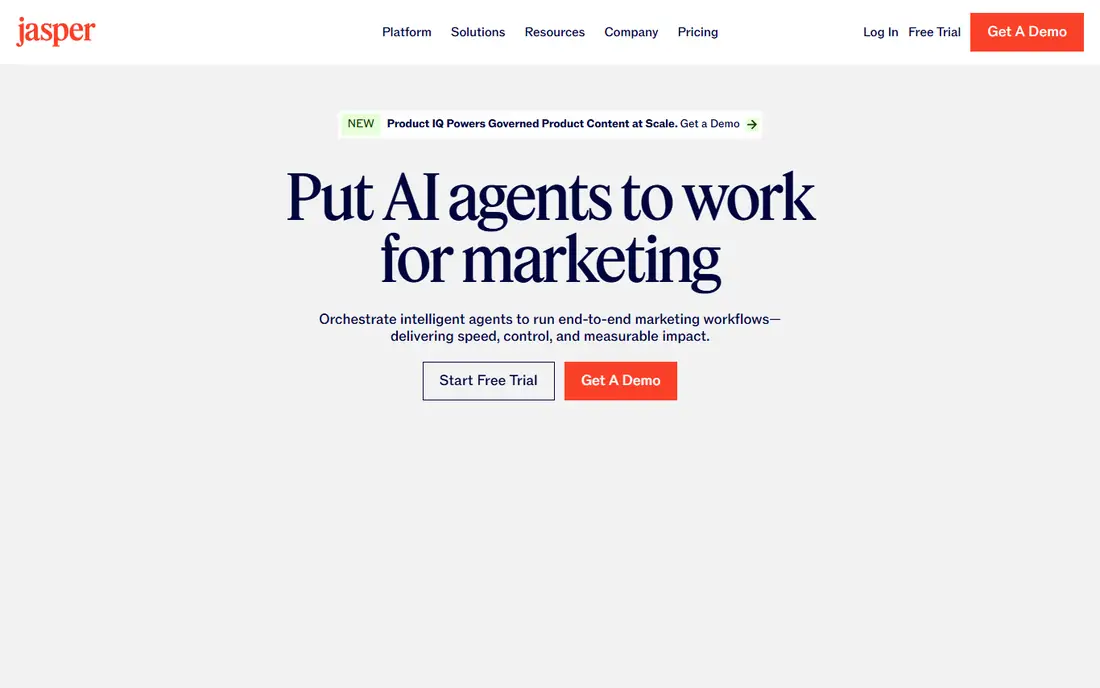
Jasper is built for marketing teams that need consistent copy at volume. Brand voice settings help a team of writers produce copy that sounds like one company, and templates cover blog posts, ads, emails and social copy without starting from a blank prompt each time. Campaign workflows tie those pieces together, which is the part a general chatbot does not offer.
The price is the honest catch. Pro at $69 per seat per month, or $59 on annual billing in recent comparisons, is hard to justify for a solo writer who can get a chatbot for $20. Jasper earns its keep when several people write under one brand and consistency matters more than raw drafting speed. Small teams should trial it with a real campaign before committing seats.
- Brand voice controls for consistent copy
- Many marketing templates and campaign workflows
- Team collaboration built in
- Priciest per seat here
- Overkill for solo writers
- 7-day trial only, no free tier
Copy.ai has moved from a simple copy generator toward workflow automation for go-to-market teams, covering sequences, outreach and content steps that repeat across a pipeline. The Chat plan at $29 per month, or $24 on annual billing in recent comparisons, includes several seats with unlimited words, which makes it good value per seat for a small team. A limited free tier covers a small monthly word allowance.
The catch is that the writing core, on its own, is solid rather than special compared with ChatGPT or Claude. Copy.ai wins when your team actually uses the workflows and CRM hooks. If you only need drafts, a chatbot is cheaper. If you need repeatable sales and marketing content steps, Copy.ai is worth a trial.
- Workflow automation for sales and marketing teams
- Several seats included on entry plans
- Unlimited words on paid tiers
- Writing quality alone does not beat the chatbots
- Advanced workflows sit on much pricier tiers
Writesonic suits content teams that need articles which rank in search and get cited by AI answers. Its article writer handles research, structure and drafting for SEO posts, and its GEO features track how a brand appears in ChatGPT, Google AI Overviews and Gemini. For a content operation that must both rank and be cited, that combination is more complete than a chatbot alone.
The price reflects that scope. Starter is listed at $99 per month monthly or $79 per month on annual billing in recent comparisons, with a set number of articles per month. A solo blogger who only writes a few posts a month will find that steep. For a team publishing weekly and tracking AI visibility, the bundle makes more sense, but check the article allowance against your real publishing pace first.
- Article writer built for SEO content
- AI search visibility tracking included on higher plans
- Content optimization tools
- Entry price is high for solo writers
- Recent repositioning means you pay for tracking you may not need
Rytr is our budget pick. The Unlimited plan at $9 per month, or $7.50 on annual billing, covers unlimited generation for short-form work, and the free tier gives 10,000 characters a month, which is enough to test it properly. With dozens of templates and support for many languages, it covers social posts, emails, product descriptions and short blog sections well.
The limit is depth. Rytr output is competent for short copy, but it does not match Claude or Jasper on long-form structure and nuance. That is a fair trade at this price. If your main need is bulk short copy on a tight budget, Rytr is the tool to try first, and you can pair it with Grammarly free for polishing.
- Cheapest paid plan here
- Many templates and languages
- Free tier covers 10,000 characters a month
- Output suits short and mid-form work, not long-form depth
- Fewer advanced features than Jasper or Writesonic
Sudowrite is the only tool here built mainly for fiction, and that focus shows. Features for story structure, character development and expanding a scene help novelists and short story writers push a draft forward, which is a different job from writing marketing copy. The Hobby plan at $10 per month is an affordable entry point for a writer working on a book.
Business writers should skip it, since its strengths do not transfer to reports or ad copy. Credit-based pricing also means you should check how many credits a long chapter consumes before a big writing month. For fiction writers, though, Sudowrite is the most purpose-built option on this list, and it pairs well with Claude for editing.
- Tools built for fiction, such as story beats and character help
- Good for beating writer's block
- Focused creative workflow
- Niche focus means it is not a general business tool
- Credit-based plans need watching
Grammarly is an editor, not a drafter, and that distinction matters. It catches grammar, clarity and tone issues in real time across email, docs and browsers, which makes it the best companion tool on this list. The free tier covers basic grammar and spelling, while Pro at $12 per month on annual billing adds tone suggestions, full-sentence rewrites and AI assistance.
Do not buy Grammarly expecting it to write a blog post from scratch. Its job is to make a draft you already have read better, and it does that job well. For most writers, the best setup is a drafting tool such as ChatGPT or Claude plus Grammarly for the final pass, and the free tier is enough to start.
- Real-time grammar and tone checks everywhere you write
- AI writing help on paid plans
- Free tier is genuinely useful
- It polishes drafts rather than creating them
- Full AI features need the paid Pro plan
QuillBot is the specialist for rewording. Its paraphraser offers different modes for fluency, formality and conciseness, and the summarizer condenses long articles or papers into key points. Premium at $8.33 per month on annual billing is affordable, and the free tier covers limited paraphrasing, which is enough to test whether it fits your workflow.
The risk is overuse. Heavy paraphrasing can strip out the voice that makes writing yours, so use it for clarity and for reworking awkward sentences, not for generating whole articles. Students, researchers and editors get the most from QuillBot, especially when paired with a drafting tool and Grammarly for a final check.
- Strong paraphrasing with tone modes
- Summarizer and grammar checker included
- Cheap on annual billing
- Paraphrasing can flatten a distinctive voice if overused
- Not a full drafting tool
How we picked these
We compared official feature pages, pricing pages and public reviews for each tool, and we only listed products that are actively sold in October 2026. We favored tools that cover a distinct writing job, such as general drafting, long-form prose, marketing copy, SEO articles, fiction, editing or paraphrasing, and we left out tools that duplicate another pick without a clear difference. Prices change often in this category, so we used recent vendor-linked comparisons alongside vendor pages, and we note where annual billing lowers the monthly figure. Always confirm the current price on the vendor site before subscribing.
How to choose from this comparison
Start with the job, not the brand. If you write a bit of everything, pick ChatGPT or Claude and learn its editor well before buying anything else. If you run a marketing team, add Jasper or Copy.ai for brand voice and workflows, and keep a chatbot for raw drafting. If you publish SEO content weekly, Writesonic or a chatbot plus a dedicated SEO tool will cover more ground than a chatbot alone.
Then check the budget math honestly. A $20 chatbot plus free Grammarly covers most solo writers. A $69 per seat marketing tool only pays off when several writers use it weekly under one brand. Trial with a real assignment, not a demo prompt: draft, edit and publish one piece end to end, and count how much time the tool actually saved. The tool that survives a real deadline is the one to keep.
FAQ
What is the best ai writing tool comparison for beginners?
Start with ChatGPT or Claude on a free tier, since both handle drafting, editing and brainstorming in one place. Add Grammarly free for polishing. That setup costs nothing to test and covers most beginner needs, and you can upgrade to a $20 monthly plan once you write daily.
Which is better, ChatGPT or Claude for writing?
Claude tends to produce more natural long-form prose and stronger edits over long documents, while ChatGPT is more versatile across writing, images, data and coding help. Writers focused on essays, reports and books often prefer Claude, while writers who want one all-round tool often prefer ChatGPT. Both offer free tiers, so try the same assignment on each.
Is Jasper worth it compared with ChatGPT?
Jasper is worth it for marketing teams that need brand voice controls, templates and campaign workflows across several writers. For a solo writer, ChatGPT at $20 per month usually covers the same drafting needs for far less. Trial Jasper with a real campaign before paying per seat.
What is the cheapest good AI writing tool?
Rytr at $9 per month, or $7.50 on annual billing, is the cheapest paid drafting tool here, with a free tier for testing. QuillBot Premium at $8.33 per month on annual billing is cheaper still for paraphrasing and summarizing. For drafting on a budget, Rytr is the better first pick.
Can AI writing tools replace human writers?
No. These tools draft, restructure and polish, but they still need a human to check facts, shape arguments and keep a distinctive voice. The best results come from using AI for first drafts and heavy lifting, then editing with judgment. Treat output as a starting point, not a finished piece.
Do AI writing tools help with SEO?
Some do. Writesonic builds SEO articles and tracks AI search visibility, while Jasper and Copy.ai offer SEO-adjacent templates and integrations. ChatGPT and Claude need manual keyword and structure guidance, since they have no built-in SEO scoring. For search-driven content, pair a drafting tool with a dedicated SEO tool.