Best AI Writing Software for Research Papers in 2026: 8 Tools Compared
Compare 8 AI tools for writing research papers in 2026: Paperpal, Jenni AI, Trinka, Elicit and more, with prices, free plans, strengths and honest limits.
- Editor's choice
 Paperpal
Polishing academic language and checking submission readiness
Starts atFreeVisit paperpal.comFull review - Great alternative
 Jenni AI
Drafting with citations as you write
Starts atFreeVisit jenni.aiFull review - Also consider
 Trinka
Academic grammar and privacy-focused editing
Starts atFreeVisit trinka.aiFull review
TL;DR:
- Paperpal is our pick for polishing a manuscript: its free plan includes 200 language suggestions a month, and the Prime plan costs $12 per month billed annually ($25 month to month).
- Jenni AI is the more drafting-focused option, with a free plan, a Plus plan at $12 per month and a Pro plan at $29 per month.
- Elicit, Consensus and SciSpace help you find and read papers, not write them. Elicit and Consensus both have free plans, and their paid plans start higher ($49 and $20 per month).
- Trinka and Writefull focus on academic language, and Trinka offers a Confidential Data plan at $41.67 per month (billed annually) that states it does not train AI on your data.
- No tool should be allowed to write your paper unchecked: AI can invent references, and many universities and journals have rules about disclosing AI use.
Quick comparison
| Tool | Best for | Starts at | Free plan? | |
|---|---|---|---|---|
| Paperpal | Polishing academic language and checking submission readiness | Free | Yes | Visit |
| Jenni AI | Drafting with citations as you write | Free | Yes | Visit |
| Trinka | Academic grammar and privacy-focused editing | Free | Yes | Visit |
 Writefull | Language feedback inside Word and Overleaf | See website | See website | Visit |
 Grammarly | General writing help with an academic add-on | Free | Yes | Visit |
 SciSpace | Reading papers and reviewing literature | Free | Yes | Visit |
 Elicit | Screening and extracting data from papers | Free | Yes | Visit |
 Consensus | Finding what the research says on a question | Free | Yes | Visit |
The best AI writing software for research papers
We split the field into two jobs. Writing tools such as Paperpal, Jenni AI, Trinka, Writefull and Grammarly help you draft or polish your own text. Research tools such as SciSpace, Elicit and Consensus help you find, read and summarize the literature you will cite. Most students need one of each.

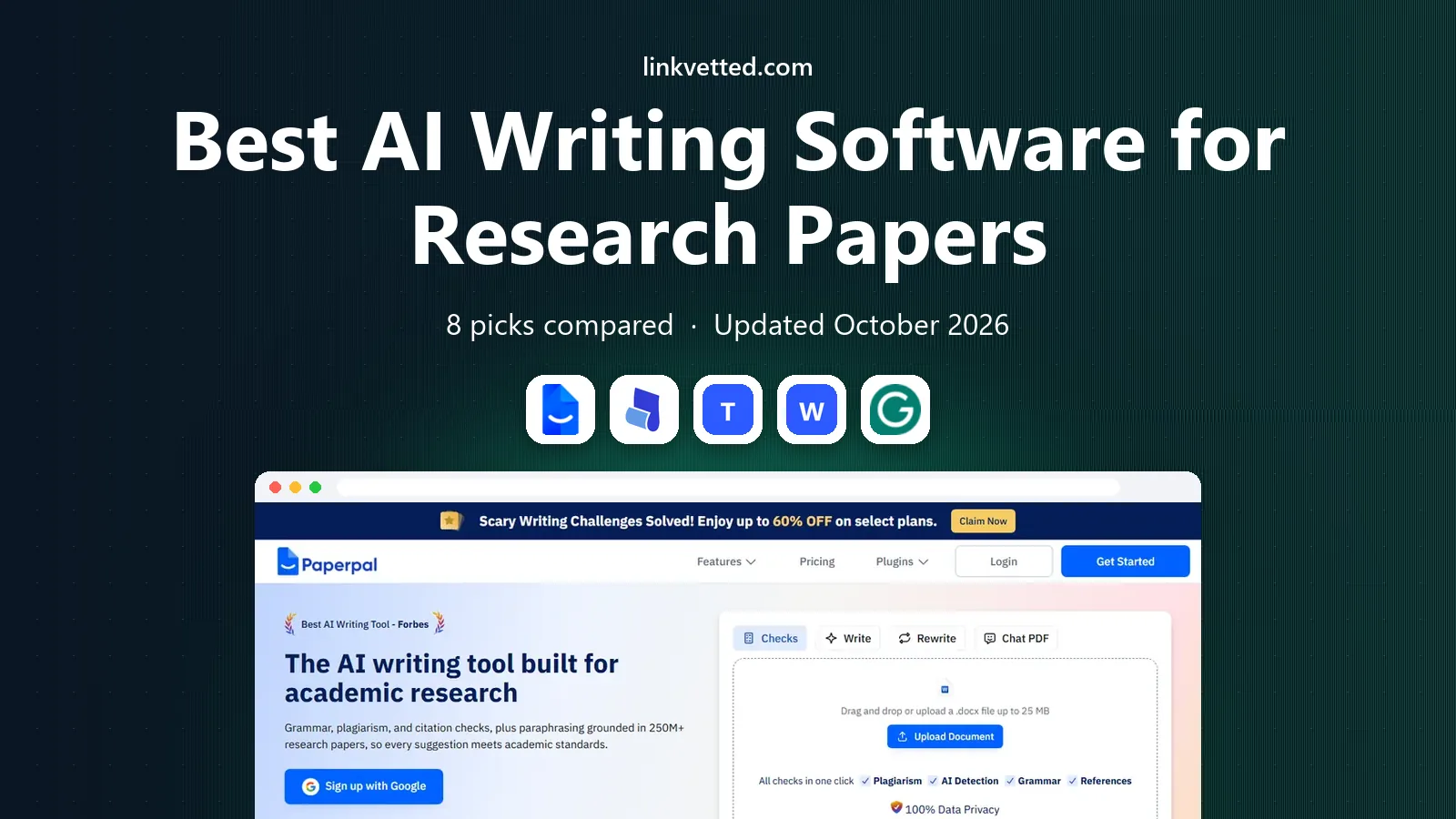
Paperpal is built for academic writers, and it is the tool we would start with for a manuscript that is already drafted. Its site lists an MS Word add-in, Chrome and Edge extensions that support Google Docs and Overleaf, and tools including an AI writing assistant, paraphraser, translator, citation generator, grammar checker, AI proofreader, plagiarism checker and reference checker.
The free plan gives you 200 language suggestions per month, unlimited citation generation in over 10,000 styles, 7,000 words of plagiarism checking a month, unlimited chat with PDFs and five daily uses of generative AI features. Prime removes the caps on writing help and raises plagiarism checking to 10,000 words a month. Paperpal's help center lists Prime at $25 per month or $144 per year ($12 per month) and Pro at $59 per month or $348 per year ($29 per month), though older blog posts quote different figures, so confirm on the pricing page.
The catch is that Paperpal polishes your language and structure; it does not do the thinking. Use its suggestions on your own draft, and check that journal-specific requirements match your target journal.
- Free plan with 200 language suggestions a month and unlimited citation generation
- Works in Word, Chrome and Edge, including Google Docs and Overleaf
- Plagiarism and reference checkers
- The free plan caps suggestions, plagiarism words and daily AI use
- Prices differ across Paperpal's own pages

Jenni AI is closer to a writing partner than a proofreader. It suggests the next sentence as you type, lets you upload PDFs and chat with them, and helps insert citations. The free plan gives 10 autocompletes a day, 10 PDF uploads, 3 AI edits, 5 AI chat messages and unlimited citations, with no credit card required.
Plus costs $12 per month and includes 5,000 autocompletes a month, unlimited PDF uploads, 500 AI edits and 500 chat messages, plus full document export. Pro costs $29 per month and removes the usage limits. Jenni advertises annual billing savings of up to 60 percent but does not list the annual prices on the page we read.
Jenni AI makes drafting faster, which is also its risk: an autocomplete that writes fluent prose can make it easy to submit text you have not thought through. Treat its output as a draft to rewrite, and check every claim against the source.
- Free plan with unlimited citations in 10,000 or more styles
- Plus at $12 per month adds 5,000 autocompletes and unlimited PDF uploads
- Paid plans can be canceled anytime
- Free plan allows just 10 AI autocompletes per day
- Annual prices are not shown on its pricing page

Trinka is an academic grammar checker with a focus on technical writing. Its site lists grammar checking, style guide corrections for APA, AMA, ACS, AGU and IEEE, paraphrasing, consistency checks, citation checking and formatting, a Journal Finder and AI-assisted writing. Integrations include a Word add-in, browser extensions for Chrome, Firefox and Edge, and (for institutions) Canvas, Moodle, Blackboard and D2L.
The free Basic plan has a monthly cap of 5,000 words, plus a few credits and AI writing requests. Premium and Premium Plus add more proofread files, plagiarism checks and AI detection, but we could not read their prices on the page. The Confidential Data plan is listed at $41.67 per month billed annually and adds an offline grammar checker, real-time data deletion and no AI training.
That last plan matters if your manuscript contains unpublished or sensitive data. For everyone else, Trinka is a solid alternative to Paperpal; compare the free plans on a real section of your paper.
- Style-guide checks for APA, AMA, ACS, AGU and IEEE
- Journal Finder and citation checking
- Confidential Data plan with no AI training
- The free Basic plan is capped at 5,000 words a month
- Premium prices are not shown on the page we read
Writefull is one of the few tools that works inside Overleaf, which matters for anyone writing in LaTeX. Its site lists Writefull for Word, Writefull for Overleaf (language feedback within LaTeX code, plus code generation), and Writefull Revise, which checks an uploaded document before submission and returns corrections as Track Changes.
Its AI widgets include an Academizer, a Paraphraser, a Title Generator, an Abstract Generator and TeXGPT, which writes LaTeX for tables, formulas and equations. Writefull says its language models are trained on millions of journal articles and that processing is encrypted, with texts and searches not stored or used for training. That is the company's own statement.
We could not read the plans page, which showed only a loading message, so we cannot quote a price or tell you what the free tier covers. The site mentions Premium, student discounts, group licenses and institutional offers. Check the plans page for current terms.
- Add-ins for Word and Overleaf (LaTeX)
- Academizer, paraphraser, title and abstract generators
- Says texts are not stored or used for training
- Pricing could not be read on the pages we loaded
- Smaller feature set than all-in-one rivals
Grammarly is the best-known writing assistant, and many students already use it. Its free plan covers spelling and grammar checks, tone visibility and 100 AI prompts per month. Pro lists at $12 per month and adds tone adjustment, full-sentence rewrites, fluency help for English, inclusive language, citation consistency, AI-text and plagiarism detection and 2,000 AI prompts per month.
Pro includes a free trial, and the site says educational institutions can get discounts. The page we read showed only monthly pricing, so check for annual terms.
Grammarly is not aimed at research writing in particular, so it will not know journal conventions the way Paperpal or Trinka do. It is a reasonable pick if you want one tool across essays, email and papers, and if your institution's policy on AI detection and AI help is clear.
- Free plan with spelling, grammar and 100 AI prompts a month
- Pro adds citation consistency and AI-text and plagiarism detection
- Familiar and widely supported
- Built for general writing, not research papers specifically
- Pro price shown only monthly on the page we read
SciSpace is a research workspace more than a writing tool. Its site has an AI writer page, and descriptions of the product mention literature review, citation extraction and a Copilot assistant for reading papers. The free Basic plan includes 100 credits per month, according to its help article.
SciSpace's own pages list Premium at about $12 per month billed annually or $20 per month billed monthly, with 1,200 credits, and higher tiers (Advanced and Max) with more credits. The figures for the higher tiers conflict between pages, and we could not load the live pricing page, so confirm every price before you subscribe.
Credits are the main thing to understand. Heavy use of AI agents can use them quickly, so try the free tier on one real paper and see how many credits it takes.
- Free Basic plan with 100 monthly credits
- AI writer, literature review and PDF chat tools
- Premium at about $12 per month billed annually
- Credit system can be hard to predict
- We could not load the live pricing page
Elicit is an AI research assistant for finding and analyzing papers, and it is the clearest example of a tool that supports a paper without writing it. The free Basic plan offers unlimited search across more than 138 million papers, unlimited summaries and unlimited chat with full-text papers, plus Zotero import, with limited use of the Research Agent and Reports.
Pro is listed at $49 per month, billed as $588 annually, and adds a systematic review workflow that screens 5,000 papers, 20 columns per table, custom extractions and API access. Scale costs $229 per month, billed as $2,748 annually, and adds figure extraction, real-time team collaboration and 30 columns per table. Enterprise is custom.
Elicit is best for people doing a literature review or systematic review, where extracting study details into a table is the slow part. Always check extracted details against the original paper.
- Free Basic plan with unlimited search across 138 million or more papers
- Systematic review workflow in Pro
- Zotero import
- Pro costs $49 per month billed annually
- It finds and extracts, it does not write your paper
Consensus is a search engine for research. You ask a question and it returns papers and AI summaries, rather than writing text for you. Its site says over 5 million researchers, students and clinicians use it, which is a company figure.
Search results from its help center list a free plan with unlimited paper search and 3 Deep Reviews a month, Pro at $20 per month or $144 per year with 15 Deep Reviews a month, and a Deep plan at $65 per month or $540 per year with 200 Deep Searches a month. The pricing page we loaded showed Monthly and Annual toggles but no figures, so confirm prices there.
Consensus is a good first step when you want to see whether the evidence supports a claim before you write it up. It does not replace reading the papers themselves.
- Free plan with unlimited paper search
- Pro is $20 per month or $144 per year per its help center
- Used by over 5 million people by its own count
- Deep Review is limited on the free plan
- Prices on its pricing page were not visible to us
How we picked these
We compared each product using its own website, pricing page and help pages, and where a page would not load for us (SciSpace and Consensus pricing) we say so and note that the figures came from the vendors' help pages as seen in search results. We did not run these tools on our own research papers, so we do not claim anything about the quality of their output.
We included a spread of writing tools and research tools, plus a mix of large names (Grammarly) and academic specialists (Paperpal, Trinka, Writefull). We left out chatbots that are not built for research papers.
How to choose AI software for a research paper
Start with your policy, then the job.
Check your institution's rules
Many universities, publishers and journals have rules on AI use, and some require disclosure. Read yours before you use any of these tools, and keep notes on how you used them.
Verify every citation
AI tools can produce plausible references that do not exist or misstate what a paper found. Open each source and confirm the claim, whichever tool you use.
Match the tool to the stage
Use Elicit, Consensus or SciSpace to find and read papers, a drafting tool such as Jenni AI while you write, and Paperpal, Trinka or Writefull when you polish. One tool rarely does all three well.
Think about your data
If your manuscript is unpublished, read each tool's data policy. Trinka's Confidential Data plan states that it does not train AI on your data, and Writefull says it does not store texts. These are company statements, so ask your institution if you need assurance.
FAQ
What is the best AI tool for writing research papers?
It depends on the stage. For polishing, we like Paperpal and Trinka. For drafting, Jenni AI. For finding sources, Elicit and Consensus. No tool should write the paper for you, and you should check every claim and reference yourself.
Which AI tool is best for research paper writing for free?
Paperpal, Jenni AI, Trinka, Grammarly, SciSpace, Elicit and Consensus all have free plans, but each is capped. Paperpal's free plan includes 200 language suggestions a month, and Jenni's includes 10 autocompletes a day.
Can AI write a research paper?
AI can draft text, but it can also invent facts and citations, and many institutions restrict or require disclosure of AI use. Treat the output as a rough draft and take responsibility for accuracy.
Is it safe to upload an unpublished manuscript?
It depends on the tool. Trinka's Confidential Data plan states no AI training and real-time data deletion, and Writefull says texts are not stored or used for training. Check each privacy policy and your journal's rules.
What is the difference between Paperpal and Grammarly?
Paperpal is built for academic writing and offers features such as a reference checker and submission readiness checks. Grammarly is a general writing assistant at $12 per month for Pro, with citation consistency checks and plagiarism and AI-text detection.
Sources
- https://paperpal.com/pricing
- https://support.paperpal.com/support/solutions/articles/3000126443-what-is-the-price-for-paperpal-paid-subscriptions-
- https://jenni.ai/pricing
- https://www.trinka.ai/pricing
- https://www.writefull.com/
- https://www.grammarly.com/plans
- https://scispace.com/credits-guide
- https://elicit.com/pricing
- https://consensus.app/pricing/
- https://help.consensus.app/en/articles/10087865-subscription-plans