Best AI Video Analysis Tools in 2026: 9 Tools Compared
The best ai video analysis tools compared for search, moderation, summaries and insights, with cloud APIs and team platforms in one full 2026 guide today.
- Editor's choice
 Twelve Labs
Search inside video by meaning
Starts atSee websiteVisit twelvelabs.ioFull review - Great alternative
 Google Cloud Video Intelligence
Metadata and labels at scale
Starts atSee websiteVisit cloud.google.comFull review - Also consider
 Azure Video Indexer
Transcripts and insights in Microsoft cloud
Starts atSee websiteVisit azure.microsoft.comFull review
TL;DR:
- Twelve Labs leads for searching inside video by meaning, while cloud APIs lead for moderation and metadata at scale.
- Moments Lab and Frammer suit media teams that need summaries, clips and story detection without building software.
- Video analysis works best when you know the question first, such as what was said, who appeared, or which moments matter.
- Always check privacy, consent and data retention rules before analysing video of people, especially for staff or customer footage.
Quick comparison
| Tool | Best for | Starts at | Free plan? | |
|---|---|---|---|---|
| Twelve Labs | Search inside video by meaning | See website | Free trial | Visit |
| Google Cloud Video Intelligence | Metadata and labels at scale | See website | Free trial | Visit |
| Azure Video Indexer | Transcripts and insights in Microsoft cloud | See website | Free trial | Visit |
 Amazon Rekognition Video | Faces, objects and moderation | See website | Free trial | Visit |
 Moments Lab | Media summaries and story detection | See website | No | Visit |
 Frammer | News and broadcast video analysis | See website | No | Visit |
 Clarifai | Custom video models and workflows | See website | Yes | Visit |
 Sightengine | Moderation and safety checks | See website | Yes | Visit |
 Hive Moderation | Large-scale content moderation | See website | No | Visit |
The best ai video analysis tools
We kept tools that analyse video content, not just edit or host it, and noted whether each tool is a developer API, a team platform, or both.
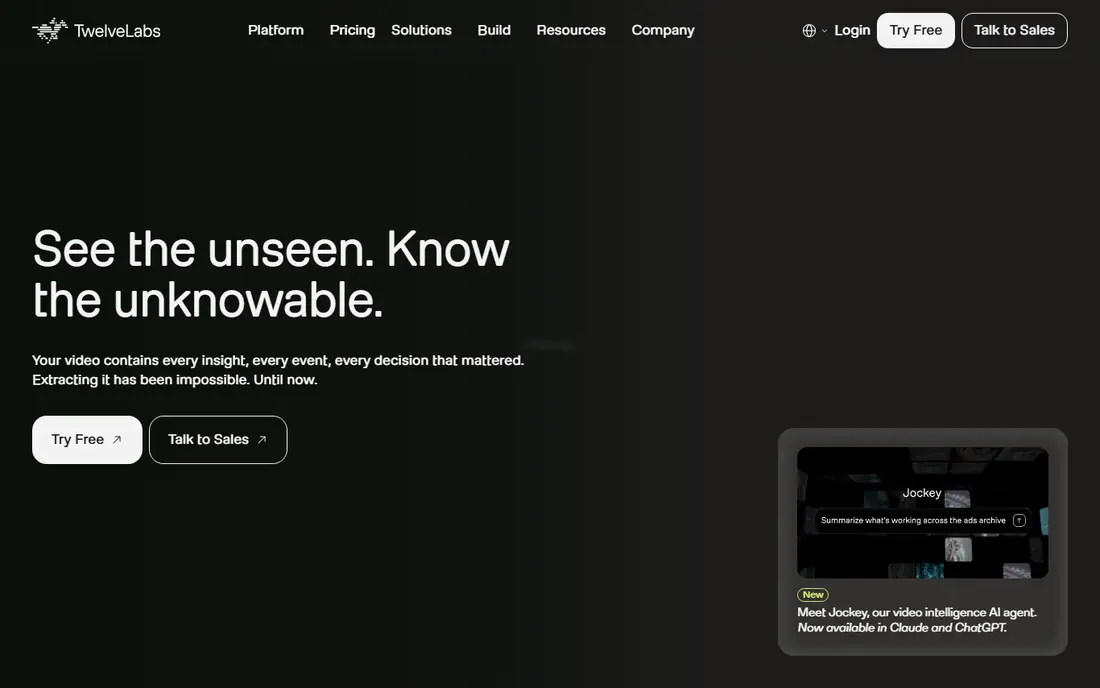
Twelve Labs stands out because it lets you search video by meaning, not just by a transcript word. Ask for a moment when a person picks up a phone, or a scene with a crowd at night, and the system can find matching clips across a library. That semantic search helps archives, sports teams and media libraries that hold hours of footage no one has time to watch in full.
Usage-based pricing means a team should trial it on a real library and watch costs as volume grows. It also works best for developers or media teams who can build a workflow around the API, rather than a casual user who wants a one-click summary. For deep video search, Twelve Labs is the most interesting tool in this list.
- Semantic search across video
- Scene and action understanding
- API plus playground
- Usage-based pricing needs care
- Best value for developers and media teams

Google Cloud Video Intelligence turns video into structured data: labels for objects and scenes, shot boundaries, on-screen text, and speech transcripts. That metadata helps a team catalogue a library, build search, or flag content for review. Running in Google Cloud also suits teams already using Google storage and data tools.
It is a developer API, not a simple desktop app, so setup takes engineering time. Costs scale with minutes analysed and features used, so a large archive needs a budget check before a full run. Results also need human review for sensitive decisions. For large-scale metadata, Google remains a strong, well-documented choice.
- Labels, shot changes and text detection
- Speech transcription
- Scales in Google Cloud
- Developer setup needed
- Costs scale with minutes analysed
- Results need review

Azure Video Indexer, part of Microsoft Azure AI, analyses a video and returns a rich insight page: transcript, speakers, faces, topics, keywords and sentiment signals. A team can search a meeting, lecture or broadcast by word or topic, and jump straight to the relevant moment. The portal makes it easier to trial than a pure API, while the API suits larger workflows.
Insight quality varies with audio quality, accents and language support, so test with your own footage before relying on it. Costs scale with minutes and features, and sensitive face and emotion data need careful privacy handling. For Microsoft-centred teams, Video Indexer is a natural, capable pick.
- Transcripts, faces, topics and emotions insights
- Portal plus API
- Microsoft integration
- Insights vary by language and video quality
- Costs scale with usage
Amazon Rekognition Video analyses stored video and live streams for faces, objects, activities, text and moderation labels. That range suits safety teams, media archives and apps that need to flag or catalogue video at scale. Running in AWS also helps teams already storing video in S3 and using other AWS services.
Developer setup is required, and face recognition carries serious privacy duties. Only analyse faces with a lawful basis and clear consent where required, and set retention limits for face data. Costs scale with minutes analysed. For large-scale detection and moderation in AWS, Rekognition is a proven choice.
- Face, object and activity detection
- Moderation labels
- Scales in AWS
- Developer setup needed
- Face data needs strict consent and retention rules
Moments Lab, formerly Newsbridge, helps media and broadcast teams find stories inside large video archives. It detects moments, people and topics, then summarises and indexes footage so editors can find a clip fast. That workflow matters for newsrooms and sports teams that reuse archive footage under deadline.
Pricing is quote-based, which puts it beyond most solo creators. It also fits media workflows best, rather than general business video. For a news, sports or archive team that lives in video, Moments Lab turns a hard search problem into a usable daily tool.
- Story and moment detection
- Summaries for media teams
- Search across archives
- Quote-based pricing
- Best for media and broadcast teams, not casual users
Frammer offers AI video understanding for news and broadcast teams, with clip suggestions, story detection and archive search. Editors can find relevant moments, build a story faster, and reuse footage that would otherwise sit unseen. That focus on editorial workflow sets Frammer apart from generic cloud APIs.
Public pricing is limited, and Frammer suits a team with a clear editorial use case rather than a casual user. A trial on real news footage is the best way to judge its story detection. For broadcast teams, Frammer is a focused option worth a demo.
- Video understanding for newsrooms
- Clip and story suggestions
- Archive search
- Quote-based pricing
- Smaller public profile than cloud APIs
Clarifai lets a team build custom video workflows from prebuilt vision models or their own models. You can detect objects, classify scenes, moderate content or build a custom classifier for a niche use case, such as a specific product or defect. That flexibility suits teams whose video problem does not fit a standard label set.
Setup takes more time than a ready-made media tool, and pricing scales with operations, so a high-volume job needs a cost model first. Model choice also needs testing on your own footage, since a generic model may miss a niche case. For custom video analysis, Clarifai is a flexible platform.
- Custom models and workflows
- Many prebuilt vision models
- API and platform
- Setup takes time
- Pricing scales with operations
- Model choice needs testing
Sightengine focuses on safety: it checks video and images for nudity, violence, gore and other risky content, and returns scores a team can use to flag or block material. That focus helps platforms, schools and brands that must review user video before it goes live. A free tier lets a developer test the API before paying.
Sightengine is not a full archive search or transcription tool, so pair it with a transcript or search tool when you need both safety and discovery. Thresholds also need tuning, since a strict setting can flag harmless content and a loose setting can miss risky clips. For moderation, Sightengine is a clear, focused pick.
- Moderation for video and images
- Clear risk scores
- API with free tier
- Not a full archive search tool
- Thresholds need tuning for each use case
Hive Moderation offers AI moderation models for video, image, text and audio at large scale. Platforms and enterprises use it to screen huge volumes of user content, with models for sexual content, violence, hate and other policy areas. Enterprise support helps teams tune models to their own policy, rather than using a generic threshold.
Pricing is enterprise-level, and setup needs policy work before launch. Small teams should start with Sightengine or a cloud API free tier instead. For a platform handling large video volumes, Hive gives a mature, high-volume moderation option.
- Moderation models for video, image and audio
- High-volume handling
- Enterprise support
- Enterprise pricing
- Setup and policy tuning take time
How we picked these
We compared official feature and pricing pages, API docs and public reviews, and kept tools that analyse video content today. We favoured tools with a free tier or trial where possible, and we noted where pricing is quote-based or usage-based instead of inventing a figure. We did not claim hands-on testing; our view rests on published features and widely reported limits.
How to choose between an API and a team platform
Choose an API, such as Google, Azure, AWS or Clarifai, when you have developers and a large or custom workflow. You gain control and scale, but you must build the interface, the search and the review queue. Choose a team platform, such as Moments Lab or Frammer, when editors or analysts need to search and summarise video today without building software.
For moderation, start with a focused API such as Sightengine and set clear thresholds and a human review queue. No automated score should decide a sensitive case alone, especially where a person could be harmed by a wrong flag. Keep a log of decisions, and review edge cases regularly to improve thresholds.
FAQ
What are the best ai video analysis tools for search?
Twelve Labs leads for semantic search inside video, while Azure Video Indexer and Google Cloud Video Intelligence lead for transcript and metadata search. Moments Lab suits media archive search for news and sports teams.
What is the best ai tool for video analysis for beginners?
Azure Video Indexer has a portal that is easier to trial than a pure API, while Sightengine offers a free tier for moderation tests. For a simple summary of a single video, a team platform or a transcription tool may be easier than a developer API.
Can AI video analysis detect faces and objects?
Yes. Amazon Rekognition Video, Google Cloud Video Intelligence, Azure Video Indexer and Clarifai detect faces, objects, text and activities. Face use needs a lawful basis, consent where required, and clear retention limits.
How much do AI video analysis tools cost?
Most cloud tools charge by minutes analysed and features used, with free tiers or trials for small tests. Team platforms such as Moments Lab and Frammer use quote-based pricing. Check the vendor pricing page and trial on real footage before a large run.
Is AI video analysis accurate?
Accuracy varies with video quality, lighting, audio clarity and language. Transcripts and labels are useful guides, but human review matters for sensitive, legal or safety decisions. Test on your own footage, not just on vendor demos.
Which video analysis tool is best for moderation?
Sightengine suits small and mid-size moderation jobs with a free tier, while Hive Moderation suits large platforms. Amazon Rekognition Video also offers moderation labels for AWS teams. Always pair automated scores with human review for borderline cases.
Sources
- https://www.twelvelabs.io/pricing
- https://cloud.google.com/video-intelligence/pricing
- https://azure.microsoft.com/pricing
- https://aws.amazon.com/rekognition/pricing
- https://www.momentslab.com/pricing
- https://frammer.ai/pricing
- https://www.clarifai.com/pricing
- https://sightengine.com/pricing
- https://thehive.ai/pricing