Best AI Tools to Restore Old Photos in 2026: 8 Tools Compared
Compare the best ai tools to restore old photos, from one click mobile apps to desktop control, with current prices and free tiers for family archives.

- Editor's choice
 Remini
Mobile face restoration
Starts at$6.99 per weekVisit remini.aiFull review - Great alternative
 VanceAI Photo Restorer
Browser restoration
Starts at$5.94 per monthVisit vanceai.comFull review - Also consider
 MyHeritage
Family historians
Starts atSee websiteVisit myheritage.comFull review
TL;DR:
- Remini is our top pick for fast mobile face restoration, while VanceAI is best for one click browser restoration of a whole archive.
- MyHeritage suits family historians who already build a family tree, and Topaz Photo AI suits photographers who want full manual control.
- Fotor, Hotpot, and PicWish offer usable free tiers for small batches, so a small family project may cost nothing.
- Photomyne is best for scanning whole albums with a phone before restoration, which solves the first step many projects skip.
- AI can improve faces, color, and sharpness, but it cannot reliably rebuild a photo torn in half. Keep the original scan safe and work on copies.
Quick comparison
| Tool | Best for | Starts at | Free plan? | |
|---|---|---|---|---|
| Remini | Mobile face restoration | $6.99 per week | Yes | Visit |
| VanceAI Photo Restorer | Browser restoration | $5.94 per month | Yes | Visit |
| MyHeritage | Family historians | See website | Yes | Visit |
 Topaz Photo AI | Photographer control | $199 one-time | Free trial | Visit |
 Fotor | Budget all in one editing | $8.99 per month | Yes | Visit |
 Hotpot | Cheap web restoration | See website | Yes | Visit |
 Photomyne | Scanning albums | $5.99 per month | Free trial | Visit |
 PicWish | Batch enhancement | $6.99 per month | Yes | Visit |
The best ai apps to restore old photos
We compared official pricing, free credit limits, restoration features, and whether processing happens on the web, on a phone, or on a desktop. Each tool below fits a different archive size and skill level.
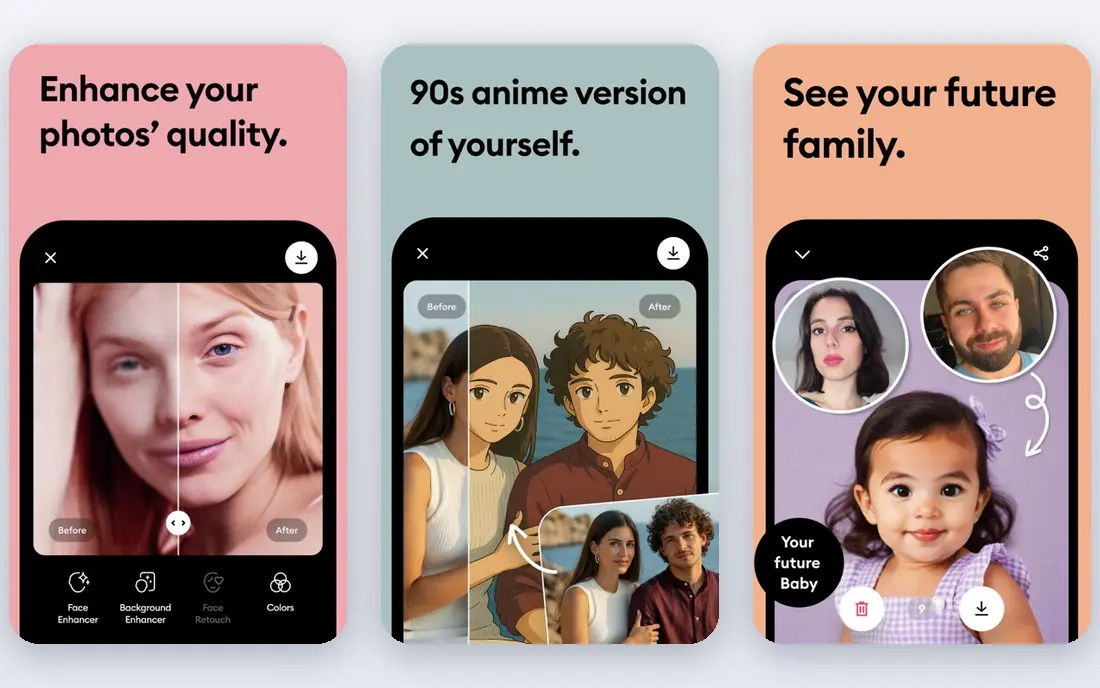
Remini is our pick for a phone based project focused on faces. Open the app, pick an old portrait, and it sharpens facial features, reduces blur, and improves detail in seconds. That simplicity makes it ideal for restoring a grandparent's portrait to share with family, without learning desktop software. The weekly price is the catch: a large archive restored over several weeks can cost more than a monthly desktop tool. Use the free daily credits first, then pay for a single week and batch your best portraits into that week. For a handful of faces, Remini is the fastest path to a shareable result.
- Fast face restoration on a phone
- Simple one tap workflow
- Good for portraits
- Weekly pricing adds up fast
- Free use has daily limits and ads
VanceAI Photo Restorer is the best browser tool for a whole archive. Upload scans, and its models handle fading, scratches, noise, and face detail in one workflow, with batch processing for multiple photos. No software install is needed, which suits family historians working on a shared computer or a laptop with limited storage. Free credits cover only a small monthly batch, so a large album needs a paid plan, with the annual rate starting around 5.94 dollars per month. Results on badly damaged photos still need a manual pass in a desktop editor. For most family archives, VanceAI gives the best balance of ease, batch size, and price.
- One click restoration in a browser
- Scratch and color tools
- Batch processing
- Free credits are limited each month
- Processing needs an internet connection
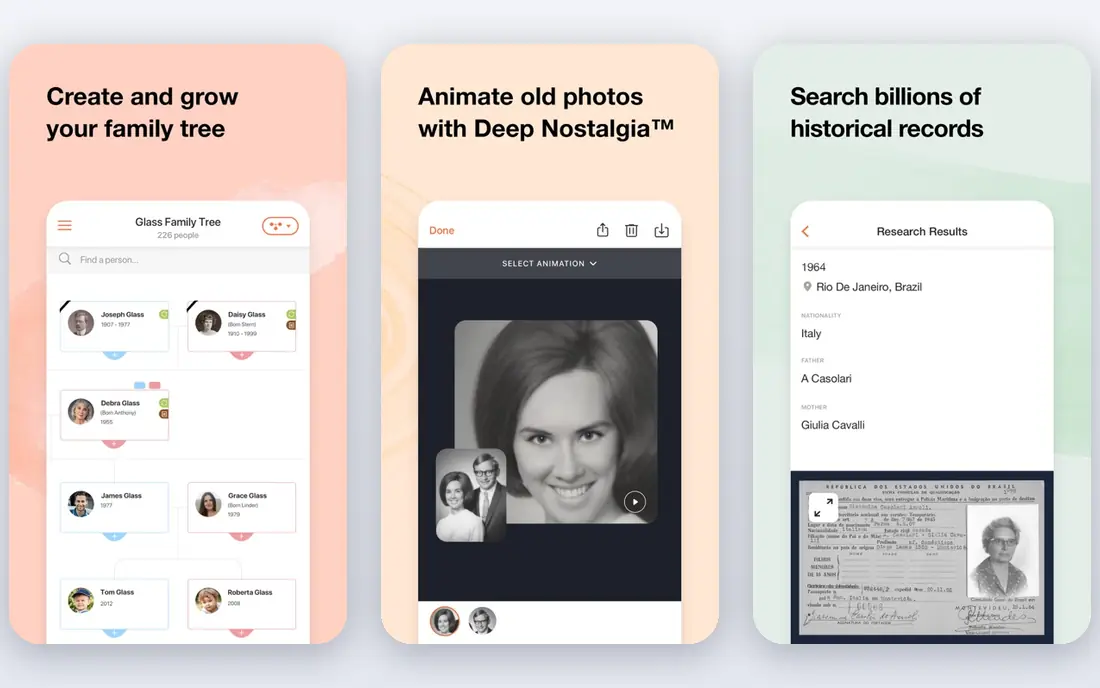
MyHeritage is the natural pick if you already build a family tree, since its photo tools sit alongside names, dates, and relatives. Enhance a faded portrait, colorize a black and white photo, and attach it to the right person in your tree, then share it with family members who can add memories. That context is something a standalone enhancer cannot offer. The free photo allowance is limited, and full use ties to a genealogy subscription, so check current pricing on the vendor site before committing. If you only need restoration without a tree, VanceAI or Remini is cheaper. If family history is the project, MyHeritage keeps photos and people together.
- Photo enhancement and colorization tied to family trees
- Easy sharing with relatives
- Limited free photos
- Full features need a genealogy subscription
- Free photo count is limited
Topaz Photo AI is for photographers and serious archivists who want control, not just a one click result. It runs on your desktop, so photos stay local, and you can tune denoise, sharpening, and upscaling separately for each image. That control matters for badly faded scans, prints, and large format output where a generic filter would smooth away detail. The one time price is high, and the trial lets you preview but not save full results without paying, so test it on your hardest photos first. For a small family batch, a cheaper web tool is enough. For a large archive or print quality work, Topaz earns its price through control and local processing.
- Full manual control over denoise, sharpen, and upscale
- Desktop processing
- High quality output
- Price and learning curve are high
- Trial cannot save full output without payment
Fotor is a good budget all rounder: it enhances old photos, fixes color and sharpness, and then lets you crop, retouch, and design around the result in the same tool. That breadth suits users who want to restore a photo and then make a print, a card, or a social post from it without switching apps. The free tier covers small batches. Specialized restoration, such as deep scratch repair, is less advanced than VanceAI or Topaz, so badly damaged photos may need a second tool. For a typical family album with fading and mild damage, Fotor is enough and costs less than a specialist subscription. Try the free tier on ten photos before paying.
- One click enhancement plus full editing
- Free tier for small batches
- Easy web use
- Restoration is less specialized than VanceAI
- Premium features need a paid plan
Hotpot suits users who want a quick, cheap web fix without creating an account or learning a large editor. Its AI tools cover picture restoration, colorization, and enhancement, with low credit pricing for larger batches. That simplicity is valuable for a one off project, such as restoring a single wedding photo for an anniversary. The interface is plain, and advanced manual repair is limited, so torn or heavily damaged photos will need Photoshop or a desktop retoucher. For light damage and small batches, Hotpot is one of the cheapest ways to test AI restoration. Check current credit pricing on the vendor site before buying a large pack.
- Web tools without a required account for basic use
- Low credit costs
- Simple interface
- Interface is plainer than rivals
- Advanced features are limited
Photomyne solves the step before restoration: getting photos out of albums and into digital form. Its phone app can scan a whole album page at once, detect individual photos, crop them, and organize them into albums, which saves hours compared with scanning one photo at a time. Restoration and color tools are included, and sharing with family is built in. A subscription is needed for full use, and scan quality depends on lighting, glare, and your phone camera, so scan in daylight near a window and avoid flash. For a project that starts with boxes of albums, Photomyne is the best first tool, even if you later restore the hardest photos in Topaz or VanceAI.
- Scans whole album pages with a phone
- Organizes photos
- Restoration and sharing included
- Subscription needed for full use
- Scanning quality depends on lighting and phone camera
PicWish is a practical batch tool for users with many photos that need the same treatment: sharpen, denoise, upscale, and clean up. Its free plan offers a small number of enhancements each day, which can restore a family album slowly at no cost, while the paid plan speeds up the work. The web and app versions make it easy to work from a computer or a phone. Deep damage such as large tears still needs manual repair, and PicWish is less specialized than Topaz for print work. For a large set of mildly faded photos, batch processing saves the most time. Run a test batch of ten photos, compare them with VanceAI, and pick the tool whose faces look most natural to you.
- Batch enhancement and cleanup
- Free daily enhancements
- Easy web and app use
- Less specialized for deep damage than Topaz
- Free daily limit applies
How we picked these
We compared official pricing pages, free tier terms, and restoration features, and we required that each tool handle old photo problems such as fading, blur, scratches, or color loss, not just general enhancement. We favored tools that are still maintained, work in the US, and state their free limits clearly. We excluded tools that only upscale modern photos with no restoration workflow, since those do not solve an old photo problem.
How to restore old photos without losing the original
Start by scanning at high resolution and saving the original scan untouched. Scan at 600 dots per inch for prints you may enlarge, save a TIFF or high quality JPEG copy, and back it up in two places before any AI work. Work only on copies, so a bad AI result never destroys the only digital version. Next, test two tools on the same five photos, including a portrait, a group photo, and a badly faded image. Compare faces closely: AI can invent plausible but wrong facial details, especially on low resolution scans, so prefer a tool that preserves the person's look over one that makes a sharper but different face. Finally, do a manual pass on your best photos: crop, straighten, and adjust color in a simple editor after AI restoration, and keep notes on which tool and settings you used for each batch.
FAQ
What is the best ai app to restore old photos?
Remini is best for quick mobile face restoration, while VanceAI is best for browser based batch restoration. The best ai app to restore old photos depends on whether your project is a few portraits on a phone or a whole album on a computer. Test both on the same photos before paying.
Can AI restore a torn or badly damaged photo?
AI handles fading, scratches, blur, and color loss well, but large tears and missing areas need manual repair in Photoshop, AKVIS Retoucher, or a similar desktop tool. No one click tool reliably rebuilds a photo torn in half. For valuable damaged originals, consider a professional restorer as well as AI tools.
Are free AI photo restoration tools good enough?
Yes, for small batches, free tiers from Fotor, Hotpot, PicWish, and VanceAI can restore a handful of photos well. Free limits on credits or daily uses mean a large album will take weeks or need a paid month. Start free, test results on your hardest photos, and pay only for the batch size you need.
Is it safe to upload family photos to restoration websites?
Web tools process photos on their servers, which is how their AI works, so read the privacy policy before uploading sensitive images. Desktop tools such as Topaz Photo AI keep photos local, which suits private family archives. Delete uploads from a web service when you no longer need them, if the service allows it.
Should I colorize old black and white photos?
Colorization can make old photos feel alive, but AI colors are guesses, not historical fact, so keep an original black and white copy alongside any color version. MyHeritage and VanceAI both offer colorization with adjustable results. For family history records, label colorized versions clearly so later viewers know they are interpretations.