Best AI Tools to Change Clothes in a Photo in 2026: 8 Tools Compared
Find legitimate AI tools to change clothes in a photo in 2026, with 8 virtual try-on tools for shoppers, creators, and fashion stores, with consent guidance.
- Editor's choice
 Google Shopping Try It On
Trying clothes on your own photo while shopping
Starts atFreeVisit shopping.google.comFull review - Great alternative
 FASHN
Fashion try-on for creators and stores
Starts at$19 per monthVisit fashn.aiFull review - Also consider
 Genlook
Shopper try-on widget for fashion stores
Starts atFreeVisit genlook.appFull review
TL;DR:
- Google Shopping Try It On is the easiest free shopper option, for eligible products in Search and Shopping.
- FASHN is the strongest creative tool, for creators and stores that need garment-accurate try-on and an API.
- Genlook is the best store widget, with a clear photo deletion policy stated by the vendor.
- WANNA and Perfect Corp cover accessories and beauty, while Banuba and Zakeke suit app and store teams.
- Never upload a photo of another person without their clear permission, and avoid any tool that promises to undress or alter people.
Quick comparison
| Tool | Best for | Starts at | Free plan? | |
|---|---|---|---|---|
| Google Shopping Try It On | Trying clothes on your own photo while shopping | Free | Yes | Visit |
| FASHN | Fashion try-on for creators and stores | $19 per month | Yes | Visit |
| Genlook | Shopper try-on widget for fashion stores | Free | Yes | Visit |
 Perfect Corp | Beauty and fashion try-on for retailers | See website | Free trial | Visit |
 WANNA | AR try-on for shoes, bags, and watches | See website | No | Visit |
 Banuba | Face and accessory AR try-on for apps | See website | Free trial | Visit |
 Zakeke | 3D configurator with try-on beside it | See website | Free trial | Visit |
 FitRoom | Trying outfits on your own photo online | See website | Yes | Visit |
The best AI tools to change clothes in a photo
This list covers only legitimate virtual try-on for fashion: seeing clothes you are shopping for on your own photo, or creating on-model images for a store you run. It does not include tools marketed to remove clothes or to alter images of other people without consent, and we excluded those tools entirely. Use only photos of yourself, or photos you have clear permission to use, and delete uploads when you finish. Consent and safety note: use only photos of yourself, or photos you have clear permission to use, for fashion try-on. Do not use these tools to alter images of other people, and avoid any tool marketed for undressing or non-consensual imagery. Delete uploads when you finish shopping, and check each tool privacy policy before uploading a full-body photo.
Google Shopping Try It On
Best for: Trying clothes on your own photo while shopping
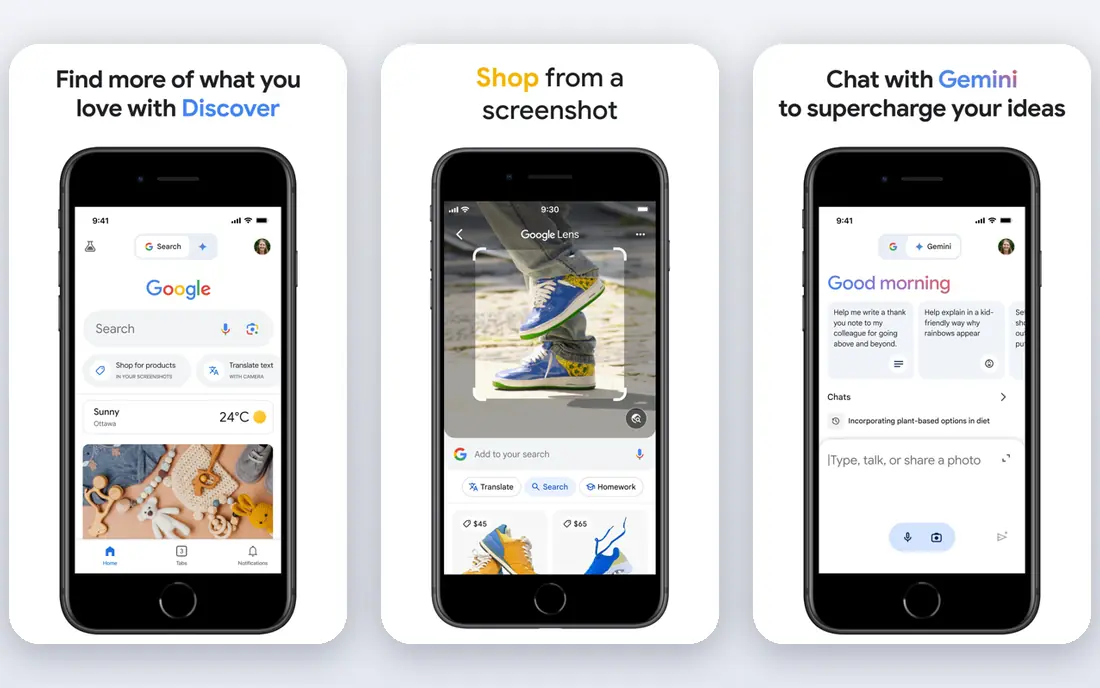
Google Shopping Try It On is the easiest free start for shoppers. When a product is eligible, you can see it on your own photo while you shop, which helps with length and fit questions before you buy. It fits people who want trying clothes on your own photo while shopping, and it is worth a short trial before you commit to a paid plan. The catch is worth stating plainly. The limits are eligibility and photo handling, since not every item works and saved photos should be deleted when you finish shopping. Before you pay, check the current price on the official site, confirm it works on your phone or computer, and read the privacy terms for the parts that matter to you, such as data sharing, deletion, and account recovery.
- Built into Google Search and Shopping
- Try eligible tops and dresses on your own photo
- No extra app for many users
- Limited to eligible products and regions
- Photos are saved unless you delete them
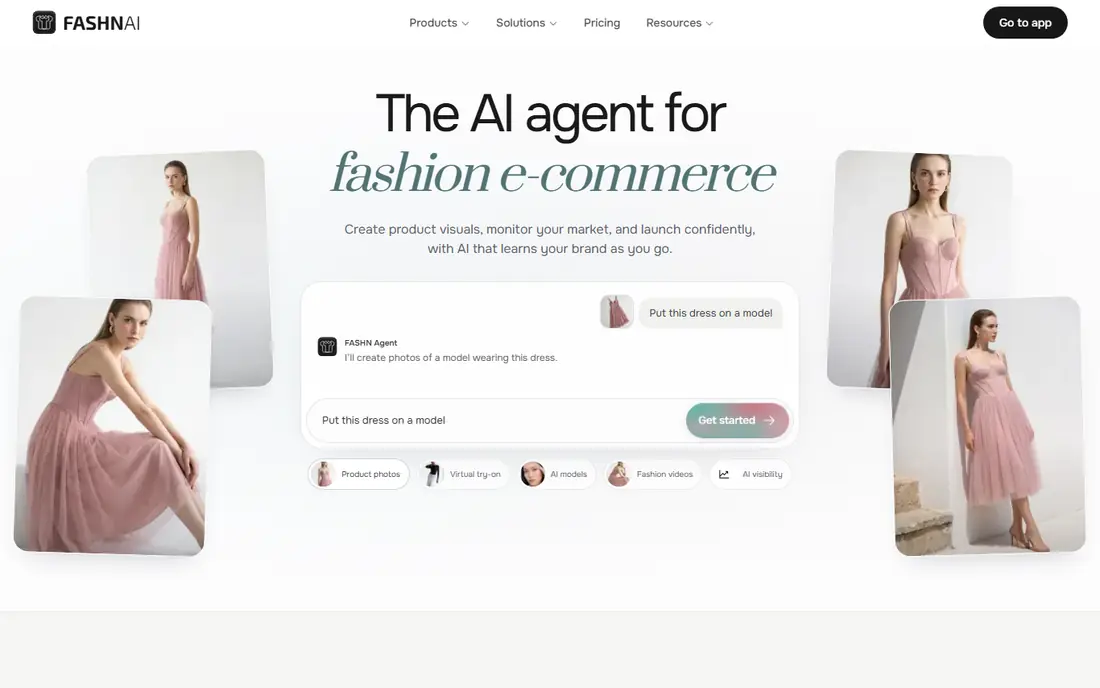
FASHN is the strongest creative try-on tool in this list. Its model can place garments on a person photo in seconds, with attention to prints, textures, and colors, and it offers an API for stores that want a fitting room on their site. It fits people who want fashion try-on for creators and stores, and it is worth a short trial before you commit to a paid plan. The catch is worth stating plainly. The tradeoff is audience, since the app and API suit creators and retailers more than a one-off shopper, and you should only use photos you own or have permission to use. Before you pay, check the current price on the official site, confirm it works on your phone or computer, and read the privacy terms for the parts that matter to you, such as data sharing, deletion, and account recovery.
- Try garments on model or shopper photos
- Product to model tools
- API for stores
- App is geared to creators and developers, not only casual shoppers
- Paid plans for full use
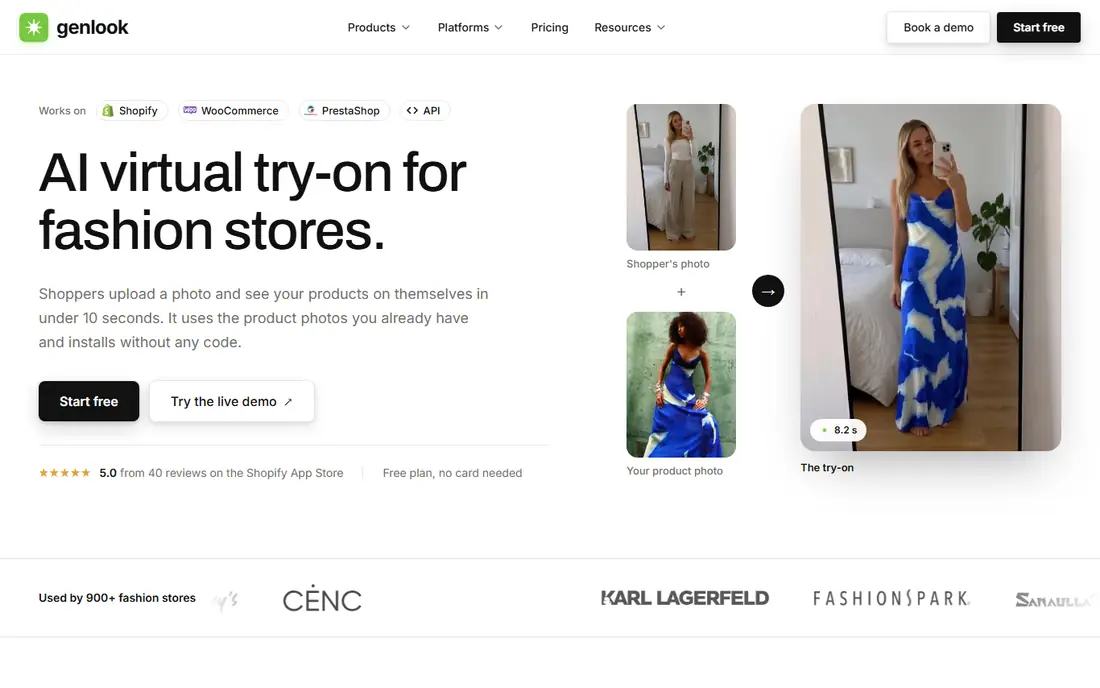
Genlook is the best store widget pick for retailers. Shoppers on a participating store can try a garment on their own photo quickly, and the vendor states photos are deleted after seven days and not used to train models. It fits people who want shopper try-on widget for fashion stores, and it is worth a short trial before you commit to a paid plan. The catch is worth stating plainly. The limit is availability, since you can only use it where a store has installed it, so it is a retailer tool first and a shopper tool second. Before you pay, check the current price on the official site, confirm it works on your phone or computer, and read the privacy terms for the parts that matter to you, such as data sharing, deletion, and account recovery.
- Shopify and other store widget
- Shopper tries a garment quickly
- Photos deleted after 7 days
- Store-side tool, so shoppers use it on a participating store, not as a standalone app
Perfect Corp suits retailers who need beauty and fashion try-on together. Its AR tools cover makeup, eyewear, and fashion, with virtual fitting features that large retailers use on product pages and in stores. It fits people who want beauty and fashion try-on for retailers, and it is worth a short trial before you commit to a paid plan. The catch is worth stating plainly. The tradeoff is scale, since it is built for enterprise retail, so small shops should ask about starter pricing and setup before committing. Before you pay, check the current price on the official site, confirm it works on your phone or computer, and read the privacy terms for the parts that matter to you, such as data sharing, deletion, and account recovery.
- AR try-on for makeup, eyewear, and fashion
- Enterprise retail tools
- Virtual shade and fit features
- Enterprise focus, so small stores may find pricing and setup heavy
- Trial only for many features
WANNA is the pick for accessories rather than clothes. Its AR overlay lets shoppers see shoes, bags, and watches on themselves through a live camera, which helps with size and style questions for accessories. It fits people who want ar try-on for shoes, bags, and watches, and it is worth a short trial before you commit to a paid plan. The catch is worth stating plainly. The limit is category, since it does not replace a clothing try-on tool, so use it for footwear and accessories and a clothing tool for garments. Before you pay, check the current price on the official site, confirm it works on your phone or computer, and read the privacy terms for the parts that matter to you, such as data sharing, deletion, and account recovery.
- AR try-on for footwear and accessories
- Live camera overlay
- Retail integrations
- Clothing try-on is not the main focus
- Access is mainly through partner retailers
Banuba suits app teams that want AR try-on inside their own product. Its SDK adds face and accessory try-on, beauty filters, and virtual fitting features to an app, without building AR from scratch. It fits people who want face and accessory ar try-on for apps, and it is worth a short trial before you commit to a paid plan. The catch is worth stating plainly. The tradeoff is audience, since it is a developer product, so shoppers will meet it inside a partner app rather than as a standalone download. Before you pay, check the current price on the official site, confirm it works on your phone or computer, and read the privacy terms for the parts that matter to you, such as data sharing, deletion, and account recovery.
- AR try-on SDK for face, eyewear, and accessories
- Beauty and filter tools
- App integrations
- Developer tool, not a consumer shopping app
- Pricing is custom for many uses
Zakeke fits stores that sell customizable products. Its configurator lets shoppers change colors and options in 3D, with try-on features beside customization, which helps for products where choice matters as much as fit. It fits people who want 3d configurator with try-on beside it, and it is worth a short trial before you commit to a paid plan. The catch is worth stating plainly. The limit is focus, since a store that only needs clothing try-on may find a simpler widget faster to install. Before you pay, check the current price on the official site, confirm it works on your phone or computer, and read the privacy terms for the parts that matter to you, such as data sharing, deletion, and account recovery.
- 3D product configurator and customizer
- Try-on beside customization
- Store integrations
- Try-on is part of a wider configurator, not a standalone fashion fitting room
- Setup takes care
FitRoom is a simple web option for shoppers who want a quick outfit preview. You upload your own photo and preview outfits online, without installing an app, which makes a first test fast. It fits people who want trying outfits on your own photo online, and it is worth a short trial before you commit to a paid plan. The catch is worth stating plainly. The tradeoff is transparency, since pricing and limits are not fully published, so test with one outfit and check the result before paying for more. Before you pay, check the current price on the official site, confirm it works on your phone or computer, and read the privacy terms for the parts that matter to you, such as data sharing, deletion, and account recovery.
- Online try-on from a photo
- Outfit previews for shoppers
- Simple web flow
- Pricing and free limits are not fully published
- Results vary by photo quality
How we picked these
We compared official feature pages, pricing pages, and app store listings, and we checked privacy policies where they affect the choice. We kept only tools that exist and work today, that fit the topic closely, and that publish clear terms. We favored a mix of well-known leaders and smaller options, and we noted honest limits instead of listing only strengths. Prices change, so we list the vendor price where we could verify it and use See website where the vendor does not publish a simple starting price.
How to use virtual try-on safely and well
Use only your own photo, or a photo you have clear permission to use, and choose a tool that states how long it keeps uploads. Google, FASHN, and Genlook all frame try-on around shopping or store content, and Genlook states photos are deleted after seven days. Next, match the tool to the job. Shoppers should start with Google Shopping Try It On or a store widget such as Genlook. Creators and stores should test FASHN or a configurator such as Zakeke. Then check the photo. A clear, front-facing, well-lit photo gives a better result than a dark or angled shot, and results are still previews, not a guarantee of fit. Finally, delete uploads when you finish, and do not share try-on images of other people. Start with the free plan or the shortest paid term when one is offered. Use the tool for a real task in the first week, not just a quick tour, and note where you get stuck. If you get stuck in the same place twice, that is useful evidence, even if the tool looks good on paper. Cancel promptly if it does not fit, and keep a note of the renewal date when you sign up for a trial.
FAQ
What is the best AI tool to change clothes in a photo?
For shoppers, Google Shopping Try It On is the easiest free option for eligible products. For creators and stores, FASHN is stronger, with garment-accurate try-on and an API. Genlook is best for retailers who want a try-on widget on their own store.
What is the best AI app to change clothes in photos for shopping?
Google Shopping Try It On covers shopping directly, while FitRoom offers a simple web preview from your own photo. Use only your own photo, and delete uploads when you finish. Results are previews for style, not a guarantee of fit or size.
Can AI change clothes in a photo for a store?
Yes, for legitimate store content. FASHN, Genlook, and Zakeke help stores show garments on models or shoppers, which can reduce returns and improve product pages. Stores should use model photos they own or have licensed, and follow the tool terms for commercial use.
Is it safe to upload my photo to a try-on tool?
It depends on the tool policy. Check how long photos are kept, whether they are used to train models, and how to delete them. Genlook states deletion after seven days and no training use. Delete your uploads after shopping, and avoid tools that do not publish a clear policy.
What should I avoid in AI clothes tools?
Avoid any tool marketed to remove clothes, undress people, or alter images of real people without consent. Those uses risk serious harm and may break platform and legal rules. This list includes only fashion try-on tools for your own photo or for store content you own.