Best AI Tools to Animate Still Photos in 2026: 8 Tools Compared
Compare the best ai tools to animate still photos for portraits, family photos and social clips, with consent guidance and 2026 pricing for buyers today.

- Editor's choice
 MyHeritage Deep Nostalgia
Old family portraits
Starts atSee websiteVisit myheritage.comFull review - Great alternative
 LivePortrait
Portrait animation with control
Starts atSee websiteVisit liveportraitai.comFull review - Also consider
 Runway
Directed shots and editing
Starts at$12 per monthVisit runwayml.comFull review
TL;DR:
- MyHeritage Deep Nostalgia is the best pick for animating old family portraits with simple, preset motion.
- LivePortrait suits portrait animation with more control over expressions and movement.
- Runway and Kling suit creators who want camera moves, prompts and longer clips from a still image.
- D-ID and Hedra suit talking photos for explainers, training and storytelling.
- Only animate photos you own or have permission to use, and never create non-consensual deepfakes.
Quick comparison
| Tool | Best for | Starts at | Free plan? | |
|---|---|---|---|---|
| MyHeritage Deep Nostalgia | Old family portraits | See website | Yes | Visit |
| LivePortrait | Portrait animation with control | See website | Yes | Visit |
| Runway | Directed shots and editing | $12 per month | Yes | Visit |
 Kling AI | Realistic motion from a photo | See website | Yes | Visit |
 CapCut | Quick social clips | See website | Yes | Visit |
 D-ID | Talking photos for explainers | $5.90 per month | Free trial | Visit |
 Hedra | Expressive talking characters | See website | Yes | Visit |
 Magic Hour | Simple all-in-one animation | $10 per month | Yes | Visit |
The best AI tools to animate still photos
We compared the best AI tools to animate still photos on motion quality, control, ease of use, export options and price. The best AI tools to animate still photo files include portrait tools, general image-to-video tools and talking-photo tools. Consent note: only animate photos you own or have permission to use, and never create non-consensual deepfakes or misleading videos of real people.
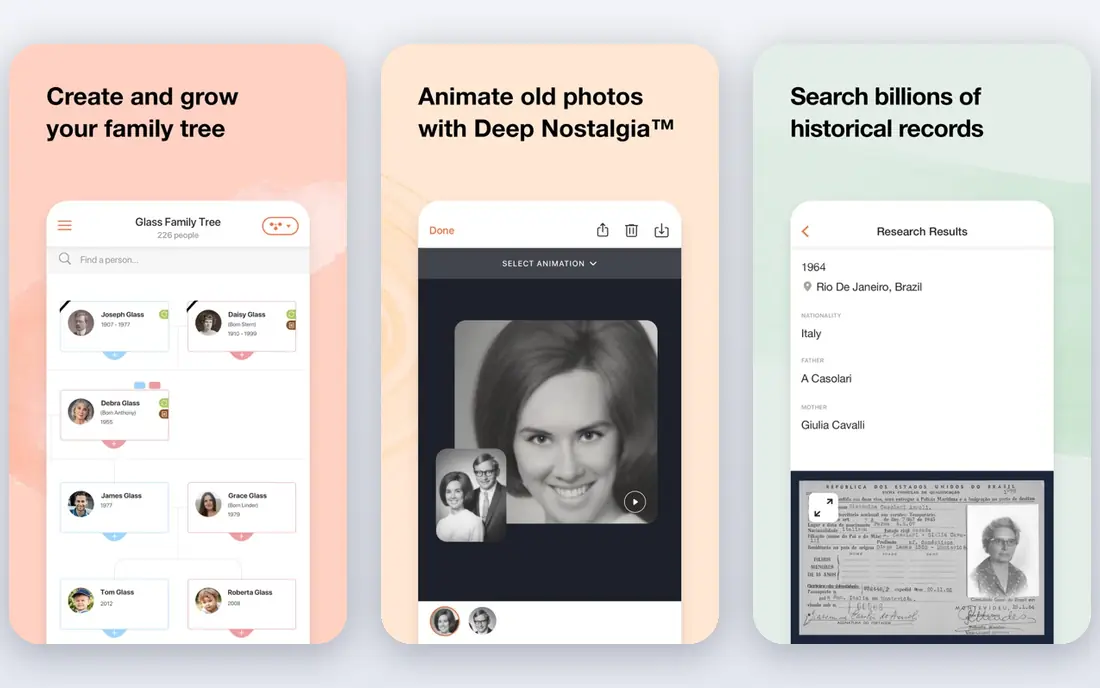
MyHeritage Deep Nostalgia is the simplest way to animate an old portrait. Upload a photo, and the tool applies preset facial movements such as blinking, smiling and head turns, after auto-enhancing the image. That makes it a good pick for family history projects and for people who want a result without learning video editing.
The limit is control. You cannot direct a custom expression or camera move, and free access is limited to a small number of animations. For a family photo that you own, Deep Nostalgia gives a fast, emotional result, but creators who want directed motion should look at Runway or Kling.
- Built for old and damaged photos
- Simple one-click animation
- Auto-enhancement before animation
- Preset motion only
- Full use needs a MyHeritage subscription
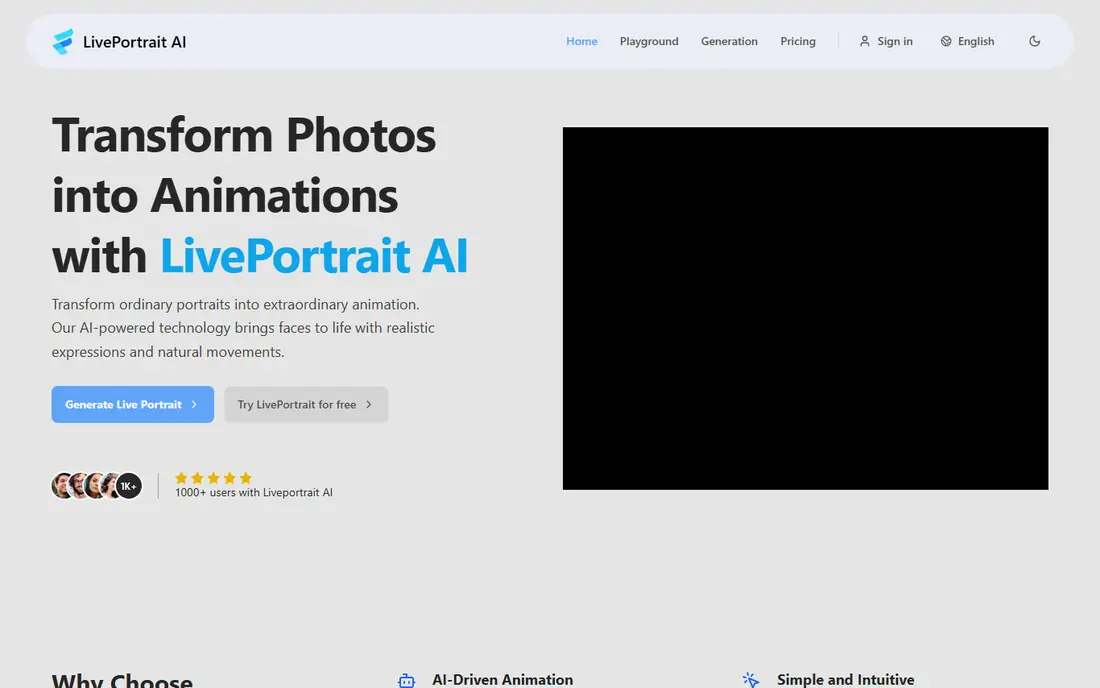
LivePortrait suits users who want more portrait control than Deep Nostalgia offers. It animates faces with preset movements and custom settings, supports human and animal portraits, and exports video and GIF files. That makes it useful for social posts, greetings and short creative projects.
The free plan includes watermarked or limited output, and paid plans add higher resolution, watermark removal and more credits. For a single portrait, test the free tier first. For regular client work, check the commercial terms of the paid plan you choose.
- Facial animation with presets
- Web, Android and iOS access
- Video and GIF exports
- Free tier has usage limits
- Editing after download needs a new upload

Runway suits creators who treat a still as the start of a shot, not as a finished post. Upload a product or portrait photo, set a camera move, add a reference for style, and trim or extend the result in the same workspace. That control is why agencies and serious solo creators keep returning to it, even when cheaper tools exist.
The budget warning is real. Standard costs $12 per month billed annually, with 625 credits, and longer or higher-quality clips use more credits. Plan test renders at lower cost settings where possible, and move to Pro only when Standard runs out early each month.
- Gen-4.5 model with camera and reference controls
- Built-in editing and upscaling
- Partner models in one workspace
- Credit costs rise fast on longer clips
- Standard plan is $15 per month when billed monthly
Kling AI suits creators who want realistic motion from one photo, with keyframe control for longer clips. It handles people, products and scenes with smooth movement, and it offers a free tier for testing before paying. For social and marketing clips, Kling gives strong value per dollar when paid plans are on offer.
The catch is changing pricing. Entry and promo prices vary, and free output may carry a watermark. Check the current pricing page before budgeting a project, and test a representative photo on the free tier first.
- Realistic motion from a single photo
- Long keyframed clips
- Free tier for testing
- Free tier has limits and watermarks
- Pricing and promos change often
CapCut suits social creators who want to animate a photo and publish quickly. Its photo-to-video tools, templates and effects make it easy to add motion, music and text in one app. For short-form posts, that speed matters more than the precise camera control of a specialist video tool.
CapCut is not the best pick for directed, cinematic shots. Use it when the goal is a fast social clip from a photo you own, and use Runway, Kling or Hailuo when you need finer motion control.
- Easy photo-to-video workflow
- Social templates and effects
- Mobile and web editing
- Animation depth is less than Runway or Kling
- Some features need a paid plan
D-ID suits teams that need a photo to speak a script for training, explainers or customer help. Upload a portrait you own or have rights to use, add text or audio, and D-ID creates a talking-head clip with lip movement. That is useful when a presenter cannot record video for every update.
D-ID is not a general image-to-video tool for scenes, products or camera moves. For talking photos, it is efficient and affordable, starting at $5.90 per month. Always get consent before animating a real person's photo as a talking avatar.
- Talking photo avatars from text or audio
- Good for training and explainers
- API for developers
- Talking heads only, not general scene motion
- Output quality depends on source photo
Hedra suits creators who want expressive talking characters for social posts and storytelling. It animates a character photo with speech and expression, which works well for short stories, explainers and character-led content. A free tier lets you test a character before paying.
Hedra is less suited to product shots or cinematic camera moves, where Runway or Kling fit better. For character content, Hedra offers a fast path from a still image to a speaking clip, provided you have rights to the photo and voice you use.
- Expressive character animation
- Social and storytelling focus
- Free tier for testing
- Character focus, not general video editing
- Paid tiers needed for regular use
Magic Hour suits users who want one simple place for image-to-video and talking photo work. It covers basic animation, talking photos and related creative tools without a steep learning curve. For a small creator or marketer, that simplicity saves time.
Specialist tools beat Magic Hour on control and quality for demanding shots. Use Magic Hour when ease matters most, and move to Runway, Kling or D-ID when a specific shot or talking-head quality becomes the priority.
- Simple image-to-video and talking photo workflow
- All-in-one creative tools
- Free tier for testing
- Depth is less than specialist tools
- Paid plan needed for regular high-quality output
How we picked these
We compared official feature and pricing pages, plus public reviews, for tools that animate still photos in October 2026. We favored tools with clear photo animation features, not general video editors with no AI motion. We kept portrait, talking-photo and general image-to-video options, and we left out tools marketed for non-consensual face animation.
Consent and safety notes
Only animate photos you own or have permission to use. Do not animate photos of other people without their consent, and do not create videos that make a real person appear to say or do something they did not say or do. For family history work, use photos from your own collection or from relatives who have given permission. If a tool offers a face-swap or deepfake feature, skip that use unless you have clear consent and a lawful purpose.
Choosing by photo type
Old portraits suit Deep Nostalgia or LivePortrait. Product and scene photos suit Runway, Kling or CapCut. Talking explainers suit D-ID or Hedra. Matching the tool to the photo type gives better motion and fewer failed renders.
Start with a high-quality source photo
Motion quality depends heavily on the source image. Use a clear, well-lit, front-facing photo with a plain background where possible, and avoid heavy crops that cut off the face or head. Test one short animation before running a batch, and compare motion, lip sync and background stability across tools. A good source photo reduces failed renders and unnatural movement, and it saves credits on tools that charge per generation.
FAQ
What is the best AI tool to animate a still photo?
MyHeritage Deep Nostalgia is best for old family portraits, LivePortrait suits portrait animation with more control, and Runway or Kling suit directed motion from a photo. The best AI tools to animate still photo files for talking explainers are D-ID and Hedra.
Can I animate a photo for free?
Yes, with limits. MyHeritage, LivePortrait, Runway, Kling, CapCut, Hedra and Magic Hour offer free tiers or trials, but free output may carry watermarks or credit limits. Paid plans remove watermarks and add higher resolution and more generations.
Is it legal to animate a photo of someone else?
Not without permission in most cases. Only animate photos you own or have permission to use, and do not create misleading or non-consensual videos of real people. For commercial use, check the tool license and get written consent from the person pictured.
Why does my animated photo look unnatural?
Preset facial motion can look odd on low-quality, side-angle or multi-face photos. Use a clear, front-facing, high-resolution photo, and test one animation before running a batch. For more control over movement, use a prompt-based tool such as Runway or Kling.
Can I animate a photo on my phone?
Yes. LivePortrait, CapCut and MyHeritage offer mobile access, and Runway, Kling and other web tools work in mobile browsers. For longer or higher-quality clips, a desktop browser usually gives more control and faster review.